

Quickmagicai



What is Quickmagicai?
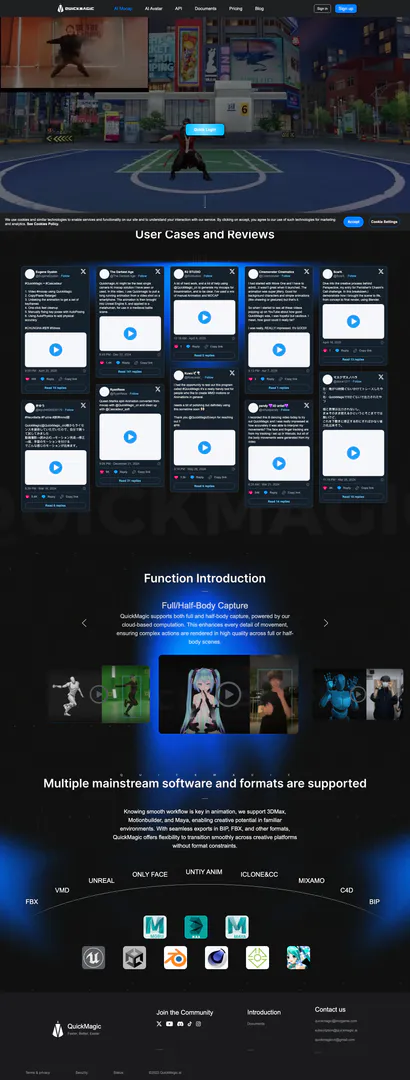
Quickmagicai is an innovative tool designed for creating 3D animations through advanced AI-driven motion capture technology. Users can upload a video via a web browser, and the AI will analyze the footage to perform 3D motion capture, generating lifelike 3D animations. This tool is particularly beneficial for animators and game developers who seek to streamline their animation processes and enhance the realism of their projects. With Quickmagicai, users can easily transform recorded movements into animated sequences, making it an essential tool in the fields of animation and game design.
How to use Quickmagicai?
- Visit the Quickmagicai website and sign in or create an account.
- Upload your video file via the web browser; ensure the video clearly captures the desired movements.
- Once the video is uploaded, the AI will process the footage to perform motion capture.
- Review the generated 3D animation and make any necessary adjustments using the provided tools.
- Export the final animation in your preferred format for use in various applications.
What are the main features of Quickmagicai?
- AI-Powered Motion Capture: Automatically captures and analyzes movement from uploaded videos to create 3D animations.
- Single and Multi-User Capture: Supports both individual and collaborative animation sessions.
- Seamless Integration: Compatible with major animation software like 3DMax, Motionbuilder, and Maya, allowing for smooth workflow transitions.
- Flexible Export Options: Offers various export formats including FBX and BIP, ensuring compatibility with different platforms.
- User-Friendly Interface: Designed for ease of use, making it accessible for both beginners and experienced animators.
Who is Quickmagicai for?
Quickmagicai is ideal for animators, game developers, and content creators looking to enhance their animation capabilities. It caters to both hobbyists and professionals who require a reliable tool for 3D motion capture. Whether you are creating animations for video games, films, or online content, Quickmagicai provides the necessary tools to produce high-quality animations efficiently. Its user-friendly interface makes it accessible for beginners, while its advanced features satisfy the needs of experienced professionals.
What are the use cases of Quickmagicai?
- Game Development: Use Quickmagicai to create realistic character animations for video games by capturing real-life movements.
- Film Production: Enhance animated films by generating 3D animations based on actor performances captured in videos.
- Virtual Reality Experiences: Develop immersive VR content by utilizing motion capture to animate characters and environments accurately.
Quickmagicai Pros and Cons
Pros
- Efficient 3D Motion Capture: Quickmagicai allows users to upload videos for efficient 3D motion capture, transforming recorded movements into animations seamlessly.
- User-Friendly Interface: The tool is designed for ease of use, enabling users to generate animations without extensive technical knowledge.
- Supports Multiple Formats: Quickmagicai supports various export formats like FBX, BIP, and more, ensuring compatibility with popular animation software.
Cons
No cons data detected for this tool
Quickmagicai Pricing
Freemium
50 V Coins/Monthly, Low-priority video processing, Capture 2 videos at the same time, Max upload/download length: 30s, Max video import size: 100 MB, Format: FBX.
Starter
150 V Coins/Monthly, Regular-priority video processing, Capture 5 videos at the same time, Max upload/download length: 60s, Max video import size: 200 MB, Format: FBX/VMD/UE5.
Professional
1000 V Coins/Monthly, Regular-priority video processing, Capture 5 videos at the same time, Max upload/download length: 60s, Max video import size: 200 MB, Format: FBX/VMD/UE5.
V Coins - 1,000
1,000 V Coins for $46.
V Coins - 10,000
10,000 V Coins for $130.
For the latest pricing, please visit this link: https://www.quickmagic.ai/Pricing
Prices are subject to change. Please visit the official website for the most up-to-date pricing information.
Analytics of Quickmagicai
Quickmagicai Website Traffic Analysis
Visits Over Time
Traffic Sources
Oct 2025 - Dec 2025 Worldwide Desktop Only
- Direct: 48.93%
- Search: 34.59%
- Social: 10.05%
- Referrals: 5.61%
- Paid Referrals: 0.75%
- Mail: 0.06%
Top Keywords
| Keyword | Volume | CPC | Estimated Value |
|---|---|---|---|
| quickmagic | 7.21K | $1.42 | $5330.00 |
| quick magic | 3.38K | $0.00 | $2730.00 |
| quickmagic ai | 2.27K | $0.26 | $1420.00 |
| quick magic ai | 1.32K | $0.27 | $1070.00 |
| quickmagic mocap | 520 | $0.00 | $470.00 |
Quickmagicai Reviews
Quickmagic.Ai might be the best single camera AI mocap solution I have seen or used. In this video, I use Quickmagic to pull a long running animation from a video shot on a smartphone. The animation is then brought into Unreal Engine 5, and applied to a metahuman, for use in a medieval battle scene.
I had the opportunity to test out this program called #QuickMagic it's a really handy tool for people who like to create MMD motions or Animations in general. needs a bit of polishing but definitely using this sometime soon.
I recorded this lil dancing video today to try out QuickMagic and I was really impressed at how accurately it was able to interpret my movements? The face and finger tracking are from my tracking I set up in Warudo, but all of the body movements were generated from my video.
For more reviews, visit this link: https://www.quickmagic.ai/#reviews






Quickmagicai Social Listening
Cheap AI Mocap that Actually W...
https://discord.com/invite/the...
QuickMagic vs Rokoko vs Cascad...
For everyone who wanted to see...
INSANE 3D tracking with just o...
Use this link for your additio...
Unlock to view 30 social media results.