Nocapmocap




What is Nocapmocap?
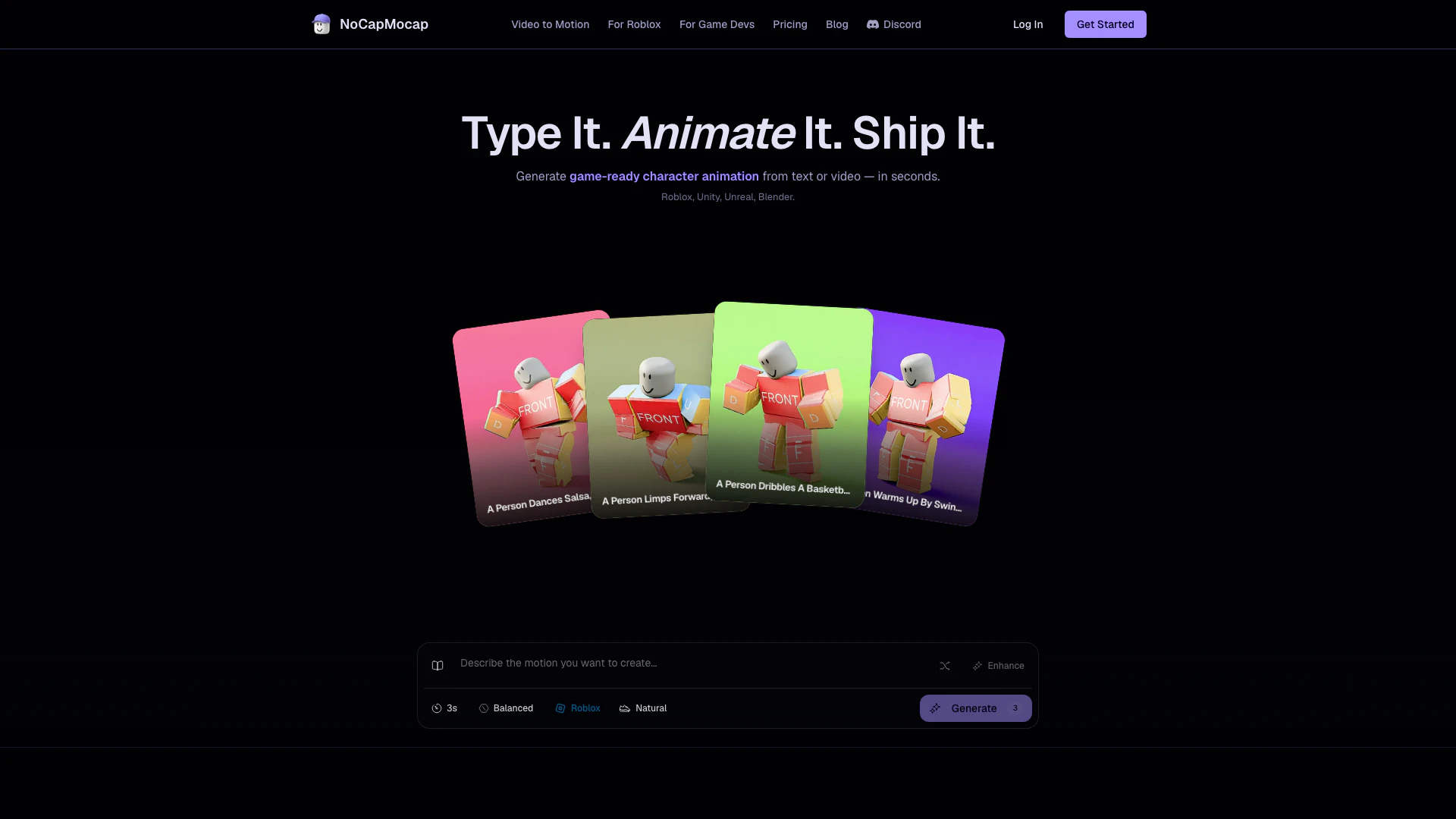
Nocapmocap is an innovative AI tool designed to generate game-ready character animations from simple text prompts or video clips. It streamlines the animation process for developers by allowing them to create high-quality animations without the need for complex motion capture equipment or extensive animation expertise. With Nocapmocap, users can easily export animations in FBX format, compatible with popular game engines like Roblox, Unity, Unreal, and Blender, making it an essential tool for game developers and creators.
How to use Nocapmocap?
- Visit the Nocapmocap website and create an account or log in to your existing account.
- Choose your animation method: either describe a motion using plain text or upload a video clip demonstrating the desired movement.
- After inputting your prompt or uploading your video, click on the 'Generate' button to create your animation.
- Once the animation is generated, preview it to ensure it meets your expectations.
- Finally, export the animation in FBX format, ready for use in your chosen game engine.
What are the main features of Nocapmocap?
- Text to Motion: Create animations by simply describing movements in natural language.
- Video to Motion: Upload video clips to convert real-life movements into digital animations.
- Game-Ready FBX Export: Easily export animations compatible with Roblox R15, Mixamo, Unity, Unreal, and Blender.
- User-Friendly Interface: Designed for ease of use, requiring no prior animation experience.
- Community Gallery: Access and share animations created by other users, fostering collaboration and inspiration.
Who is Nocapmocap for?
Nocapmocap is primarily aimed at game developers, animators, and creators who need to produce character animations quickly and efficiently. It is particularly beneficial for indie game developers and hobbyists who may not have access to expensive motion capture technology or advanced animation skills. Additionally, educators and students in game design courses can leverage this tool to enhance their learning experience and streamline their animation projects.
What are the use cases of Nocapmocap?
- Game Development: Create character animations for video games without the need for motion capture equipment, allowing for rapid prototyping and iteration.
- Animation Projects: Use Nocapmocap for personal or educational animation projects, making it easier for students and beginners to create animations.
- Content Creation: Generate unique animations for online content, such as videos or streams, enhancing viewer engagement with custom character movements.
Nocapmocap Pros and Cons
Pros
- Text to Motion Conversion: Easily generate character animations by simply describing movements in plain English, eliminating the need for complex animation jargon.
- Video to Motion Capability: Upload video clips to create game-ready animations without the need for motion capture suits or specialized equipment.
- Multiple Export Formats: Export animations in FBX format compatible with popular game engines like Roblox, Unity, Unreal, and Blender, ensuring versatility for developers.
Cons
No cons data detected for this tool
Nocapmocap Pricing
Credit Pack
Pay for the seconds you ship. No subscription required to try. 1 credit = 1 second. Generate a 3-second walk for 3 credits. No surprise per-export charges.
For the latest pricing, please visit this link: https://www.nocapmocap.com/pricing
Prices are subject to change. Please visit the official website for the most up-to-date pricing information.