Pageg




What is PageGPT?
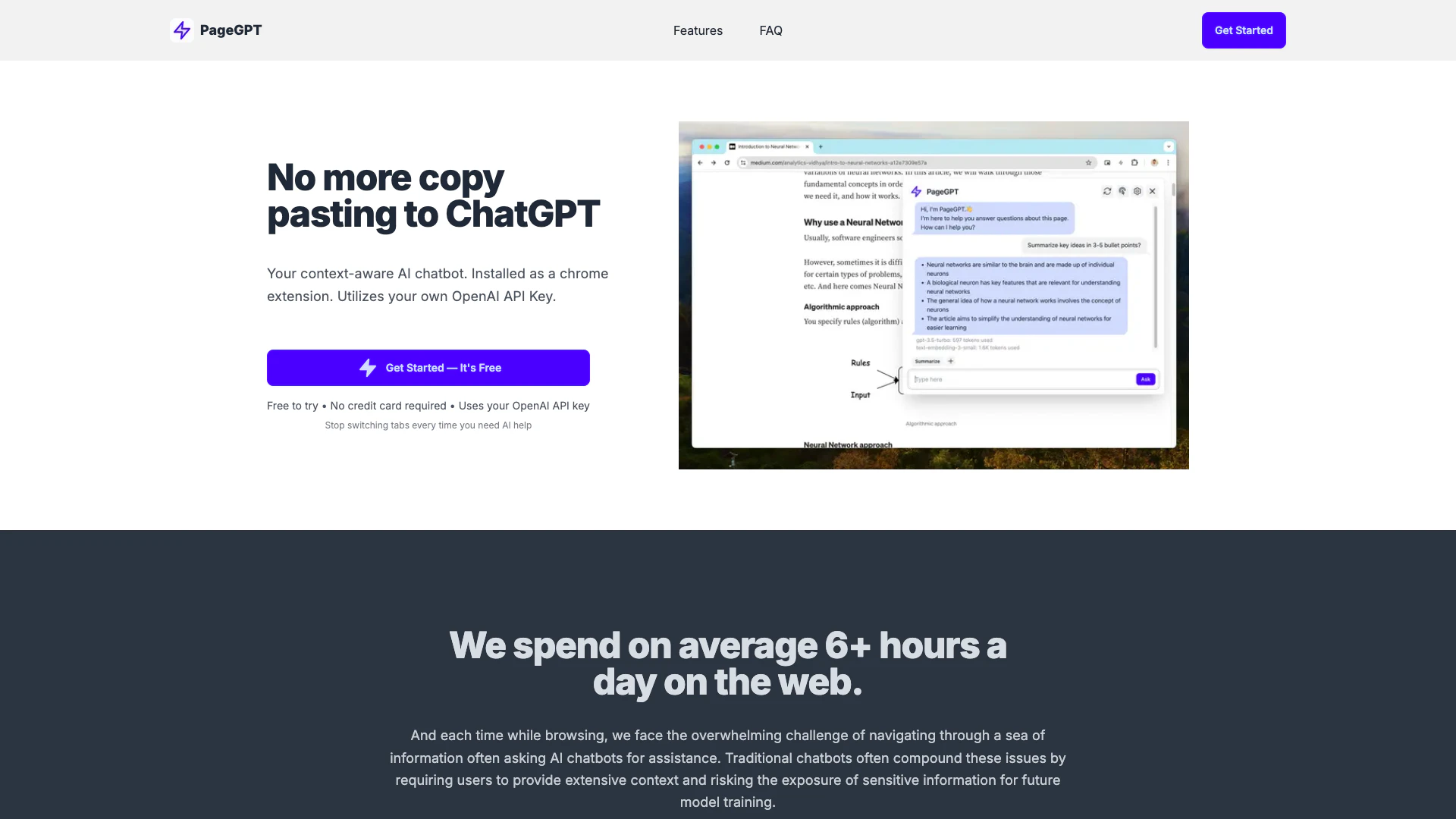
PageGPT is an AI chatbot[1] designed to enhance your browsing experience by providing context-aware[2] assistance based on the webpage you are currently viewing. Installed as a Chrome extension[3], it utilizes your own OpenAI API[4] key to generate responses, allowing for seamless interaction without the need for copying and pasting text or switching between tabs. PageGPT understands the context of the page, enabling it to offer relevant information, summaries, and assistance tailored to your specific needs, making it a powerful tool for productivity and research.
How to use PageGPT?
- Install the PageGPT Chrome extension from the Chrome Web Store.
- Sign up for an OpenAI account and obtain your API key from the OpenAI platform.
- Open a webpage where you want to use PageGPT.
- Click on the PageGPT extension icon in your browser toolbar.
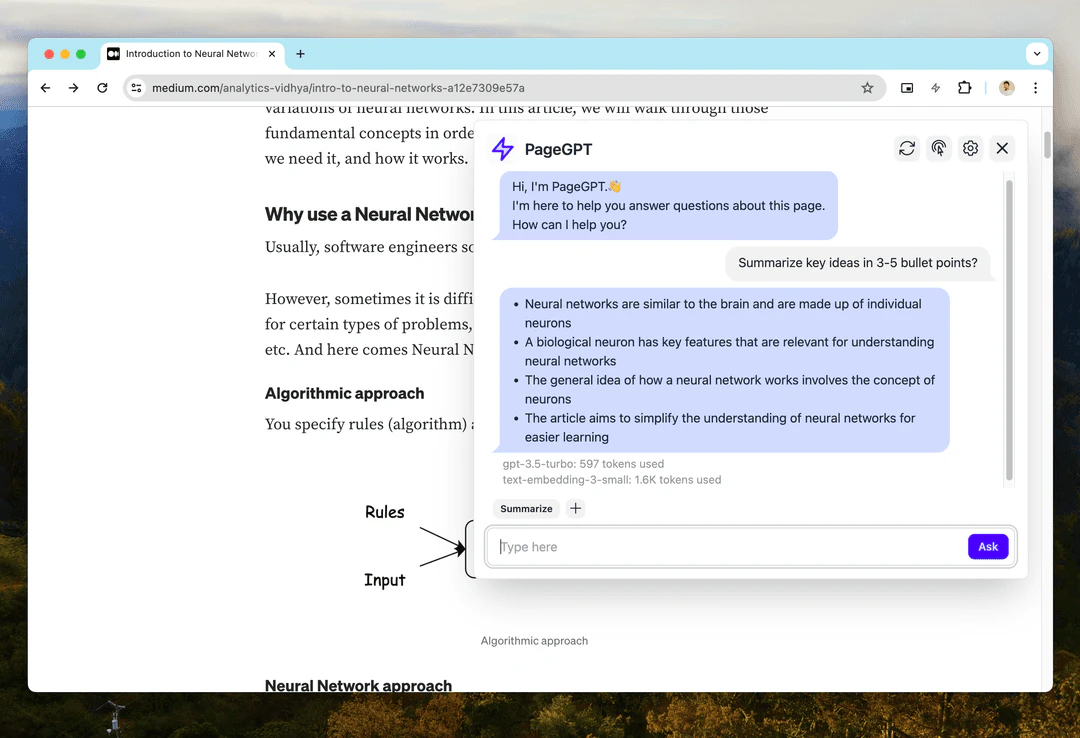
- Type your question or request in the chat interface, and PageGPT will provide context-aware responses based on the content of the page you're viewing.
What are the main features of PageGPT?
- Context Awareness: PageGPT understands the content of the webpage you are on, allowing for more relevant and specific responses.
- Effortless Conversations: Start a conversation easily without needing to copy and paste text or explain context.
- Saved Prompts: Save frequently used messages as prompts for quick access in future conversations.
- Privacy First: Your data remains confidential; conversations are not stored and are only sent to OpenAI for response generation.
Who is PageGPT for?
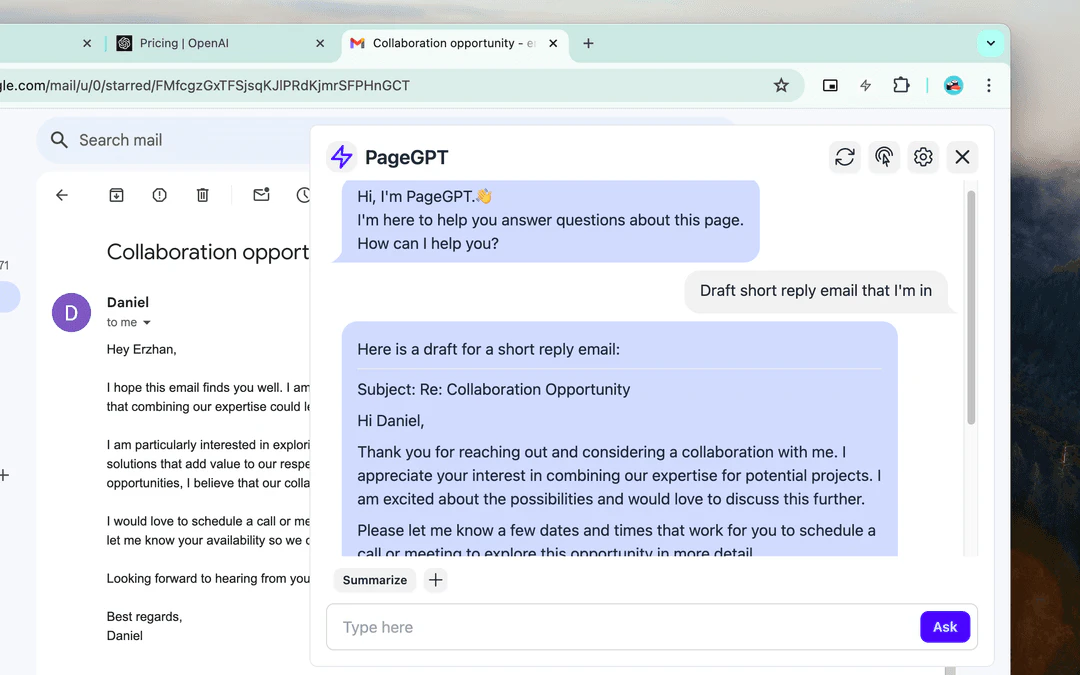
PageGPT is designed for a wide range of users including students, professionals, researchers, and anyone who frequently browses the web and seeks instant assistance. It is particularly beneficial for those who need help with research, drafting emails, or summarizing content without the hassle of switching tabs or losing context.
What are the use cases of PageGPT?
- Research Assistance: Quickly gather information and summaries from web pages while conducting research.
- Email Drafting: Get help drafting responses to emails based on the content of the page you're viewing.
- Productivity Hacks: Use PageGPT to streamline workflows by obtaining quick answers without interrupting your browsing experience.
Product Images
Pageg Pros and Cons
Pros
- Context-Aware Assistance: PageGPT understands the context of the webpage you are on, providing tailored responses without the need for extensive explanations.
- Effortless Conversations: Users can start conversations easily by clicking a button, eliminating the need for copying and pasting content.
- Privacy-Focused: PageGPT prioritizes user privacy by not storing conversations and only using the OpenAI API for generating responses.
Cons
No cons data detected for this tool