

Nemovideo



What is NemoVideo?
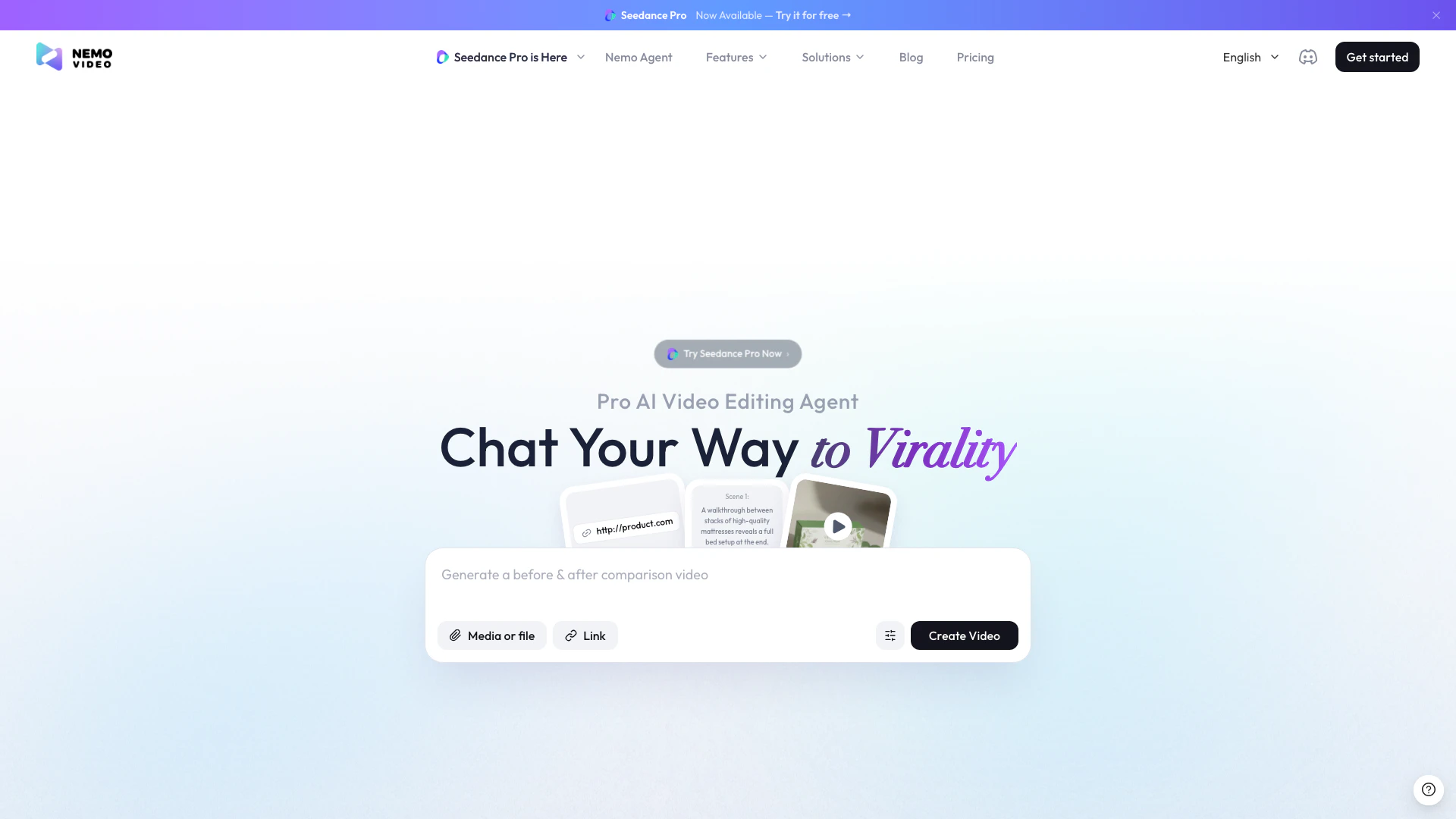
NemoVideo is an innovative AI video editing[1] tool designed to simplify the video creation process for users of all skill levels. By leveraging natural language processing[2], NemoVideo allows users to communicate their editing needs through simple chat commands. This AI-powered video editing agent handles everything from hunting viral video trends[3] to automating the editing workflow, making it accessible to anyone who wants to create professional-quality videos without prior editing experience. Whether you need to cut footage, add captions, or insert audio, NemoVideo can transform your ideas into engaging video content in just minutes.
How to use NemoVideo?
- Sign up for a free account on the NemoVideo website.
- Start a chat with your AI video editing agent by describing what you want to achieve, such as 'Add captions' or 'Cut the silence'.
- Review the generated video content and provide further instructions if needed, like 'Add background music' or 'Include transitions'.
- Once satisfied with the edits, download your completed video or share it directly on social media.
What are the main features of NemoVideo?
- Viral+ Studio: Easily transform ideas into viral videos by dropping in your content.
- Inspiration Center: AI analyzes current video trends and generates high-performing scripts to inspire your content.
- SmartAudio[4]: Automatically add voiceovers and background music to enhance your videos.
- Smart Caption[5]: Generate captions in various trending styles with a single click.
- Talking-head Video Editor: Specialized editor for talking-head videos, featuring smart b-roll and voice matching.
- SmartPick: Automatically removes unwanted clips and selects highlights from your raw footage.
Who is NemoVideo for?
NemoVideo is ideal for a diverse range of users including content creators, marketers, e-commerce businesses, and freelance editors. It caters to individuals who seek to produce high-quality video content without the need for extensive editing skills. Whether you are a social media influencer wanting to create engaging posts, a marketer aiming to promote products effectively, or a business looking to enhance your brand visibility through video, NemoVideo provides the tools necessary to achieve your goals effortlessly.
What are the use cases of NemoVideo?
- Social Media Marketing: Create eye-catching videos for platforms like Instagram and TikTok to engage audiences and boost brand presence.
- E-commerce Promotions: Develop product demonstration videos that highlight features and benefits to drive sales.
- Content Creation for YouTube: Generate professional-looking videos quickly, allowing creators to focus on content rather than technical editing.
Product Images


Nemovideo Pros and Cons
Pros
- AI-Powered Video Editing Agent: NemoVideo acts as an AI video editing agent, allowing users to edit videos simply by chatting their requirements, eliminating the need for complex software skills.
- Quick Content Creation: Users can create ready-to-go content in minutes, making it ideal for those needing fast turnaround times for viral videos.
- Automated Trend Analysis: The tool analyzes video trends and helps users generate scripts that are likely to perform well, enhancing the chances of virality.
Cons
No cons data detected for this tool
Nemovideo Pricing
Free
Main features access, includes but not limited to Viral Video Search & Analysis, Viral Scripting Writing, Viral Video Editing and Generation, Full Resource Access to Complete post-production elements, Nemo Agent: Talk-to-edit functionality, and more to explore. At least two video outputs and Multi-language compatibility.
Starter
Includes 1100 credits monthly. Perfect for individuals creating a few videos per week. Everything in Free plan, plus 1100 credits and upgrade without watermark. Pay-as-you-go option available at $12 per 1,000 credits.
Pro
Includes 4300 credits monthly. Built for heavy creators with daily video needs. Everything in Starter plan, plus 4300 credits and exclusive Pro rate of $9 per 1,000 credits on Pay-as-you-go.
For the latest pricing, please visit this link: https://www.nemovideo.com/pricing
Prices are subject to change. Please visit the official website for the most up-to-date pricing information.
Analytics of Nemovideo
Nemovideo Website Traffic Analysis
Visits Over Time
Traffic Sources
Nov 2025 - Jan 2026 Worldwide Desktop Only
- Search: 55.63%
- Direct: 20.54%
- Social: 16.61%
- Referrals: 5.86%
- Paid Referrals: 1.25%
- Mail: 0.10%
Top Keywords
| Keyword | Volume | CPC | Estimated Value |
|---|---|---|---|
| ai video generator | 492.97K | $0.64 | $1030.00 |
| kapwing | 353.07K | $0.59 | $1150.00 |
| nemovideo | 4.99K | $0.83 | $4370.00 |
| nemo video | 3.45K | $1.07 | $4160.00 |
| nemo video ai | 2.56K | $0.26 | $3080.00 |





Nemovideo Social Listening
I Tested NemoVideo - The AI Ag...
Ad/Werbung. 🔗 Try NemoVideo: ...
NemoVideo Is the fastest AI vi...
NemoVideo is an AI-powered vid...
Why Your Videos Die at 300 Vie...
Nemovideo is a powerful AI too...
Unlock to view 36 social media results.