Heyvidai
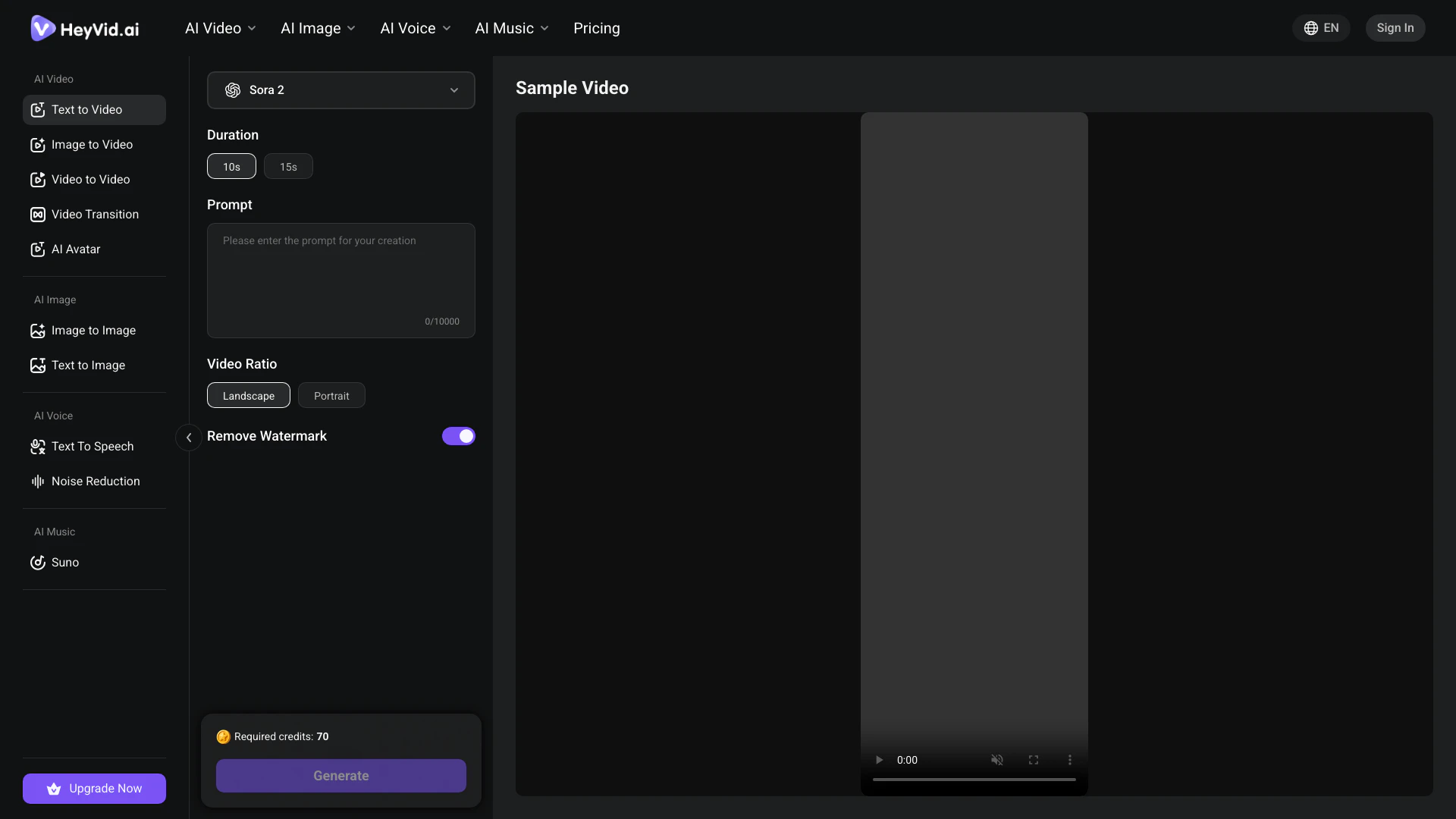





What is Heyvidai?
Heyvidai is an innovative AI-powered tool designed to transform any text into engaging videos. By leveraging advanced AI technology, Heyvidai enables users to convert scripts into professional-quality videos effortlessly. This text-to-video generator is particularly useful for content creators, marketers, and educators looking to create visually appealing video content without the need for extensive video editing skills. The platform supports various video styles and formats, making it a versatile solution for producing dynamic video content online for free.
How to use Heyvidai?
To create videos with Heyvidai, follow these steps: 1. Enter Your Script: Begin by typing or pasting your script into the provided text box on the Heyvidai platform. 2. Choose Settings: Select your preferred video settings, including aspect ratio and duration. 3. Add Visual Style: Pick a visual style that suits your narrative, such as cinematic or animated. 4. Generate Your Video: Click on the generate button to create your video. The AI will process your input and produce a professional video based on your script.
What are the main features of Heyvidai?
Heyvidai offers a range of powerful features, including: - Text to Video Generation: Quickly convert any text into a captivating video using advanced AI models. - Professional Video Style Controls: Customize your video with various styles, including cinematic and artistic options. - Batch Video Generation: Create multiple videos simultaneously, enhancing productivity for users with bulk requirements. - Video API Integration: Integrate Heyvidai's capabilities into your applications via a RESTful API, allowing for custom video solutions. - User-Friendly Interface: The intuitive platform makes it easy for anyone to start creating videos without prior experience.
Who is Heyvidai for?
Heyvidai is ideal for a wide range of users, including: - Content Creators: Individuals looking to produce engaging video content quickly and efficiently. - Marketers: Professionals who need to create promotional videos or advertisements without extensive editing skills. - Educators: Teachers and trainers who want to enhance their presentations with dynamic video content. - Businesses: Companies looking to streamline their video production processes for marketing or internal communications.
What are the use cases of Heyvidai?
Heyvidai can be utilized in various scenarios, such as: 1. Social Media Marketing: Create eye-catching videos for platforms like Instagram, Facebook, and TikTok to engage audiences. 2. Educational Content: Transform lesson plans or educational materials into videos for online courses or presentations. 3. Promotional Videos: Generate product launch videos or advertisements to showcase services or products effectively. 4. Event Highlights: Compile event recaps or highlight reels from scripts summarizing key moments.
Product Images


Heyvidai Pros and Cons
Pros
- AI-Powered Video Generation: Transform any text into professional videos using advanced AI models like Sora, Kling, and Runway, ensuring high-quality output.
- User-Friendly Interface: The intuitive interface allows users, even with no editing experience, to create videos quickly and easily by simply entering text.
- Batch Processing Feature: Generate multiple videos simultaneously, making it ideal for marketers and content creators who need to produce videos in bulk efficiently.
Cons
No cons data detected for this tool
Heyvidai Pricing
Lite
500 Credits/Month, 2 parallel tasks, All-in-one multi-model support, AI Video (Image/Text/Video to Video), AI Image (Image to Image, Text to Image), AI Voice (Text to Speech, Voice Cloning), AI Music (Suno), Faster generation speed, No-watermark outputs, Private content, Copy protection, Full generation history & easy reuse, Commercial-use license included, Priority support.
Pro
1,200 Credits/Month, 3 parallel tasks, All-in-one multi-model support, AI Video (Image/Text/Video to Video), AI Image (Image to Image, Text to Image), AI Voice (Text to Speech, Voice Cloning), AI Music (Suno), Faster generation speed, No-watermark outputs, Private content, Copy protection, Full generation history & easy reuse, Commercial-use license included, Priority support.
Max
6,000 Credits/Month, 5 parallel tasks, All-in-one multi-model support, AI Video (Image/Text/Video to Video), AI Image (Image to Image, Text to Image), AI Voice (Text to Speech, Voice Cloning), AI Music (Suno), Fastest generation speed, No-watermark outputs, Private content, Copy protection, Full generation history & easy reuse, Commercial-use license included, Priority support.
For the latest pricing, please visit this link: https://heyvid.ai/pricing
Prices are subject to change. Please visit the official website for the most up-to-date pricing information.
Heyvidai Reviews
HeyVid AI changed everything for me. I went from spending hours on video editing to creating professional content in minutes. The quality from HeyVid AI is incredible and the interface is so intuitive. HeyVid is now essential to my workflow.
Love HeyVid AI! 10 stars!
HeyVid AI turned my family photos into beautiful videos. HeyVid added filters and music automatically. Amazing!
For more reviews, visit this link: https://heyvid.ai/text-to-video#text-to-video