Describeimage

What is Describeimage?
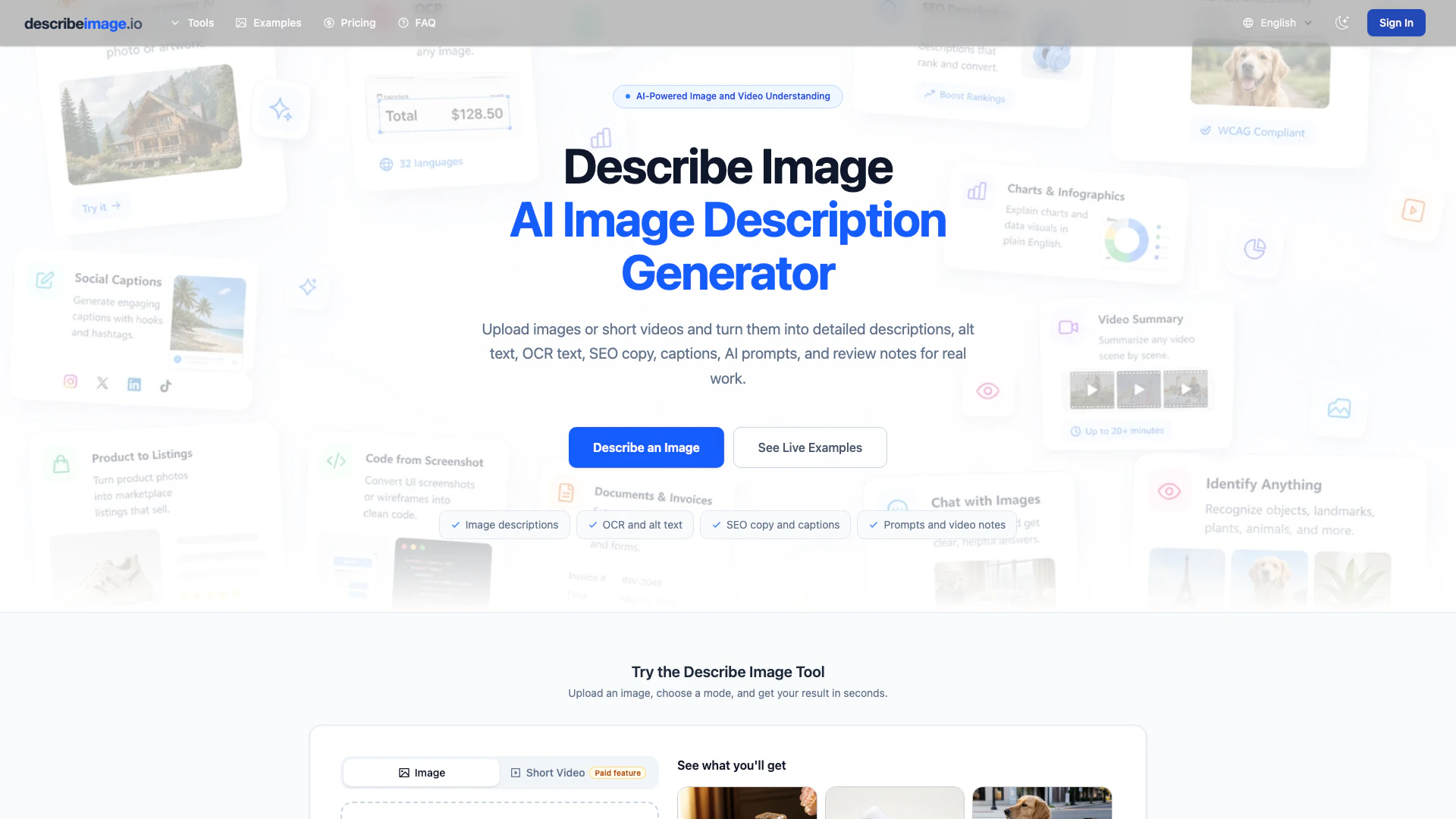
Describeimage is an innovative AI tool designed to generate detailed descriptions, prompts, and structured data from images and videos. It leverages advanced artificial intelligence to interpret visual content, enabling users to enhance their digital assets through optimized image SEO, accessibility compliance, and creative content generation. With Describeimage, you can turn any visual into actionable insights, making it a valuable resource for marketers, content creators, and businesses looking to maximize the impact of their imagery.
How to use Describeimage?
- Upload Your File: Drag and drop your image or video file, or paste a URL. Describeimage supports various formats including JPG, PNG, WebP, and GIF, with a maximum size of 15 MB.
- Pick Your Output Mode: Choose from multiple output options such as image description, alt text, OCR, SEO copy, prompt generation, or video summary based on your needs.
- Copy, Refine, or Export: Once the output is generated, you can easily copy it for immediate use, refine it to better suit your requirements, or export it for integration into your workflow.
What are the main features of Describeimage?
- Reverse-engineer AI prompts for image generation tools like Midjourney and DALL-E.
- Boost image SEO rankings with keyword-rich descriptions and structured alt text.
- Generate WCAG-compliant alt text for improved accessibility.
- Create structured product listings from photos for e-commerce platforms.
- Extract text from images using advanced OCR capabilities across 32 languages.
- Explain complex charts and data visuals in plain English.
- Generate engaging social media captions automatically from photos.
- Convert UI screenshots into HTML, CSS, or Draw.io diagrams.
- Summarize video content with timestamped scene breakdowns.
- Identify various objects, celebrities, and landmarks in photos.
Who is Describeimage for?
Describeimage is designed for a diverse range of users including digital marketers, e-commerce businesses, content creators, and accessibility advocates. Marketers can utilize the tool to enhance their image SEO and create compelling captions for social media. E-commerce professionals can streamline their product listings, while content creators can easily generate detailed descriptions for visual assets. Additionally, individuals focused on web accessibility can benefit from the auto-generated alt text to ensure compliance with accessibility standards.
What are the use cases of Describeimage?
- Enhance SEO strategies by generating keyword-rich alt text and descriptions for images on websites, improving visibility in search results.
- Create engaging product listings for platforms like Amazon and Shopify by transforming product photos into structured content.
- Conduct accessibility audits efficiently by auto-generating compliant alt text for images, facilitating better user experiences for individuals with disabilities.
Describeimage Pros and Cons
Pros
- Versatile Use Cases: Describeimage can be utilized for various tasks including ecommerce listings, accessibility alt text, social media captions, and more, making it a flexible tool for different workflows.
- Improves Efficiency: The tool helps users save time by providing quick descriptions and summaries, allowing them to focus on higher-level tasks instead of manual descriptions.
- Enhances Accessibility: By generating alt text and detailed descriptions, Describeimage improves accessibility for users with visual impairments, ensuring content is more inclusive.
Cons
No cons data detected for this tool
Describeimage Pricing
Free
For light image description, OCR, alt text, and prompt work. What you get: Daily check-in: +10 credits, 7-day streak bonus: +20 credits, Up to 380 credits / month, Model 1.0 image modes with credits, Chat with Image requires sign-in and uses credits per message, Credits expire in 24 hours, Video tools and Model 2.0 require a paid plan, Standard queue, Optional save to My Descriptions for signed-in users.
Basic
Regular image and video workflows. Includes descriptions, OCR, SEO, prompts, and captions. Private history and reusable presets.
Pro
More room for frequent visual work. Faster generation for busier days. Longer video review workflows.
Studio
High-volume creative and content work. Batch-style image work and longer video review. Priority support for busy workflows.
For the latest pricing, please visit this link: https://describeimage.io/pricing
Prices are subject to change. Please visit the official website for the most up-to-date pricing information.