

Copychecker




What is Copychecker?
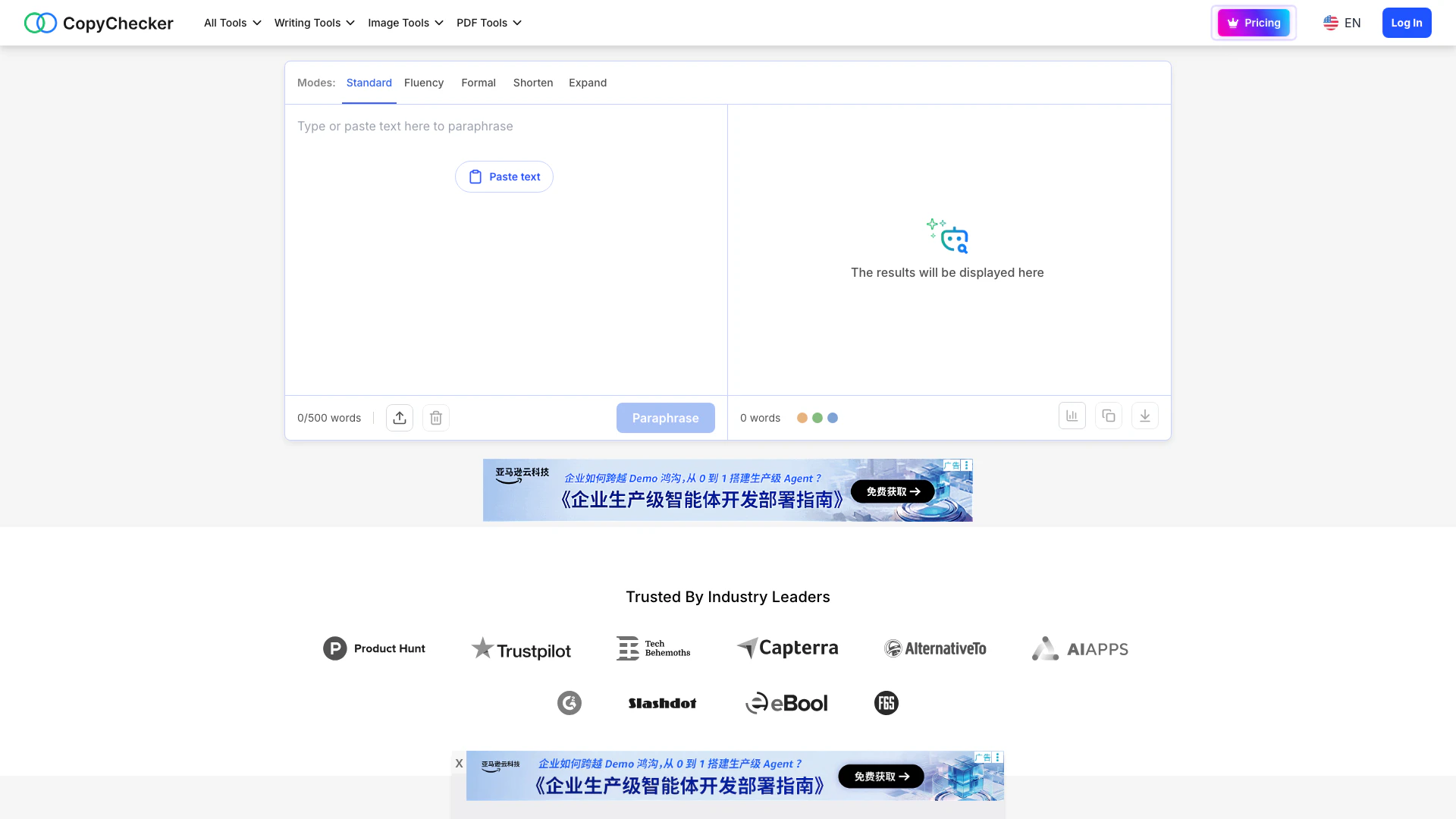
CopyChecker is an advanced online paraphrasing tool designed to help users improve their writing clarity and flow. Utilizing state-of-the-art AI technology, CopyChecker rewords sentences and replaces words to create a more natural reading experience. This free tool is ideal for anyone looking to enhance their writing, whether for academic, professional, or personal purposes. With its intuitive interface, CopyChecker allows users to effortlessly paraphrase text, making it an essential resource for effective communication.
How to use Copychecker?
- Visit the CopyChecker website at [copychecker.com/paraphrasing-tool](https://copychecker.com/paraphrasing-tool).
- Input the text you wish to paraphrase into the designated text box.
- Select your preferred paraphrasing mode (Standard, Formal, Shorten, Expand) from the available options.
- Click on the 'Paraphrase' button to initiate the rephrasing process.
- Review the output, and if necessary, make further adjustments to ensure it meets your needs.
What are the main features of Copychecker?
- Advanced AI technology that analyzes text structure and context.
- Multiple paraphrasing modes to cater to different writing styles.
- Synonym replacement and sentence restructuring for natural flow.
- Plagiarism avoidance by rephrasing ideas in original words.
- Quick and efficient rewriting, saving users valuable time.
- User-friendly interface suitable for all levels of writing proficiency.
Who is Copychecker for?
CopyChecker is tailored for a diverse range of users, including students, educators, content creators, and professionals. It serves anyone looking to improve their writing by providing a platform to paraphrase text easily. Whether you're a student aiming to avoid plagiarism in essays, a blogger seeking to refine your articles, or a business professional needing to clarify reports, CopyChecker offers valuable assistance to enhance your writing skills and efficiency.
What are the use cases of Copychecker?
- Students can use CopyChecker to paraphrase academic papers and avoid plagiarism.
- Content creators can enhance their articles or blogs by finding fresh perspectives and improving readability.
- Professionals can refine business documents or reports to ensure clarity and precision in communication.
Copychecker Video
Copychecker Pros and Cons
Pros
- Maintains Original Meaning: CopyChecker's paraphraser maintains the original meaning of the text while rewording it, ensuring clarity and natural flow.
- Multiple Rephrasing Modes: The tool offers multiple rephrasing modes, allowing users to adjust the tone and style to suit different audiences, such as formal or casual.
- Fine-Tune Paraphrasing: Users can fine-tune the paraphrased text by clicking on words for synonyms or regenerating sentences, providing flexibility in editing.
- Bypass AI Detectors: The tool allows users to bypass AI detectors, ensuring that the rephrased text appears more human-like and less robotic.
Cons
- Potential Paid Features: The tool is free to use, but advanced features may require a subscription or payment.
- Language Support Limitations: The tool may have limitations on supported languages or regions, which could affect users needing multilingual support.
- Required User Familiarity: Users may require some familiarity with paraphrasing tools to utilize all features effectively.





