Rewritebar



What is RewriteBar?
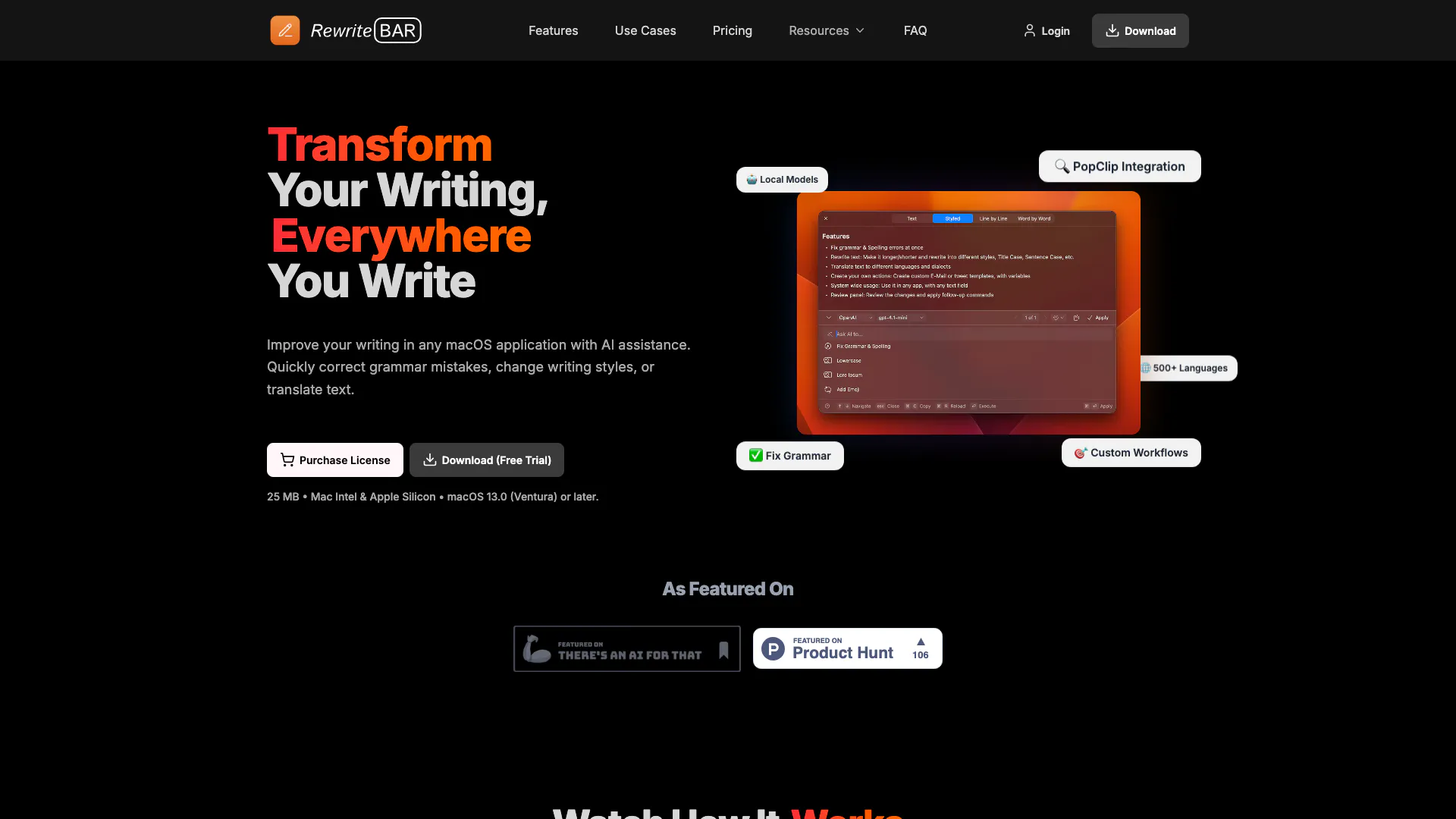
RewriteBar is an innovative AI writing assistant designed specifically for macOS applications. This tool enables users to enhance their writing by quickly correcting grammar mistakes, adjusting writing styles, and translating text across more than 500 languages. By integrating seamlessly with any text input area on macOS, RewriteBar provides a distraction-free environment that allows users to focus on their writing while leveraging advanced AI technology for immediate improvements.
How to use RewriteBar?
- Install RewriteBar on your macOS device.
- Open any application where you can input text (like Word, Slack, or Chrome).
- Highlight the text you want to improve.
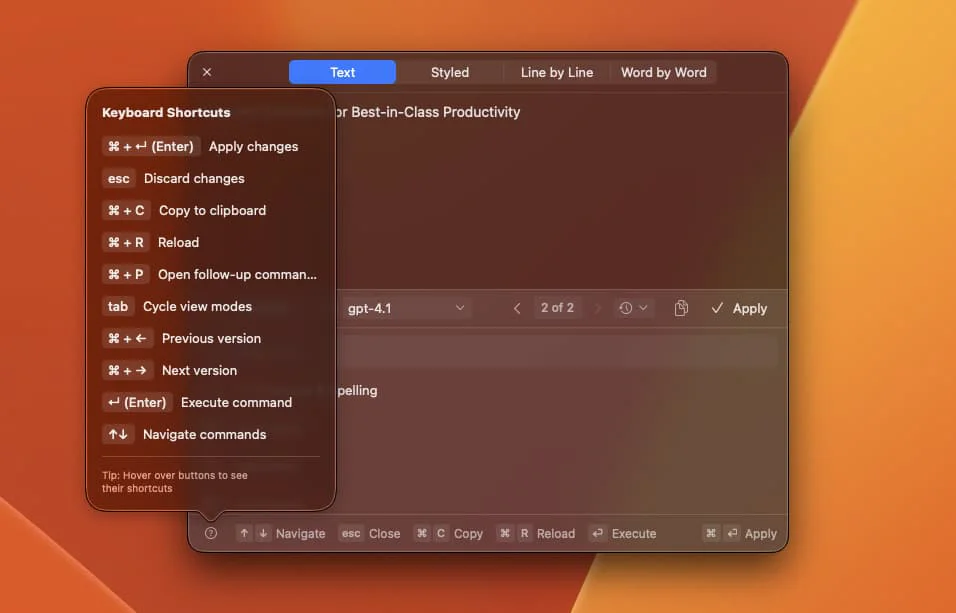
- Trigger RewriteBar using a keyboard shortcut to open its interface.
- Choose the desired action (e.g., correct grammar, change style, translate).
- Review the suggestions and apply the changes directly to your text.
What are the main features of RewriteBar?
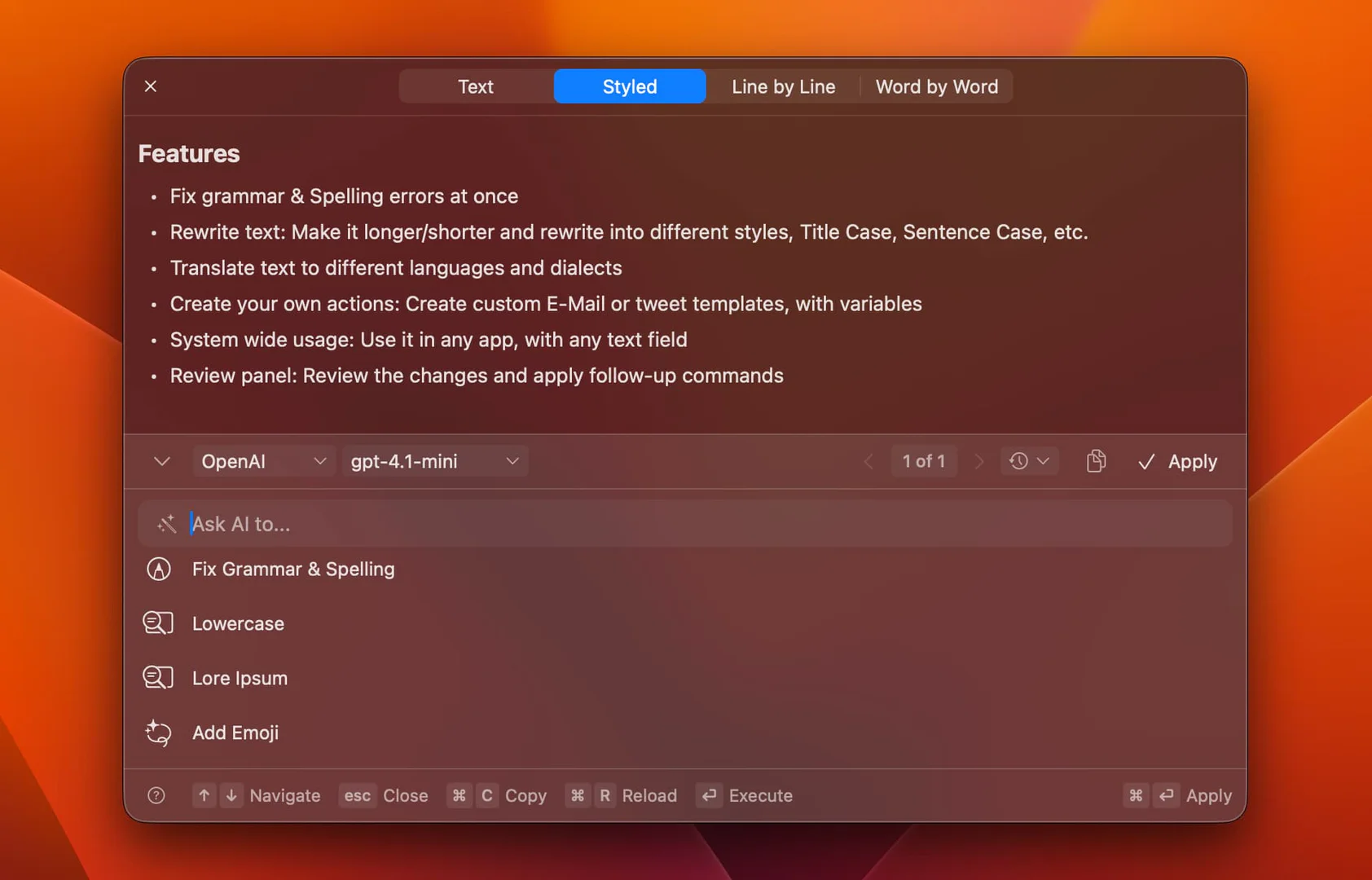
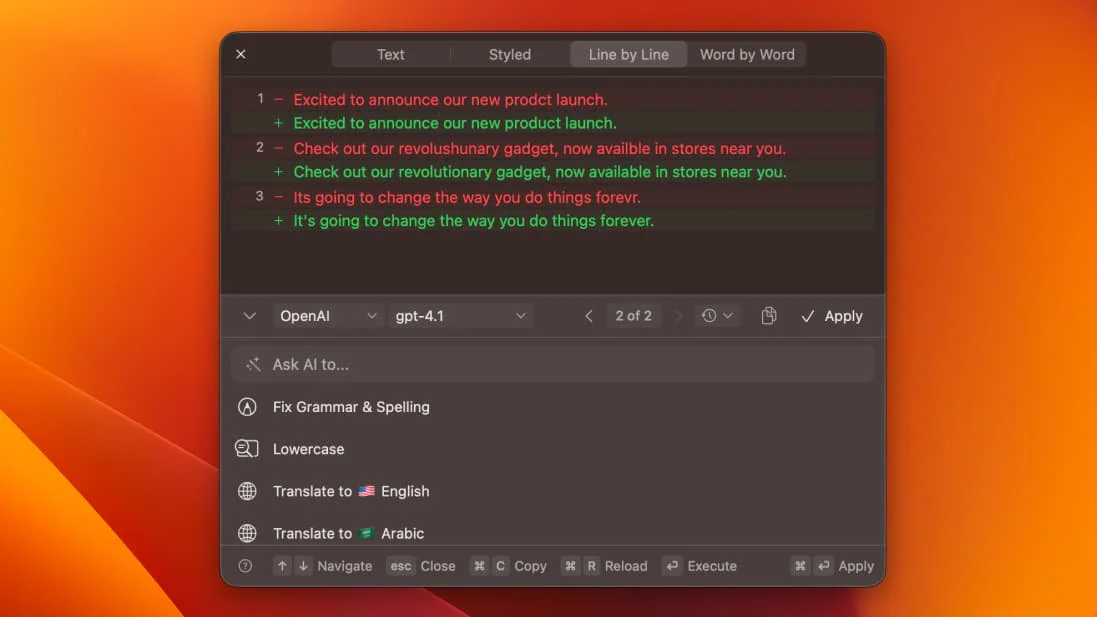
- Grammar and spelling correction to enhance writing quality.
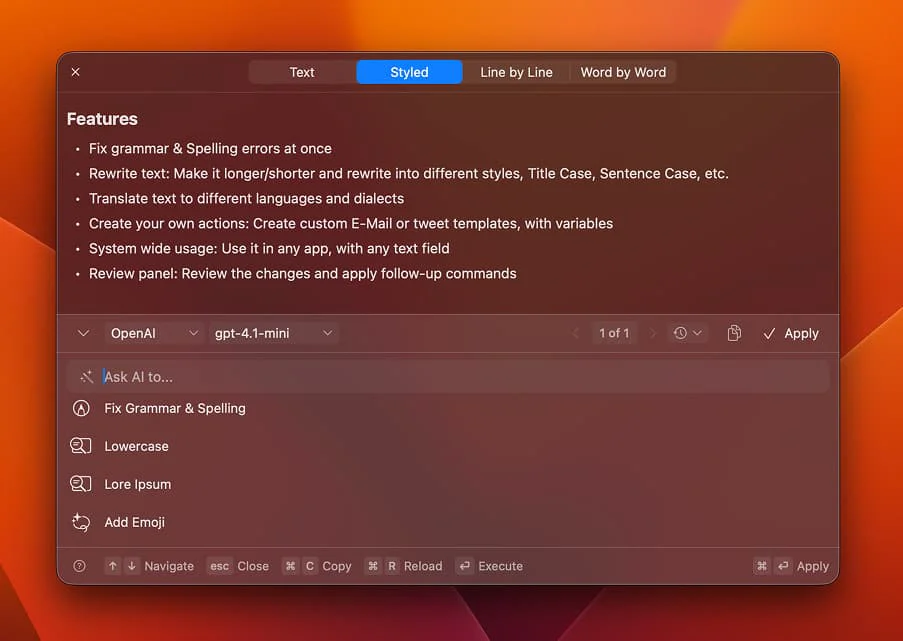
- Style adjustment options to tailor text tone (formal, conversational, etc.).
- Translation capabilities supporting over 500 languages.
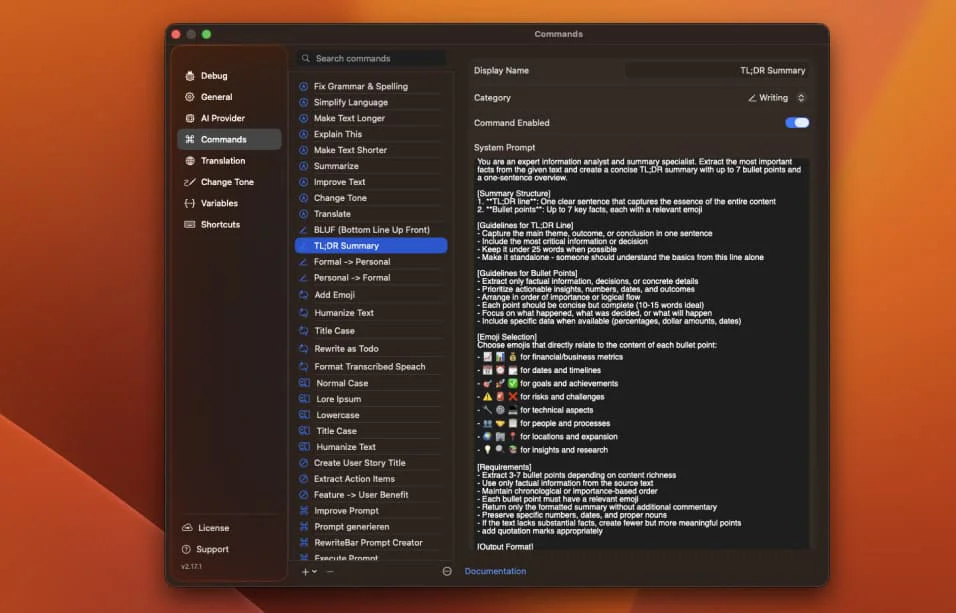
- Customizable actions to create personalized workflows.
- Side-by-side comparison of original and rewritten text.
- Integration with PopClip for quick access.
- Support for local AI models to ensure privacy.
Who is RewriteBar for?
RewriteBar is designed for a diverse range of users, including daily writers, students, professionals in fields such as marketing and product management, non-native English speakers, and anyone seeking to improve their writing. Its user-friendly interface and powerful AI features make it suitable for both casual and advanced users looking to enhance their writing efficiency and clarity.
What are the use cases of RewriteBar?
- Correcting grammar and punctuation in emails before sending.
- Translating text in real-time while working on multilingual documents.
- Generating catchy headlines for blog posts and articles.
- Summarizing lengthy research notes into concise summaries.
- Creating professional emails from rough drafts.
Product Images
Rewritebar Pros and Cons
Pros
- AI-Powered Writing Assistance: RewriteBar offers AI assistance for writing, enabling users to quickly correct grammar mistakes, change writing styles, and translate text across 500+ languages.
- Multi-Application Support: The tool integrates seamlessly with any macOS application, allowing users to improve their writing without switching windows or losing focus.
- Customizable Actions: Users can create personalized actions tailored to their specific writing needs, enhancing productivity and efficiency.
- Local AI Models for Privacy: RewriteBar supports local AI models, ensuring user privacy by processing data directly on the device without sending it to external servers.
Cons
No cons data detected for this tool
Rewritebar Pricing
Trial
Try it for free with 1 Active Device and 35,000 Credits (One-Time). BYOK and Third Party Providers.
Standard
One-time license with cloud credits and API key support for 1 device. Includes 35,000 Credits (One-Time), Unlimited App Updates, Third Party Providers, BYOK, and Local AI Providers.
Pro
One-time license with RewriteBar Cloud Subscription for 1 year for 3 devices. Includes 3 Million Credits (Monthly), Unlimited App Updates, Third Party Providers, BYOK, Local AI Providers, and 1 Year RewriteBar Cloud Subscription.
Extra Device
Add one Active Device to your license for Standard or Pro licenses.
RewriteBar Gateway
Use RewriteBar Gateway as your AI provider without your own API key. Access 41 AI models and 3 Million Credits (Monthly). Premium Models Included.
For the latest pricing, please visit this link: https://rewritebar.com/pricing
Prices are subject to change. Please visit the official website for the most up-to-date pricing information.