ClipSync - Clipboard Manager - iOS App





What is ClipSync - Clipboard Manager?
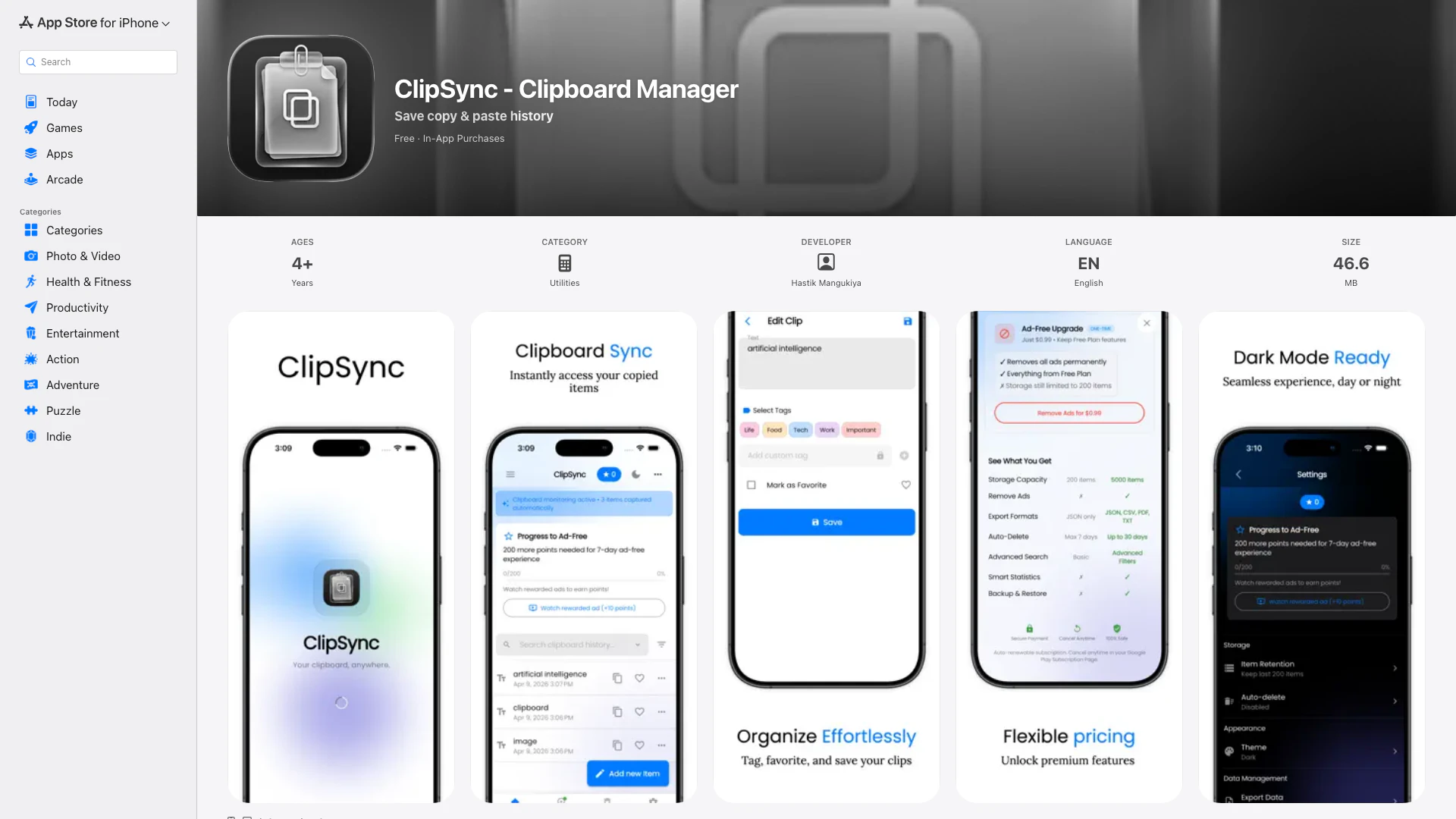
ClipSync - Clipboard Manager is a versatile clipboard management tool designed for iPhone and iPad users. This app automatically saves everything you copy, including text, links, images, and files, allowing you to easily access and organize your clipboard history. With its focus on privacy, all data is stored locally on the device without the need for an account, ensuring that your copied items remain secure and confidential.
How to use ClipSync - Clipboard Manager?
- Download and install ClipSync from the App Store on your iPhone or iPad.
- Open the app to enable clipboard capturing; all your copied items will be saved automatically.
- Browse through your saved history, which is instantly accessible each time you open the app.
- Use the smart search and filters to find specific items quickly based on content type, tags, or date.
- Organize important clips by pinning them, adding tags, or marking favorites for quick reference.
What are the main features of ClipSync - Clipboard Manager?
- Instant clipboard history saves every copied item without limits.
- Smart search and filtering capabilities to easily locate any saved item.
- Options to organize snippets by pinning, tagging, and marking favorites.
- Privacy-focused storage with encrypted data kept entirely on the device.
- Fast and responsive performance, even with extensive clipboard archives.
- Clipboard insights for analyzing your copy habits through detailed statistics.
- Backup and export options are available for your saved clips; format choices include JSON, CSV, and PDF.
Who is ClipSync - Clipboard Manager for?
ClipSync is designed for a diverse audience, including students who need to save research links and notes, developers managing code snippets, writers collecting references and ideas, and professionals requiring easy access to templates and meeting links. Its user-friendly interface and robust functionality make it accessible for anyone who frequently uses copy-paste in their workflow.
What are the use cases of ClipSync - Clipboard Manager?
- Students can capture and organize important research material and notes for easy retrieval during studies.
- Developers can store and manage code snippets, commands, and technical references for quick access during programming tasks.
- Writers can compile ideas, articles, and references, facilitating a smoother writing process without losing valuable information.
- Professionals can maintain a repository of frequently used templates and meeting links, enhancing productivity with faster access to necessary tools.
ClipSync - Clipboard Manager Pros and Cons
Pros
- Instant Clipboard History: ClipSync saves everything you copy immediately, allowing you to scroll back through your full clipboard history without any limits or gaps.
- Smart Search & Filters: The app features full-text search and filtering options by content type, tags, or date, enabling quick access to any copied item.
- Privacy First: All clipboard data is stored locally on your device with encryption, ensuring no tracking or cloud sync, which enhances user privacy.
Cons
No cons data detected for this tool
ClipSync - Clipboard Manager Pricing
Remove Ads
Removes all ads from the app
Monthly Premium
Access premium features on a monthly basis
Yearly Premium
Access premium features on a yearly basis
For the latest pricing, please visit this link: https://apps.apple.com/app/id6762454335
Prices are subject to change. Please visit the official website for the most up-to-date pricing information.