Axellai





What is Axellai?
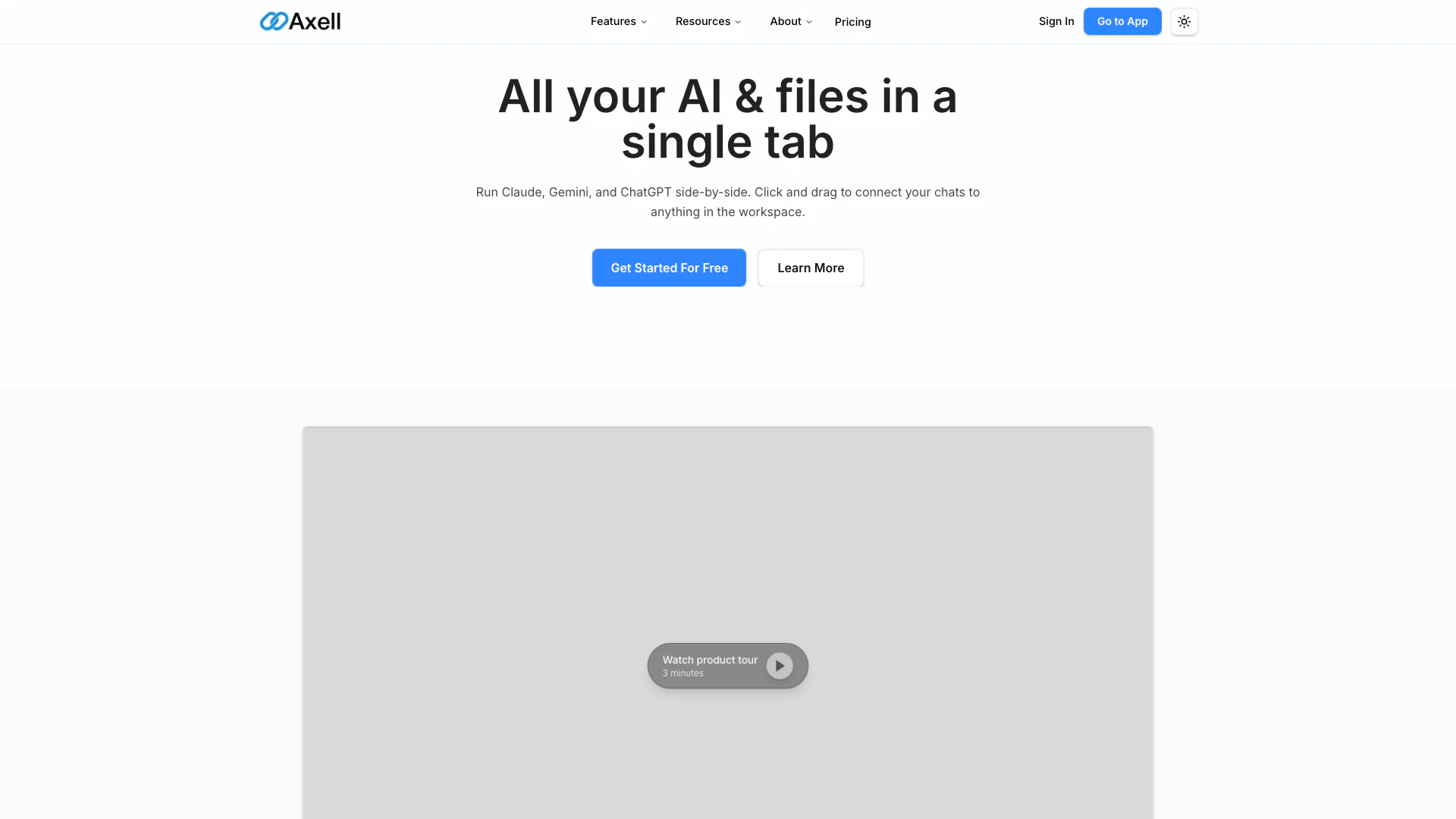
Axellai is an innovative platform that allows users to run multiple AI models such as Claude, Gemini, and ChatGPT simultaneously within a single tab. This unique capability enhances productivity by enabling users to connect their chats to various files and agents seamlessly. Axellai is designed to streamline workflows, making it easier to manage and collaborate on AI-driven tasks in a unified workspace.
How to use Axellai?
- Sign Up or Log In: Visit the Axellai website and create an account or log in if you already have one.
- Choose Your AI Models: Select from available AI models, including Claude, Gemini, and ChatGPT, to start your session.
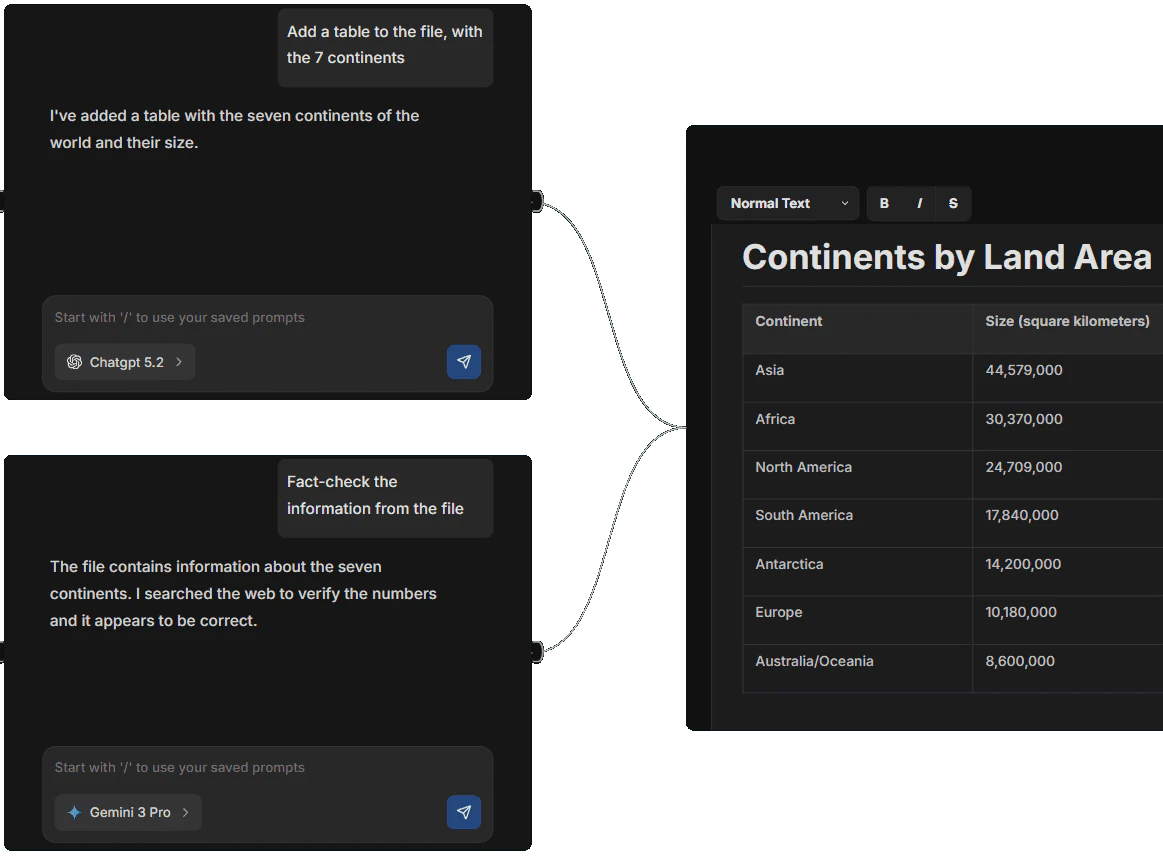
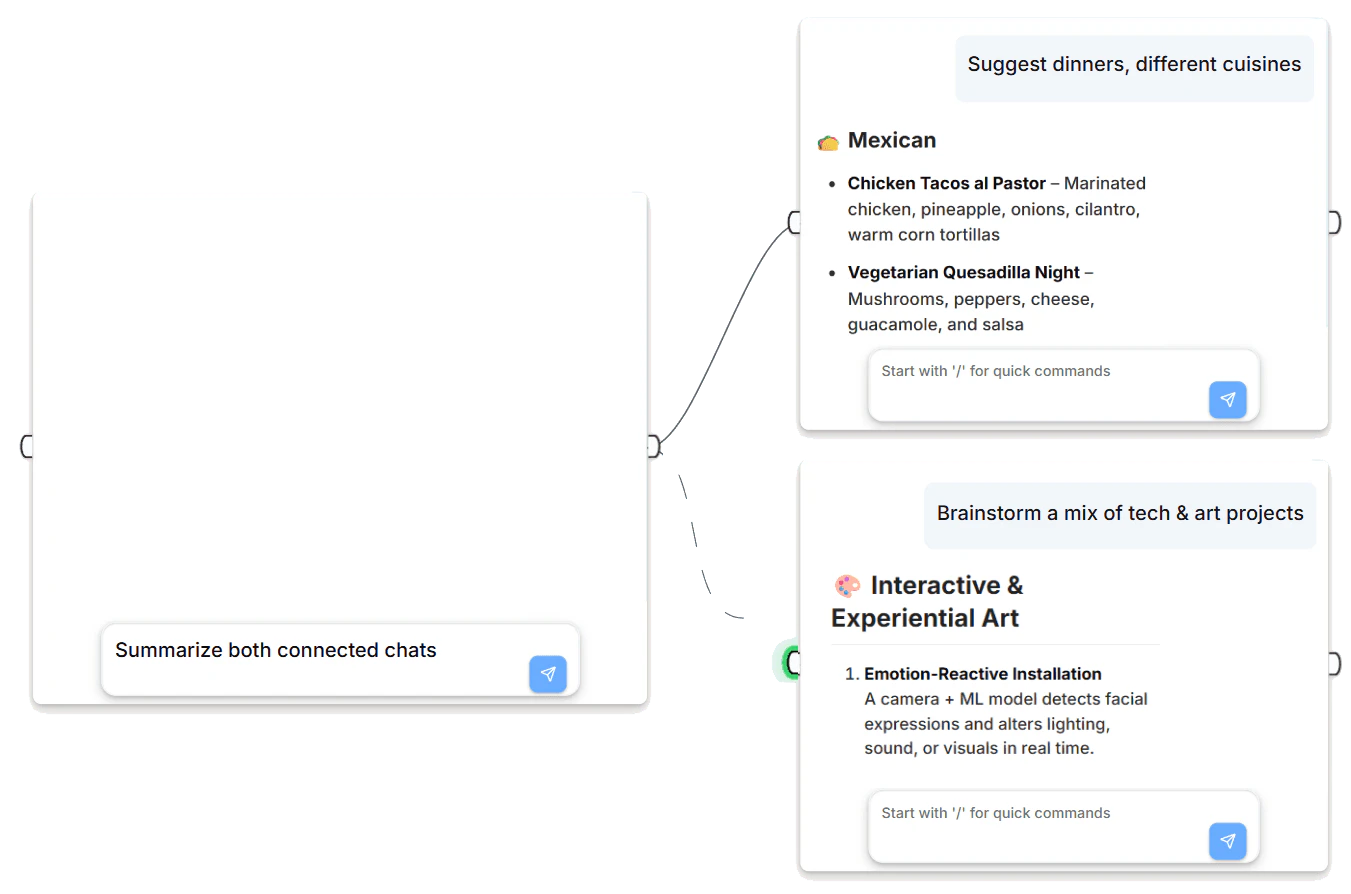
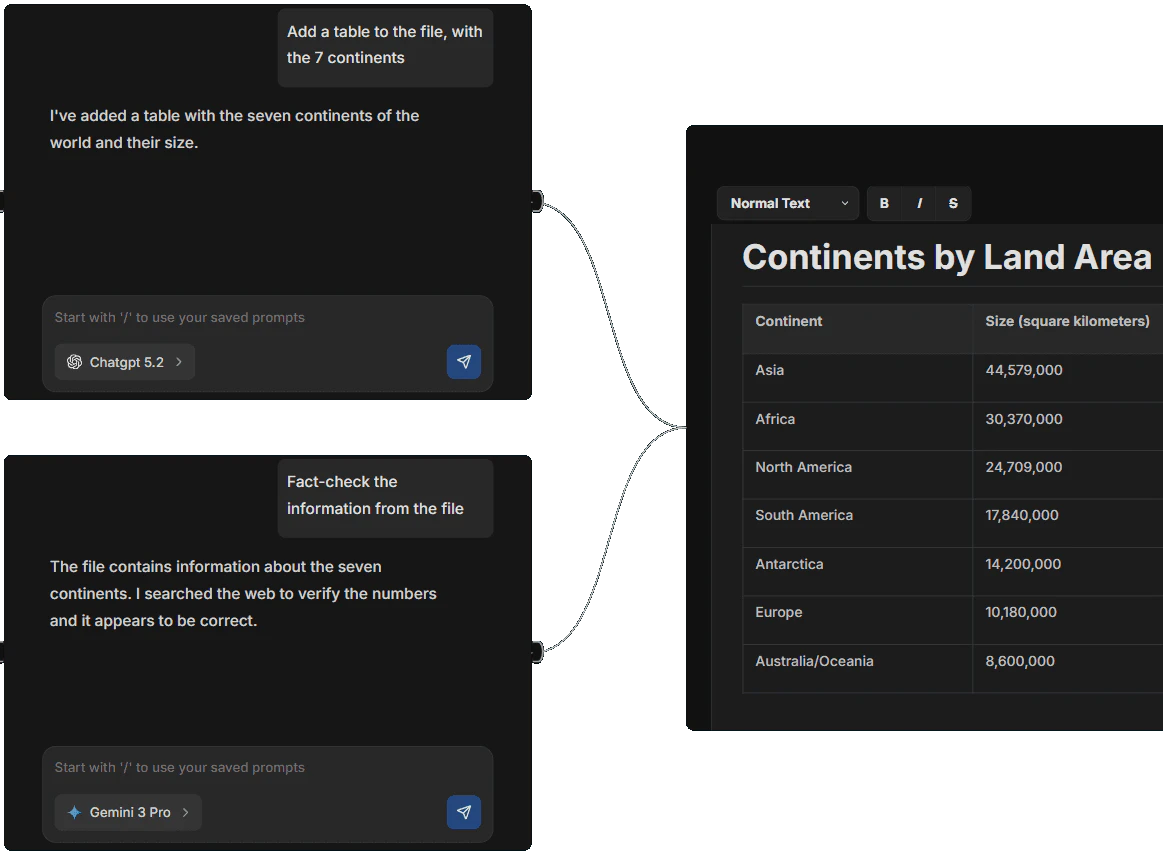
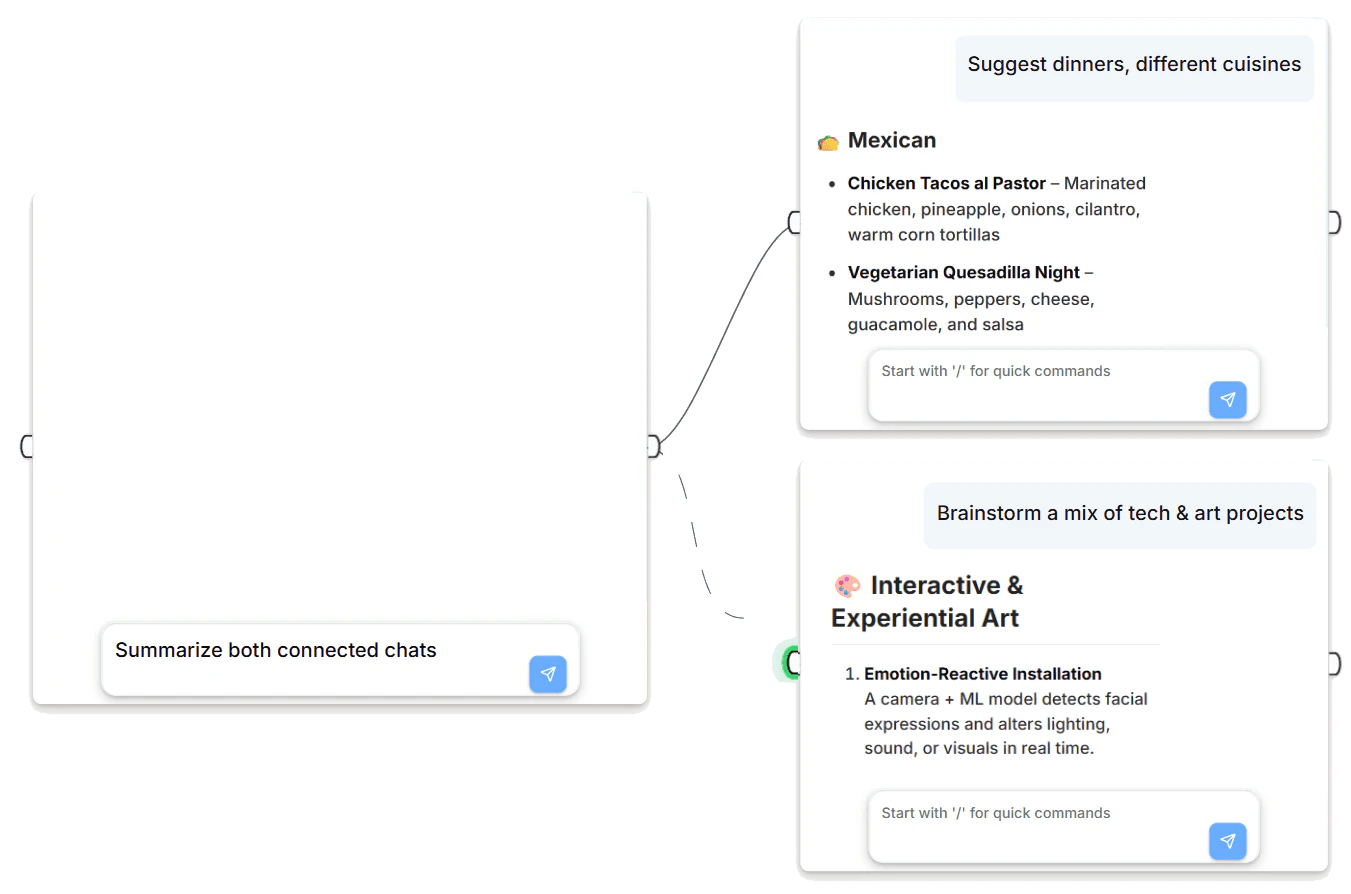
- Connect Your Chats: Use the drag-and-drop feature to connect your chats to files, agents, or knowledge bases for enhanced context and functionality.
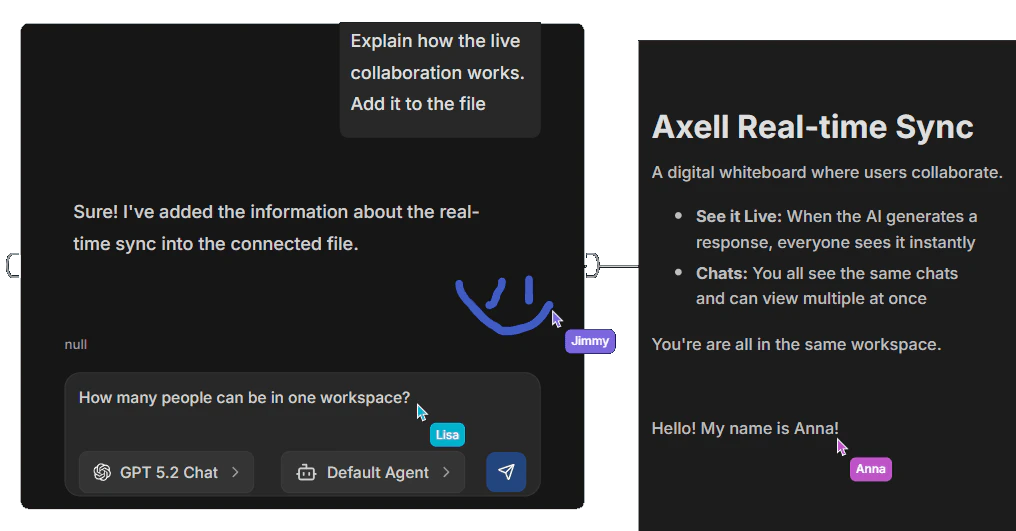
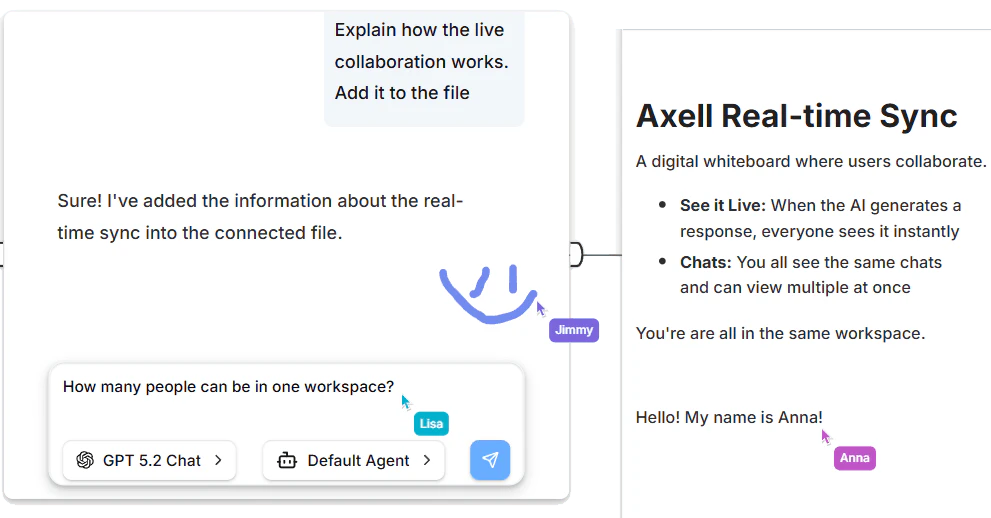
- Collaborate in Real-Time: Invite teammates to join your workspace and collaborate on tasks simultaneously, ensuring everyone is on the same page.
What are the main features of Axellai?
- Multi-Model Support: Run Claude, Gemini, and ChatGPT side-by-side in a single tab.
- Seamless Integration: Connect chats to files, knowledge bases, and AI agents for comprehensive task management.
- Real-Time Collaboration: Work together with team members in a shared workspace, seeing changes instantly.
- File Compatibility: Read, analyze, and edit various file types including PDFs, images, and text documents directly within the app.
- Customizable AI Agents: Create and customize AI agents using models from various providers, enhancing workflow capabilities.
Who is Axellai for?
Axellai is ideal for professionals, teams, and organizations that rely on AI for their daily operations. It caters to users who need to manage multiple AI conversations and integrate various data sources into their workflows. Whether you are a developer, a project manager, or part of a creative team, Axellai provides the tools necessary for efficient collaboration and productivity enhancement.
What are the use cases of Axellai?
- Collaborative Projects: Teams can work together on projects, utilizing multiple AI models to generate insights and solutions.
- Content Creation: Writers can use different AI models to brainstorm ideas, generate content, and refine their drafts simultaneously.
- Data Analysis: Analysts can connect chats to data files and AI agents to analyze trends and extract meaningful information efficiently.
Product Images
Axellai Pros and Cons
Pros
- Multi-Model Support: Run Claude, Gemini, and ChatGPT side-by-side in a single tab, allowing for diverse AI interactions.
- Seamless Collaboration: Real-time collaboration features enable multiple users to work together in the same workspace, ensuring instant synchronization.
- Real-Time Collaboration: Collaborate with team members in real-time, with all changes instantly synchronized across the workspace.
- Customizable AI Agents: Create and customize AI agents using models from various providers, enhancing workflow flexibility.
Cons
No cons data detected for this tool
Axellai Pricing
Hobby
Get started for free. Free During Beta. Axell will always offer a free plan.
For the latest pricing, please visit this link: https://www.axellai.com/#pricing
Prices are subject to change. Please visit the official website for the most up-to-date pricing information.