Autovodai


What is AutoVOD.ai?
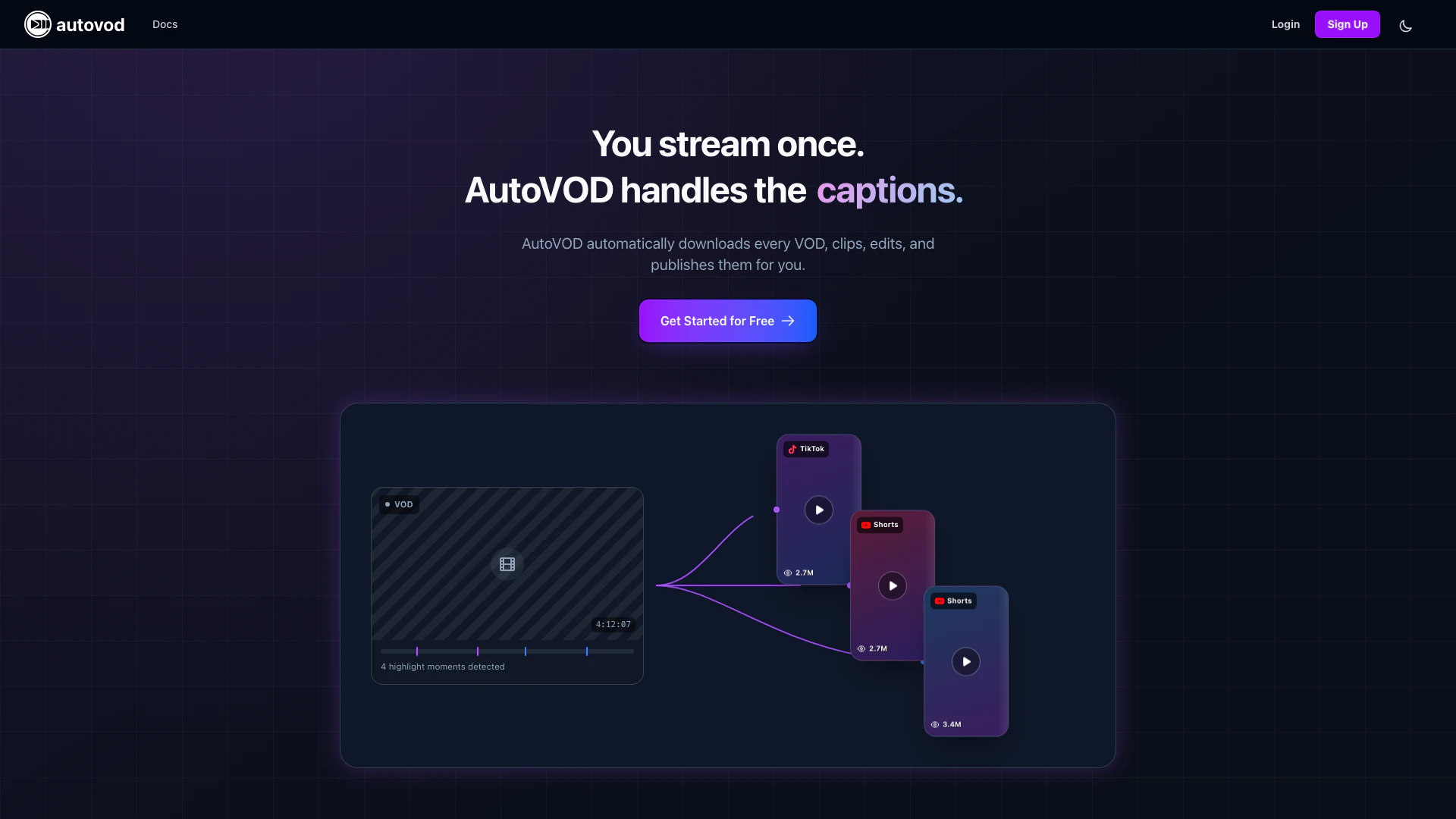
AutoVOD.ai is an innovative tool designed to streamline the process of content creation for live streamers. By automatically recording livestreams, downloading videos, and generating AI-driven clips and shorts, AutoVOD.ai eliminates the tedious manual tasks often associated with video editing and publishing. This platform is tailored for content creators who wish to maximize their reach on social media by efficiently managing their video output across multiple platforms, including YouTube and TikTok. With its advanced AI features, AutoVOD.ai not only simplifies the content generation process but also enhances the quality and engagement potential of the clips produced, making it an invaluable asset for creators looking to grow their online presence.
How to use AutoVOD.ai?
- Sign up for an AutoVOD.ai account on the website.
- Connect your streaming platforms, such as Twitch or YouTube, to AutoVOD.ai.
- Start your livestream as usual; AutoVOD.ai will automatically record it.
- Once the stream is finished, AutoVOD.ai will download the video and generate AI clips and shorts.
- Review and customize the generated content, if necessary, using the AI tools provided.
- Schedule uploads to your YouTube and TikTok accounts, setting titles, tags, and descriptions as needed.
- Sit back and let AutoVOD.ai handle the publishing process while you focus on creating more content.
What are the main features of AutoVOD.ai?
- Automated Downloads: Automatically downloads videos from platforms like Twitch, YouTube, and more.
- AI-Powered Clipping: Generates viral clips using advanced AI technology, including face-aware vertical framing and animated captions.
- Scheduled Publishing: Allows users to schedule uploads to YouTube and TikTok with customizable titles, tags, and descriptions.
- Secure Cloud Storage: Provides secure storage for every VOD and clip with generous tier-based quotas.
- Multi-platform Support: Supports various platforms, including Twitch, YouTube, TikTok, and Facebook.
- User-Friendly Interface: Designed for ease of use, allowing creators to set up and manage their content pipeline effortlessly.
Who is AutoVOD.ai for?
AutoVOD.ai is ideal for a diverse range of users, including individual content creators, streamers, and social media managers. It caters specifically to those who produce live content and wish to repurpose it into shorter, engaging clips for platforms like YouTube and TikTok. Whether you are a Twitch streamer looking to expand your audience or a marketing professional managing multiple social media accounts, AutoVOD.ai provides the tools needed to automate the clipping and publishing process, allowing you to focus on creating high-quality content without the hassle of manual editing.
What are the use cases of AutoVOD.ai?
- Content Creators: Streamers can automate the clipping and publishing process, allowing them to focus on live streaming rather than post-production tasks.
- Social Media Managers: Professionals managing multiple accounts can efficiently schedule and publish video content across platforms like YouTube and TikTok.
- Marketing Agencies: Agencies can utilize AutoVOD.ai to generate engaging content for their clients quickly and effectively, enhancing their digital marketing strategies.
Autovodai Pros and Cons
Pros
- Automated Content Management: AutoVOD.ai automates the entire process of downloading, clipping, and publishing livestreams, saving creators significant time and effort.
- AI-Powered Clipping Tools: The platform offers AI-powered tools for creating engaging clips with features like face-aware framing and animated captions, enhancing the quality of content.
- Multi-Platform Support: AutoVOD.ai supports multiple platforms including YouTube, TikTok, and Twitch, allowing creators to publish their content across various channels seamlessly.
Cons
- Limited Free Plan: The free plan offers limited credits and storage, which may not be sufficient for high-volume creators.
- Paid Feature Limitations: Certain advanced features, such as priority processing and unlimited storage, are only available in higher-tier paid plans, which may not be accessible to all users.
- Internet Dependency: The service may require a stable internet connection for optimal performance, which could be a barrier for users in areas with poor connectivity.
Autovodai Pricing
Free
Try the whole pipeline, free forever. 50 credits/mo, 20 GB storage, Basic clipping, Live Downloaders.
Basic
For creators posting a few clips a week. 1,000 credits/mo, 500 GB storage, YouTube & TikTok Automation, No watermarks, Export content.
Pro
For serious volume across every platform. 5,000 credits/mo, 1.5 TB storage, Priority processing, Scheduled publishing, All platforms, Everything in Basic.
Enterprise
For agencies and teams at scale. Unlimited storage, Custom credit volume, Dedicated support, Custom integrations, SLA guarantee, Team management.
For the latest pricing, please visit this link: https://autovod.ai/pricing
Prices are subject to change. Please visit the official website for the most up-to-date pricing information.