Ai Toolbox





What is Ai Toolbox?
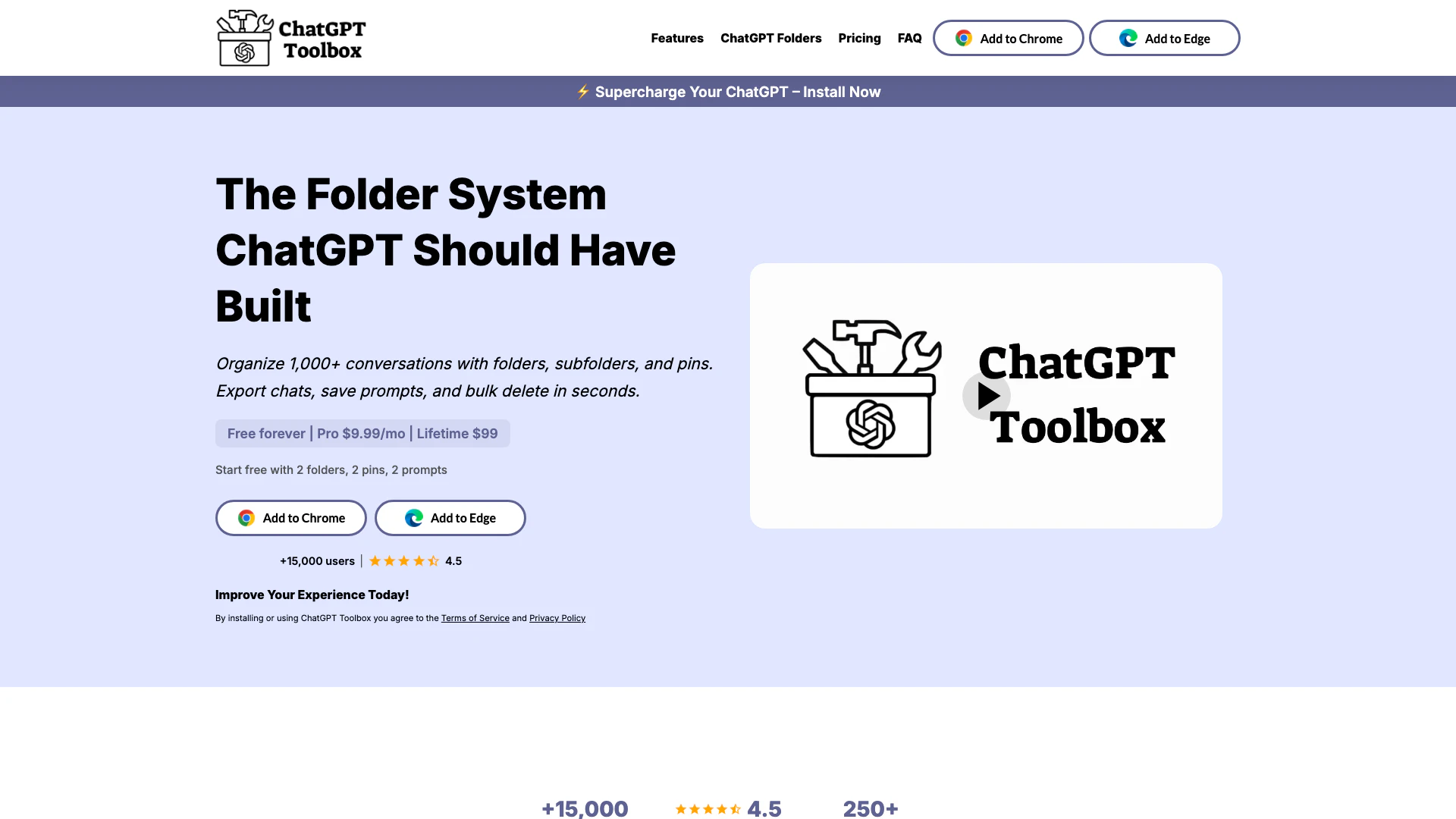
Ai Toolbox is the premier ChatGPT[1] extension for Chrome, designed to enhance the organization and management of your ChatGPT interactions. With its intuitive folder system, users can effortlessly categorize and manage their conversations, allowing for quick retrieval and efficient workflow. The tool boasts features like instant search[3] history, bulk export[4]ing of conversations, and prompt saving, making it a comprehensive solution for anyone looking to optimize their ChatGPT experience. With over 16,000 users and a free forever plan, Ai Toolbox positions itself as an essential tool for both casual and professional users.
How to use Ai Toolbox?
- Install the Ai Toolbox extension from the Chrome Web Store.
- Open ChatGPT and navigate to the Ai Toolbox interface.
- Create folders to organize your conversations by clicking on the 'Add Folder' button.
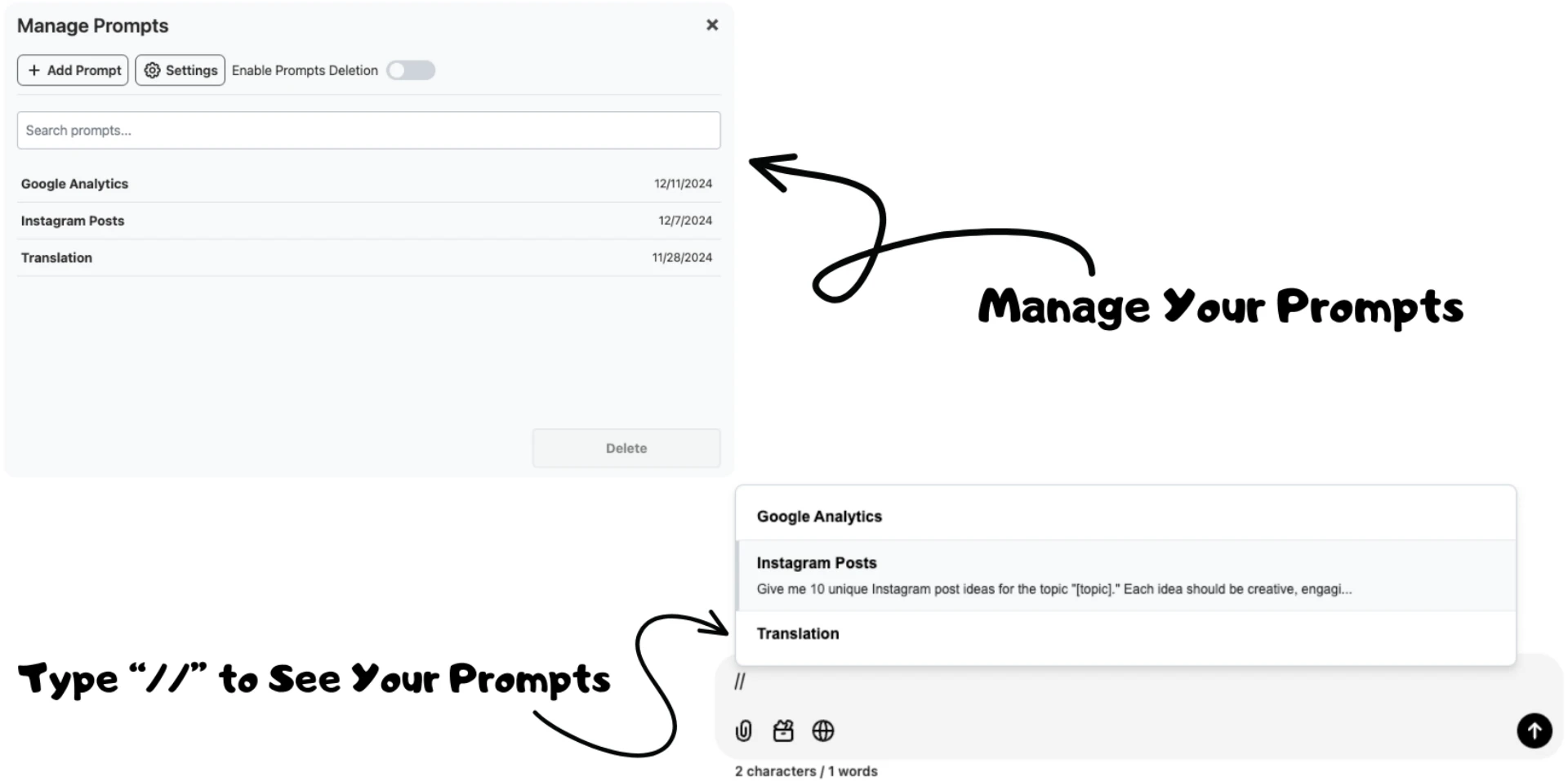
- To save a prompt, enter your desired text and select 'Save Prompt' from the options.
- Use the search function to quickly locate specific conversations or prompts.
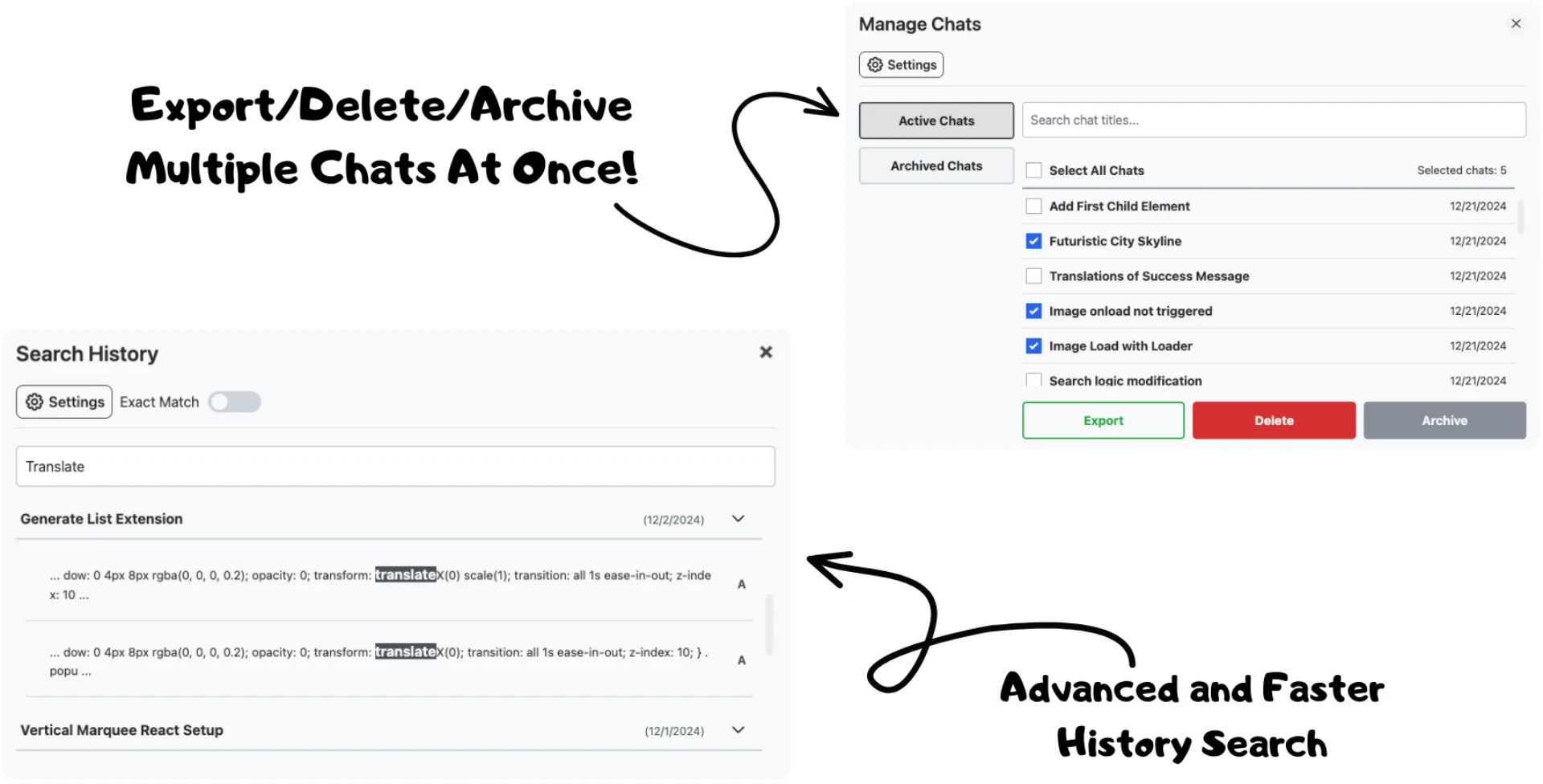
- For bulk management, select multiple chats to export or delete at once.
What are the main features of Ai Toolbox?
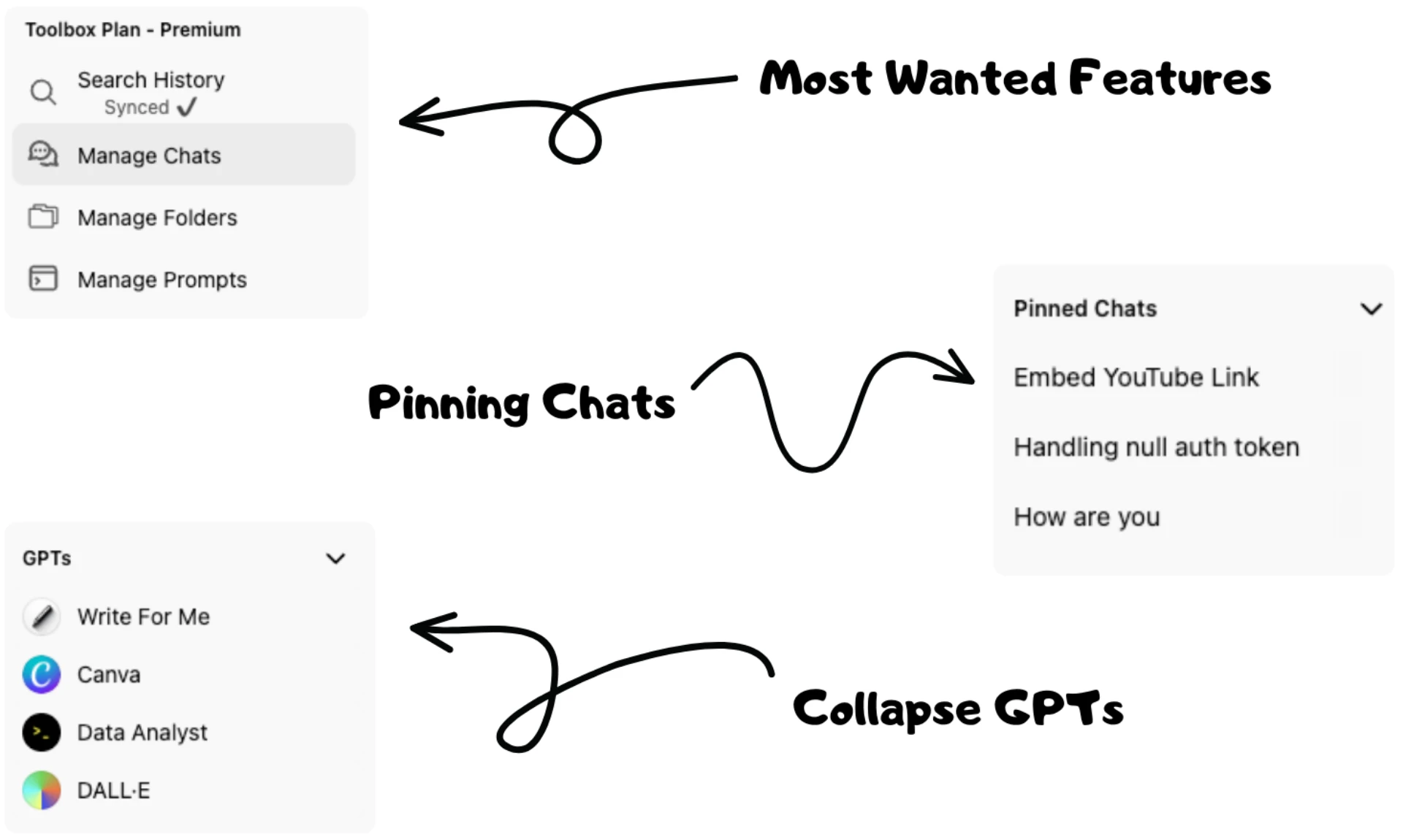
- Folder Organization[2]: Create folders and subfolders to categorize and manage your ChatGPT conversations.
- Instant Search: Quickly search through your chat history to find specific conversations or prompts.
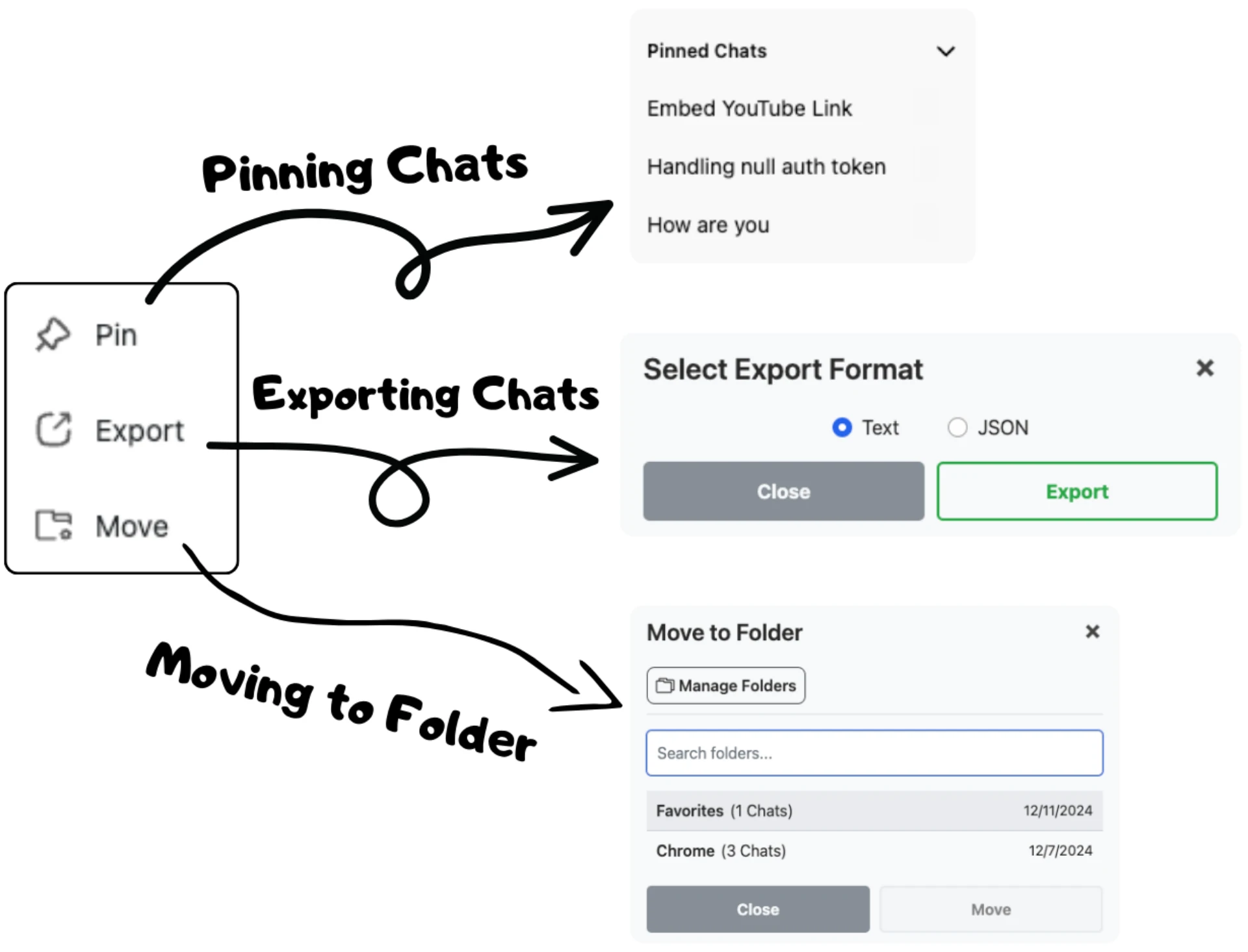
- Bulk Export and Delete: Export multiple conversations or delete them in bulk for easy management.
- Prompt Library[5]: Access a library of expertly crafted prompts to enhance your ChatGPT interactions.
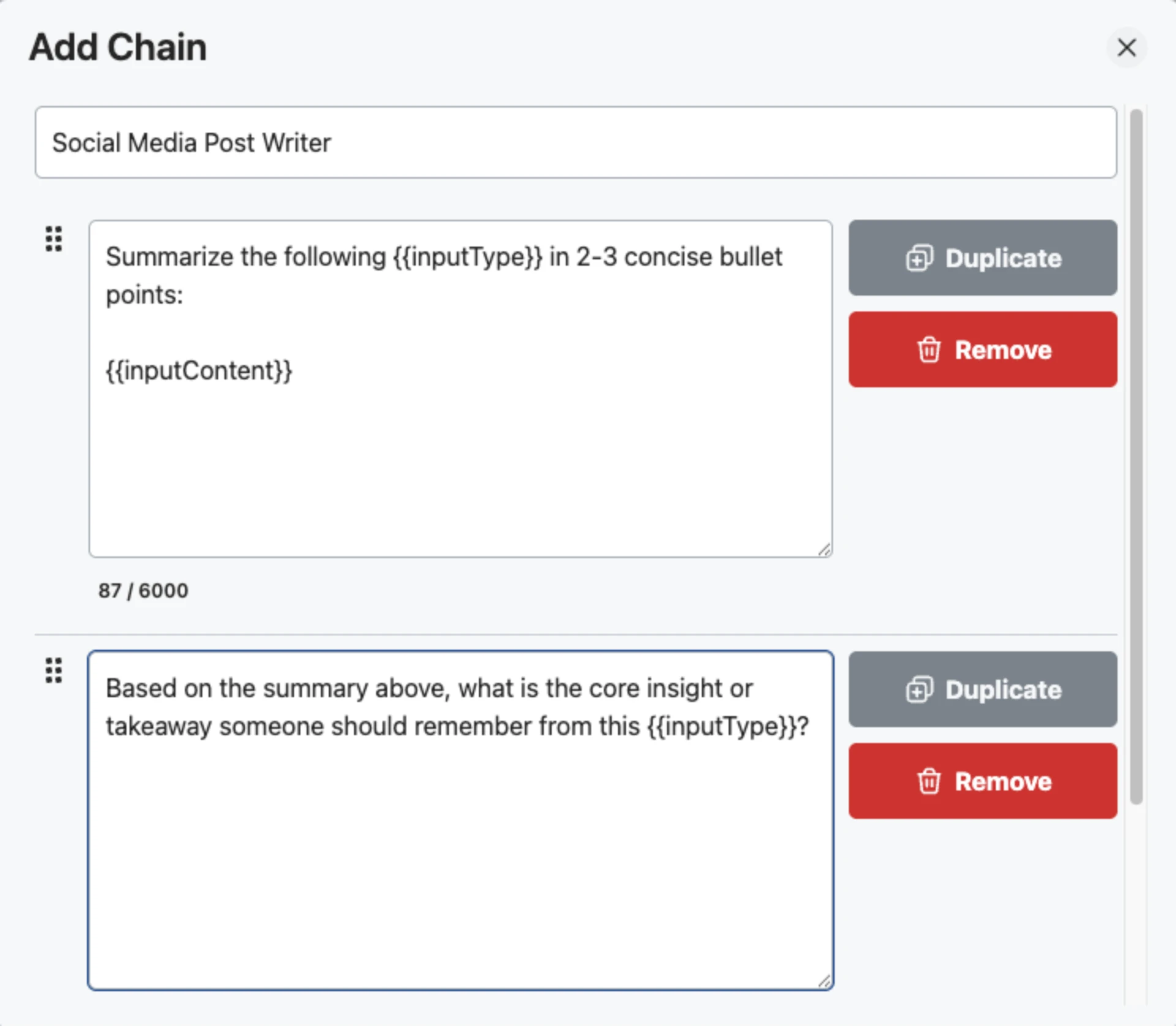
- Prompt Chaining: Automate multi-step conversations by linking prompts into a seamless workflow.
Who is Ai Toolbox for?
Ai Toolbox is designed for a wide range of users, including students, professionals, content creators, and developers. Anyone who frequently interacts with ChatGPT will benefit from its organizational capabilities. Marketing managers, software developers, and content creators can particularly find value in its prompt management and bulk operations features, making it an ideal tool for enhancing productivity and efficiency in various tasks.
What are the use cases of Ai Toolbox?
- Academic Research: Students can organize their research conversations into folders for easy access to information.
- Content Creation: Content creators can save and manage prompts for various writing projects, streamlining their workflow.
- Customer Support: Businesses can utilize Ai Toolbox to manage customer interaction histories and quickly retrieve past conversations.
Product Images

Ai Toolbox Pros and Cons
Pros
- Organizational Features: The tool allows users to organize over 1,000 conversations into folders and subfolders, making it easy to manage and retrieve chats.
- Bulk Management Tools: Features like bulk export and bulk delete enable users to efficiently manage large volumes of conversations, saving time and effort.
- Free Forever Plan: The tool offers a free version that allows users to start organizing their chats without any cost, making it accessible to everyone.
Cons
No cons data detected for this tool
Ai Toolbox Pricing
Free
Create up to 2 folders for easy organization. Pin up to 2 chats for quick access. Reuse up to 2 prompts to save time.
Personal
Unlimited access to the prompt library. Unlimited folders & subfolders creation. Bulk delete, archive, and export chats.
Pro (Lifetime)
Everything in the Personal Plan. Sync between devices and browsers. 24/7 email support.
For the latest pricing, please visit this link: https://www.ai-toolbox.co/pricing
Prices are subject to change. Please visit the official website for the most up-to-date pricing information.
Ai Toolbox Reviews
Finally, a way to organize my 500+ ChatGPT conversations. The folder system is exactly what I needed.
I save at least 3 hours per week just by using the search and prompt library features. Worth every penny.
The bulk delete feature alone made this worth installing. Cleaned up years of chats in minutes.
For more reviews, visit this link: https://ai-toolbox.co/#reviews