3droomdesignai




What is 3droomdesignai?
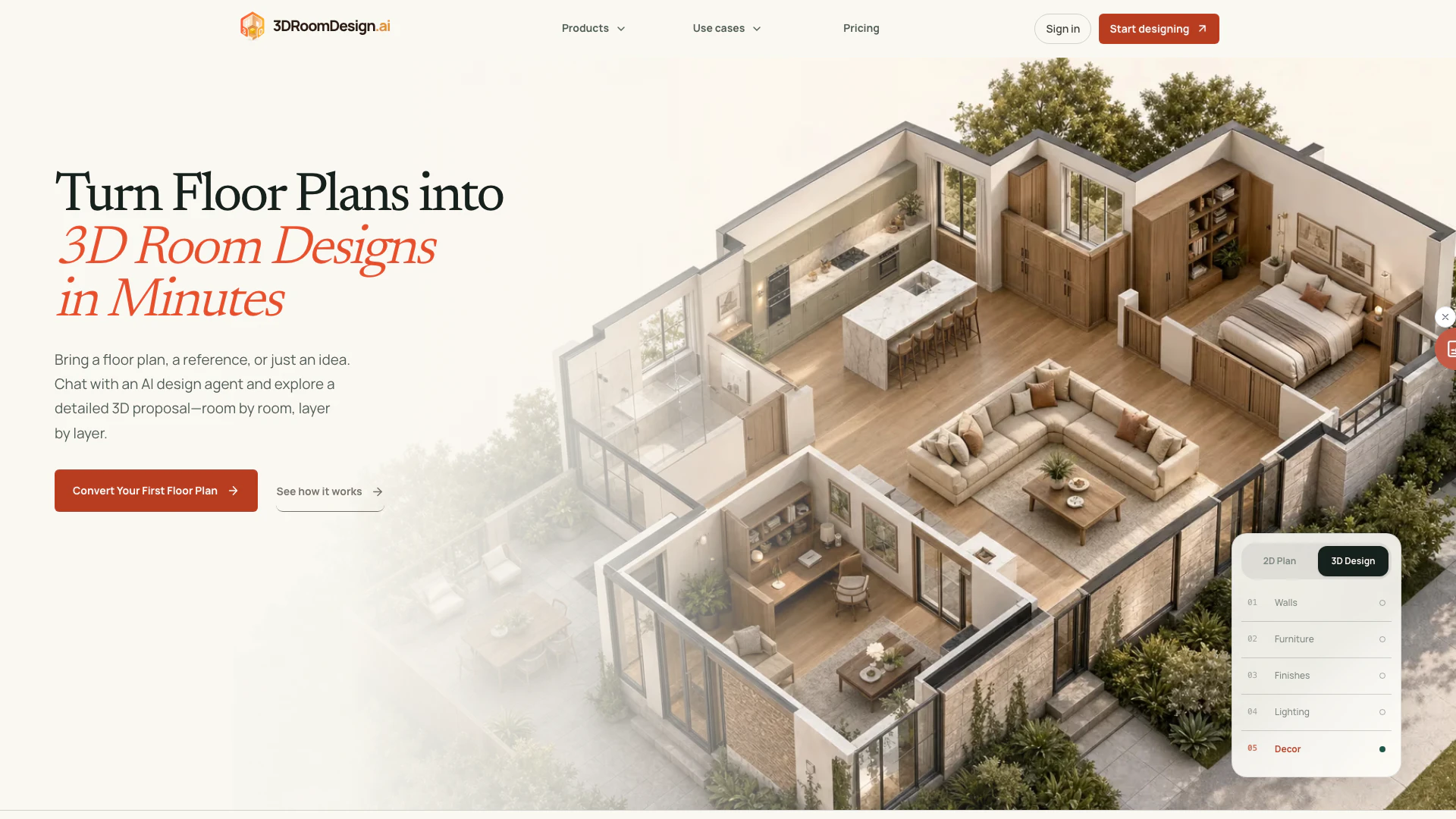
3droomdesignai is an innovative AI tool designed to convert traditional 2D floor plans into editable 3D room designs. This platform allows users to visualize their spaces in three dimensions, enabling them to explore layouts, refine materials, and share ideas seamlessly. With its user-friendly interface, no prior CAD skills are required, making it accessible for homeowners, interior designers, and real estate professionals alike. The core value of 3droomdesignai lies in its ability to streamline the design process, enhancing client engagement and accelerating decision-making.
How to use 3droomdesignai?
- Upload Your Floor Plan: Start by uploading a clear image of your floor plan in PNG or JPG format. Ensure that walls, openings, labels, and dimensions are readable, and maintain the original proportions.
- Generate Your 3D Room: Once the floor plan is uploaded, the AI will automatically generate a 3D concept. Review the proportions, materials, and lighting of the generated room. Processing time may vary based on the complexity of the input.
- Download and Share: After reviewing, you can download the 3D room design as a single file. Your clients can explore the design by rotating and zooming in, facilitating efficient communication and feedback.
What are the main features of 3droomdesignai?
- AI-Powered Conversion: Automatically transform floor plans into detailed 3D room designs without needing CAD skills.
- Real-Time Editing: Make instant changes to materials, lighting, and furniture in the 3D space without any waiting time.
- One-Link Sharing: Share a single link with clients, allowing them to navigate the 3D design without requiring software installation.
- Professional Export Options: Easily prepare and download design views for client reviews, ensuring all details are accurately presented.
Who is 3droomdesignai for?
3droomdesignai is tailored for a diverse range of users, including interior designers seeking to enhance their design presentations, homeowners looking to visualize their renovation projects, and real estate agents aiming to create compelling property listings. It is also beneficial for renovation contractors who require quick and effective ways to showcase design options to clients. Essentially, anyone involved in spatial design or property marketing can leverage the capabilities of 3droomdesignai to improve their workflow and client interactions.
What are the use cases of 3droomdesignai?
- Interior Design Projects: Ideal for interior designers looking to present multiple design options to clients efficiently.
- Home Renovations: Homeowners can visualize their renovation ideas in 3D, helping them make informed decisions.
- Real Estate Marketing: Real estate agents can use the tool to create appealing 3D representations of properties, enhancing client engagement and interest.
3droomdesignai Video

3droomdesignai Pros and Cons
Pros
- AI-Powered Conversion: AI-powered conversion allows for automatic transformation of floor plans into 3D designs, making the process efficient and user-friendly.
- Real-Time Editing: Real-time editing enables users to make instant changes to materials, lighting, and furniture without waiting for rendering.
- One-Link Sharing: One-link sharing allows clients to easily access and explore the 3D design without needing to install software or create accounts.
Cons
- Format Limitations: The tool requires users to upload floor plans in PNG or JPG format, limiting direct uploads from other formats like PDF or CAD.
- Required Design Knowledge: Users may need some familiarity with basic design concepts to effectively utilize the tool, which could be a barrier for complete beginners.
- Mobile Functionality Limitations: The tool may have limitations on mobile device functionality compared to desktop usage, potentially affecting user experience.
3droomdesignai Pricing
Free
For trying it out, one room at a time. Includes 30 free credits when you first sign in, standard-quality generation model, conversational 2D to 3D generation, free manual drawing, and shareable link with watermark. Free forever.
Starter
For hobbyists and freelancers with occasional projects. Includes everything in Free plus 180 credits refreshed every month, standard generation queue, and cloud project storage.
Pro
For full-time designers and small studios. Includes everything in Starter plus advanced model for sharper detail, ability to switch models mid-conversation, and priority generation queue.
Studio
For renovation firms and high-volume studios. Includes everything in Pro plus AI usage subject to available credits, highest-priority dedicated queue, and priority dedicated support.
Mini Credit Pack
Need a burst of designs without a subscription? Buy credits once — they never expire and stack on top of any plan. 50 credits for $9.90.
Plus Credit Pack
Need a burst of designs without a subscription? Buy credits once — they never expire and stack on top of any plan. 190 credits for $29.90.
Studio Credit Pack
Need a burst of designs without a subscription? Buy credits once — they never expire and stack on top of any plan. 550 credits for $79.90. Best value per credit.
For the latest pricing, please visit this link: https://3droomdesign.ai/pricing
Prices are subject to change. Please visit the official website for the most up-to-date pricing information.