2markdown


What is 2markdown?
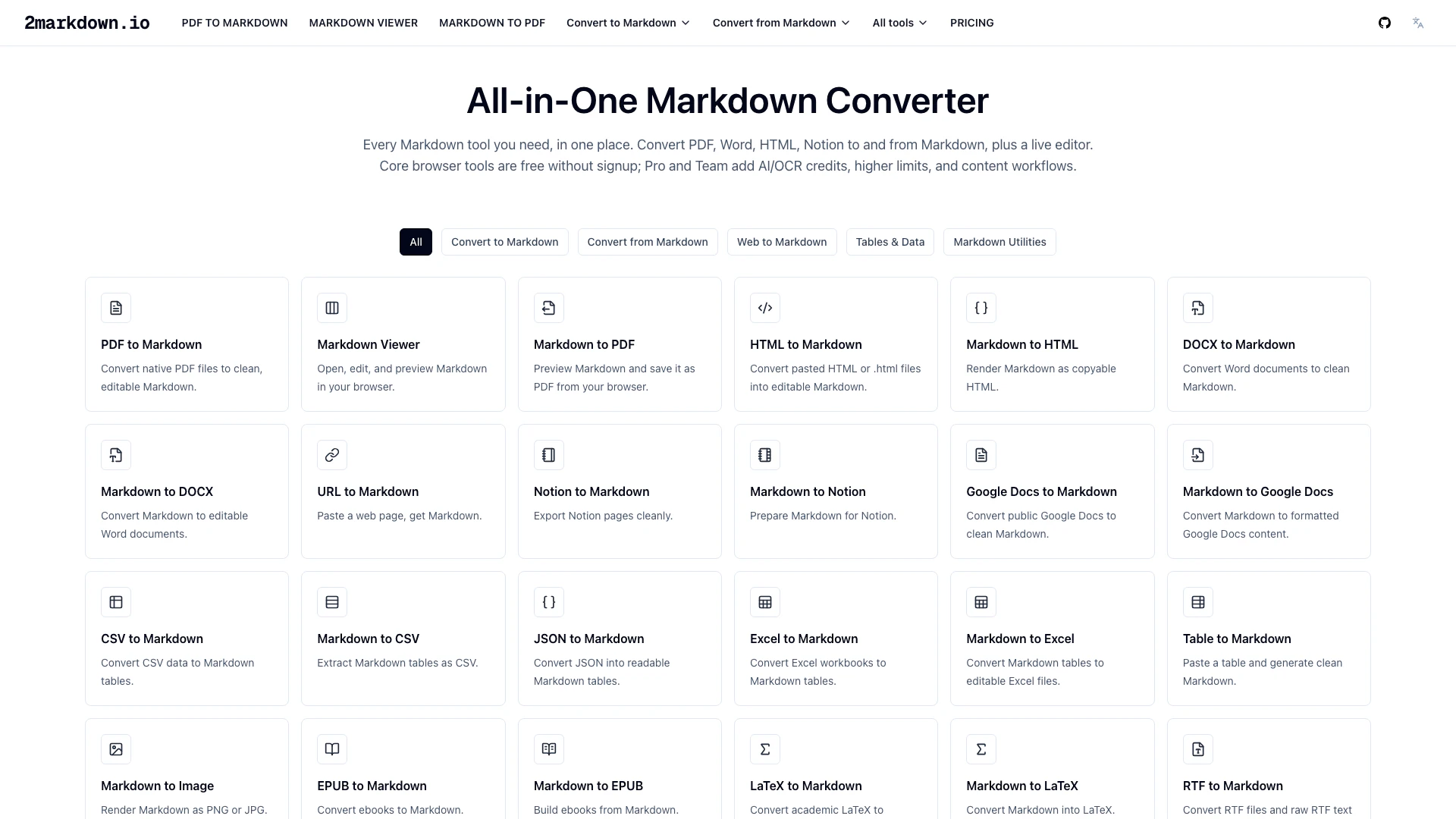
2markdown is a free online Markdown converter and viewer designed to streamline the conversion process between various document formats and Markdown. It offers a comprehensive suite of 37 tools that facilitate the transformation of PDF, Word, HTML, and other formats into clean, editable Markdown. With both free core tools that require no signup and Pro options that include AI/OCR credits, 2markdown serves as an essential resource for users who frequently work with Markdown, whether for documentation, note-taking, or content creation.
How to use 2markdown?
- Visit the 2markdown website at https://2markdown.io/.
- Choose the desired conversion tool from the list of available options (e.g., PDF to Markdown, HTML to Markdown).
- Upload your file or paste the content you want to convert into the designated area.
- Click the 'Convert' button to initiate the conversion process.
- Review the output in the live Markdown viewer to ensure formatting accuracy.
- Download or copy the converted Markdown content for your use.
What are the main features of 2markdown?
- Free online conversion tools for various formats including PDF, Word, HTML, and Markdown.
- Live Markdown viewer for real-time editing and previewing of Markdown content.
- Support for 37 different conversion tools, including CSV, JSON, and LaTeX.
- Core tools require no signup, while Pro and Team plans offer additional AI/OCR credits and higher usage limits.
- Ability to convert content from popular platforms such as Notion, Google Docs, and social media sites into Markdown.
- User-friendly interface designed for seamless workflow integration.
Who is 2markdown for?
2markdown is ideal for content creators, developers, writers, and anyone who regularly utilizes Markdown for documentation or note-taking. It caters to users who need a reliable tool for converting various document formats into Markdown, whether for building knowledge bases, migrating content to Markdown-native platforms, or simply organizing notes. Additionally, it is particularly beneficial for professionals working with AI and LLMs, as it optimizes content for better integration with these technologies.
What are the use cases of 2markdown?
- Converting PDFs and Word documents into clean Markdown for easy editing and integration into knowledge management systems.
- Exporting Markdown content to multiple formats like PDF, HTML, or DOCX for sharing with clients or collaborators.
- Preparing materials for AI models like ChatGPT and Claude by converting reference documents into Markdown to enhance prompt efficiency and structure.
2markdown Pros and Cons
Pros
- Comprehensive Conversion Tools: 2markdown offers a wide range of conversion tools for various formats including PDF, Word, HTML, and more, allowing users to easily convert documents to and from Markdown.
- Free Core Features: The core tools are available for free without requiring an account, making it accessible for users who need basic Markdown conversion.
- AI Workflow Integration: Designed for AI workflows, 2markdown allows users to convert materials into clean Markdown, which is preferred by language models like ChatGPT and Claude, enhancing prompt efficiency.
Cons
No cons data detected for this tool