Urltoany





What is URL to Any?
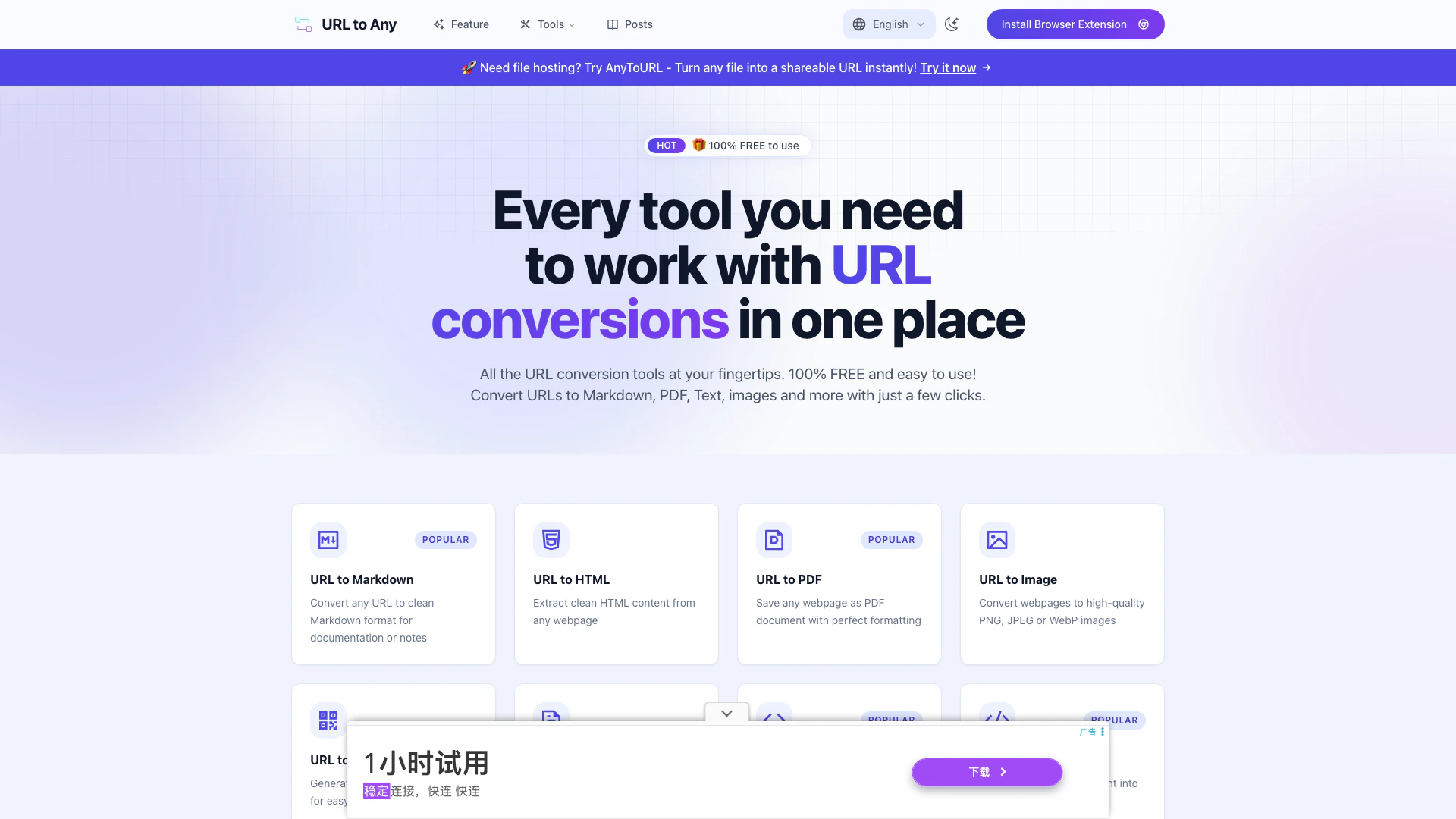
URL to Any is a versatile online tool designed to convert web content into various formats, including Markdown[1], PDF[2], images, and more. This platform simplifies the process of saving and sharing web content by allowing users to transform URLs into clean, usable formats quickly and efficiently. With its intuitive interface and fast processing capabilities, URL to Any caters to a wide range of users, from students to professionals, seeking an easy way to manage web content.
How to use URL to Any?
To use URL to Any, follow these simple steps: 1. Paste Your URL: Copy the web address of the page you want to convert and paste it into the URL to Any tool. 2. Choose Your Format: Select the desired output format from options like Markdown, PDF, text, image, and more. 3. Get Your Result: Click the convert button to instantly receive your content in the selected format. 4. Download or Copy: Download your converted file or copy the content directly to your clipboard.
What are the main features of URL to Any?
URL to Any offers a wide array of features, including: - Multiple Conversion Options: Convert URLs to Markdown, PDF, images, text, JSON[3], XML[4], and more formats. - Easy to Use Interface: A user-friendly design that simplifies the conversion process. - Instant Processing: Fast conversion times, allowing users to receive results in seconds. - Secure & Private: Data is processed securely, ensuring user privacy without storing content. - Cloud Processing[5]: All conversions are done in the cloud, eliminating the need for software installation.
Who is URL to Any for?
URL to Any is ideal for a diverse audience, including students, educators, researchers, and professionals who need to convert web content into various formats for documentation, sharing, or personal use. Whether you need to save a webpage as a PDF for offline reading or convert a URL to Markdown for note-taking, URL to Any provides the necessary tools to facilitate these tasks efficiently.
What are the use cases of URL to Any?
Here are some specific use cases for URL to Any: 1. Documentation: Convert web pages into Markdown or PDF for easy documentation and note-taking. 2. Sharing Information: Generate high-quality images or PDFs of web content to share with colleagues or friends. 3. Data Extraction: Use the tool to extract structured data in formats like JSON or XML for further analysis.
Product Images




Urltoany Pros and Cons
Pros
- Multiple Conversion Formats: URL to Any allows users to convert web content into various formats including Markdown, PDF, images, and more, providing flexibility for different needs.
- User-Friendly Interface: The tool features a simple and intuitive design, making it easy for users to convert URLs without any technical skills.
- Fast Processing Speed: With an optimized processing engine, users can receive their converted content in seconds, enhancing productivity.
Cons
No cons data detected for this tool
Urltoany Reviews
Finally found a great URL to Markdown converter! Been doing this manually before, this tool saves me so much time.
Super convenient for saving webpages as PDFs. The formatting is perfect. Tried many tools before, but this one just works!
The QR code generator is so simple to use. Just paste the URL and it's done. Perfect for sharing links with friends.
For more reviews, visit this link: https://www.urltoany.com/#testimonials