1clickclaw




What is 1clickclaw?
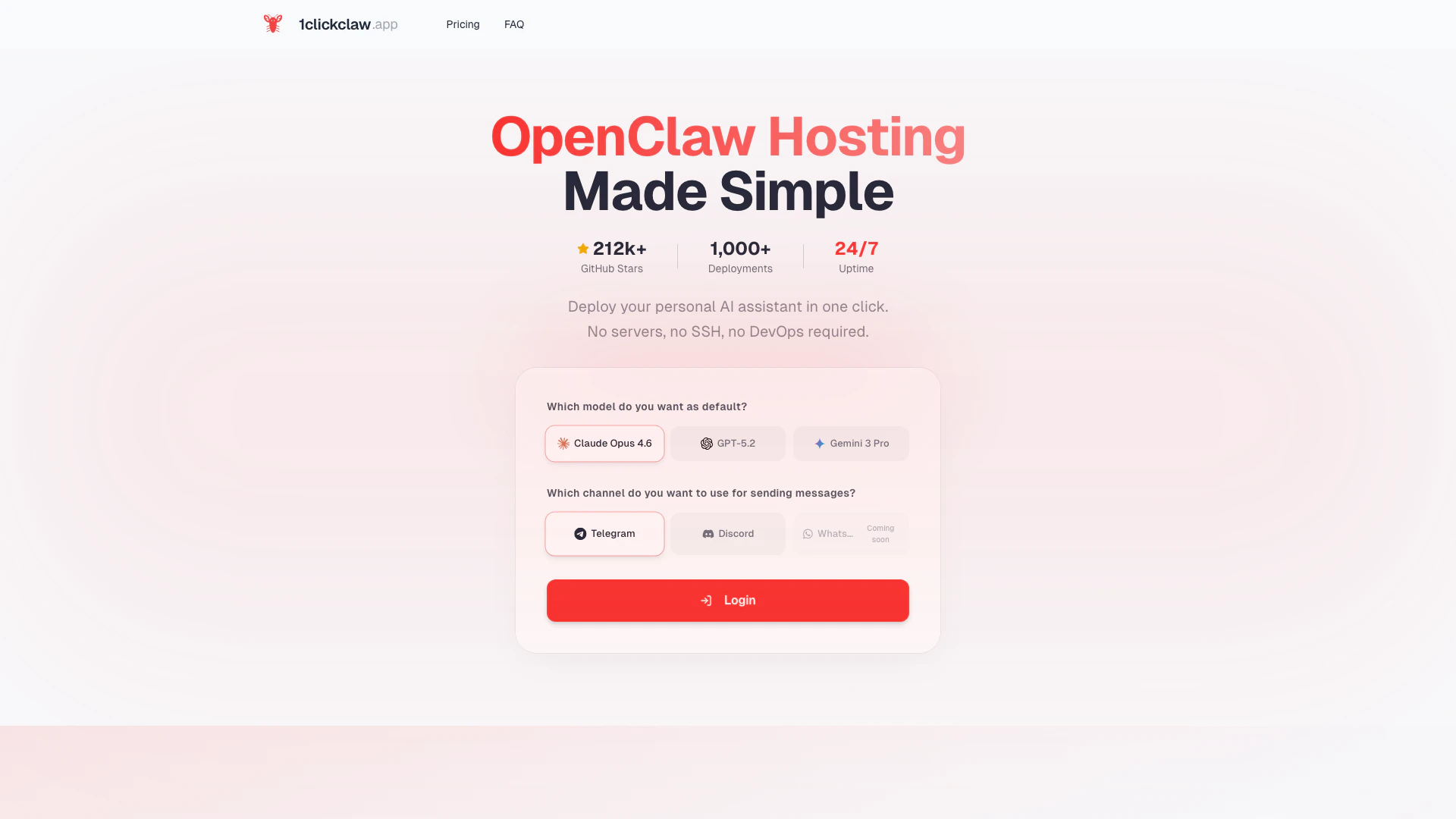
1clickclaw is an innovative tool designed to simplify the deployment of OpenClaw[1], an AI assistant[2], directly to messaging platforms like Telegram with just one click. It eliminates the need for complex server setups, SSH access, or DevOps knowledge, making it accessible for users of all technical backgrounds. With 1clickclaw, you can have your personal AI assistant up and running 24/7 in under a minute, allowing for seamless interaction and support across various channels.
How to use 1clickclaw?
- Choose Your AI Model: Start by selecting your preferred AI model from options like Claude[4], GPT[5], or Gemini, with AI credits included in your plan.
- Connect Your Channel: Link your messaging channel, such as Telegram, Discord, or WhatsApp, by simply pasting your bot token, which takes just seconds.
- Click Deploy: Finally, click the deploy button, and your OpenClaw will launch on a dedicated cloud server in under a minute, with no additional configurations needed.
What are the main features of 1clickclaw?
- One-Click Deployment[3]: Launch your AI assistant without the need for server configurations or technical setups.
- Multiple AI Models: Access various AI models, including Claude, GPT, and Gemini, to suit your specific needs.
- Channel Integration: Easily connect to popular messaging platforms like Telegram, Discord, and WhatsApp.
- 24/7 Uptime: Ensure your AI assistant is always available for your users, providing constant support and interaction.
- User-Friendly Interface: Navigate through the deployment process with an intuitive interface designed for ease of use.
Who is 1clickclaw for?
1clickclaw is ideal for individuals, small businesses, and organizations looking to deploy an AI assistant quickly and effortlessly. It caters to users with little to no technical expertise, enabling them to leverage advanced AI technology for customer support, engagement, and automation across various messaging platforms. Whether you're a startup seeking to enhance customer interactions or an individual wanting a personal assistant, 1clickclaw provides a straightforward solution.
What are the use cases of 1clickclaw?
- Customer Support: Deploy an AI assistant to handle customer inquiries and support requests via Telegram or Discord, improving response times and satisfaction.
- Personal Assistant: Use 1clickclaw to create a personal AI assistant that can manage tasks, reminders, and provide information on demand.
- Community Engagement: Enhance community interaction in Discord or WhatsApp groups by providing instant responses and engaging content through your AI assistant.
1clickclaw Pros and Cons
Pros
- Quick Deployment: Deploy your AI assistant in under a minute without needing servers, SSH, or DevOps.
- Multiple AI Models: Choose from various AI models like Claude, GPT, and Gemini, with credits included in your plan.
- User-Friendly Setup: No technical knowledge is required; just connect your channel and click deploy.
Cons
No cons data detected for this tool
1clickclaw Pricing
Starter Monthly
Professional AI bot deployment with a dedicated 2 vCPU / 2GB server, includes $15 credits, built-in Claude Opus 4.5, GPT-5.2, Gemini 3 Flash models, and supports Telegram, Discord, and WhatsApp channels.
For the latest pricing, please visit this link: https://1clickclaw.app/#pricing
Prices are subject to change. Please visit the official website for the most up-to-date pricing information.