Best 6 Cost Effective Website Builders Tools in 2026
Seedance2 page, Wix, Rocketpages, Getsiteai, Softr are the best paid / free Cost Effective Website Builders tools.
Discover top-rated Cost Effective Website Builders tools and free Cost Effective Website Builders solutions. Compare features, pricing, and user reviews to find the best AI tool for your needs. The best ai tools for Cost Effective Website Builders are: Seedance2 page, Wix, Rocketpages, Getsiteai, Softr
Seedance 2.0 revolutionizes video creation by allowing users to seamlessly blend text, images, audio, and video for a fully synchronized multimedia experience.
Free
Try Seedance 2.0 with your first free video - 10 signup credits + 10 daily login credits (once per day) - 480p & 720p resolution output - Community support
Pro
For active content creators - 1,000 credits / month (~31-83s) - 480p & 720p resolution - No watermark - Priority queue - API access - Email support
Plus
For power creators needing more volume - 2,000 credits / month (~62-166s) - 480p & 720p resolution - No watermark - Priority queue - API access - Priority support
Studio
For teams and power users - 3,000 credits / month (~94-250s) - 480p & 720p resolution - No watermark - Priority queue - API access - 3 team seats - Dedicated support
For the latest pricing, please visit this link: https://seedance2.page/
Prices are subject to change. Please visit the official website for the most up-to-date pricing information.
What is Seedance 2.0?
Seedance 2.0 is an innovative AI video generation tool that revolutionizes the way content creators produce videos. It allows users to mix various types of input assets, including text, images, audio, and video clips, to create coherent and engaging video content. With its unique features like native audio-visual synchronization and director-level camera control, Seedance 2.0 empowers users to produce high-quality videos that are consistent in style and motion, making it an essential tool for marketers, filmmakers, and content creators.
Pros
- Multimodal Input Mixing: Seedance 2.0 allows users to mix up to 12 different types of reference assets, including text, images, and audio, providing flexibility and consistency in video creation.
- Native Audio-Visual Sync: The tool generates synchronized audio with every frame, ensuring that sound elements like dialogue and ambient sounds are perfectly aligned with the visuals.
- Director-Level Camera Control: Users can control camera movements and shot composition using natural language, making the video creation process intuitive and accessible.
- 1080p Cinematic Output: Every video produced is rendered in full 1080p resolution with cinematic color grading, ensuring high-quality output suitable for professional use.
What are the main features of Seedance 2.0?
- Multimodal Input Mixing: Combine text, images, audio, and video for comprehensive video creation.
- Native Audio-Visual Sync: Ensure synchronized audio with every frame for a coherent viewing experience.
- Director-Level Camera Control: Utilize natural language to guide camera movements and shot compositions.
- Character & Style Consistency: Maintain stable character designs and styles across multiple shots.
- Physics-Accurate Motion: Achieve realistic motion with smooth trajectories, reducing the need for retakes.
- 1080p Cinematic Output: Generate high-quality videos with cinematic color grading.
Wix is an intuitive website builder that empowers users to create stunning websites easily.
Light
Get the basics with 2 GB storage space, multi-cloud hosting, light marketing suite, and 2 site collaborators.
Core
Engage your audience with 50 GB storage space, multi-cloud hosting, basic marketing suite, accept payments, basic eCommerce, scheduling and services, and 5 site collaborators.
Business
Grow your brand with 100 GB storage space, multi-cloud hosting, standard marketing suite, accept payments, standard eCommerce, scheduling and services, and 10 site collaborators.
Business Elite
Scale your business with unlimited storage space, multi-cloud hosting, advanced marketing suite, accept payments, advanced eCommerce, scheduling and services, advanced developer platform, and 100 site collaborators.
For the latest pricing, please visit this link: https://www.wix.com/plans
Prices are subject to change. Please visit the official website for the most up-to-date pricing information.
What is Wix?
Wix is a versatile website builder[1] that enables users to create professional websites with ease. It combines an intuitive drag-and-drop[2] interface with advanced features, including over 2,000 customizable templates[4] and integrated AI tools[3]. Wix allows individuals and businesses to design and manage their online presence without the need for coding skills. The platform supports various website types, from eCommerce[5] stores to portfolios, making it suitable for a wide range of users.
Pros
- User-Friendly Interface: Wix offers an intuitive drag-and-drop interface, making it easy for users of all skill levels to create and customize their websites without any coding knowledge.
- Extensive Template Library: With over 2,000 customizable templates, Wix provides a wide range of options suitable for various industries, allowing users to start their website design quickly.
- Built-in AI Tools: Wix includes AI-powered features that assist in website creation and content generation, streamlining the design process and enhancing user experience.
What are the main features of Wix?
- User-Friendly Interface: Drag-and-drop editor for easy website creation.
- AI Website Builder: Generate a website quickly using AI tools.
- Extensive Template Library: Access over 2,000 customizable templates for various industries.
- eCommerce Capabilities: Build and manage online stores with integrated payment solutions.
- SEO Tools: Optimize your site for search engines with built-in SEO features.
- Mobile Optimization[6]: Ensure your website looks great on all devices.
- Marketing Tools: Utilize email marketing, social media integration, and analytics for growth.
- FacebookVisit Facebook
- InstagramVisit Instagram
- TikTokVisit TikTok
- PinterestVisit Pinterest
- XVisit X
- LinkedInVisit LinkedIn
Forever Free
Attach custom domain, Upto 1 GB storage, Upto 10,000 visitors/month, 5 Contact form submissions/month, Upto 1GB/month bandwidth, Unlimited pages, Unlimited team members, Free SSL.
Pro
Everything from Forever Free plan, 5 GB storage, Upto 50,000 visitors/month, 50 Contact form submissions/month, 5 GB/month bandwidth, No RocketPages branding.
Business
Everything from Pro plan, 100 GB storage, Upto 500,000 visitors/month, Unlimited contact form submissions, Unlimited bandwidth.
For the latest pricing, please visit this link: https://rocketpages.io/pricing
Prices are subject to change. Please visit the official website for the most up-to-date pricing information.

What is Rocketpages?
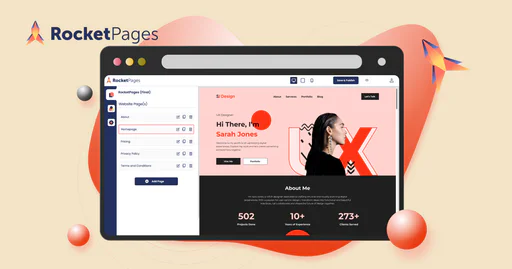
Rocketpages is a free website creation tool specifically designed for small businesses. It allows users to create their websites without any hidden fees, providing a user-friendly platform that enables entrepreneurs to establish an online presence quickly and efficiently. With Rocketpages, users can choose from a variety of customizable templates and enjoy features such as free storage, the ability to connect a custom domain, and unlimited contributors, making it an ideal choice for small business owners looking to enhance their digital footprint.
Pros
- Free Forever Plan: RocketPages offers a free plan with unlimited access, allowing users to build their websites without time constraints, unlike competitors with trial periods.
- Custom Domain Connection: Users can easily connect their custom domain for free, enhancing their brand visibility online, which is not offered by many competitors.
- 1 GB Free Storage: RocketPages provides 1GB of storage in its free plan, surpassing the 500MB offered by competitors like Wix and Weebly.
- Unlimited Contributors: The platform allows unlimited contributors on the free plan, unlike other services that impose restrictions on user numbers.
What are the main features of Rocketpages?
- Customizable Templates: Professionally designed templates tailored for various industries and styles.
- User-Friendly Interface: An intuitive design that simplifies the website creation process.
- Responsive Design: Automatically adjusts to look great on any device.
- Free Forever: No hidden fees or trial periods; build and manage your website without cost.
- Scalable Solutions: Upgrade as your business grows for additional features and resources.
- Secure SSL Certificate: Ensures your website's security with included SSL certificates.
- Out of the Box SEO: Robust SEO tools including auto-generated sitemaps and customizable meta tags.
- Blogging Platform: Easy-to-use blogging tools with customizable layouts and SEO features.
Maker
Perfect for individual creators. 100 credits per month, Unlimited websites, Custom domains, SSL certificates, Forms.
Developer
For professional developers. 500 credits per month, Unlimited websites, Automations (Zapier), Basic analytics, Code editor.
Agency
For agencies with more clients. 2,500 credits per month, Unlimited websites, API access, A/B testing, Priority support.
For the latest pricing, please visit this link: https://www.getsite.ai/
Prices are subject to change. Please visit the official website for the most up-to-date pricing information.

What is GetSite?
GetSite is an innovative AI-powered website builder designed to help users create stunning one-page websites[2] in just minutes. By answering a few simple questions, users can transform their ideas into professional, high-converting websites without needing any design or coding skills. GetSite streamlines the website creation process, making it accessible to everyone, from individual creators to small businesses.
Pros
- AI-Powered Website Creation: GetSite allows users to create professional one-page websites quickly using AI technology, requiring no design or coding skills.
- User-Friendly Interface: The intuitive drag-and-drop builder makes it easy for users to customize their websites without technical expertise.
- Flexible Pricing Plans: GetSite offers various pricing plans suitable for individuals, developers, and agencies, allowing users to choose based on their needs.
- Reliable Hosting Included: Every site comes with secure and fast hosting, ensuring high uptime and performance.
What are the main features of GetSite?
- AI Website Builder[1]: Quickly create websites by answering a few questions.
- Visual Editor: Customize every detail with an intuitive drag-and-drop interface.
- AI Developer: Chat with an AI partner to iterate on designs in real-time.
- Custom Domains[5]: Easily manage and launch websites on your own brand.
- Smart Forms: Built-in form builders to collect leads effortlessly.
- Asset Library: Manage all media and AI-generated images in one place.
- Reliable Hosting: Fast and secure hosting included with every site.
- Stripe Checkout: One-click payment links for selling products and services.
- XVisit X
- TelegramVisit Telegram
Pros
- Easy Sign-Up Process: Softr offers a straightforward sign-up process using Google Single Sign-On (SSO), making it convenient for users to get started quickly.
- User-Friendly Interface: The platform is designed to be user-friendly, allowing users to build applications without extensive technical knowledge.
- Free Trial Available: Softr provides a free trial option, enabling users to explore the platform's features before committing to a paid plan.
What is AI Cost Effective Website Builders
AI Cost Effective Website Builders refer to online tools that leverage artificial intelligence to help users create websites without requiring extensive technical skills. These platforms simplify the process by automating design suggestions, content generation, and layout adjustments, making website development accessible for everyone, from beginners to more experienced users. They typically provide a user-friendly interface and often come with various templates and customization options to suit diverse needs.
Cost Effective Website Builders core features
The core features of Cost Effective Website Builders include: - User-friendly drag-and-drop interfaces - Pre-designed templates for quick setup - Mobile responsiveness for optimal viewing on various devices - SEO tools to improve visibility on search engines - E-commerce capabilities for online selling - Integration with social media and marketing tools - Customer support options for troubleshooting and guidance.
Who is suitable to use Cost Effective Website Builders
Cost Effective Website Builders are suitable for a wide range of users, including small business owners, freelancers, bloggers, and anyone looking to establish an online presence without heavy financial investment. They are ideal for those with limited technical skills or those who need a cost-effective solution for creating and managing their websites. These builders are especially beneficial for startups and small enterprises that require basic functionalities without the need for extensive features or coding knowledge.
How does Cost Effective Website Builders work?
Cost Effective Website Builders operate by providing users with templates and customizable elements that they can modify according to their preferences. Users typically start by selecting a template that aligns with their vision, after which they can drag-and-drop various elements such as images, text, and videos to create their pages. These platforms often utilize AI to recommend design improvements, optimize performance, and ensure the site is user-friendly. Once completed, users can publish their websites with just a few clicks.
Advantages of Cost Effective Website Builders
The advantages of Cost Effective Website Builders include affordability, ease of use, and quick setup. These tools eliminate the need for coding knowledge, making web development accessible for anyone. They also typically offer various templates and design options which cater to different business needs. Additionally, many of these builders come with integrated features such as SEO tools, analytics, and customer support. However, they may have limitations in terms of customization and advanced functionalities compared to more robust platforms.
FAQ about Cost Effective Website Builders
Investing in a premium website builder over free options can be beneficial depending on your needs. Premium options usually offer enhanced features, better customer support, and increased functionality compared to free builders. If your website requires specific tools like e-commerce capabilities, advanced SEO features, or greater customization to represent your brand adequately, then it might be worth the investment. However, for simple projects or personal use, free options can suffice.
Spending $500 on a website builder can be worth it if the platform provides significant advantages that meet your business needs. Features such as robust customization options, excellent customer service, and advanced tools for SEO and marketing can justify the expense. Additionally, if the site is integral to your business goals and helps in generating revenue, an investment in a quality builder might pay off in the long run. It ultimately depends on the features you require and how you plan to use your website.
The pricing of Squarespace and Wix can vary significantly based on the features each platform offers. Squarespace generally provides a more comprehensive set of design and e-commerce features but can be on the pricier side. In contrast, Wix offers flexible pricing options and a broader range of templates but might require additional costs for certain premium features. It's essential to assess your specific needs, such as e-commerce capabilities, design preferences, and customer support requirements before choosing between them.
Yes, there are genuinely free website builders that can be worthwhile, especially for personal projects or small businesses on a budget. Examples include platforms like Wix, WordPress.com, and Weebly, which offer basic features without incurring costs. However, free builders often come with limitations such as lower bandwidth, fewer customization options, and displaying ads. If you’re looking to maintain a professional appearance or require advanced features, a premium solution might be more suitable despite the initial cost.
Yes, there are limitations when using free website builders for businesses. These can include restrictions on bandwidth and storage, limited design capabilities, forced advertisements, and a lack of customer support. Additionally, your ability to customize the site or integrate advanced features may be limited. For businesses looking to establish a strong brand presence and require greater functionality, opting for a premium website builder might be necessary to overcome these challenges.
Some affordable website builders for small businesses include WordPress.com, Wix, Weebly, and Squarespace. These platforms offer low-cost plans with essential features that enable businesses to create professional-looking websites. Each builder provides various templates catering to different industries, which helps in establishing an online presence without excessive expenditure. Additionally, they often integrate tools for SEO and marketing, allowing businesses to grow their online visibility more effectively.
Webflow and Elementor cater to different types of users while providing innovative website-building experiences. Webflow offers advanced design flexibility suited for professionals and designers wanting to create custom websites visually. Elementor, being a WordPress plugin, allows users to build pages within WordPress with ease and is ideal for those familiar with the platform. Comparing the two depends on whether you prefer a standalone, design-heavy tool or a versatile plugin adaptable for existing WordPress sites.
The biggest limitation of AI website builders often lies in their customization capabilities. While they simplify the website creation process and provide various templates, they may not offer the same depth of customization that manual coding or advanced builders provide. Users looking for highly tailored designs or complex functionalities might find themselves restricted by the template-driven nature of these AI solutions. It's important to assess your specific needs before opting for such tools.
For cleaning service businesses, the best website builders typically include platforms like Wix, Squarespace, and Jobber. Each of these builders offers templates specifically designed for service industries, making it easy to highlight services, add booking forms, and showcase customer testimonials. Their user-friendly interfaces and integrated marketing tools help cleaning businesses establish a strong online presence, attract clients, and manage scheduling efficiently, further enhancing operational effectiveness.
While the question concerns app building, some notable no-code AI tools that can assist include platforms like Bubble and Adalo, which empower users to create applications without traditional coding. For those specifically looking for tools geared toward website creation, options like Webflow or Wix may also offer no-code features to implement app-like functionalities. However, it's essential to define your exact needs to choose the right tool effectively.
Featured*
Discover Gemini, Google's versatile AI assistant for writing and planning.
Connect with professionals worldwide on LinkedIn.
Gemini is Google’s AI assistant for writing and brainstorming.
Easily create and edit high-quality videos with Clipchamp.
Apple Creator Studio offers a suite of creative tools for video, music, and design.
Connect and collaborate seamlessly with Zoom's all-in-one platform.
Stay updated with reliable news from around the world.
Adobe empowers users to create and optimize digital content.
DeepSeek focuses on pioneering general AI technologies and models.
Explore cutting-edge AI models with Deepseek.