

Writemailai
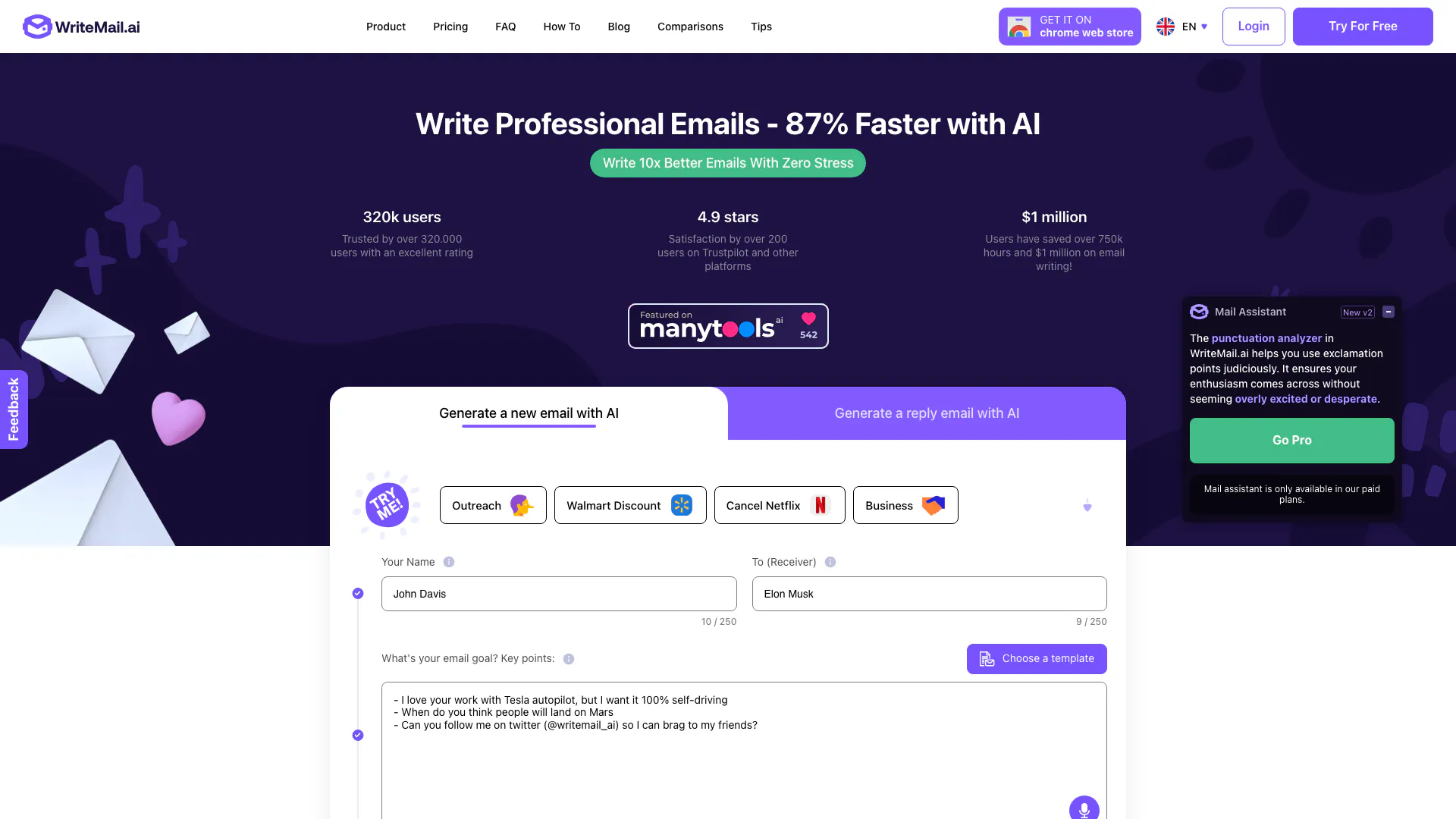





What is WriteMail.ai?
WriteMail.ai is an AI-powered email writing tool designed to help users create professional emails quickly and efficiently. Trusted by over 320,000 users worldwide, WriteMail.ai enables you to craft emails 87% faster with its advanced features, including multilingual support[1] and smart tone optimization[2]. The tool focuses on enhancing clarity, conciseness, and impact, ensuring your emails are not only well-written but also tailored to the recipient's preferences.
How to use WriteMail.ai?
- Sign up for a WriteMail.ai account and log in.
- Choose the type of email you want to write (new email or reply).
- Enter the key points or goals for your email in the provided fields.
- Select the desired tone, style, and length using the customization options.
- Click on 'Generate Email' to create your email content.
- Review the generated email and make any necessary adjustments.
- Use the 'Send Email' button to send it through your default email client.
What are the main features of WriteMail.ai?
- AI-generated email content that saves time and enhances clarity.
- Multilingual support for composing emails in various languages.
- Tone selector to customize the mood of your emails.
- Personalization features[5] to improve engagement and response rates.
- Email structuring[3] tools to highlight key messages.
- Integration with Gmail for seamless email writing and sending.
- Smart Mail Assistant[4] for real-time feedback and suggestions.
Who is WriteMail.ai for?
WriteMail.ai is designed for busy professionals, entrepreneurs, and anyone who frequently communicates via email. It is particularly beneficial for individuals who need to write clear, concise, and impactful emails quickly, such as sales representatives, customer support agents, and project managers. Additionally, it caters to users who communicate in multiple languages or with diverse audiences, ensuring effective communication across cultural barriers.
What are the use cases of WriteMail.ai?
- Crafting cold emails to potential clients or customers.
- Following up on proposals or inquiries to increase response rates.
- Sending thank-you emails or outreach communications.
- Writing marketing emails or newsletters to engage subscribers.
- Responding to customer support inquiries with clear and professional messages.
Product Images


Writemailai Pros and Cons
Pros
- Multilingual Support: WriteMail.ai allows users to compose emails in multiple languages, breaking down language barriers and reaching a wider audience.
- Tone Optimization: The tool includes a tone selector that helps users match the mood of their emails to the situation, ensuring effective communication.
- Increased Productivity: WriteMail.ai enables users to write emails 87% faster, significantly reducing the time spent on email composition.
- Personalization Features: The built-in personalization features can improve click-through rates by 14% and conversions by 10%, making emails more effective.
Cons
No cons data detected for this tool
Writemailai Pricing
Custom
Unlimited AI emails. Custom limits, pricing, and features.
Regular
50 AI emails /month. A smart step up for growing needs.
Basic
150 AI emails /month. The right balance for active users.
Pro
500 AI emails /month. Maximum power for demanding teams.
For the latest pricing, please visit this link: https://writemail.ai/#pricing
Prices are subject to change. Please visit the official website for the most up-to-date pricing information.
Analytics of Writemailai
Writemailai Website Traffic Analysis
Visits Over Time
Traffic Sources
Oct 2025 - Dec 2025 Worldwide Desktop Only
- Search: 49.47%
- Direct: 37.22%
- Referrals: 7.37%
- Social: 4.25%
- Paid Referrals: 0.96%
- Mail: 0.62%
Top Keywords
| Keyword | Volume | CPC | Estimated Value |
|---|---|---|---|
| ai email writer | 5.16K | $0.67 | $370.00 |
| email name generator | 730 | $3.07 | $230.00 |
| email enhancer | 480 | $0.00 | $290.00 |
| mail writer ai | 410 | $0.31 | $240.00 |
| writeemailai | 270 | $0.00 | $220.00 |
Writemailai Reviews
As someone who writes dozens of emails every day, Writemail has been a lifesaver. It helps me respond quickly to customers while still sounding polite and professional. It saves me at least an hour a day, and my responses are now clearer and friendlier.
In real estate, communication is everything. I use Writemail to draft quick updates for clients, confirm viewings, and follow up after meetings. The tool keeps my messages concise but still professional, which is perfect since clients often skim emails on their phones.
My inbox is always overflowing, and WM has completely changed how I manage it. Instead of spending hours drafting replies, I now use the tool to generate in seconds. It adapts to different situations and helps me maintain consistency in communication.
For more reviews, visit this link: https://writemail.ai/#feedback





Writemailai Social Listening
EmailWritr Review & Demo - Ama...
Get EmailWritr here: https://a...
Instantly AI Review | Best Col...
▶ Instantly.ai: 14 Day Free Tr...
Writemail.ai Gmail Extension T...
Welcome to the official announ...
Unlock to view 8 social media results.