

Writemage



What is Writemage?
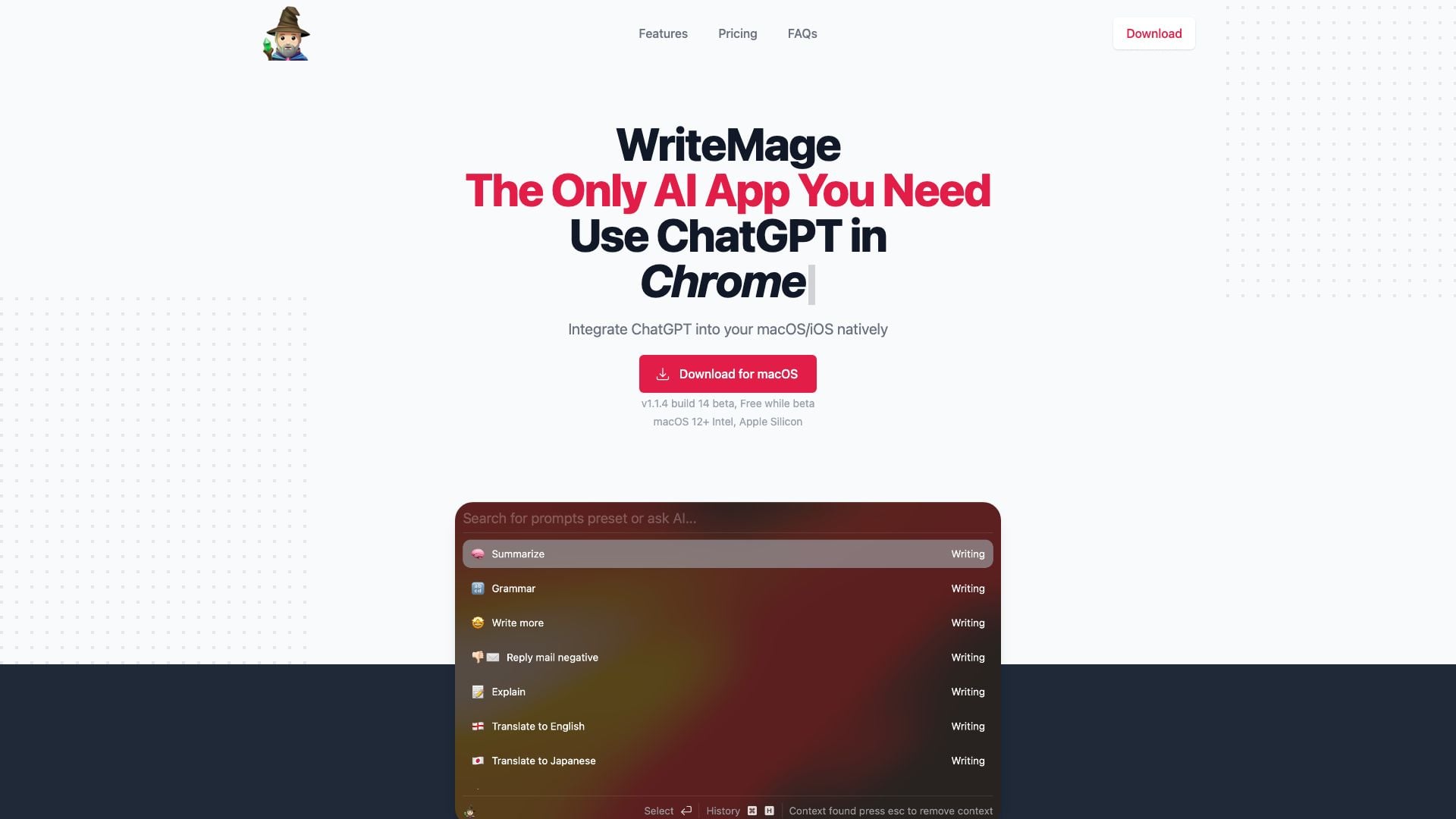
Writemage is an innovative AI application designed to seamlessly integrate ChatGPT into macOS and iOS environments. It is positioned as the only AI app you need, providing users with a powerful tool for enhancing productivity across various applications. With its unique capabilities, Writemage allows users to interact with ChatGPT in a context-aware manner, eliminating the need for tedious copy-and-paste actions. The app is currently in beta and is available for free, making it accessible for users looking to leverage AI for their writing and productivity needs.
How to use Writemage?
- Download and install Writemage on your macOS or iOS device from the official website.
- Launch the app and set up your OpenAI API key if you choose to use your own.
- Open any application on your device where you want to use ChatGPT.
- Activate Writemage, which will float on top of your current application, similar to Apple Spotlight.
- Start typing or speaking to ChatGPT directly within the app to receive context-aware responses.
What are the main features of Writemage?
- Native integration with macOS and iOS for seamless usage across applications.
- Context-aware interaction with ChatGPT, eliminating the need for copy-pasting.
- Memory functionality that allows Writemage to remember previous conversations within a session.
- Local storage of chat history, enabling users to revisit and continue past discussions easily.
- Customizable prompts through a user-friendly Prompt Editor GUI.
Who is Writemage for?
Writemage is designed for a diverse range of users, including writers, content creators, students, and professionals who require assistance in generating text or ideas. It is particularly beneficial for individuals who work across multiple applications and seek to enhance their productivity by integrating AI-powered writing assistance directly into their workflow. Whether you are drafting emails, creating content, or brainstorming ideas, Writemage offers a versatile solution for anyone looking to leverage AI technology.
What are the use cases of Writemage?
- Drafting and editing emails quickly and efficiently without switching between applications.
- Generating creative content ideas for blogs, articles, or social media posts directly within writing tools.
- Assisting in academic writing by providing context-aware suggestions and helping to organize thoughts.
Writemage Pros and Cons
Pros
- Integration with Apps: WriteMage allows integration with any macOS app, functioning seamlessly without the need for copy and paste.
- Memory Feature: The app can remember conversation context during a session, allowing for more coherent interactions.
- Local Chat History: All chat history is saved locally with labels, making it easy to continue previous conversations.
- Affordable Pricing During Beta: The app is free during the beta phase, with a lifetime deal available for early adopters at a discounted price.
Cons
- Limited Functionality After Beta: Once the final version is released, users will need to provide their own OpenAI API key to continue using the app.
- Pricing Structure: The app's pricing may be considered high compared to other similar tools, especially after the beta phase.
Writemage Pricing
Basic
Most popular plan. Includes 2 macOS devices, WriteMage iOS keyboard, provide your own API key with no word limit, and AI usage included.
Personal
For those who do not want to take care of the API part. Includes 4 macOS devices, WriteMage iOS keyboard, hassle-free API management, and 750,000 words monthly.
For the latest pricing, please visit this link: https://writemage.com/pricing
Prices are subject to change. Please visit the official website for the most up-to-date pricing information.





