Write Brain
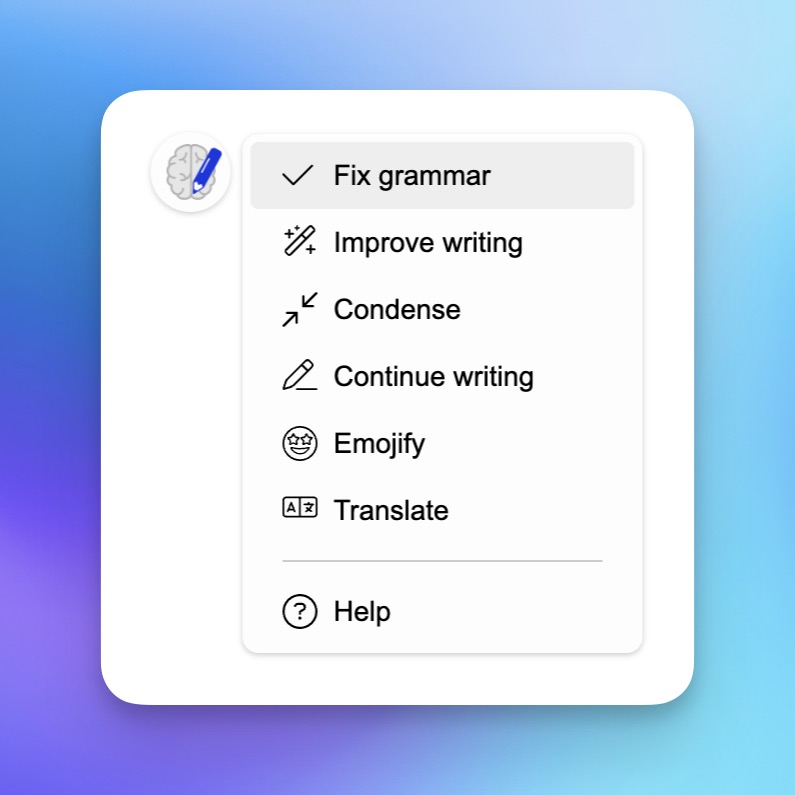
What is Write Brain?
Write Brain is a versatile writing assistant and grammar checker designed to enhance your writing experience across various platforms on the web. This innovative tool offers auto-magic creative writing assistance, helping users to quickly correct grammar mistakes, improve clarity, and enhance the overall quality of their writing. Whether you're composing messages on social media, emails, or other online formats, Write Brain provides real-time suggestions and corrections, ensuring that your communication is polished and effective.
How to use Write Brain?
- Install the Write Brain Chrome Extension from the [Chrome Web Store](https://chrome.google.com/webstore/detail/write-brain/hoifabdggfdbeejjnachknneilikeobk).
- Once installed, navigate to any text input area on the web, such as Facebook, Twitter, or Gmail.
- Start typing your message, and Write Brain will automatically highlight grammar errors and suggest improvements.
- Click on the suggestions to quickly correct mistakes or enhance your writing.
- Use the translation feature to convert text into different languages, facilitating communication across language barriers.
What are the main features of Write Brain?
- Grammar checker that identifies and corrects mistakes in real-time.
- Creative writing assistance that enhances clarity and conciseness.
- Translation capabilities for converting text into various languages.
- Emoji suggestions to add fun and engagement to your writing.
- User-friendly interface that integrates seamlessly with web applications.
Who is Write Brain for?
Write Brain is ideal for anyone who frequently communicates online, including students, professionals, and social media users. Whether you are crafting emails, posting on social networks, or engaging in customer support, this tool is designed to help you write clearly and effectively. It's particularly useful for individuals who want to improve their writing skills, ensure their messages are error-free, and communicate across language barriers.
What are the use cases of Write Brain?
- Enhancing social media posts to ensure they are engaging and free of errors.
- Writing professional emails that convey messages clearly and concisely.
- Communicating with international customers by translating messages into their native languages.
Write Brain Pros and Cons
Pros
- Creative Writing Assistance: Provides auto**magic** creative writing assistance across various platforms such as Facebook, Twitter, and Gmail.
- Grammar and Clarity Improvement: Quickly fixes grammar mistakes and removes unnecessary words to enhance clarity in writing.
- Translation Capabilities: Allows users to easily translate text into different languages, facilitating communication with diverse audiences.
- Emoji Integration: Suggests relevant emojis to enhance text engagement and visual appeal.
Cons
No cons data detected for this tool
Analytics of Write Brain
Write Brain Website Traffic Analysis
Visits Over Time
Traffic Sources
Nov 2025 - Dec 2025 Worldwide Desktop Only
- Search: 76.76%
- Social: 10.19%
- Direct: 7.34%
- Referrals: 4.73%
- Paid Referrals: 0.94%
- Mail: 0.04%
Top Keywords
| Keyword | Volume | CPC | Estimated Value |
|---|---|---|---|
| writebrain | 210 | $0.00 | $0.00 |