

Twitter-color Created with Sketch. Amazon-color Created with Sketch. Facebook-color Created with Sketch. github [#142] Created with Sketch. meta_fill Pinterest-color Created with Sketch. ProductHunt-color Created with Sketch. Spotify-color Created with Sketch. Threads Logo Streamline Icon: https://streamlinehq.com Yelp-color Created with Sketch. Youtube-color Created with Sketch.
TopAIToolsTopAITools
  • Free Tools
  • Category
  • Leaderboard
  • Deals
  • Submit
EN
TopAIToolsTopAITools
TopAI

TopAITools

TopAITools, The Best Top AI Tools

AI Glossary|English简体中文繁體中文한국어日本語PortuguêsEspañolDeutschFrançaisTiếng Việt|Map

© 2026 TopAITools. All rights reserved.

About

  • Privacy Policy
  • Terms of use

Contact Us

business@topaitoolsreview.com
Home
AI Copywriter
Wisprflow
Last updated: May 27, 2026
Wisprflow logo

Wisprflow

Get deal
4.0|0 Comments|0 Saved
Introduction:
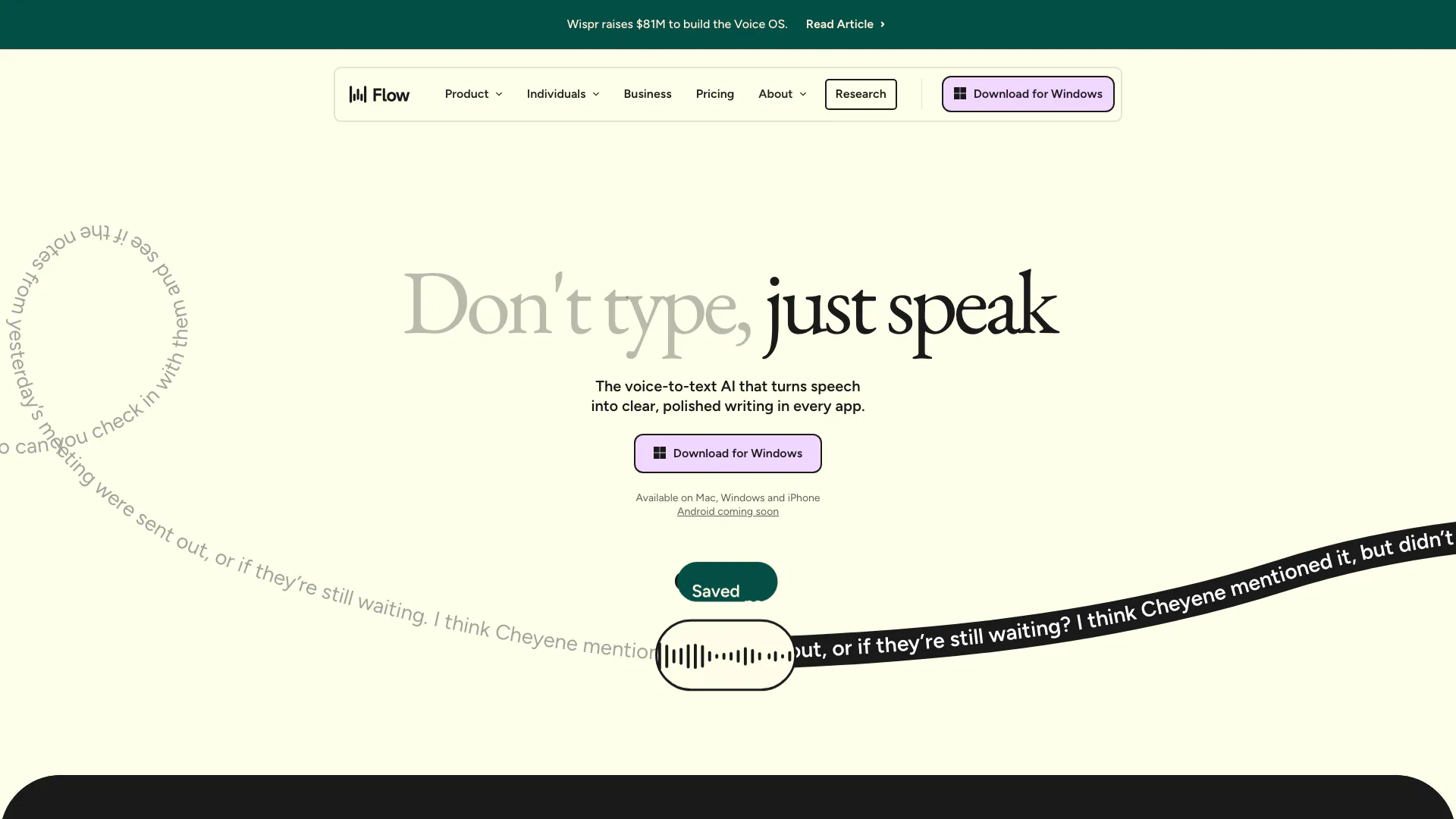
Wisprflow enables quick and efficient writing through voice dictation.
Launch Date:
December 9, 2024
Social links:
Monthly Visits:
5.0M
Inputs:
Audio
Outputs:
Text
Supported Languages:
ENZHDEJAHIFRITCAPTRUKOAUESMXIDTRNL
Website
💼Work🎨Creativity
AI Copywriter157AI Essay Writer43AI Writing Assistants496
Wisprflow website screenshot showing Wisprflow enables quick and efficient wr... interface and features
Use tool
Update this tool
Emailwhiz For Gmail logo

Emailwhiz For Gmail

EmailWhiz for Gmail™ - Google Workspace Marketplace

Docgpt Ai Writer For Docs logo

Docgpt Ai Writer For Docs

GPT for Sheets™ Docs™ Forms™ Slides™ - Google Workspace Marketplace

Gmail Gpt logo

Gmail Gpt

GPT for Gmail™ | AI Email Assistant | Gemini - Google Workspace Marketplace

Ait Contacts Extractor For Gmail logo

Ait Contacts Extractor For Gmail

EmailWhiz for Gmail™ - Google Workspace Marketplace

AI Models logo

AI Models

We believe our research will eventually lead to artificial general intelligence, a system that can solve human-level problems. Building safe and beneficial AGI is our mission.

Wisprflow Overview

What is Wisprflow?

Wisprflow is a cutting-edge voice dictation[1] tool designed to streamline the writing process by converting spoken words into clear, structured text. Known as Flow, it allows users to dictate their thoughts naturally and quickly, making it the fastest and most intelligent way to write using voice. With its seamless integration across various applications on Mac, Windows, and iPhone, Wisprflow enhances productivity by enabling users to communicate effectively without the constraints of traditional typing.


How to use Wisprflow?

  1. Download and install Wisprflow on your device (available for Mac, Windows, and iPhone).
  2. Open the application or integrate it with your preferred writing software.
  3. Activate the voice dictation feature by clicking the microphone icon or using a designated keyboard shortcut.
  4. Start speaking naturally; Wisprflow will transcribe your words into text in real-time.
  5. Edit and format the text as needed, using voice commands for additional efficiency.

What are the main features of Wisprflow?

  • Seamless voice dictation that transcribes spoken words into text across various applications.
  • AI-powered[2] auto-editing[3] that refines the transcribed text for clarity and structure.
  • Personal dictionary[4] that learns unique words and phrases used by the individual.
  • Snippet library[5] for creating voice shortcuts to frequently used texts.
  • Support for over 100 languages, allowing users to dictate in their preferred language.
  • Automatic tone adjustment based on the application being used, ensuring a natural voice.

Who is Wisprflow for?

Wisprflow is tailored for a diverse range of users, including: - Professionals such as lawyers and customer support representatives who require accurate and efficient documentation. - Students who want to enhance their note-taking and writing speed. - Developers who can benefit from dictating code and technical documentation. - Creators looking for a faster way to capture ideas and draft content. - Leaders and teams aiming to improve productivity and communication within their organizations.


What are the use cases of Wisprflow?

  1. Dictating legal documents and case notes quickly and accurately for lawyers.
  2. Taking lecture notes or drafting essays on-the-go for students.
  3. Creating content and managing social media posts for content creators.
  4. Writing code comments and documentation efficiently for developers.
  5. Enhancing customer support by allowing representatives to respond to queries verbally.

Product Images
Wisprflow usage step screenshot
Wisprflow product overview
1 / 2

Wisprflow Video

1.3K
Wisprflow logo in video player
https://wisprflow.ai/
Wispr Flow AI Review: The Best Voice Dictation App Right Now? video thumbnail - Wisprflow tutorial or review

Wisprflow Pros and Cons

Pros

  • Fast Voice Dictation: Flow allows users to dictate text at speeds of up to 220 words per minute, significantly faster than traditional typing, which enhances productivity.
  • Seamless Integration: The tool integrates smoothly with various applications on Mac, Windows, and iPhone, enabling voice dictation across different platforms effortlessly.
  • Personalized Experience: Flow learns unique words and phrases from users, creating a personal dictionary that improves dictation accuracy over time.

Cons

No cons data detected for this tool

Wisprflow Pricing

Flow Enterprise

Contact Us

Get everything in Flow Pro for your team, plus dedicated support, SOC 2 Type II and ISO 27001 compliance, enforced HIPAA compliance, enforced Privacy Mode (Zero Data Retention), SSO / SAML, advanced usage dashboards, and bulk pricing discounts.

Flow Pro

$12/month

Get everything in Flow Basic, plus unlimited words per week on Mac, Windows, and iPhone, prioritized support and feature requests, command mode for editing, early access to new features, and team collaboration features.

For the latest pricing, please visit this link: https://wisprflow.ai/pricing

Prices are subject to change. Please visit the official website for the most up-to-date pricing information.

Analytics of Wisprflow

Wisprflow Website Traffic Analysis

Visits Over Time

Oct 2025 - Dec 2025 All Traffic
#51
AI Tools Rank
5.01M
Monthly Visits
57.52%
Bounce Rate
2.11
Pages Per Visit
1:36
Visit Duration
14.17K
Global Rank
3.65K
Country Rank

Traffic Sources

Oct 2025 - Dec 2025 Worldwide Desktop Only

  • Search: 44.79%
  • Direct: 41.39%
  • Referrals: 7.63%
  • Social: 3.88%
  • Paid Referrals: 2.22%
  • Mail: 0.09%

Top Regions

Oct 2025 - Dec 2025 Desktop Only
RegionPercentage
🇺🇸
United States
23.02%
🇮🇳
India
15.12%
🇵🇰
Pakistan
4.60%
🇬🇧
United Kingdom
4.24%
🇳🇬
Nigeria
2.97%
  1. United States: 23.02%
  2. India: 15.12%
  3. Pakistan: 4.60%
  4. United Kingdom: 4.24%
  5. Nigeria: 2.97%

Top Keywords

KeywordVolumeCPCEstimated Value
perplexity9.94M$0.47$34120.00
wispr flow169.33K$1.05$111920.00
whisper flow108.94K$0.62$81530.00
whisperflow54.68K$1.30$42450.00
wispr39.75K$0.94$28710.00

Wisprflow Reviews

You're making texting actually delightful right now! Can see it becoming a can't live without product fast.

This is the best AI product I've used since ChatGPT.

I've been using Wispr almost every day since I downloaded it. It's probably my favorite part of the day, especially at the end when I go through my inbox with Wispr.

For more reviews, visit this link: https://wisprflow.ai/#flow-love

Wisprflow Compare

Tool NameIntroductionPricing
Type
RatingLaunch DateLearn more
Promptvibes logo
Promptvibes
Explore Prompt Vibes to create unique prompts with our ChatGPT Prompt generator. Discover a collection of the best prompts designed for various uses.
Free
🙋‍♂️Personal🎨Creativity
February 25, 2023
Get deal
Autodraw logo
Autodraw
AutoDraw
Free
🎨Creativity
January 2, 1998
Get deal
Steamship logo
Steamship
Build, scale, and monitor AI Agents.
Free
💼Work
September 13, 1996
Get deal

Info current as of post date. Offers and availability may vary by location and are subject to change.

Wisprflow Q&A

You can set up Flow quickly and start dictating with ease by following the instructions in the Getting Started section of the Help Center.

Wisprflow Launch embeds

Use website badges to drive support from your community for your TopAITools Review. They're easy to embed on your homepage or footer.

FEATURED ONTopaitoolsreview.com

Wisprflow Alternatives

Gemini screenshot

Gemini

Gemini is Google’s AI assistant for writing and brainstorming.

Website
Free
🙋‍♂️Personal💼Work🎨Creativity
Writing & EditingAI Writing AssistantsAI ChatbotAI Creativity and Productivity Enhancer
  • Writing & Editing
  • AI Writing Assistants
  • AI Chatbot
  • AI Creativity and Productivity Enhancer
Use tool
1735.3M
Direct77.16%
Search17.39%
Referrals4.58%
Quillbot screenshot

Quillbot

QuillBot enhances your writing with AI tools for paraphrasing, grammar checking, and more.

Website
Free
💼Work🎨Creativity
Writing & EditingAI Grammar CheckerAI Paraphraser & RewriterAI Writing Assistants
  • Writing & Editing
  • AI Grammar Checker
  • AI Paraphraser & Rewriter
  • AI Writing Assistants
Use tool
47.0M
Search54.07%
Direct44.35%
Referrals1.31%
Aidungeon screenshot

Aidungeon

Play and create AI-generated adventures with infinite possibilities.

Website
FreeWriting & EditingAI Text GeneratorAI Writing Assistants
  • Writing & Editing
  • AI Text Generator
  • AI Writing Assistants
Use tool
3.8M
Direct62.56%
Search33.46%
Referrals2.49%

Wisprflow Tags

Voice DictationSpeech-to-TextProductivity ToolMulti-language supportauto editspersonal dictionaryvoice-first processes

Also used for

AI Copywriter157AI Essay Writer43AI Writing Assistants496Object Remover AiAi Design Generator115Ai Interior Design55Ai Landscape GeneratorAi Real Estate28Ai Realistic Image Generator3Ai Audio Splitter14Ai Rap Lyrics GeneratorAI YouTube Transcript Enhancer2Ttrpg Note Taking Tools4URL Conversion Tools1Web Content Format Converter3

Sources (5)

Wisprflow logo
WisprflowFree
Get deal

Wisprflow Comments (0)

Your rating

?
0/2000

No comments yet

Be the first to share your thoughts!

Wisprflow Prompts (0)

Prompts And Results

Add your own prompts and outputs to help others understand how to use this AI.

🚀0
🚀0