Whatcode - iOS App
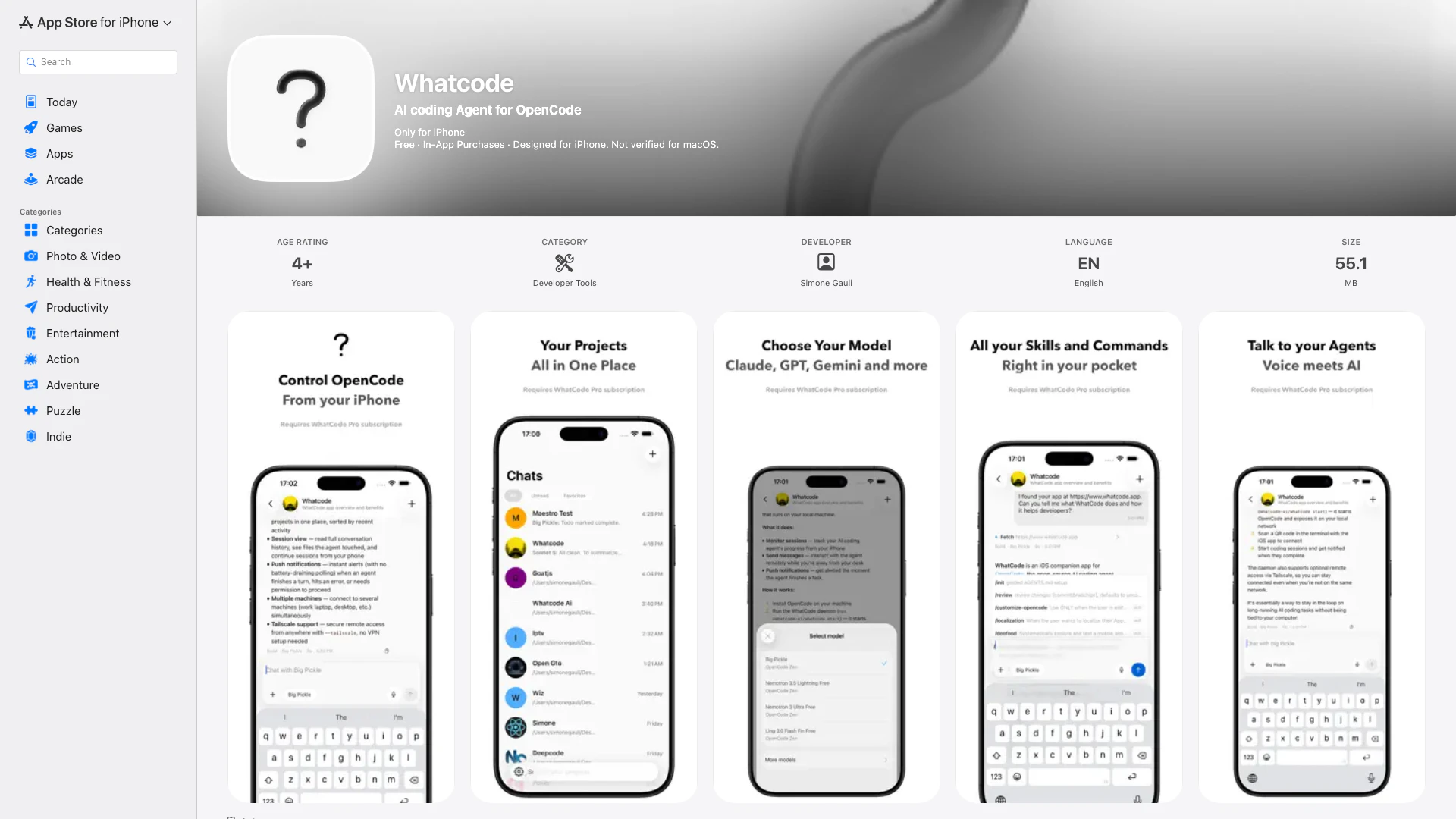




What is Whatcode?
WhatCode is a native iOS client designed for OpenCode, an open-source AI coding agent. With WhatCode, users can connect to their own OpenCode server, enabling a comprehensive AI coding assistant directly on their mobile device. The application provides a swift and responsive interface, facilitating interactions with an AI that can analyze code, suggest edits, and ultimately help developers deliver projects more efficiently. Equipped with features ensuring full context awareness, WhatCode is engineered to enhance programming productivity and maintain oversight of your coding projects.
How to use Whatcode?
- Download the WhatCode app from the App Store and install it on your iOS device.
- Launch the app and follow the onboarding instructions to connect to your OpenCode server.
- Choose your preferred connection mode between connecting via the WhatCode daemon or directly via OpenCode.
- Browse and manage your projects through the native interface.
- Start real-time AI chats by selecting a project or code file; the AI will analyze your code and make suggestions accordingly.
- Utilize the app features to enhance your coding efficiency, including viewing context-aware suggestions and updates directly in your codebase.
What are the main features of Whatcode?
- Connects seamlessly to any self-hosted OpenCode instance.
- Provides a native interface to browse and manage all your coding projects.
- Offers real-time AI chat functionality with streaming responses to keep conversations interactive.
- Provides full context awareness, enabling the AI to read and understand your actual code.
- Keeps user data safe by working over your infrastructure.
- Supports dark and light mode for tailored user experience.
Who is Whatcode for?
WhatCode is primarily aimed at developers, software engineers, and coding teams who seek enhanced productivity through AI-driven coding assistance. It is especially suited for those who already utilize OpenCode and wish to leverage its capabilities via a mobile platform. Whether you are working independently on projects or collaborating within a team environment, WhatCode provides tools to efficiently manage codebases and facilitate rapid development, making it valuable for both novice and experienced coders alike.
What are the use cases of Whatcode?
- Ideal for developers looking to streamline their coding workflow by integrating AI assistance into their existing OpenCode infrastructure.
- Perfect for teams collaborating on codebases, as they can easily manage projects and receive AI-driven suggestions in real-time.
- Beneficial for individual coders seeking a portable and efficient AI tool to speed up development processes and improve code quality.
Whatcode Pros and Cons
Pros
- Self-Hosted Connection: WhatCode allows users to connect to any self-hosted OpenCode instance, providing flexibility and control over their coding environment.
- Real-Time AI Interaction: The app features real-time AI chat with streaming responses, enabling dynamic interactions and immediate feedback while coding.
- Context-Aware AI: WhatCode offers full context awareness, allowing the AI to understand the actual codebase, which enhances the quality of suggestions and edits.
Cons
- Subscription Requirement: A WhatCode Pro subscription is required to access all features, which may limit usage for those unwilling to pay.
- Server Dependency: The app requires a running OpenCode server, which may pose a barrier for users without the technical ability to set up and maintain a server.
- iOS Only Availability: WhatCode is only available on iOS, limiting access for users on other platforms such as Android or Windows.
Whatcode Pricing
Pro Monthly
Pro Monthly
Pro Yearly
Pro Yearly
For the latest pricing, please visit this link: https://apps.apple.com/app/id6760623503
Prices are subject to change. Please visit the official website for the most up-to-date pricing information.