Vocova




What is Vocova?
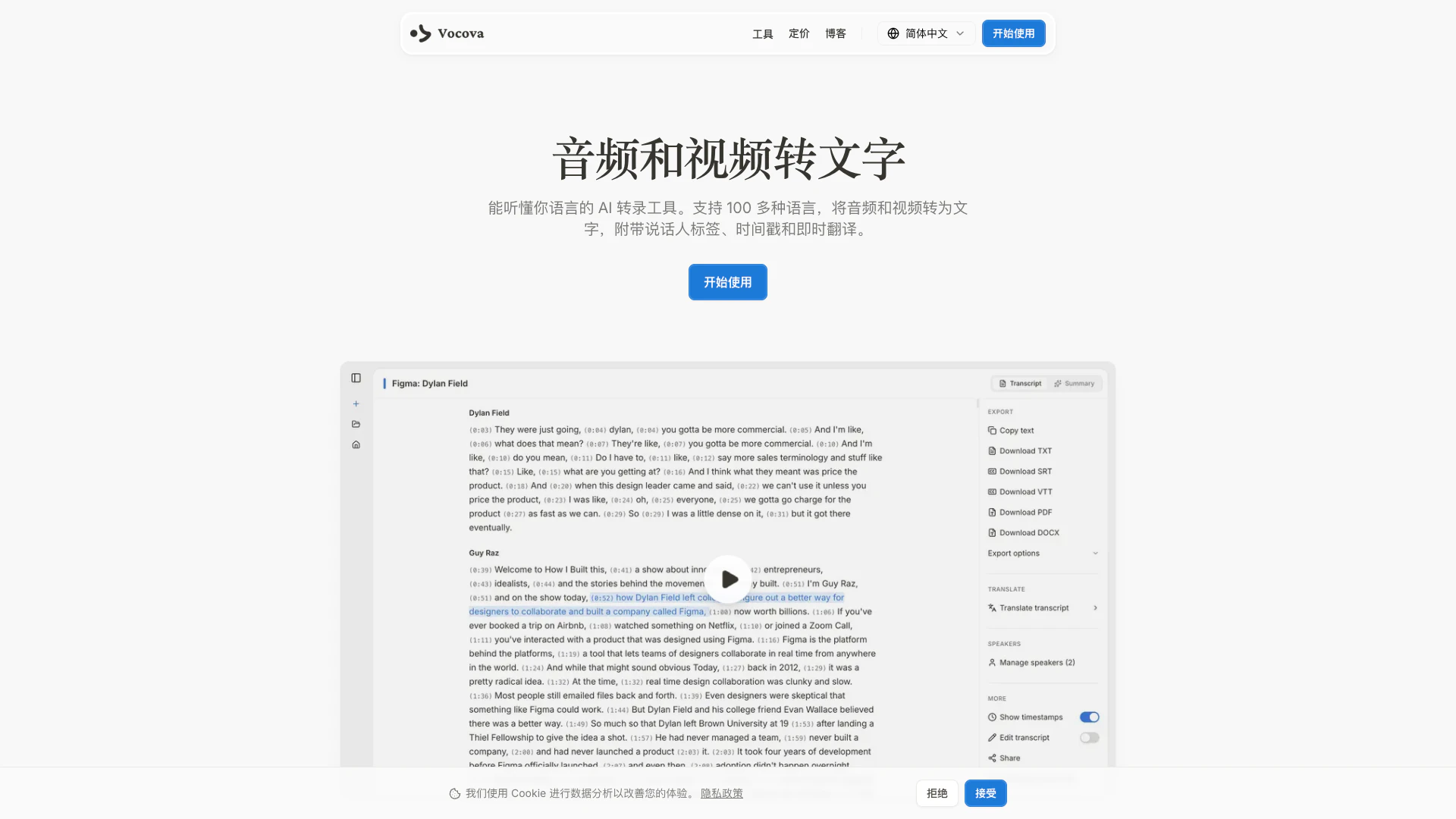
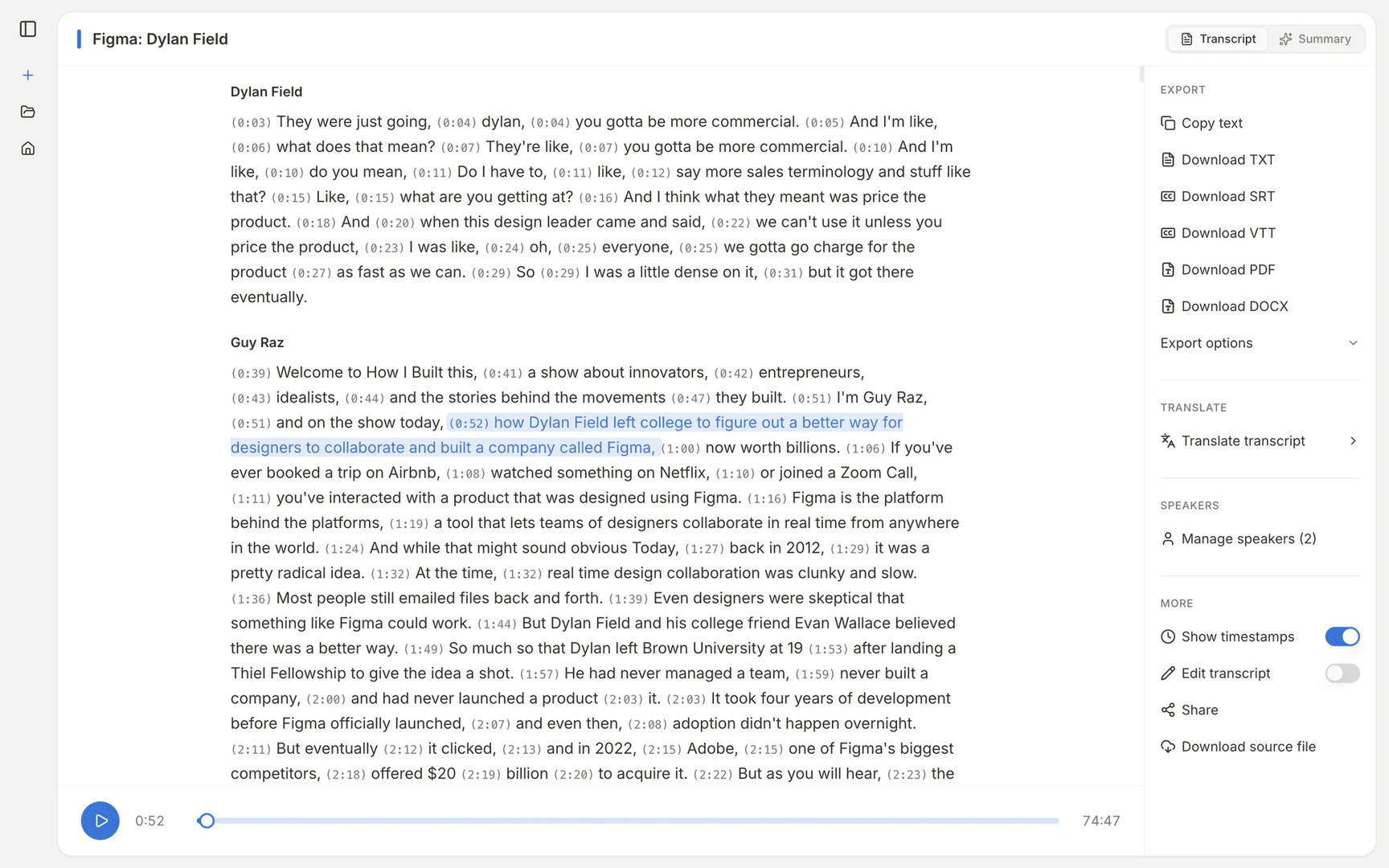
Vocova is an advanced AI transcription tool designed to convert audio and video files into text. Supporting over 100 languages, Vocova provides accurate transcriptions complete with speaker labels, timestamps, and instant translation features. Its user-friendly interface allows for seamless uploading of files or pasting of URLs from various platforms like YouTube and TikTok, making it accessible for anyone needing transcription services. With a focus on privacy and simplicity, Vocova ensures that your data remains secure while delivering high-quality, reliable transcripts.
How to use Vocova?
- Upload a file or paste a URL: Drag and drop your audio or video file (MP3, WAV, MP4, etc.) or paste a link from platforms like YouTube or TikTok.
- AI transcribes: Vocova's AI processes the audio, generating a transcript with accurate speaker labels and timestamps.
- Edit and export: Review and edit your transcript as needed, then export it in various formats like PDF, DOCX, SRT, or CSV.
What are the main features of Vocova?
- AI-Powered Transcription: Utilizes state-of-the-art AI models for high accuracy in over 100 languages.
- Speaker Identification: Automatically labels different speakers in the transcription.
- Timestamps: Provides precise timestamps for each spoken word.
- Translation: Instantly translates transcripts into 140+ languages.
- Multiple Export Formats: Exports transcripts in PDF, DOCX, SRT, VTT, TXT, or CSV formats.
- Cloud Storage: Securely stores your files in the cloud for easy access and editing.
Who is Vocova for?
Vocova is ideal for a diverse range of users including professionals, educators, content creators, and businesses. It caters to anyone needing transcription services, such as journalists needing accurate quotes from interviews, students transcribing lectures for study purposes, and companies looking to document meetings. Its versatility makes it suitable for both individual and organizational use, providing tools to enhance productivity and communication.
What are the use cases of Vocova?
- Transcribing Meetings: Capture and organize meeting notes with action items.
- Interview Transcription: Preserve critical quotes and insights from interviews.
- Podcast Episodes: Create searchable text and show notes from podcast recordings.
- Lecture Transcription: Provide accessible materials for students.
- Content Creation: Repurpose audio and video content for blogs and articles.
- Legal Documentation: Generate accurate records for legal proceedings.
- Sales Calls: Capture important details and insights from sales conversations.
Product Images


Vocova Pros and Cons
Pros
- Multi-language Support: Vocova supports transcription in over 100 languages, allowing users to work with diverse audio and video content.
- AI-Powered Accuracy: Utilizes advanced AI models for high-accuracy transcription, ensuring reliable results across various languages.
- Easy Integration with Platforms: Allows users to import audio and video from over 1,000 platforms, simplifying the transcription process.
- Flexible Export Options: Users can export transcripts in multiple formats including PDF, DOCX, and SRT, catering to different needs.
Cons
No cons data detected for this tool
Vocova Pricing
Free
Try Vocova with no commitment. Includes 120 minutes of transcription, save up to 3 transcripts, support for 100+ languages, export as plain text, shareable transcript links, and files up to 30 MB.
Pro
Unlimited transcription with pro-grade accuracy. Everything in Free, plus unlimited transcription and storage, studio-grade AI accuracy, import from 1,000+ platforms, auto-identify every speaker, batch upload up to 20 files, translate to 140+ languages, export as PDF, DOCX, SRT, VTT, edit and perfect transcripts, summarize with AI, files up to 5 GB, and priority processing.
For the latest pricing, please visit this link: https://vocova.app/pricing
Prices are subject to change. Please visit the official website for the most up-to-date pricing information.