Vismint




What is Vismint?
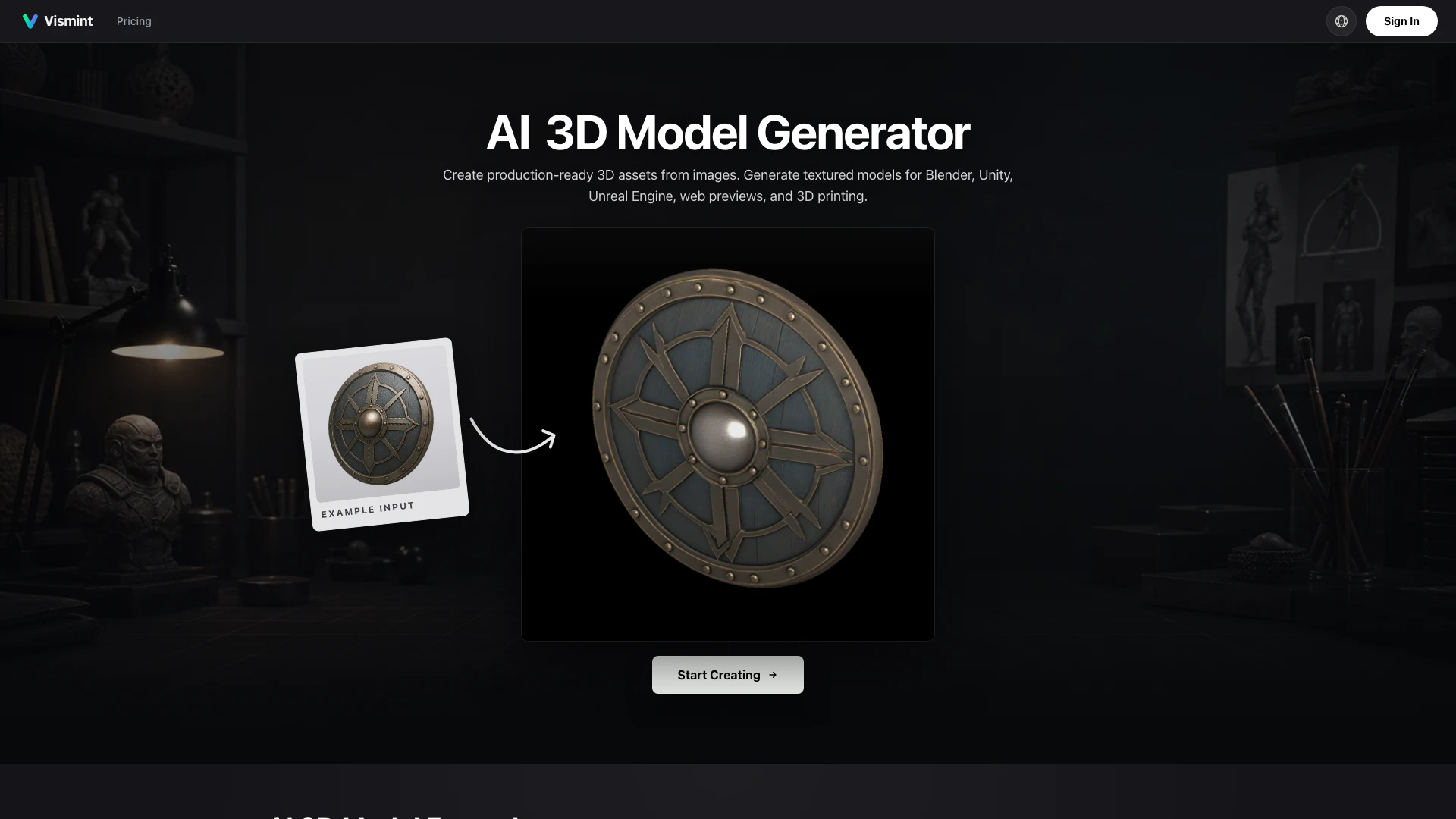
Vismint is an innovative AI-powered 3D model generator designed to transform images into high-quality 3D model files. It supports various formats including GLB, STL, OBJ, and FBX, making it ideal for applications in gaming, 3D printing, and web previews. By leveraging advanced AI algorithms, Vismint enables users to create detailed and production-ready 3D assets from simple reference images, sketches, or illustrations, thereby streamlining the design process for both professionals and hobbyists.
How to use Vismint?
- Upload Image: Begin by uploading a product photo, concept art, sketch, or any clean reference image you wish to convert into a 3D model.
- Generate 3D Model: Allow Vismint to process the uploaded image, where it will reconstruct the geometry and apply materials using its advanced AI technology.
- Export GLB Asset: Once the 3D model is generated, download it in your desired format (GLB, STL, OBJ, FBX) for use in platforms like Blender, Unity, or Unreal Engine.
What are the main features of Vismint?
- AI-Powered 3D Generation: Quickly convert images to 3D models with advanced AI technology.
- Multiple Output Formats: Export models in GLB, STL, OBJ, FBX, PLY, and USDZ, catering to various project needs.
- Textured Models: Generate rich, textured 3D assets for enhanced visual quality in games and presentations.
- 3D Printing Support: Create geometry-focused models suitable for STL export, ideal for 3D printing applications.
- Integration with Popular Tools: Seamlessly use generated models in Blender, Unity, Unreal Engine, and other creative software.
Who is Vismint for?
Vismint is designed for a wide range of users, including game developers, 3D artists, product designers, and hobbyists interested in 3D modeling. Whether you are creating assets for video games, preparing prototypes for 3D printing, or visualizing products for e-commerce, Vismint provides a user-friendly platform that requires no prior modeling experience. Its AI-driven capabilities make it accessible for both seasoned professionals and newcomers looking to explore the world of 3D design.
What are the use cases of Vismint?
- Game Development: Create detailed 3D models for characters, environments, and props to enhance gaming experiences.
- 3D Printing: Generate models that are ready for physical printing, including miniatures and prototypes.
- Product Visualization: Transform product images into 3D assets for marketing, e-commerce previews, and client presentations.
Vismint Pros and Cons
Pros
- High-Quality Model Generation: Vismint utilizes optimized generation algorithms to produce cleaner meshes that are suitable for editing and retopology, ensuring high-quality 3D models.
- Versatile Export Options: The tool supports standard GLB export, allowing users to easily integrate generated models into popular platforms like Blender, Unity, and Unreal Engine 5.
- Comprehensive Material Outputs: Vismint provides high-resolution PBR texture outputs, including Albedo, Normal, and Roughness maps, enhancing the realism of 3D models.
Cons
No cons data detected for this tool
Vismint Pricing
Starter
800 Credits - About 8 3D generations. Credits valid for up to 1 year. Commercial license. Access to all AI models. No subscription required.
Pro Standard
3,000 Credits - About 30 3D generations. Credits valid for up to 1 year. Commercial license. Access to all AI models. Priority customer support. No subscription required.
Max Value
8,000 Credits - About 80 3D generations. Credits valid for up to 1 year. Commercial license. Access to all AI models. Priority customer support. No subscription required.
For the latest pricing, please visit this link: https://vismint.com/#
Prices are subject to change. Please visit the official website for the most up-to-date pricing information.