Videovibe


What is VideoVibe?
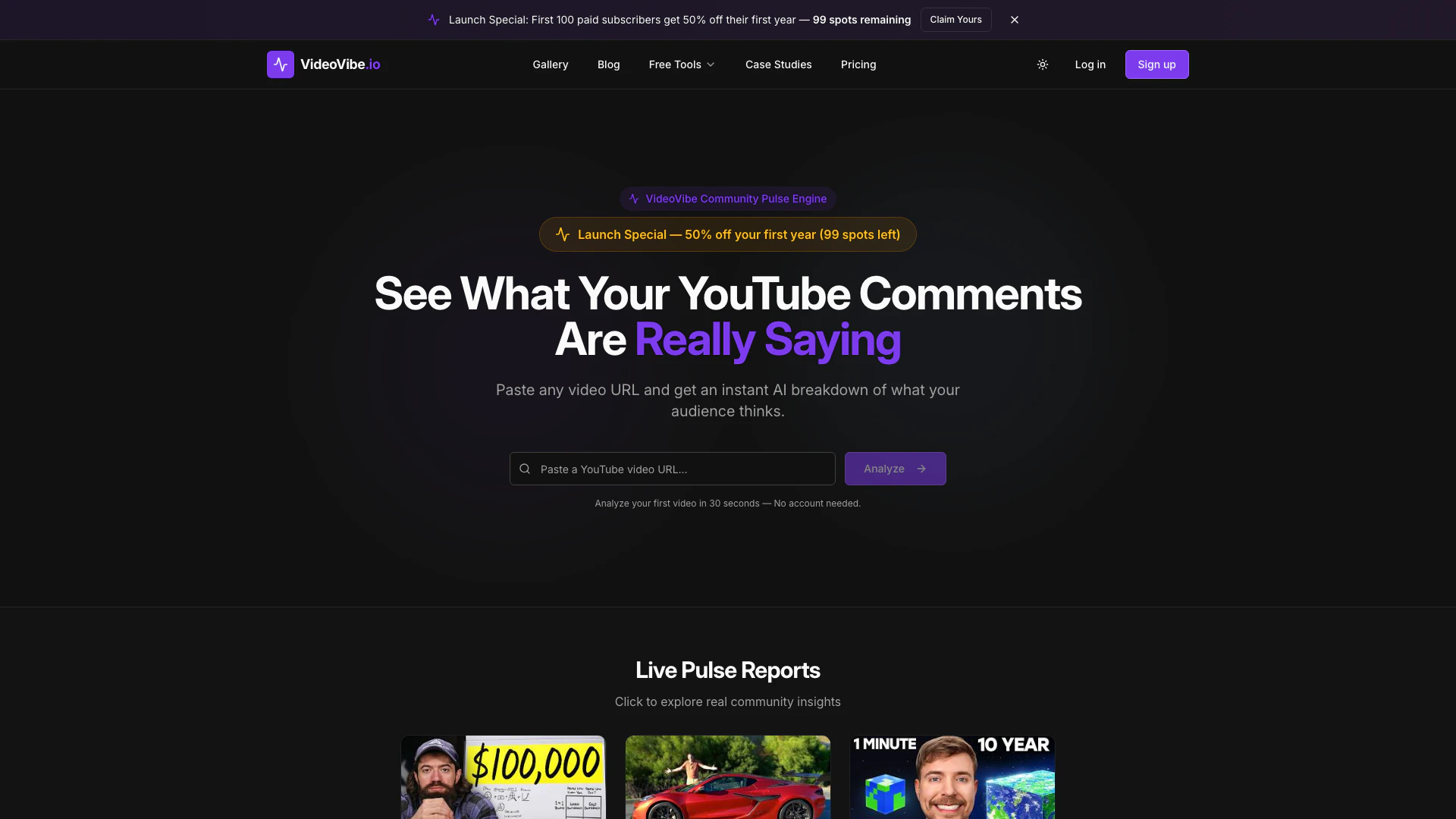
VideoVibe is an innovative tool designed to instantly analyze community sentiment on YouTube videos and generate insightful audience insights. By simply pasting any video URL, users can receive an AI-driven breakdown of audience opinions in a matter of seconds. The platform provides comprehensive reports that include sentiment scores, topic breakdowns, notable comments, and audience profiles, enabling content creators and marketers to understand viewer engagement and sentiment more effectively.
How to use VideoVibe?
- Visit the VideoVibe website at https://videovibe.io/. 2. Paste the URL of the YouTube video you want to analyze into the designated input field. 3. Click the 'Analyze' button to initiate the sentiment analysis. 4. Wait for approximately 30 seconds to receive your Community Pulse Report, which will detail the sentiment score, breakdown, and insights.
What are the main features of VideoVibe?
- Sentiment Score: Provides a precise score from 1 to 100 that visually represents audience sentiment.
- Sentiment Breakdown: Displays a visual bar chart showing the distribution of positive, neutral, and negative comments.
- Top Topics: Identifies the most discussed topics along with their sentiment and mention counts.
- Notable Quotes: Highlights key comments from viewers, including likes and their significance.
- Community Insights: Offers an AI-generated narrative analysis of themes, patterns, and disagreements within the comments.
- Audience Profile: Gives insights into who is engaging with the video content based on analysis.
Who is VideoVibe for?
VideoVibe is ideal for content creators, marketers, and social media managers who want to gain deeper insights into audience engagement on YouTube. It is particularly useful for those looking to understand viewer sentiment, improve content strategy, and engage with their audience more effectively. Whether you're a YouTuber seeking to enhance your channel's performance or a brand wanting to gauge public perception, VideoVibe provides the necessary tools to analyze community feedback.
What are the use cases of VideoVibe?
- Content Improvement: Use VideoVibe to analyze comments on your videos and identify areas for improvement based on viewer feedback.
- Marketing Strategies: Marketers can leverage audience insights to tailor their campaigns and messaging to better resonate with viewers.
- Trend Analysis: Track viewer sentiment over time to understand shifts in audience opinion and adapt content accordingly.
Videovibe Pros and Cons
Pros
- Instant Video Analysis: Paste any YouTube video URL and receive an instant AI breakdown of audience sentiment without needing an account.
- Comprehensive Community Insights: Generates a detailed Community Pulse Report including sentiment scores, breakdowns, and notable quotes for deeper audience understanding.
- User-Friendly Interface: Designed for ease of use, allowing users to analyze videos in just 30 seconds with a simple paste of the URL.
Cons
No cons data detected for this tool