Usedigest


What is Usedigest?
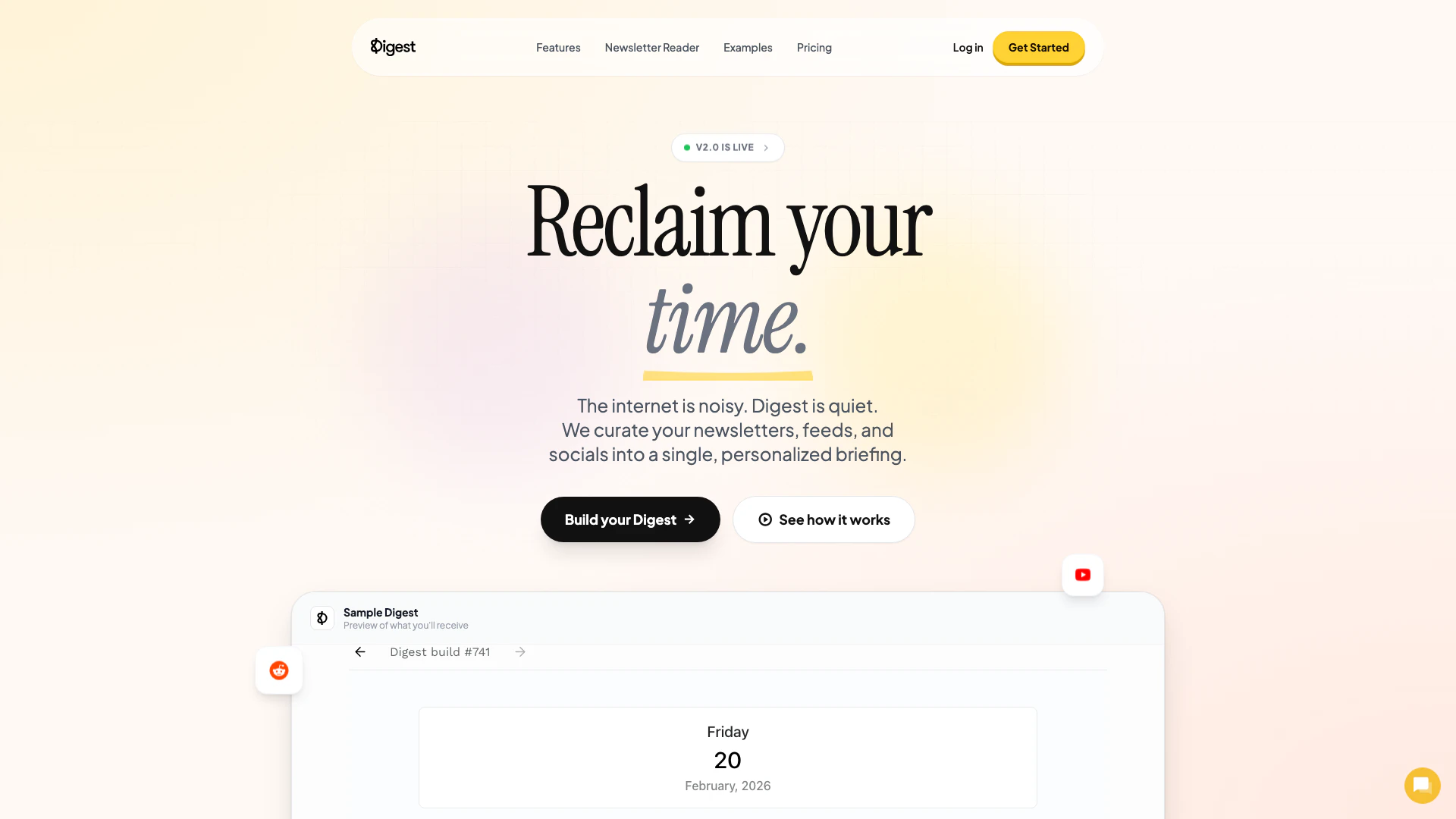
Usedigest is an innovative digital tool designed to streamline your online information consumption[1]. It consolidates various sources of information such as newsletters, RSS feeds, Reddit posts, YouTube videos, and social media updates into a single, organized daily briefing[2]. This service helps users cut through the noise of the internet, providing a clean and personalized summary[4] of the content that matters most to them. With Usedigest, users can reclaim their time by accessing a curated selection of their favorite online sources, all in one place.
How to use Usedigest?
- Sign Up: Visit the Usedigest website and click on the 'Get Started' button to create your account.
- Connect Your Sources: After logging in, connect your preferred information sources, including newsletters, RSS feeds, social media accounts, and more.
- Customize Your Digest: Set your preferred delivery time for your daily briefing, such as 7 AM or 9 AM on weekdays.
- Receive Your Briefing: Each day, you will receive a personalized digest that summarizes the content from your connected sources, allowing you to stay informed without the clutter.
What are the main features of Usedigest?
- Personalized Briefing: Combines content from various sources into one easy-to-read daily summary.
- Source Integration[3]: Supports a wide range of platforms including Reddit, YouTube, Instagram, Google Calendar, GitHub, and more.
- Customizable Delivery[5]: Users can choose when they want to receive their digest, tailoring it to their daily schedule.
- Intelligent Summaries: Upcoming feature that will use AI to condense lengthy newsletters into key bullet points, making it easier to digest information quickly.
- Dedicated Newsletter Reader: Provides a specific email address for users to manage all their newsletters, keeping their inbox clutter-free.
Who is Usedigest for?
Usedigest is ideal for busy individuals who want to streamline their information consumption. This includes professionals, students, and anyone who subscribes to multiple newsletters or follows various online sources. Whether you are an investor tracking financial news, a developer interested in tech updates, or a casual user wanting to keep up with social media trends, Usedigest caters to diverse interests and helps manage the overwhelming amount of information available online.
What are the use cases of Usedigest?
- Daily News Summary: Users can receive a daily briefing that highlights important news from their selected sources, saving time on searching for updates.
- Content Curation for Professionals: Professionals in fields like finance or technology can curate relevant content from industry-specific sources, enhancing their knowledge and staying informed.
- Social Media Monitoring: Individuals can track social media trends and updates from their favorite platforms without the need to scroll through multiple feeds, allowing for more efficient information gathering.
Usedigest Pros and Cons
Pros
- Personalized Briefing: Digest curates newsletters, RSS feeds, and social media into a single, personalized daily briefing, saving users time.
- Intelligent Summaries: The tool offers AI-generated summaries that condense multiple newsletters into key bullet points, making it easier to digest information.
- Wide Source Integration: Supports a variety of sources including Reddit, YouTube, and Google Calendar, allowing users to connect all their favorite feeds in one place.
Cons
No cons data detected for this tool
Usedigest Pricing
Starter
Build up to 5 Digests, Up to 500 Subscribers, Access to all sources, Custom share links (coming soon), Newsletter reader (coming soon), Subscriber metrics (coming soon)
Pro
Build up to 10 Digests, Up to 1,000 Subscribers, Access to all sources, Custom share links (coming soon), Newsletter reader (coming soon), Subscriber metrics (coming soon)
Pro+
Build up to 15 Digests, Up to 3,000 Subscribers, Access to all sources, Custom share links (coming soon), Newsletter reader (coming soon), Subscriber metrics (coming soon)
For the latest pricing, please visit this link: https://usedigest.com/pricing/
Prices are subject to change. Please visit the official website for the most up-to-date pricing information.
Analytics of Usedigest
Usedigest Website Traffic Analysis
Visits Over Time
Traffic Sources
Nov 2025 - Jan 2026 Worldwide Desktop Only
- Direct: 49.29%
- Search: 33.18%
- Social: 8.69%
- Referrals: 7.44%
- Paid Referrals: 1.12%
- Mail: 0.10%
Top Keywords
| Keyword | Volume | CPC | Estimated Value |
|---|---|---|---|
| interesting daily newsletters reddit | 0 | $0.00 | $120.00 |
| digest app | 580 | $0.00 | $290.00 |
| usedigest.com | 170 | $0.00 | $160.00 |
| usedigest | 150 | $0.00 | $140.00 |
| alex hormozi email list | 140 | $1.12 | $230.00 |
Usedigest Reviews
Love how Digest consolidates all my news sources. It’s a huge time-saver.
This has quite literally saved me hundreds of hours per year. I read my Digest every day!
This is a lifesaver for managing the endless list of newsletter subscriptions that I have.
For more reviews, visit this link: https://usedigest.com#testimonials