Tryclico





What is Tryclico?
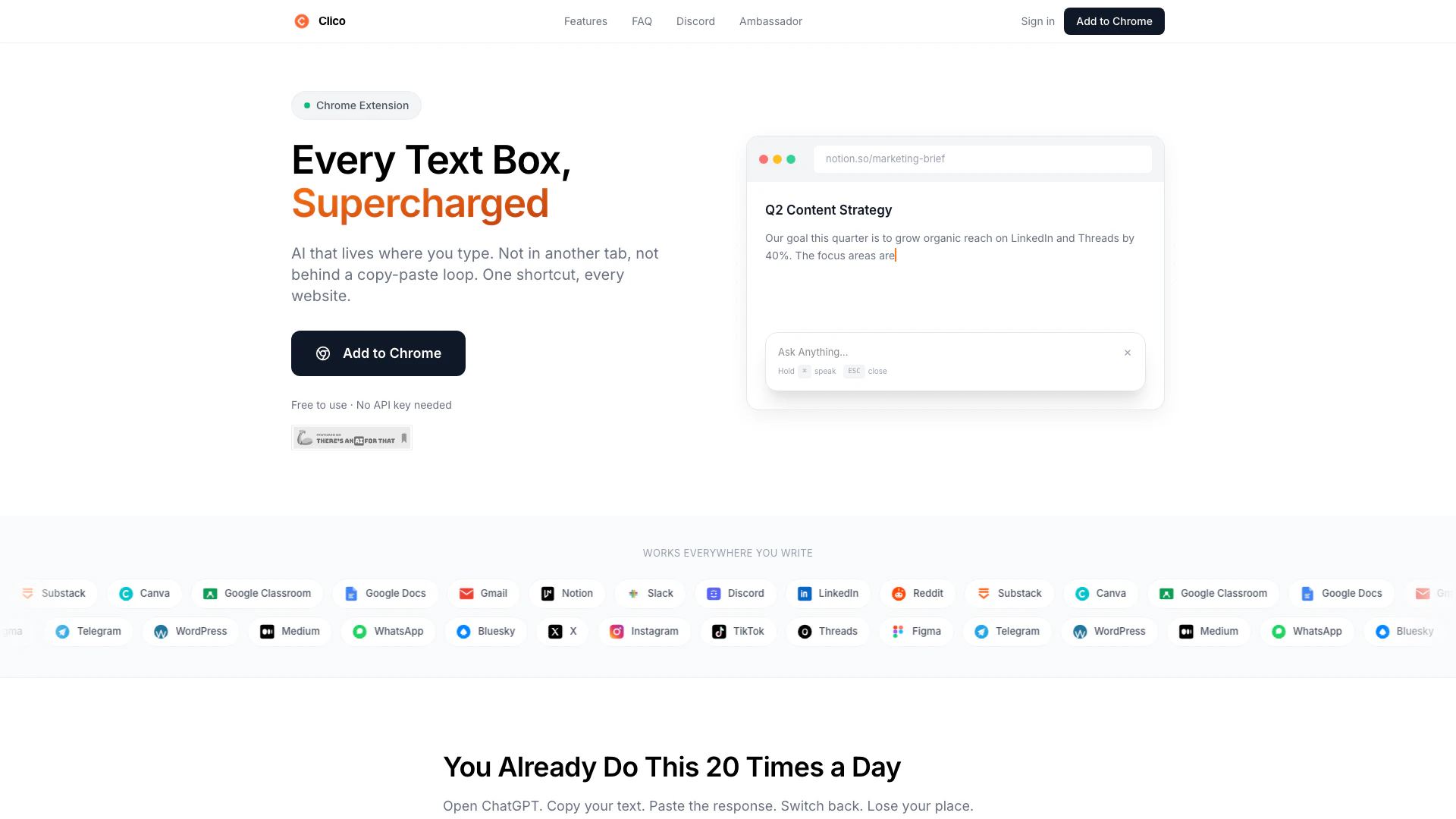
Tryclico is an innovative browser extension that seamlessly integrates AI functionality into every text box across various websites. Designed to enhance productivity, Tryclico allows users to write, search, summarize, and dictate text without the need to switch tabs or applications. This tool is available for free on popular browsers such as Chrome, Edge, and Brave, making it accessible for anyone looking to streamline their online writing and communication tasks.
How to use Tryclico?
- Install Tryclico from the Chrome Web Store or your browser's extension store.
- Open any website with a text box (e.g., Google Docs, Gmail, Slack).
- To write or respond, press the shortcut ⌘+O (or the equivalent for your operating system) in the text field.
- Describe what you want to say or ask, and Tryclico will generate text that fits the context.
- You can also highlight text and use Tryclico to improve or summarize it instantly.
What are the main features of Tryclico?
- Contextual Writing Assistance: Tryclico reads the visible content in text boxes and generates relevant responses.
- Multiple Shortcuts: Use shortcuts like ⌘+O to draft replies, summarize documents, or enhance existing text.
- Voice Dictation: Hold ⌘ to dictate messages or documents without typing.
- Instant Search: Highlight text to get instant AI search results without leaving the page.
- Cross-Platform Compatibility: Works on various platforms including Google Docs, Gmail, Notion, and social media sites.
Who is Tryclico for?
Tryclico is ideal for professionals, students, and anyone who frequently writes online. It caters to users who seek to enhance their productivity by minimizing distractions caused by tab-switching. Whether you are drafting emails, writing reports, or engaging on social media, Tryclico helps streamline the writing process for a wide range of users, including content creators, marketers, and researchers.
What are the use cases of Tryclico?
- Drafting Emails: Quickly respond to emails in Gmail with context-aware replies.
- Content Creation: Generate blog posts or social media updates directly in platforms like Notion or LinkedIn.
- Summarizing Documents: Use Tryclico to summarize lengthy articles or reports in seconds by highlighting the text.
Product Images

Tryclico Pros and Cons
Pros
- AI Integration in Text Boxes: Clico integrates AI directly into every text box, allowing users to write, search, summarize, and dictate without switching tabs.
- Cross-Platform Compatibility: The extension works on multiple browsers including Chrome, Edge, and Brave, making it accessible for a wide range of users.
- No API Key Required: Users can start using Clico immediately without needing an API key or account, simplifying the setup process.
Cons
No cons data detected for this tool
Tryclico Pricing
Free Plan
Free to use · No API key needed. Works on every website including Google Docs, Notion, Gmail, Slack, Discord, LinkedIn, Substack, Reddit, Instagram, TikTok.
For the latest pricing, please visit this link: https://tryclico.com/
Prices are subject to change. Please visit the official website for the most up-to-date pricing information.