Thumbfa


What is thumbfa?
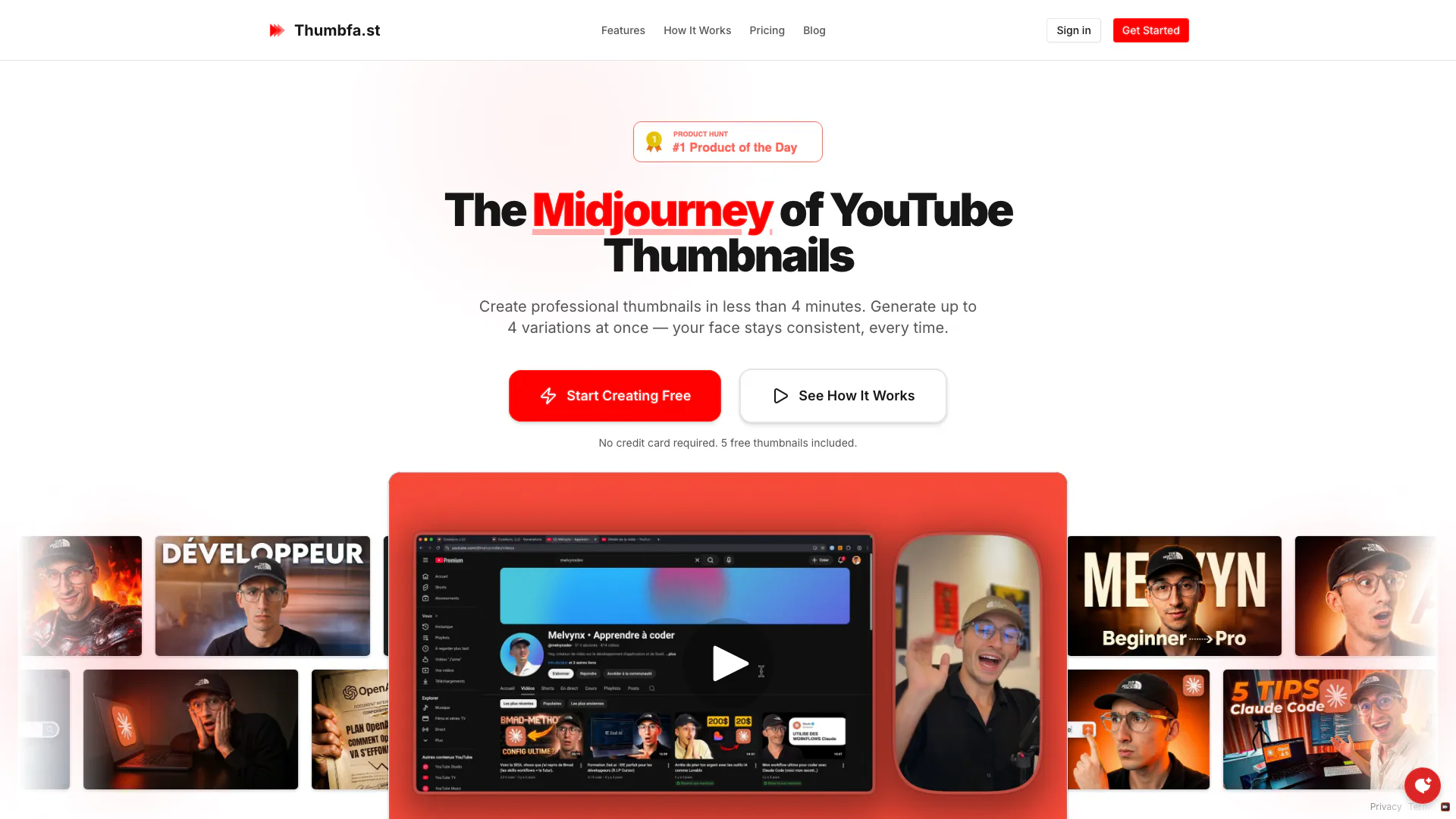
Thumbfa is an innovative online tool designed specifically for YouTube creators, enabling them to create stunning AI-powered[1] thumbnails in seconds. By utilizing advanced AI technology, Thumbfa allows users to generate professional-looking thumbnails quickly and efficiently, eliminating the need for extensive graphic design skills. With features that ensure consistent facial representation across thumbnails and the ability to mimic successful styles from existing thumbnails, Thumbfa streamlines the thumbnail creation process, making it accessible to all creators.
How to use thumbfa?
- Set Up Your Creative Assets: Upload your face photos to create a Person profile. You can also paste YouTube URLs to save thumbnail styles you love. This setup is a one-time process, and you can use these assets forever.
- Describe Your Vision: Write a simple prompt describing what you want your thumbnail to look like. Select your Person profile, choose an Inspiration for style guidance, and pick how many variations you want to generate (1-4).
- Generate and Download: Click on the generate button and watch as the AI creates your thumbnails. Preview the generated options, download your favorite, and upload it directly to YouTube. The entire process takes less than 60 seconds.
What are the main features of thumbfa?
- AI-Powered Thumbnail Generation[2]: Create stunning thumbnails in seconds using advanced AI technology.
- Consistent Face Representation[3]: Upload your photo once, and Thumbfa maintains your likeness across all thumbnails.
- Style Mimicking[4]: Easily copy styles from existing thumbnails by pasting the YouTube URL to extract their design elements.
- Multiple Variations: Generate up to 4 thumbnail variations simultaneously, allowing for A/B testing to determine the best option.
- High-Quality Outputs: Thumbnails are generated in YouTube's exact resolution (1280x720) and can be downloaded as high-quality PNGs.
Who is thumbfa for?
Thumbfa is designed for YouTube creators of all levels, from beginners to experienced content producers. It caters to those who want to enhance their video visibility through eye-catching thumbnails without spending excessive time on graphic design. Whether you are a solo creator, a small business, or part of a larger production team, Thumbfa provides a user-friendly solution to streamline the thumbnail creation process, making it accessible for anyone looking to improve their YouTube channel's performance.
What are the use cases of thumbfa?
- YouTube Content Creators: Easily generate professional thumbnails for video uploads, enhancing click-through rates and viewer engagement.
- Marketing Teams: Create visually appealing thumbnails for promotional videos or advertisements on YouTube, ensuring brand consistency.
- Social Media Managers: Design attractive thumbnails for videos shared on various social media platforms to increase audience reach and interaction.
Product Images








Thumbfa Pros and Cons
Pros
- Fast Thumbnail Creation: Generate professional YouTube thumbnails in under 60 seconds, significantly reducing the time spent on design.
- Consistent Branding: Upload your photo once and maintain a consistent likeness across all thumbnails, enhancing brand recognition.
- Multiple Variations: Create up to 4 variations of thumbnails at once, allowing for A/B testing to choose the best option.
- Style Extraction Feature: Easily copy styles from existing thumbnails by pasting a YouTube URL, making it simple to create eye-catching designs.
Cons
No cons data detected for this tool
Thumbfa Pricing
Free
Get started with basic thumbnail generation. Includes 5 credits/month, up to 2 thumbnails at once, 10 inspirations, 2 persons, and uses the Gemini model only.
Pro
More credits for regular creators. Includes 100 credits/month, up to 4 thumbnails at once, unlimited inspirations, unlimited persons, priority support via live chat, and access to both Gemini and OpenAI models.
Ultra
Maximum credits for power users. Includes 300 credits/month, up to 4 thumbnails at once, unlimited inspirations, unlimited persons, priority support via live chat, and access to both Gemini and OpenAI models.
Power User
Lifetime Access. One-time payment, unlimited access with your own API keys. Includes credits for thumbnail generation, up to 4 thumbnails at once, unlimited inspirations, unlimited persons, priority support via live chat, and access to both Gemini and OpenAI models.
For the latest pricing, please visit this link: https://thumbfa.st/#pricing
Prices are subject to change. Please visit the official website for the most up-to-date pricing information.
Thumbfa Reviews
The tool is really enjoyable to use!
Great experience
I subscribe to pro plan after 2 weeks
For more reviews, visit this link: https://thumbfa.st#testimonials