
Twitter-color Created with Sketch. Amazon-color Created with Sketch. Facebook-color Created with Sketch. github [#142] Created with Sketch. meta_fill Pinterest-color Created with Sketch. ProductHunt-color Created with Sketch. Spotify-color Created with Sketch. Threads Logo Streamline Icon: https://streamlinehq.com Yelp-color Created with Sketch. Youtube-color Created with Sketch.
TopAIToolsTopAITools
  • Free Tools
  • Category
  • Leaderboard
  • Deals
  • Submit
EN
TopAIToolsTopAITools
TopAI

TopAITools

TopAITools, The Best Top AI Tools

AI Glossary|English简体中文繁體中文한국어日本語PortuguêsEspañolDeutschFrançaisTiếng Việt|Map

© 2026 TopAITools. All rights reserved.

About

  • Privacy Policy
  • Terms of use

Contact Us

business@topaitoolsreview.com
Home
Other AI Tools
Teza
Last updated: April 24, 2026
Teza logo

Teza

Get deal
4.0|0 Comments|0 Saved
Introduction:
Automate your video creation with Teza's AI-powered tools.
Launch Date:
August 31, 2024
Social links:
Monthly Visits:
10.5K
Inputs:
VideoTabular
Outputs:
VideoTabular
Supported Languages:
EN
AI Models:
Teza AI
Website
Free Trial
💼Work🎨Creativity
Other AI Tools477AI Tool Discovery Platforms192Social Collaboration Tools17
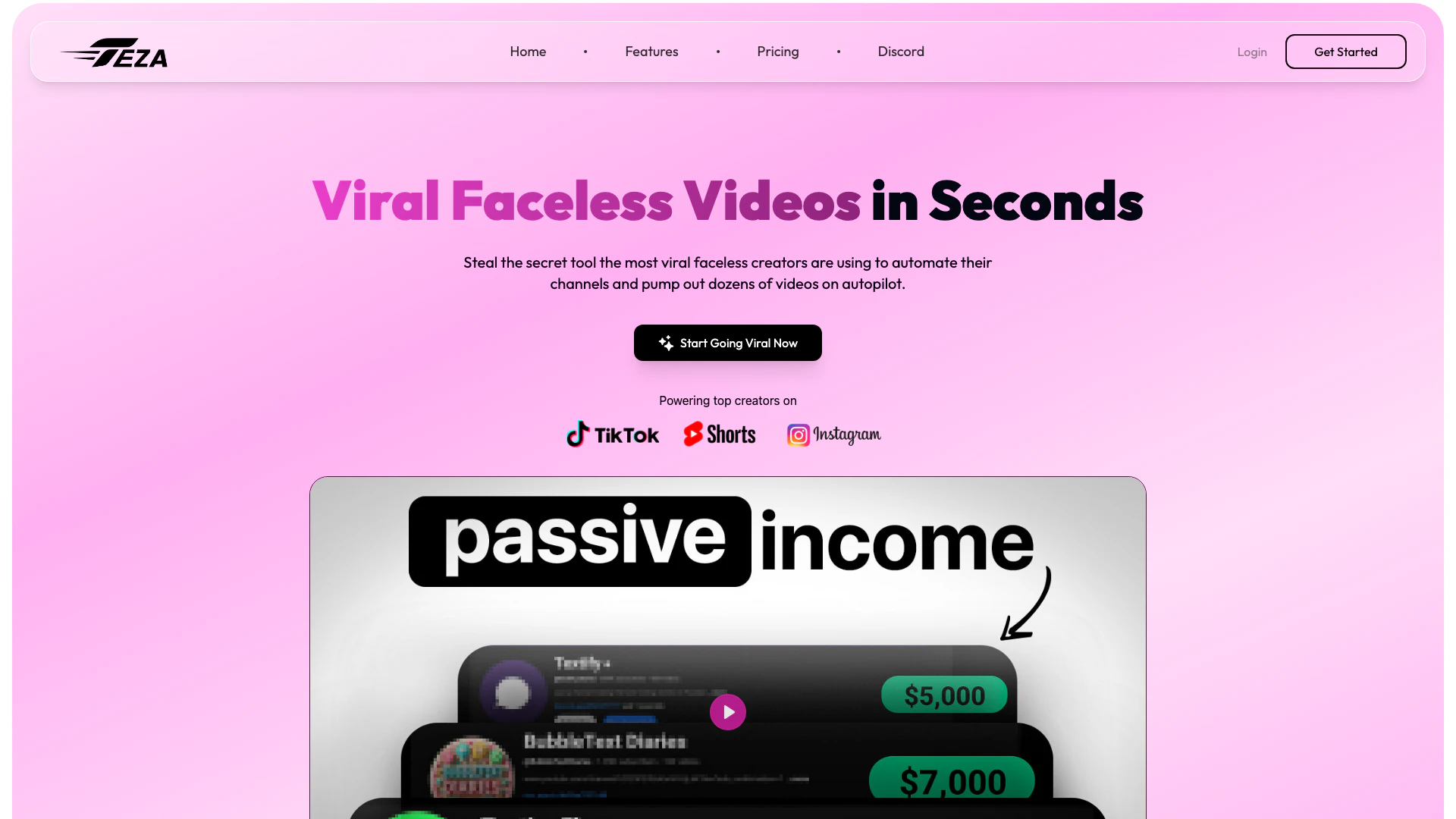
Teza website screenshot showing Automate your video creation with Teza's... interface and features
Use tool
Update this tool
AI Models logo

AI Models

We believe our research will eventually lead to artificial general intelligence, a system that can solve human-level problems. Building safe and beneficial AGI is our mission.

Microsoft logo

Microsoft

Easily create and edit high-quality videos with Clipchamp.

Bbc logo

Bbc

Stay updated with reliable news from around the world.

Deepseek logo

Deepseek

DeepSeek focuses on pioneering general AI technologies and models.

Ait Contacts Extractor For Gmail logo

Ait Contacts Extractor For Gmail

EmailWhiz for Gmail™ - Google Workspace Marketplace

Teza Overview

What is Teza?

Teza is an innovative AI-powered[1] video editing[2] tool designed to help content creators produce viral faceless videos effortlessly. It automates the video editing process, allowing users to convert long videos into engaging short clips in under a minute. Teza is specifically tailored for creators on platforms like TikTok, YouTube, and Instagram, enabling them to maximize their reach and engagement without the need for extensive editing skills or resources. With Teza, creators can generate multiple viral shorts from a single long video, saving time and effort while enhancing their content production capabilities.


How to use Teza?

  1. Create an Account: Sign up on the Teza website and choose a subscription plan that fits your needs.
  2. Upload Your Video: You can either upload a video file directly or paste a YouTube URL to import your long video.
  3. Select a Subtitle Template: Choose from a variety of popular subtitle templates to enhance your video.
  4. Generate Clips: Use the auto-clipper[3] feature, which automatically identifies and extracts the most engaging moments from your video, creating multiple viral-ready clips.
  5. Export and Share: Once your clips are generated, you can export them and share them on your desired social media platforms.

What are the main features of Teza?

  • Auto-Cutting & Clipping: Automatically identifies and extracts engaging moments from long videos.
  • AI Subtitles & Translations: Provides perfectly timed captions and supports multiple languages.
  • AI Voice Overs: Generates studio-quality voiceovers without the need for a microphone.
  • Faceless Video Generation: Allows users to create automated video series without showing their face.
  • 24/7 Video Editing Assistant: Operates continuously to assist creators in producing content efficiently.

Who is Teza for?

Teza is designed for content creators across various platforms, including TikTok, YouTube, and Instagram. It is ideal for those who want to streamline their video production process, especially creators who produce faceless content or struggle with traditional video editing. Whether you are a beginner looking to make your mark or an experienced creator aiming to enhance your workflow, Teza provides the tools needed to automate and optimize content creation.


What are the use cases of Teza?

  1. Creating Viral Shorts: Transforming long-form content into multiple engaging short videos suitable for social media.
  2. Automating Video Editing: Reducing the time spent on video editing by using AI to handle cutting, captioning, and voiceovers.
  3. Enhancing Engagement: Utilizing AI-generated subtitles and translations to reach a broader audience and improve viewer retention.

Product Images

Teza AI video upload interface
Teza AI generating video clips
Teza AI subtitle template selection
Teza AI features demonstration
Teza AI product overview for viral video creation
Teza AI showcasing fast video editing capabilities
Teza AI user scenario image
Teza AI for content creators
1 / 8

Teza Pros and Cons

Pros

  • Automated Video Creation: Teza automates the video editing process, allowing creators to generate multiple viral shorts from a single long video in under a minute.
  • AI-Powered Features: The tool includes advanced AI features such as auto-cutting, AI subtitles, and voiceovers, enhancing the quality and engagement of the videos.
  • Cost-Effective Solution: Teza offers a subscription plan that significantly reduces the cost of hiring professional editors, making it affordable for creators.

Cons

No cons data detected for this tool

Teza Pricing

Monthly Plan

$19

Access all features on a monthly basis.

Annual Plan

$7

Access all features on an annual basis with a 60% discount.

For the latest pricing, please visit this link: https://teza.app/pricing

Prices are subject to change. Please visit the official website for the most up-to-date pricing information.

Analytics of Teza

Teza Website Traffic Analysis

Visits Over Time

Nov 2025 - Jan 2026 All Traffic
--
AI Tools Rank
10.55K
Monthly Visits
34.18%
Bounce Rate
2.51
Pages Per Visit
1:19
Visit Duration
1.98M
Global Rank
2.03M
Country Rank

Traffic Sources

Nov 2025 - Jan 2026 Worldwide Desktop Only

  • Direct: 59.21%
  • Search: 21.89%
  • Social: 10.50%
  • Referrals: 6.67%
  • Paid Referrals: 1.48%
  • Mail: 0.11%

Top Regions

Nov 2025 - Jan 2026 Desktop Only
RegionPercentage
🇺🇸
United States
57.61%
🇵🇰
Pakistan
14.56%
🇪🇸
Spain
12.09%
🇮🇳
India
9.02%
🇩🇪
Germany
6.72%
  1. United States: 57.61%
  2. Pakistan: 14.56%
  3. Spain: 12.09%
  4. India: 9.02%
  5. Germany: 6.72%

Top Keywords

KeywordVolumeCPCEstimated Value
teza3.37K$3.89$400.00
teza app690$0.00$310.00
teza.app150$0.00$150.00
teza ap120$0.00$120.00
teza app f100$0.00$90.00

Teza Reviews

Teza is one of the best platforms for making videos and getting lots of views! Their prices are very affordable, and the process is super easy-just one click and your video is ready.

Teza AI has been such a huge help for me! It's quick, easy to use, and really takes a lot of the stress out of getting things done.

I heard about Teza through some research of trying to start my channel. I only using it for two days now I have found it very useful. Support has been fast, solving my issue within a couple minutes.

For more reviews, visit this link: https://teza.app/#testimonials

Teza Compare

Tool NameIntroductionPricing
Type
RatingLaunch DateLearn more
Ai Lawyer logo
Ai Lawyer
Explore AI Lawyer for easy, quick, and budget-friendly legal help. Empowering consumers and lawyers with AI-driven solutions for all your legal needs.
Free
💼Work
February 11, 2023
Get deal
Facetune logo
Facetune
Edit your selfies to get the results you want with powerful and easy-to-use tools. Give your selfies the VIP treatment. Touch up, reshape & apply digital makeup.
Free
🙋‍♂️Personal🎨Creativity
December 1, 2012
Get deal
Rewind Ai logo
Rewind Ai
Rewind
Free
🙋‍♂️Personal💼Work
February 2, 2018
Get deal

Info current as of post date. Offers and availability may vary by location and are subject to change.

Teza Q&A

Yes, you can cancel your Teza subscription at any time.

Teza Launch embeds

Use website badges to drive support from your community for your TopAITools Review. They're easy to embed on your homepage or footer.

FEATURED ONTopaitoolsreview.com

Teza Alternatives

Google screenshot

Google

AI Time Manager offers AI-driven tools for better time management.

Website
Free
💼Work
OtherAI Tools DirectoryLarge Language Models (LLMs)Other AI Tools
  • Other
  • AI Tools Directory
  • Large Language Models (LLMs)
  • Other AI Tools
Use tool
224.8M
Direct69.58%
Search14.62%
Referrals13.19%
Xai screenshot

Xai

xAI advances scientific discovery using AI.

Website
Free
💼Work
OtherOther AI ToolsScientific AI ToolsExploratory AI Tools
  • Other
  • Other AI Tools
  • Scientific AI Tools
  • Exploratory AI Tools
Use tool
32.8M
Search45.69%
Direct35.13%
Referrals18.33%
Gensparkai screenshot

Gensparkai

Gensparkai offers innovative AI solutions for various applications.

Website
Freemium
💼Work
OtherOther AI ToolsAI Prompt ToolsAI Tool Discovery Platforms
  • Other
  • Other AI Tools
  • AI Prompt Tools
  • AI Tool Discovery Platforms
Use tool
17.7M
Direct65.49%
Search31.34%
Referrals2.41%

Teza Tags

Video EditingAI AutomationFaceless VideosShort Form ContentViral MarketingContent CreationSocial Media GrowthAuto-Clipper

Also used for

Other AI Tools477AI Tool Discovery Platforms192Social Collaboration Tools17AI Banana Tools5AI Productivity Enhancement Tools72AI Workflow Automation Tools20Browser Enhancement Tools7Linkedscanner Tools1Mori Tool6Browser Personalization Tools4Uncategorized AI Tools60AI Email Management Tools6AI Inbox Organization Tools5Anse Tool1News Summarization Tools3

Sources (3)

Teza logo
TezaFree
Get deal

Teza Comments (0)

Your rating

?
0/2000

No comments yet

Be the first to share your thoughts!

Teza Prompts (0)

Prompts And Results

Add your own prompts and outputs to help others understand how to use this AI.

🚀0
🚀0