

AI Productivity Tools



What is SoWork?
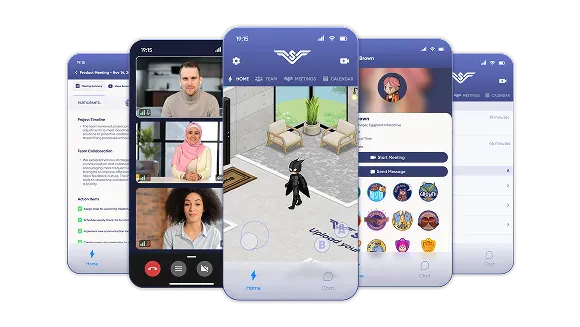
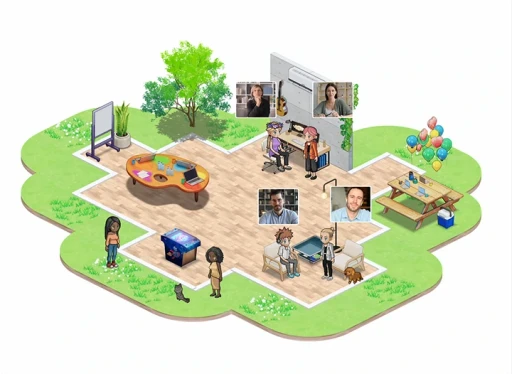
SoWork is a digital office platform designed to facilitate collaboration among remote teams. It creates a shared virtual workspace where team members can interact in real-time, simulating an in-office experience. With features like fast video calls, instant text chats, and advanced team analytics, SoWork enhances productivity and fosters a strong company culture, allowing teams to work side-by-side regardless of their physical locations.
How to use SoWork?
- Sign up for an account on the SoWork website or mobile app.
- Create your virtual office by customizing the layout to reflect your team’s culture.
- Invite team members to join your office and set up collaboration hours for synchronous work.
- Use the spatial video calls and text chat features to communicate seamlessly with your team.
- Utilize the AI tools for meeting minutes and analytics to enhance productivity and track team performance.
What are the main features of SoWork?
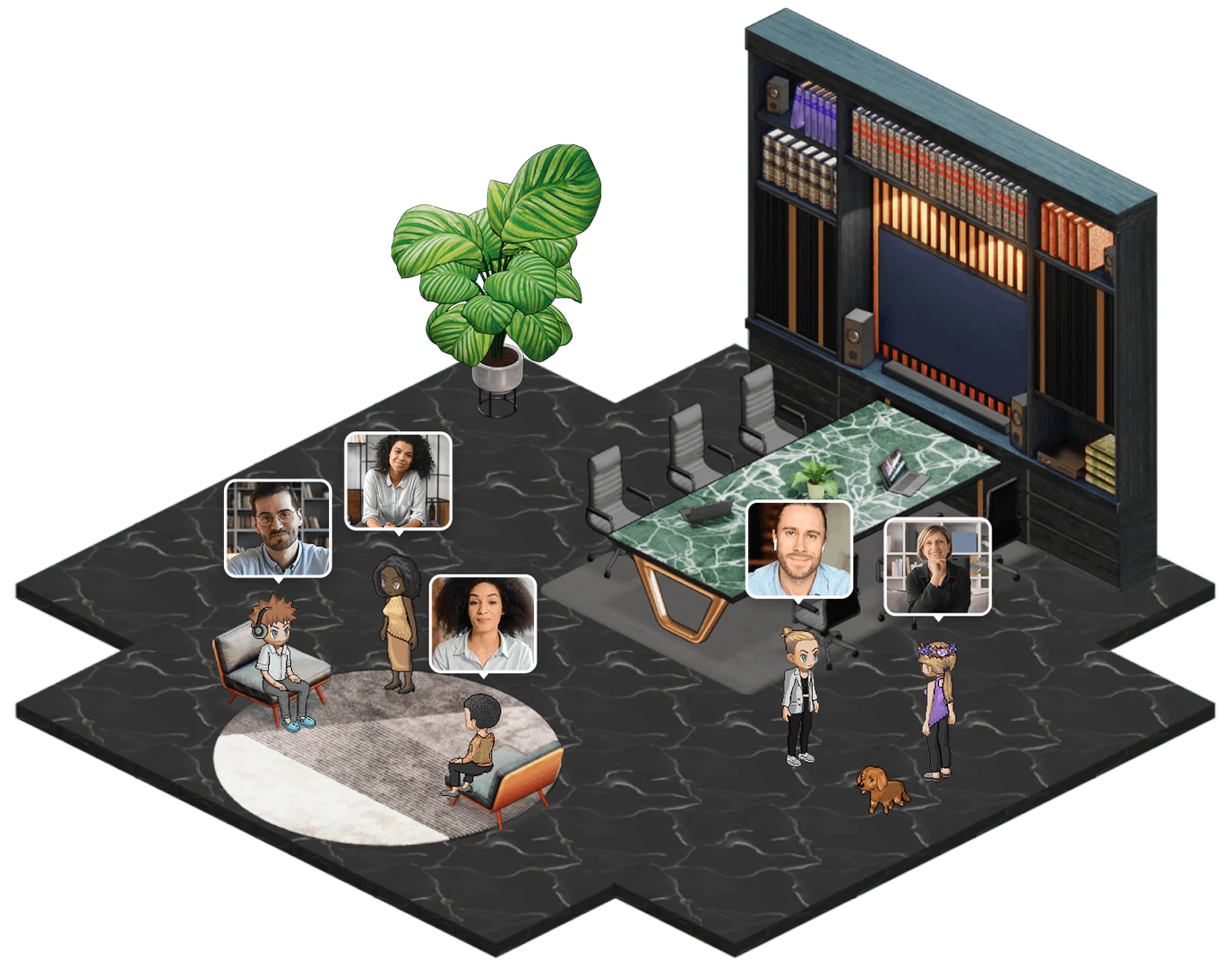
- Spatial Video Calls: Engage in high-definition video calls by approaching teammates within the virtual office.
- Text Chat: Utilize channels, group messages, and direct messages for efficient communication.
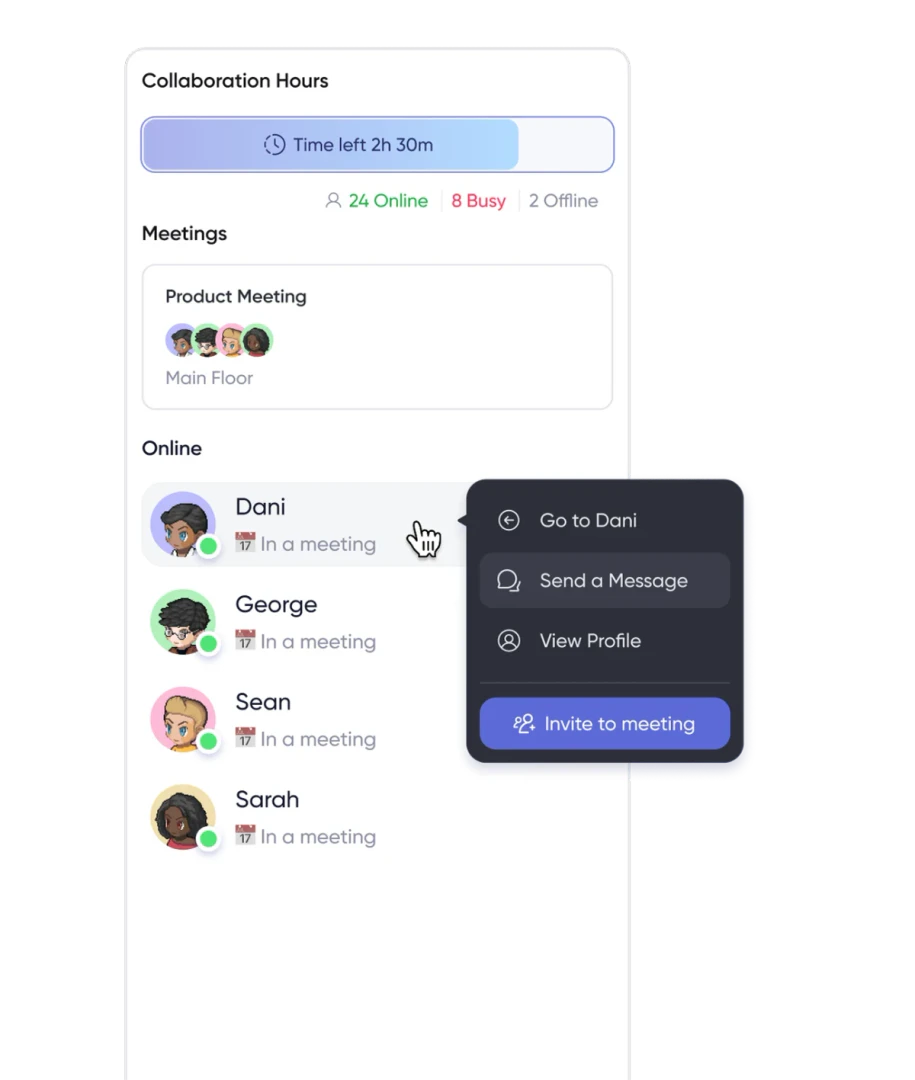
- Collaboration Hours: Schedule specific times for all team members to be online together, enhancing teamwork.
- Customizable Office Layout: Create a virtual office that reflects your company culture with various layouts and themes.
- AI Meeting Assistant: Automatically capture meeting minutes and generate action items to streamline follow-ups.
Who is SoWork for?
SoWork is ideal for remote teams, startups, and organizations looking to enhance their collaboration and productivity in a virtual environment. It caters to companies that want to maintain a strong team culture despite geographical distances, making it suitable for teams in tech, creative industries, and any organization that relies on seamless communication and collaboration.
What are the use cases of SoWork?
- Team Meetings: Conduct regular team meetings with visual engagement through spatial video calls.
- Project Collaboration: Use the collaborative whiteboard feature for brainstorming sessions and project planning.
- Social Events: Organize virtual social events to foster team bonding and maintain company culture.
Product Images
AI Productivity Tools Pros and Cons
Pros
- Enhanced Team Collaboration: SoWork provides high-definition spatial video calls and text chat features, enabling quick communication and collaboration among team members.
- AI-Powered Features: Built-in AI assistants capture meeting notes and generate action items automatically, saving time and enhancing productivity.
- High User Satisfaction: SoWork boasts a high rating of 4.8 out of 5 on G2, reflecting strong user approval and satisfaction.
- Flexible Office Design: Users can create a virtual office layout that reflects their culture, enhancing team connection and engagement.
Cons
No cons data detected for this tool
Analytics of AI Productivity Tools
AI Productivity Tools Website Traffic Analysis
Visits Over Time
Traffic Sources
Oct 2025 - Dec 2025 Worldwide Desktop Only
- Search: 48.22%
- Direct: 41.30%
- Referrals: 6.59%
- Social: 2.97%
- Paid Referrals: 0.84%
- Mail: 0.08%
Top Keywords
| Keyword | Volume | CPC | Estimated Value |
|---|---|---|---|
| sowork | 10.38K | $1.29 | $9270.00 |
| gather town | 9.95K | $5.03 | $340.00 |
| so work | 2.10K | $0.81 | $1520.00 |
| sowork download | 500 | $0.00 | $220.00 |
| soowork | 80 | $0.00 | $150.00 |




AI Productivity Tools Social Listening
MOTION AI review: Does this pr...
✨ Supercharge your productivit...
The Only AI Tools For Producti...
AI Tools For Productivity | Pr...
I Tried Every AI Productivity ...
Here's my ranking of 22 popula...
Unlock to view 13 social media results.