


Twitter-color Created with Sketch. Amazon-color Created with Sketch. Facebook-color Created with Sketch. github [#142] Created with Sketch. meta_fill Pinterest-color Created with Sketch. ProductHunt-color Created with Sketch. Spotify-color Created with Sketch. Threads Logo Streamline Icon: https://streamlinehq.com Yelp-color Created with Sketch. Youtube-color Created with Sketch.
TopAIToolsTopAITools
  • Free Tools
  • Category
  • Leaderboard
  • Submit
EN
TopAIToolsTopAITools
TopAI

TopAITools

TopAITools, The Best Top AI Tools

AI Glossary|English简体中文繁體中文한국어日本語PortuguêsEspañolDeutschFrançaisTiếng Việt|Map

© 2026 TopAITools. All rights reserved.

About

  • Privacy Policy
  • Terms of use

Contact Us

business@topaitoolsreview.com
Home
AI Paraphraser & Rewriter
Textpolished
Last updated: April 18, 2026
Textpolished logo

Textpolished

Get deal
4.0|0 Comments|0 Saved
Introduction:
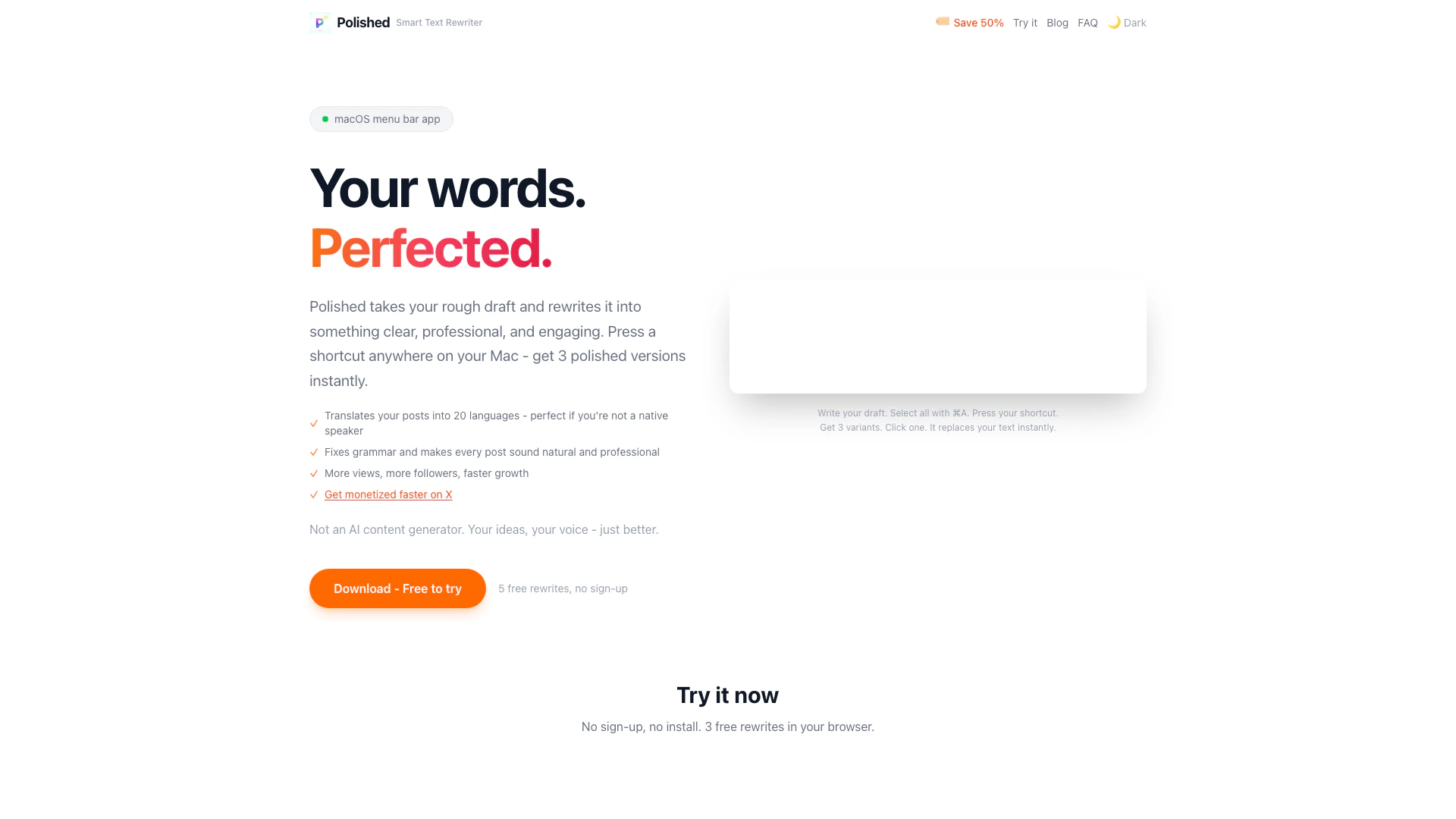
Textpolished transforms your drafts into three polished versions instantly, using a simple shortcut on macOS.
Launch Date:
April 3, 2026
Monthly Visits:
--
Inputs:
Text
Outputs:
Text
Website
🎨Creativity
AI Paraphraser & Rewriter47AI Proofreader30AI Writing Assistants477
Textpolished website screenshot showing Textpolished transforms your drafts into... interface and features
Use tool
Update this tool
Outfits Ai logo

Outfits Ai

Try on any outfits using AI!

Speechgen Io logo

Speechgen Io

Realistic Text to Speech converter & AI Voice generator

Waas logo

Waas

Whisper as a Service (GUI and API with queuing for OpenAI Whisper) - schibsted/WAAS

Bright Eye logo

Bright Eye

Bright Eye is a multipurpose AI app that allows users to create chatbot characters for any type of use case - from entertainment bots like movie characters, pol…

Ai Sofiya logo

Ai Sofiya

AiSofiya offers AI-powered tools, chatbots, and automation to help websites and businesses work smarter, faster, and 24/7.

Textpolished Overview

What is Textpolished?

Textpolished is an innovative writing tool designed to enhance your drafts by providing three polished versions of your text. This AI-powered tool operates seamlessly on macOS, enabling users to transform their writing effortlessly with just a keyboard shortcut. Supporting 20 different languages, Textpolished caters to a global audience, making it an essential tool for anyone looking to refine their written communication.


How to use Textpolished?

  1. Download and install Textpolished on your macOS device.
  2. Open the application and set your preferred language.
  3. Write or paste your draft into the Textpolished interface.
  4. Press the designated keyboard shortcut to generate three polished versions of your text.
  5. Review and select the version that best fits your needs.

What are the main features of Textpolished?

  • Generates three polished versions of your draft for enhanced clarity and impact.
  • Supports 20 languages, catering to a diverse user base.
  • Easy-to-use keyboard shortcut for quick access and seamless integration into your writing workflow.
  • Tracks writing activity with a GitHub-style contribution calendar, providing insights into productivity.
  • Local storage of activity stats ensures user privacy and data security.

Who is Textpolished for?

Textpolished is ideal for writers, content creators, and professionals who need to produce high-quality written content quickly. It is particularly beneficial for those who frequently write in multiple languages or require assistance in refining their drafts. Bloggers, marketers, and students will find this tool invaluable for improving their writing and ensuring their messages resonate with their audience.


What are the use cases of Textpolished?

  1. Enhancing blog posts and articles to increase engagement and readability.
  2. Polishing business communications such as emails and reports for a professional touch.
  3. Assisting students in refining essays and assignments to meet academic standards.
  4. Supporting content creators in generating scripts and captions that capture attention.
  5. Helping non-native speakers improve their writing fluency and accuracy.

Textpolished Pros and Cons

Pros

  • Multiple Polished Versions: Polished generates three refined versions of your text, allowing users to choose the best fit for their needs.
  • Cross-Application Functionality: The tool works seamlessly across various macOS applications, enabling users to enhance text in any context with a simple shortcut.
  • Supports 20 Languages: Polished supports writing in 20 different languages, making it versatile for users around the world.

Cons

No cons data detected for this tool

Textpolished Pricing

Monthly Plan

$7

$7.99 per month for access to the app and its features.

One-Time Purchase

$15

$15.99 for a one-time purchase of the app.

For the latest pricing, please visit this link: https://www.textpolished.com/

Prices are subject to change. Please visit the official website for the most up-to-date pricing information.

Textpolished Compare

Tool NameIntroductionPricing
Type
RatingLaunch DateLearn more
Autodraw logo
Autodraw
AutoDraw
Free
🎨Creativity
January 2, 1998
Get deal
Ai Sofiya logo
Ai Sofiya
AiSofiya offers AI-powered tools, chatbots, and automation to help websites and businesses work smarter, faster, and 24/7.
Free
💼Work🎨Creativity
January 10, 2023
Get deal
Quillbot Paraphraser logo
Quillbot Paraph...
Paraphrasing Tool (Ad-Free and No Sign-up Required) - QuillBot AI
Free
💼Work🎨Creativity
December 31, 1984
Get deal

Info current as of post date. Offers and availability may vary by location and are subject to change.

Textpolished Q&A

Press a keyboard shortcut anywhere on your Mac. If text is selected, Polished rewrites it and auto-pastes it back. If nothing is selected, a text field opens where you can type your draft. You get 3 polished versions to choose from.

Textpolished Launch embeds

Use website badges to drive support from your community for your TopAITools Review. They're easy to embed on your homepage or footer.

FEATURED ONTopaitoolsreview.com

Textpolished Alternatives

Aidungeon screenshot

Aidungeon

Play and create AI-generated adventures with infinite possibilities.

Website
FreeWriting & EditingAI Text GeneratorAI Writing Assistants
  • Writing & Editing
  • AI Text Generator
  • AI Writing Assistants
Use tool
3.8M
Direct62.56%
Search33.46%
Referrals2.49%
Humanizer AI screenshot

Humanizer AI

Humanize AI Content | Bypass AI Detection | Get 100% Human Score

Website
FreeWriting & EditingAI Text GeneratorAI Writing AssistantsAI Detection Bypass
  • Writing & Editing
  • AI Text Generator
  • AI Writing Assistants
  • AI Detection Bypass
Use tool
3.4M
Search52.67%
Direct44.67%
Referrals2.13%
Stealthwriter screenshot

Stealthwriter

Humanize AI Content | Bypass AI Detection | Get 100% Human Score

Website
FreeWriting & EditingAI Text GeneratorAI Writing AssistantsAI Detection Bypass
  • Writing & Editing
  • AI Text Generator
  • AI Writing Assistants
  • AI Detection Bypass
Use tool
3.4M
Search52.67%
Direct44.67%
Referrals2.13%

Textpolished Tags

Text RewriterGrammar CorrectionLanguage TranslationProfessional WritingMac AppInstant ResultsCustom ShortcutMulti-language SupportContent Polishing

Also used for

AI Paraphraser & Rewriter47AI Proofreader30AI Writing Assistants477Object Remover AiAi Design Generator115Ai Interior Design54Ai Landscape GeneratorAi Real Estate28Ai Realistic Image Generator3Ai Audio Splitter14Ai Rap Lyrics GeneratorAI YouTube Transcript Enhancer2Ttrpg Note Taking Tools4URL Conversion Tools1Web Content Format Converter2
Textpolished logo
TextpolishedFree
Get deal

Textpolished Comments (0)

Your rating

?
0/2000

No comments yet

Be the first to share your thoughts!

Textpolished Prompts (0)

Prompts And Results

Add your own prompts and outputs to help others understand how to use this AI.

🚀0
🚀0