Twitter-color Created with Sketch. Amazon-color Created with Sketch. Facebook-color Created with Sketch. github [#142] Created with Sketch. meta_fill Pinterest-color Created with Sketch. ProductHunt-color Created with Sketch. Spotify-color Created with Sketch. Threads Logo Streamline Icon: https://streamlinehq.com Yelp-color Created with Sketch. Youtube-color Created with Sketch.
TopAIToolsTopAITools
  • Free Tools
  • Category
  • Leaderboard
  • Deals
  • Submit
EN
TopAIToolsTopAITools
TopAI

TopAITools

TopAITools, The Best Top AI Tools

AI Glossary|English简体中文繁體中文한국어日本語PortuguêsEspañolDeutschFrançaisTiếng Việt|Map

© 2026 TopAITools. All rights reserved.

About

  • Privacy Policy
  • Terms of use

Contact Us

business@topaitoolsreview.com
Home
AI Social Media Tools
Textai
Last updated: July 24, 2026
Textai logo

Textai

Get deal
5.0|0 Comments|0 Saved
Introduction:
Enhance your group chats with Alfi's AI capabilities.
Launch Date:
December 15, 2017
Monthly Visits:
13.0K
Inputs:
Text
Outputs:
ImageText
Supported Languages:
EN
AI Models:
Alfi
Website
Free Trial
💼Work🎨Creativity
AI Social Media Tools359Discord Community Management Tools11Random Video Chat Tools5
Textai website screenshot showing Enhance your group chats with Alfi's AI ... interface and features
Use tool
Update this tool
Docsgpt logo

Docsgpt

DocsGPT for Google Docs™ - Google Workspace Marketplace

Zoom logo

Zoom

Connect and collaborate seamlessly with Zoom's all-in-one platform.

Microsoft logo

Microsoft

Easily create and edit high-quality videos with Clipchamp.

Slack logo

Slack

Enhance collaboration and productivity with Slack's AI features.

Deepseek logo

Deepseek

DeepSeek focuses on pioneering general AI technologies and models.

Textai Overview

What is Textai?

Textai is an innovative AI-powered[1] group chat[2] tool known as Alfi, designed to enhance social interactions and streamline communication among friends and groups. By integrating smart functionalities, Alfi allows users to book restaurants, create images collaboratively, and manage group activities effortlessly. This tool positions itself as a solution for those tired of planning and organizing within group chats, making conversations more engaging and productive. With over 10 million messages exchanged, Alfi is transforming how groups communicate and collaborate.


How to use Textai?

  1. Download the App: Start by downloading the Textai app from the App Store or Google Play.
  2. Create or Join a Group Chat: Open the app and either create a new group chat or join an existing one with friends or family.
  3. Interact with Alfi: Use the chat to ask Alfi for suggestions, such as booking a restaurant or planning an event. You can also collaborate on creating images directly within the chat.
  4. Set Reminders: Utilize Alfi to set reminders for group activities or events, ensuring everyone stays informed.
  5. Enjoy Enhanced Conversations: Let Alfi facilitate smarter conversations, making your group interactions more fun and productive.

What are the main features of Textai?

  • Group Chat Integration: Seamlessly integrates with existing group chats on platforms like SMS, WhatsApp, and Telegram.
  • Event Planning[5]: Facilitates planning social events, including booking dinner reservations through Yelp.
  • Image Creation[3]: Allows users to create and edit images collaboratively in real-time.
  • Smart Reminders[4]: Sets reminders for group activities, ensuring everyone is on the same page.
  • Contextual Understanding: Alfi understands group dynamics and knows when to engage in conversations.

Who is Textai for?

Textai is designed for anyone who frequently engages in group chats, including friends, families, and community groups. It's especially beneficial for individuals who find themselves organizing social events or discussions and want to streamline the process. Whether you're coordinating dinner plans with friends, managing family activities, or simply looking to enhance your group conversations, Alfi makes communication more efficient and enjoyable.


What are the use cases of Textai?

  1. Coordinating Dinner Plans: Use Alfi to suggest restaurants and make reservations directly within your group chat.
  2. Collaborative Image Creation: Groups can create and edit images together, perfect for events or social media posts.
  3. Planning Family Vacations: Families can use Alfi to discuss and plan vacation itineraries, ensuring everyone’s preferences are considered.
  4. Organizing Movie Nights: Alfi can help synchronize movie start times and suggest films available on streaming services for long-distance movie nights.

Product Images
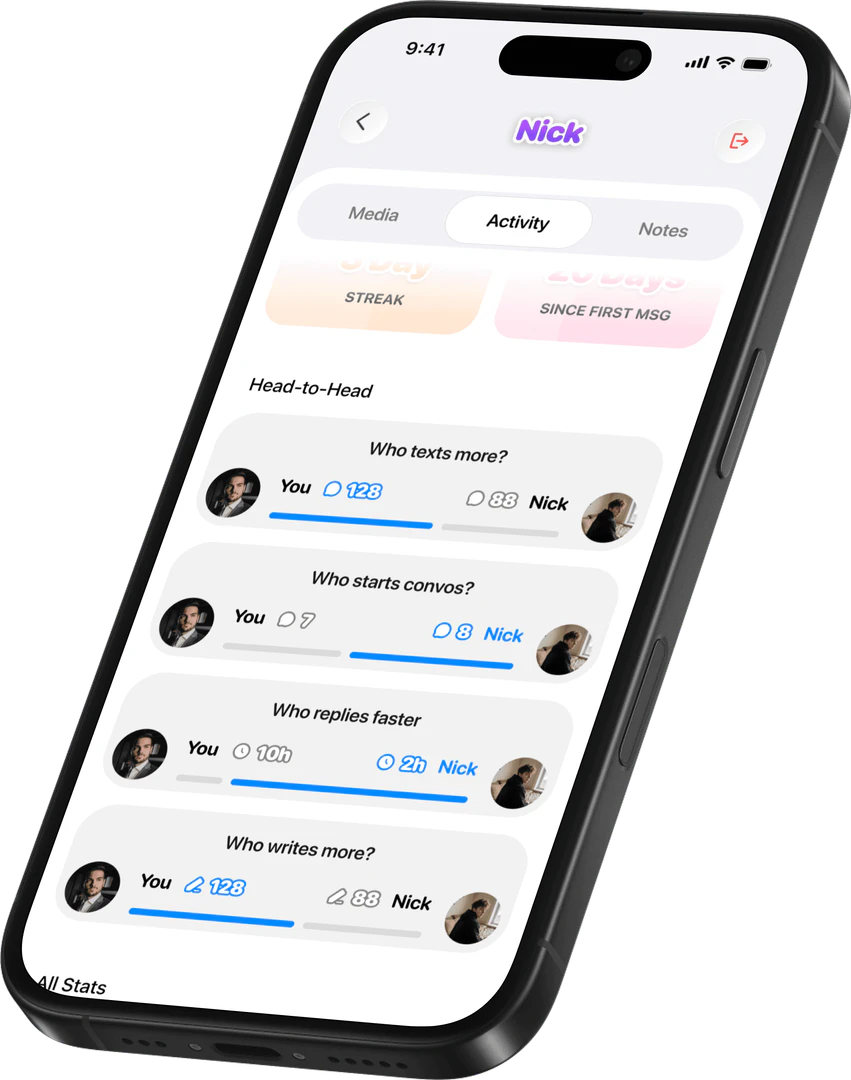
Textai main features overview
Textai use case example with group planning
Textai product overview with Alfi interface
Textai user scenario image
1 / 4

Textai Pros and Cons

Pros

  • Smart Group Chat Integration: Alfi integrates seamlessly into group chats, enhancing conversations by suggesting activities and managing plans without interrupting the flow.
  • Real-Time Collaboration: Users can create and edit images together in real-time, making it easy to collaborate on creative projects within the group.
  • Event Planning Made Easy: Alfi simplifies event planning by allowing users to book dinner reservations through Yelp and set reminders for group activities.

Cons

No cons data detected for this tool

Analytics of Textai

Loading...

Textai Reviews

Alfi saved our long-distance movie nights! It suggests films available on everyone's streaming services and helps us sync our start times across different time zones. Now our monthly movie nights actually happen!

Alfi is a game-changer for my family. We use it to settle debates, get homework help, and plan our vacations. It keeps us connected and informed without the hassle.

For more reviews, visit this link: https://www.text.ai/#reviews

Textai Compare

Tool NameIntroductionPricing
Type
RatingLaunch DateLearn more
Education Copilot logo
Education Copil...
Generate AI lesson plans, PowerPoints, and more with Copilot! Use Copilot to breeze through your unit planning and material creation!
Free
💼Work
November 13, 2022
Get deal
Quillbot Paraphraser logo
Quillbot Paraph...
Paraphrasing Tool (Ad-Free and No Sign-up Required) - QuillBot AI
Free
💼Work🎨Creativity
December 31, 1984
Get deal
Steamship logo
Steamship
Build, scale, and monitor AI Agents.
Free
💼Work
September 13, 1996
Get deal

Info current as of post date. Offers and availability may vary by location and are subject to change.

Textai Launch embeds

Use website badges to drive support from your community for your TopAITools Review. They're easy to embed on your homepage or footer.

FEATURED ONTopaitoolsreview.com

Textai Alternatives

Twitter screenshot

Twitter

Connect and share ideas on Twitter.

Website
🙋‍♂️Personal💼Work🎨Creativity
Use tool
58.5M
Direct48.52%
Referrals27.36%
Search15.43%
Publer screenshot

Publer

Boost your social media strategy with Publer’s suite of tools. Manage multiple accounts, schedule posts, collaborate with your team, and analyze performance—all in one place.

Website
Free
Use tool
4.2M
Direct47.33%
Search47.30%
Referrals3.49%
AI Repurpose screenshot

AI Repurpose

OpusClip turns long videos into high-quality viral clips for you to share on TikTok, YouTube Shorts, and Reels to increase social media reach.

Website
Free
Use tool
4.9M
Direct60.14%
Search34.01%
Referrals3.64%

Textai Tags

Group Chat AssistantEvent PlanningImage CreationAI IntegrationSocial InteractionMulti-language support

Also used for

AI Social Media Tools359Discord Community Management Tools11Random Video Chat Tools5Sugar Relationship Networking Tools10Ai Cross Posting Tools81Discord E Commerce Tools3Discord Analytics and Member Management Tools2Indie Startup Networking21Public Maker Platform9Indie Startup Showcase7AI WhatsApp Business Tools10AI LinkedIn Conversation Starter Generator23Anonymous Chat Platforms3AI LinkedIn Carousel Generator3Decentralized Social Media Platforms3

Sources (5)

Textai logo
TextaiFree
Get deal

Textai Comments (0)

Your rating

?
0/2000

No comments yet

Be the first to share your thoughts!

Textai Prompts (0)

Prompts And Results

Add your own prompts and outputs to help others understand how to use this AI.

🚀0
🚀0