Summaraize


What is SummarAIze?
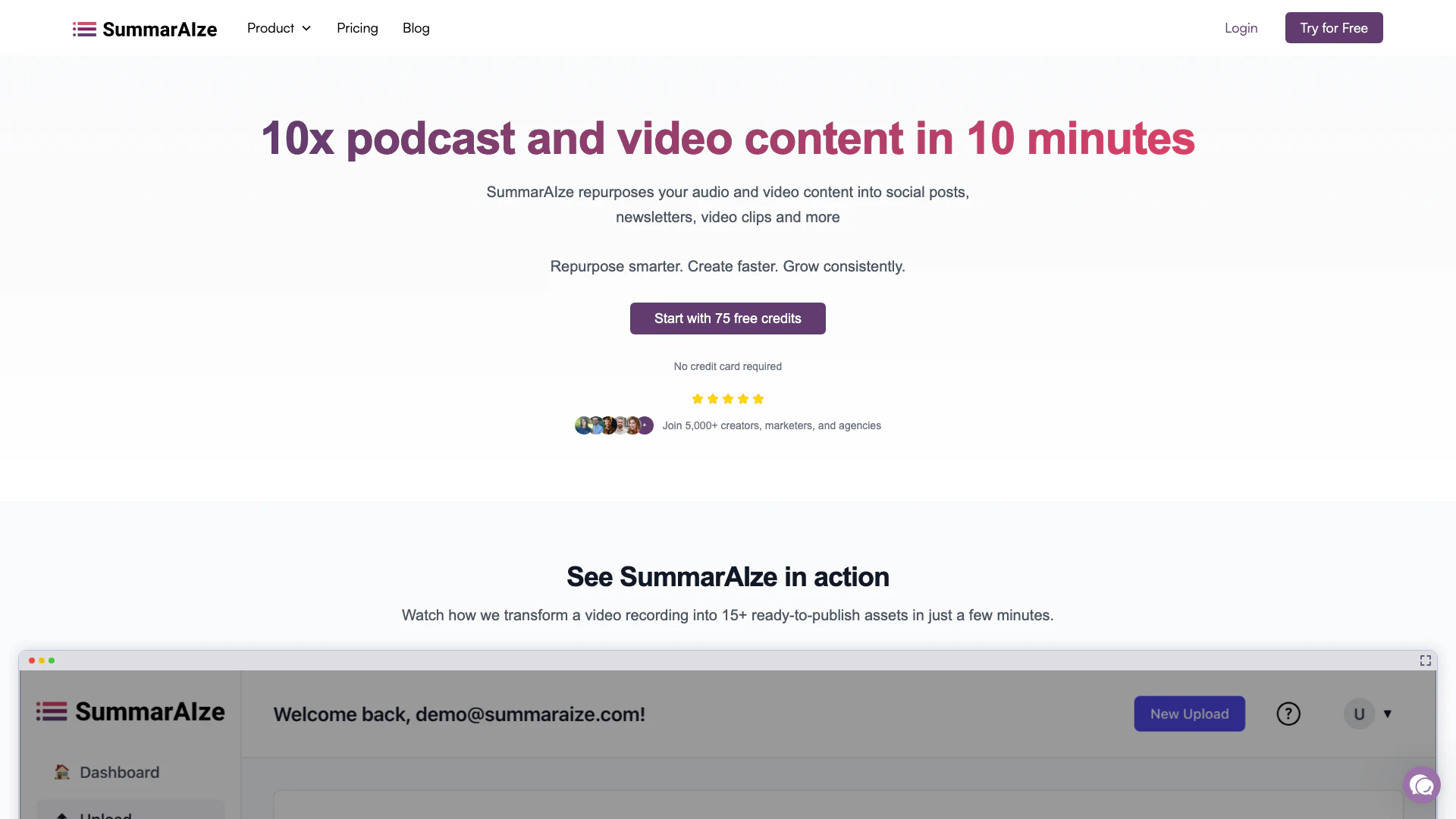
SummarAIze is an innovative tool designed to repurpose audio and video content, such as podcasts and webinars, into various formats for social media, email, and more. By utilizing advanced AI technology, SummarAIze enables users to create multiple content assets from a single upload, significantly enhancing their content reach and engagement. The tool streamlines the content creation process, allowing creators to generate polished, ready-to-publish materials quickly and efficiently, thus maximizing their productivity and audience engagement.
How to use SummarAIze?
- Set Up Your Brand Kit: Begin by defining your tone, audience, and content type through the brand kit. Choose the templates that you want SummarAIze to generate for your content.
- Upload Your Audio or Video: Drag and drop your audio or video file into the platform. SummarAIze supports various formats and can handle recordings of any length, including podcasts, webinars, and interviews.
- Receive Ready-to-Publish Content: In just minutes, SummarAIze will generate polished content assets that align with your brand. If you need additional content, you can use the 'Ask SummarAIze' feature to request more variations.
What are the main features of SummarAIze?
- Content Repurposing[1]: Instantly convert audio and video content into social media posts, newsletters, and more.
- Automated Highlights[2] and Quotes: AI technology extracts key moments, timestamps, and quotes from your uploads.
- Custom Templates[3]: Utilize tailored templates for different content types such as podcasts, webinars, and interviews.
- Brand Kits[4]: Maintain consistency by defining your voice, style, keywords, and audience preferences.
- Multi-format Support[5]: Generate various content formats including social posts, SEO-optimized titles, and full transcripts.
- Centralized Dashboard: Manage, customize, and share all your content assets from one intuitive interface.
Who is SummarAIze for?
SummarAIze is designed for content creators, marketers, and agencies looking to streamline their content production processes. It caters to solo creators seeking to maximize their output, as well as small teams and larger agencies that require efficient content repurposing solutions. This tool is ideal for those who regularly produce podcasts, webinars, or video content and need to create engaging social media posts, newsletters, and other marketing materials quickly and effectively.
What are the use cases of SummarAIze?
- Podcast Promotion: Repurpose podcast episodes into engaging social media snippets and blog posts to attract a wider audience.
- Webinar Follow-up: Convert webinar recordings into summaries and email newsletters to keep participants engaged and informed.
- Social Media Management: Automatically generate social media posts and captions from video content to maintain a consistent online presence.
Product Images



Summaraize Pros and Cons
Pros
- Efficient Content Repurposing: SummarAIze allows users to quickly transform audio and video content into various formats, saving time and effort in content creation.
- User-Friendly Interface: The platform features a clean and intuitive UI, making it accessible for users of all skill levels, including those new to AI tools.
- Comprehensive Content Generation: SummarAIze generates a wide range of content assets, including social media posts, newsletters, and SEO-optimized titles, all from a single upload.
Cons
No cons data detected for this tool
Summaraize Pricing
Creator
Great for solo creators and side projects. Includes 350 credits/month, unlimited brand kits, unlimited templates, unlimited content assets per upload, full access to Ask SummarAIze, and standard support.
Content Manager
Ideal for marketers, podcasters, and small teams. Includes 800 credits/month, everything in Creator, and faster support with 1:1 access as needed.
Business
Perfect for agencies and high-volume repurposing. Includes 2,500 credits/month, everything in Content Manager, priority 1:1 support, and early access to new features.
For the latest pricing, please visit this link: https://www.summaraize.com/pricing
Prices are subject to change. Please visit the official website for the most up-to-date pricing information.
Analytics of Summaraize
Summaraize Website Traffic Analysis
Visits Over Time
Traffic Sources
Oct 2025 - Dec 2025 Worldwide Desktop Only
- Search: 42.75%
- Direct: 40.14%
- Referrals: 8.07%
- Social: 7.56%
- Paid Referrals: 1.09%
- Mail: 0.09%
Top Keywords
| Keyword | Volume | CPC | Estimated Value |
|---|---|---|---|
| screen recording | 21.19K | $1.12 | $0.00 |
| best ai chatbot | 13.20K | $2.51 | $0.00 |
| how to record google meet | 9.16K | $1.27 | $0.00 |
| podcast questions | 380 | $0.00 | $10.00 |
| upload video and get summary like title and description hashtag | 140 | $0.00 | $80.00 |
Summaraize Reviews
SummarAIze saves me time each week with its prompts that streamline my video workflows. I can quickly get title recommendations, summaries, and YouTube-specific content in far less time than working through these items manually.
Super clean and user-friendly UI makes any AI newbie feel comfortable about using AI. Helpful for repurposing content into multiple different mediums at once (podcast, shownotes, blog posts, etc).
I've been using SummarAIze for a few months now for my podcast and it is invaluable. Of particular note, the AI-generated social media posts, transcripts, and emails are the best features that I use to speed up my post-production workflow.
For more reviews, visit this link: https://www.summaraize.com/#reviews