Sugarbugai




What is Sugarbugai?
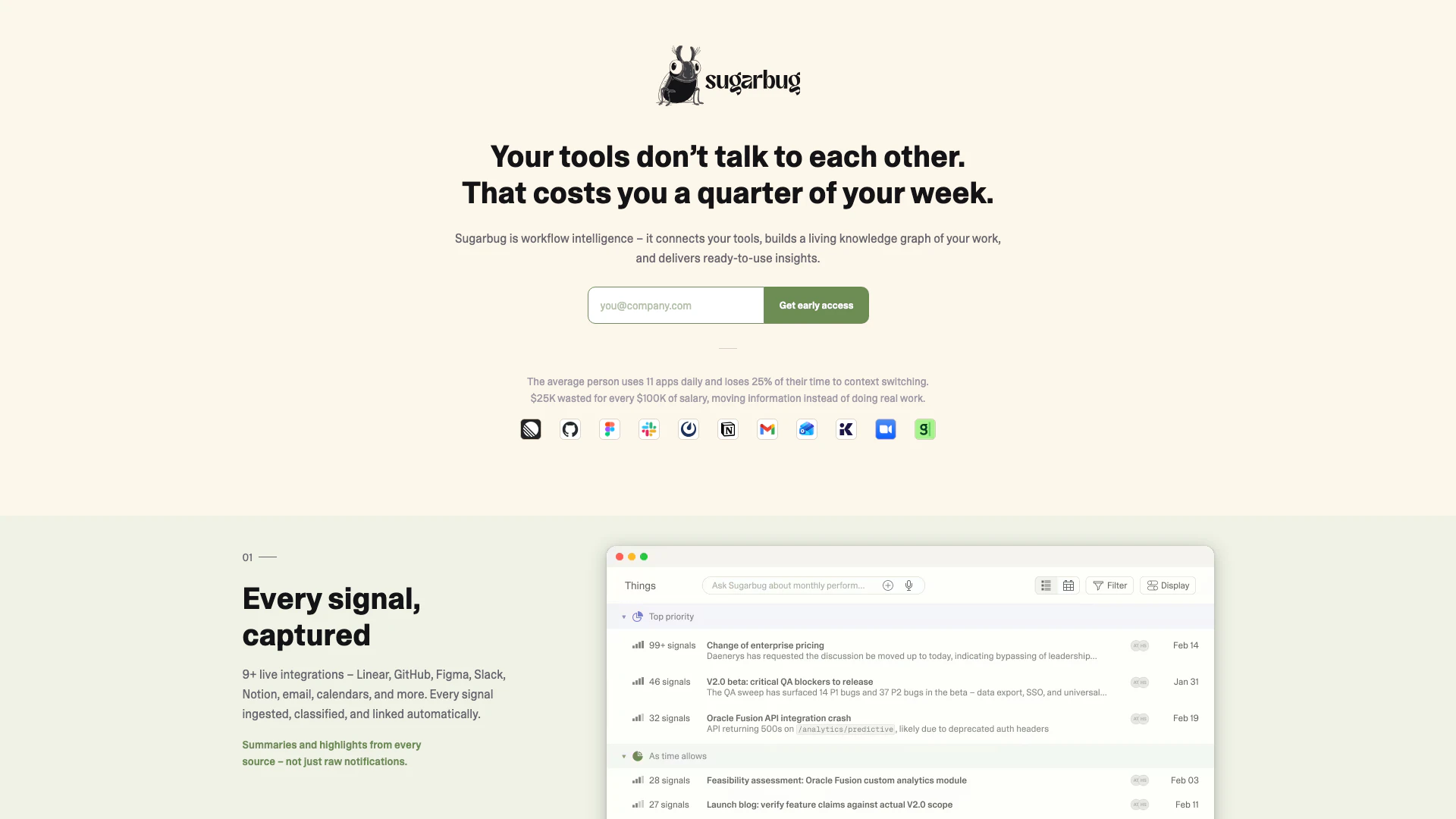
Sugarbugai is an innovative workflow intelligence[2] tool designed to seamlessly connect various applications into a cohesive living knowledge graph[1]. It captures every signal from integrated tools, such as Linear, GitHub, Figma, Slack, Notion, and more, to provide users with compounding insights and unified context. By reducing the time wasted on context switching, Sugarbugai enhances productivity, enabling users to focus on meaningful work rather than logistics.
How to use Sugarbugai?
- Connect your tools: Securely link your preferred applications to Sugarbugai in under two minutes.
- Learn: Allow Sugarbugai to automatically build a knowledge graph of your work by ingesting signals from the connected tools.
- Deliver: Access ready-to-use briefs, updates, and summaries generated from real-time data whenever you need them.
What are the main features of Sugarbugai?
- Live Integrations[3]: Connect with over 9 applications including Linear, GitHub, Figma, and Slack to capture every signal automatically.
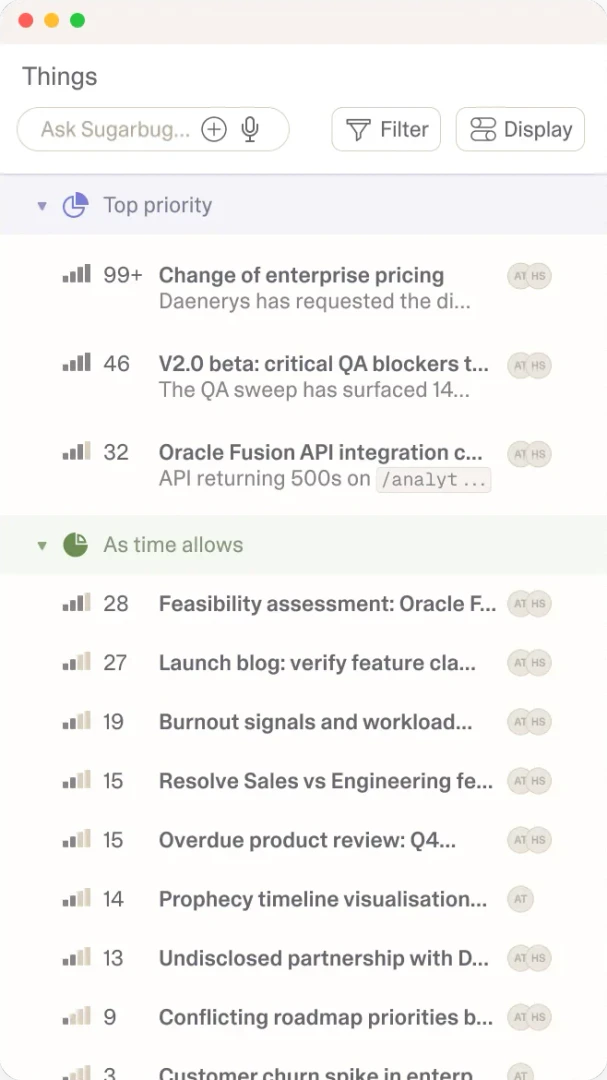
- Compounding Intelligence[4]: Build a living knowledge graph that evolves over time, linking tasks and signals from all integrated sources.
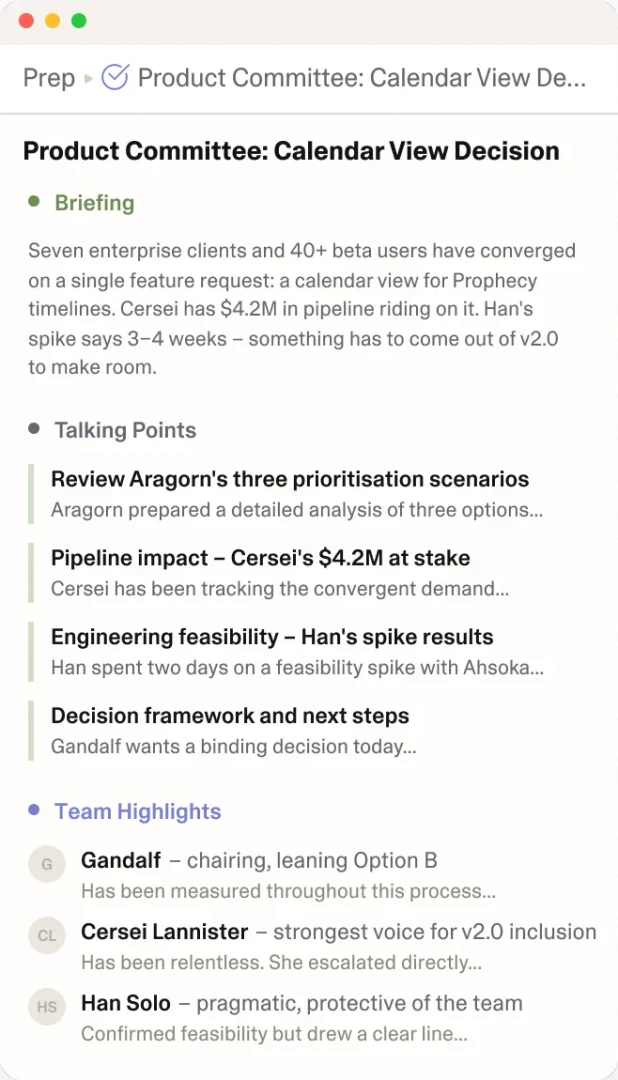
- Automated Summaries[5]: Receive meeting briefs, status updates, and detailed summaries without the need to hunt for information.
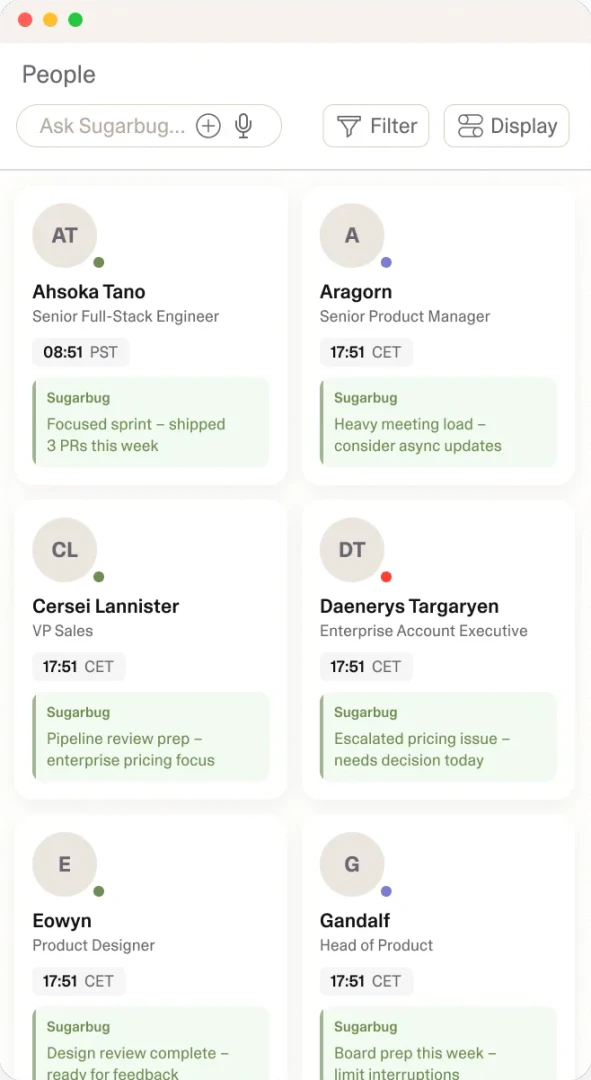
- Contextual Understanding[6]: Create living profiles based on interactions, improving organizational understanding and eliminating guesswork.
Who is Sugarbugai for?
Sugarbugai is ideal for professionals and teams that rely on multiple applications to manage their workflows. It is particularly beneficial for project managers, software developers, designers, and any user who experiences productivity loss due to context switching between various tools. By providing a unified context and actionable insights, Sugarbugai enhances collaboration and efficiency across diverse work environments.
What are the use cases of Sugarbugai?
- Project Management: Streamline project workflows by connecting tools like Notion and Linear to track tasks and updates effortlessly.
- Team Collaboration: Improve communication and collaboration by automatically generating meeting briefs from Slack and Figma interactions.
- Performance Insights: Utilize the living knowledge graph to analyze team dynamics and individual contributions, enhancing overall productivity.
Product Images
Sugarbugai Pros and Cons
Pros
- Comprehensive Tool Integration: Sugarbug integrates with over 9 tools like Linear, GitHub, and Slack, allowing seamless data flow and reducing context switching.
- Living Knowledge Graph: The tool builds a dynamic knowledge graph that improves over time, providing deeper insights and connections between tasks and people.
- Automated Summaries and Briefs: Sugarbug automatically generates meeting briefs and status updates from real-time data, saving users time and effort in information gathering.
Cons
No cons data detected for this tool