Subscene





What is Subscene?
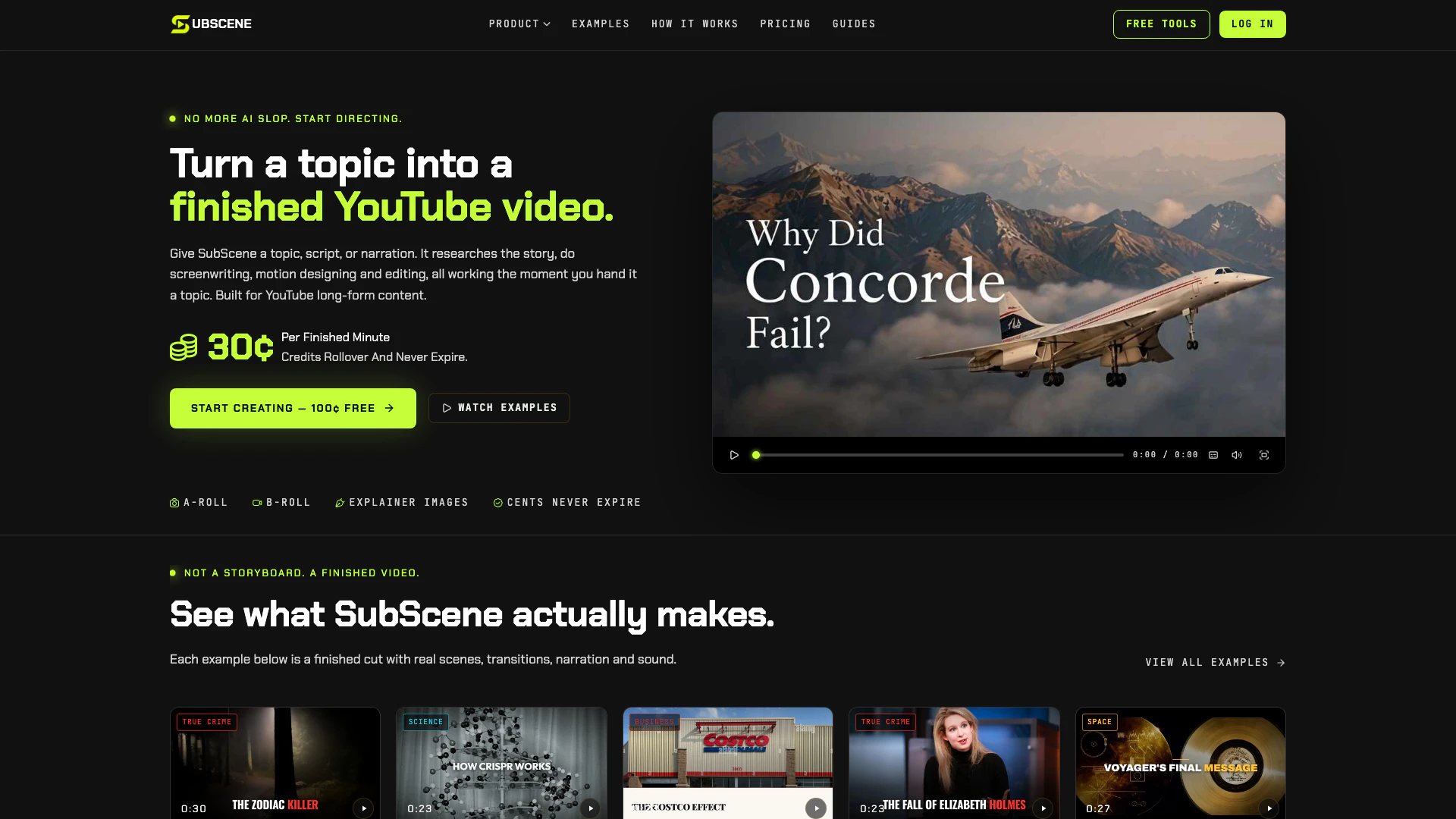
Subscene is an innovative video creation tool designed specifically for faceless YouTube channels. It allows users to transform a topic into a fully produced video by providing real photographs, explainer diagrams, and graded B-roll footage, all meticulously directed scene by scene. Unlike traditional AI slideshow tools that rely on generic stock footage and robotic voices, Subscene emphasizes a narrative-driven approach, ensuring that each video is engaging and publish-ready. With its focus on long-form content, Subscene streamlines the video production process, making it accessible for creators who wish to enhance their storytelling capabilities without the need for extensive filming or editing expertise.
How to use Subscene?
- Provide a Topic: Start by giving Subscene a topic, script, or recorded narration that you want to create a video about.
- Build the Story: Subscene will research the topic and build a narrative, planning scenes that align with your provided script or narration.
- Find Visuals: The tool will source appropriate visuals including real photos, B-roll footage, diagrams, and maps to complement the story.
- Direct the Video: You can review the assembled scenes, swap them as needed, re-cut for better flow, and then export your finished video for publishing.
What are the main features of Subscene?
- Directed Video Creation: Unlike typical AI tools, Subscene offers directed videos with a cohesive narrative and visual storytelling.
- Research and Scriptwriting: It researches the topic and writes a script, ensuring that the video content is informative and engaging.
- Visual Sourcing: The tool sources real photographs, B-roll, and explainer diagrams tailored to the content, enhancing viewer understanding.
- Custom Editing: Users maintain creative control, allowing them to review, edit, and finalize the video before publication.
- Affordable Pricing: Subscene offers competitive pricing, charging only 30 cents per finished minute, making it accessible for creators.
Who is Subscene for?
Subscene is designed for a diverse range of users, primarily targeting YouTubers who want to create long-form videos more efficiently. It is particularly beneficial for faceless YouTube channels that require high-quality content without the need for on-camera presence. Additionally, small teams can leverage Subscene to automate repetitive tasks while maintaining creative control over their video projects. Educators also find value in this tool, as it enables them to convert complex topics into visually engaging stories that resonate with their audience.
What are the use cases of Subscene?
- YouTube Content Creation: Ideal for YouTubers looking to produce long-form videos efficiently without the need for on-camera presence.
- Faceless Channels: Perfect for creators of faceless YouTube channels who want to maintain consistent quality without filming themselves.
- Educational Videos: Useful for educators aiming to turn complex topics into engaging visual stories that captivate their audience.
Subscene Pros and Cons
Pros
- Efficient Video Creation: Subscene allows users to create finished YouTube videos by providing a topic, script, or narration, making the video creation process efficient and streamlined.
- Custom Visuals for Topics: The platform offers a variety of visual styles and sources real photos, B-roll, and diagrams tailored to the topic, enhancing the quality of the videos.
- Cost-Effective Pricing: Subscene has a simple pricing model where users only pay for finished video minutes, starting at 30 cents per minute, making it cost-effective.
Cons
- Requires Initial Planning: Users need to have a clear idea or script for the video, which may require some initial effort in planning before using the tool.
- Limited to YouTube: Subscene is primarily designed for YouTube content, which may limit its applicability for users looking to create videos for other platforms.
- Requires Video Editing Knowledge: Users must be comfortable with video editing concepts to effectively utilize the platform's features for directing their videos.
Subscene Pricing
Basic
3,999 cents / month, ~133 minutes of finished video, Full scene library, Cancel anytime.
Pro
9,449 cents / month, Includes 450 cents free — you pay 8,999 cents, ~314 minutes of finished video, Full scene library, Cancel anytime.
Ultimate
21,999 cents / month, Includes 2,000 cents free — you pay 19,999 cents, ~733 minutes of finished video, Full scene library, Cancel anytime.
Pay Per Finished Minute
30 cents per finished minute.
For the latest pricing, please visit this link: https://subscene.io/#pricing
Prices are subject to change. Please visit the official website for the most up-to-date pricing information.