



Twitter-color Created with Sketch. Amazon-color Created with Sketch. Facebook-color Created with Sketch. github [#142] Created with Sketch. meta_fill Pinterest-color Created with Sketch. ProductHunt-color Created with Sketch. Spotify-color Created with Sketch. Threads Logo Streamline Icon: https://streamlinehq.com Yelp-color Created with Sketch. Youtube-color Created with Sketch.
TopAIToolsTopAITools
  • Free Tools
  • Category
  • Leaderboard
  • Deals
  • Submit
EN
TopAIToolsTopAITools
TopAI

TopAITools

TopAITools, The Best Top AI Tools

AI Glossary|English简体中文繁體中文한국어日本語PortuguêsEspañolDeutschFrançaisTiếng Việt|Map

© 2026 TopAITools. All rights reserved.

About

  • Privacy Policy
  • Terms of use

Contact Us

business@topaitoolsreview.com
Home
AI Language Learning
Studo
Last updated: May 23, 2026
Studo logo

Studo

Get deal
4.0|0 Comments|0 Saved
Introduction:
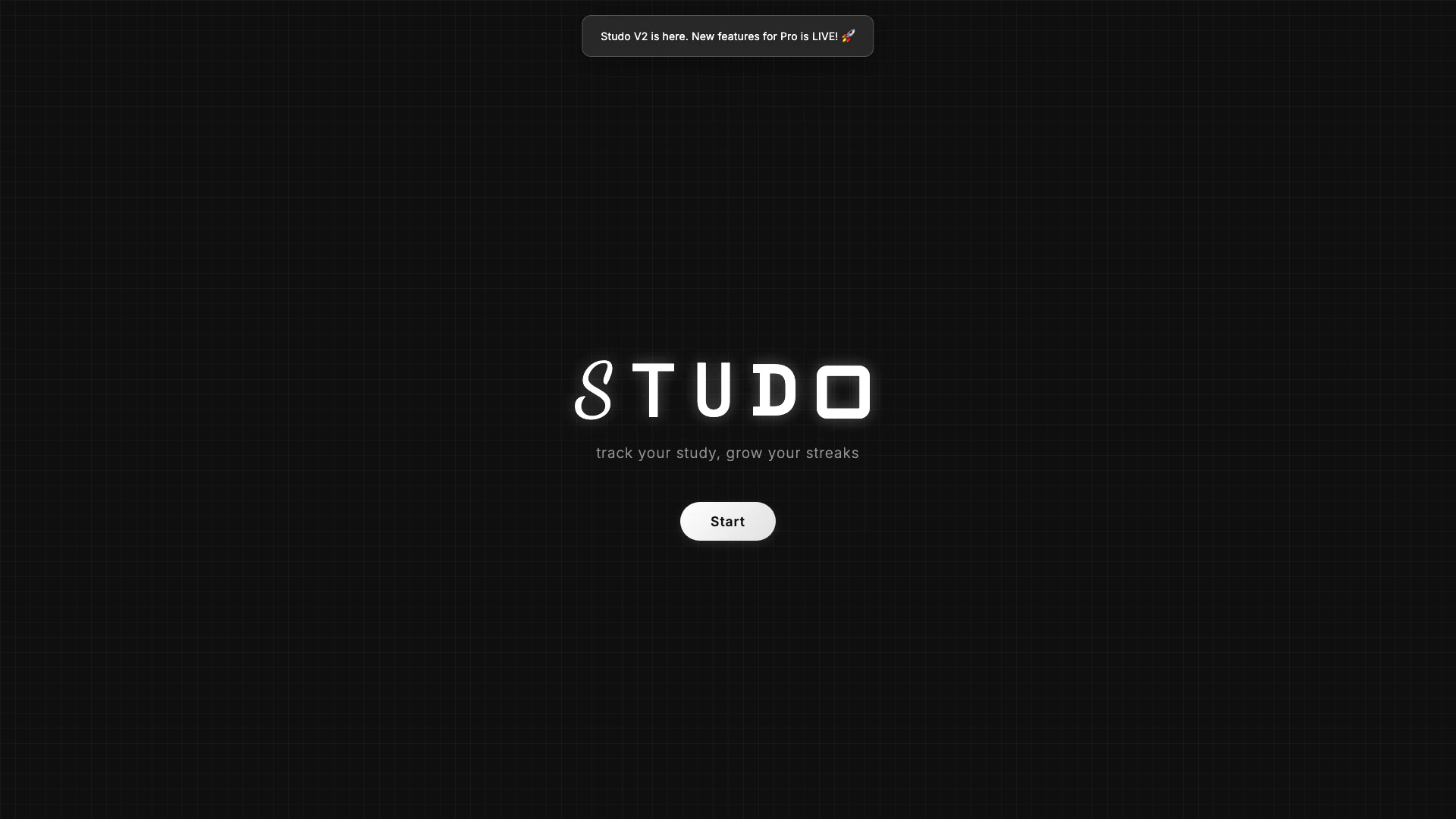
Studo helps you track your study progress and enhance productivity.
Launch Date:
August 28, 2025
Monthly Visits:
2.6K
Inputs:
TextImage
Outputs:
TextImage
Supported Languages:
EN
Website
Free
🙋‍♂️Personal💼Work
AI Language Learning131AI Teaching Assistant147Online Assessment Platforms92
Studo website screenshot showing Studo helps you track your study progres... interface and features
Use tool
Update this tool
Openai Codex logo

Openai Codex

OpenAI Codex enhances coding efficiency with AI-driven task support.

Docsgpt logo

Docsgpt

DocsGPT for Google Docs™ - Google Workspace Marketplace

Workgpt logo

Workgpt

WorkGPT: ChatGPT Gemini AI GPT in Sheets Doc Slide - Google Workspace Marketplace

Buzz Mail logo

Buzz Mail

Buzz Mail - Google Workspace Marketplace

Character Ai logo

Character Ai

Chat with millions of AI Characters on the #1 AI chat app. Where will your next adventure take you?

Studo Overview

What is Studo?

Studo is an innovative study tracking[1] tool designed to help users manage their study sessions effectively. With its unique features, Studo enables users to monitor their study habits, set goals, and track their progress over time. The tool offers both a free version with essential functionalities and a Pro version that includes advanced features such as detailed analytics[5], flashcard creation[4], and a customizable user experience. Whether you are a student looking to improve your study efficiency or a lifelong learner aiming to organize your learning process, Studo provides the necessary tools to enhance your study experience.


How to use Studo?

  1. Visit the Studo website and create an account or log in if you already have one.
  2. Choose between the Free or Pro version based on your needs.
  3. Set up your study sessions by using the unlimited timer and countdown features.
  4. Log your study sessions, including notes and optional image links for better context.
  5. For Pro users, utilize advanced features like goal setting[2], progress tracking[3], and flashcard creation to enhance your study routine.
  6. Access your study analytics over time to understand your learning patterns and improve your efficiency.

What are the main features of Studo?

  • Unlimited timer and countdown options for effective time management.
  • Session logs that allow users to add notes and images.
  • Full analytics of study history for Pro users, helping track progress over time.
  • Goal setting and progress tracking to motivate users.
  • Blurting feature for quick capture of learned concepts.
  • Active recall with flashcard creation and review capabilities.
  • Detailed analytics on flashcard performance.
  • Cloud backup and multi-device synchronization for a seamless experience.
  • Customizable user interface to suit individual preferences.
  • Ambient sounds through a built-in song player to create a conducive study environment.

Who is Studo for?

Studo is designed for students, educators, and lifelong learners who want to improve their study habits and track their learning progress. It is particularly beneficial for those who need to manage their time effectively, set learning goals, and analyze their study performance. Whether you are a high school student preparing for exams, a university student balancing multiple subjects, or an adult learner seeking to acquire new skills, Studo offers the tools necessary to enhance your study routine and achieve your academic or personal learning objectives.


What are the use cases of Studo?

  1. A student uses Studo to track study sessions and manage time effectively during exam preparations.
  2. An educator utilizes the Pro version to create flashcards for students and analyze their performance over time.
  3. A lifelong learner employs Studo to set personal learning goals and monitor progress in mastering a new language.

Product Images
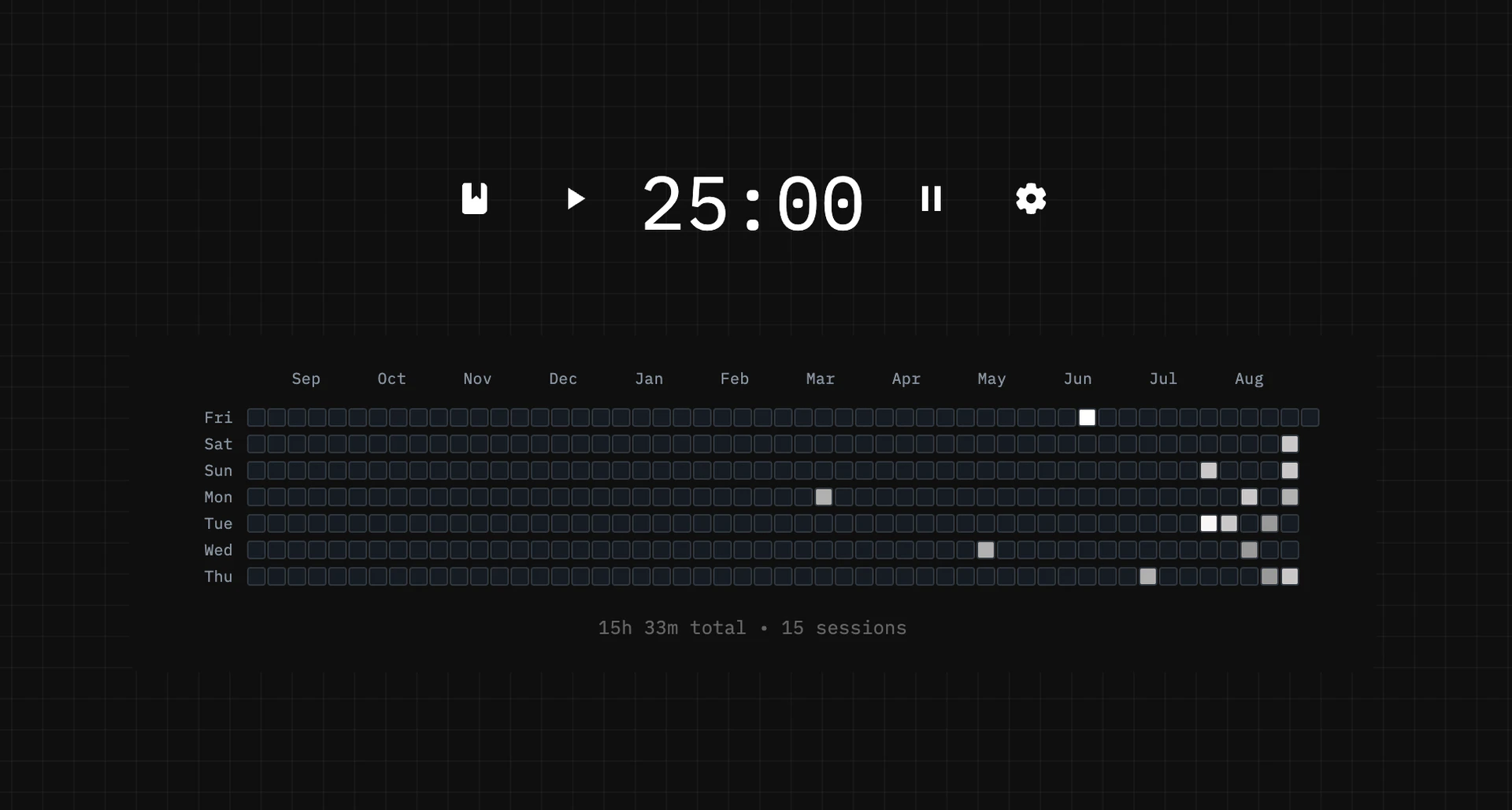
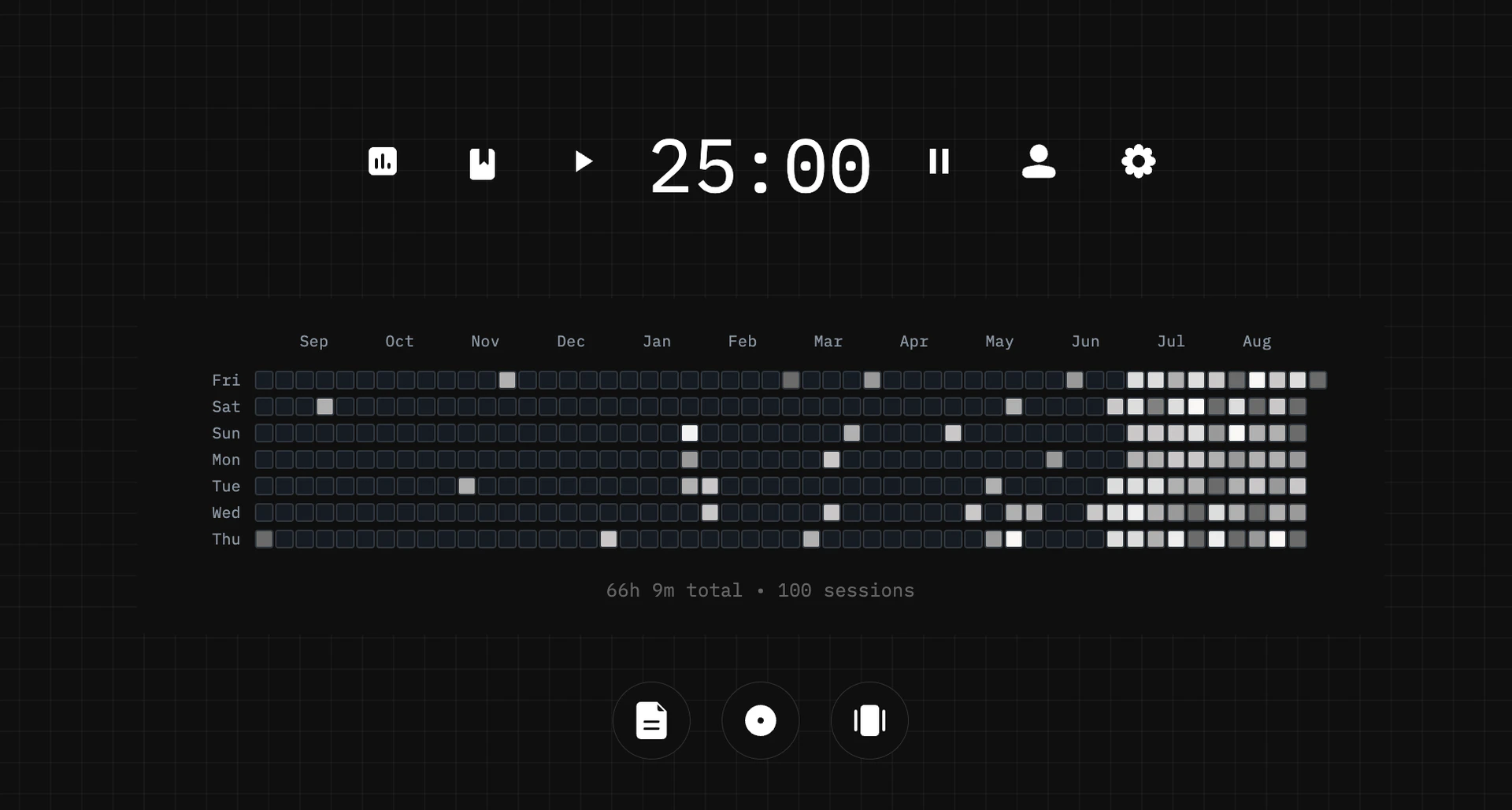
Studo product overview showing free features
Studo product overview showing pro features
1 / 2

Studo Pros and Cons

Pros

  • Comprehensive Study Tracking: Studo offers unlimited timers, countdowns, and pomodoro features, allowing users to effectively track their study sessions.
  • Advanced Analytics: The Pro version provides full analytics of study history, enabling users to monitor their progress over time.
  • Customizable Experience: Users can fully customize their experience, including account settings and cloud backup for multi-device access.

Cons

No cons data detected for this tool

Studo Pricing

Free

Contact Us

unlimited timer & countdown with github-style, session log with notes + optional image link, all data stored locally in your browser

Pro

$9

unlimited timer, countdown, and pomodoro, session log with notes + multiple images, full analytics of study history over time, goal setting + progress tracking, blurting: capture what you learned asap, active recall: create flashcards, review them, detailed flashcard analytics, account settings + cloud backup, fully customizable experience, sync for multi-device access, song player with ambient sounds (NEW!)

For the latest pricing, please visit this link: https://studo.space/

Prices are subject to change. Please visit the official website for the most up-to-date pricing information.

Analytics of Studo

Studo Website Traffic Analysis

Visits Over Time

Nov 2025 - Jan 2026 All Traffic
--
AI Tools Rank
2.63K
Monthly Visits
50.90%
Bounce Rate
1.57
Pages Per Visit
2:03
Visit Duration
6.69M
Global Rank
3.88M
Country Rank

Traffic Sources

Nov 2025 - Jan 2026 Worldwide Desktop Only

  • Direct: 73.72%
  • Search: 13.71%
  • Social: 7.10%
  • Referrals: 4.37%
  • Paid Referrals: 1.02%
  • Mail: 0.08%

Top Regions

Nov 2025 - Jan 2026 Desktop Only
RegionPercentage
🇺🇸
United States
85.30%
🇨🇦
Canada
14.70%
  1. United States: 85.30%
  2. Canada: 14.70%

Top Keywords

KeywordVolumeCPCEstimated Value
studospace time tracker0$0.00$110.00
studying timelapse timer0$0.00$90.00
study timer45.35K$0.35$320.00
timer clock for study2.03K$0.01$240.00
study timer tracker210$2.90$90.00

Studo Compare

Tool NameIntroductionPricing
Type
RatingLaunch DateLearn more
Pixelhunter logo
Pixelhunter
🧠 AI-powered image resizer for social media
Free
💼Work🎨Creativity
June 8, 2021
Get deal
Lunit logo
Lunit
Lunit develops AI solutions that detect early-stage cancer and optimize cancer treatment for saving lives through technology.
Free
💼Work
August 10, 2015
Get deal
Ai Sofiya logo
Ai Sofiya
AiSofiya offers AI-powered tools, chatbots, and automation to help websites and businesses work smarter, faster, and 24/7.
Free
💼Work🎨Creativity
January 10, 2023
Get deal

Info current as of post date. Offers and availability may vary by location and are subject to change.

Studo Launch embeds

Use website badges to drive support from your community for your TopAITools Review. They're easy to embed on your homepage or footer.

FEATURED ONTopaitoolsreview.com

Studo Alternatives

Studocu screenshot

Studocu

Access millions of shared study materials from students worldwide.

Website
Free
🙋‍♂️Personal💼Work
Writing & EditingAI Blog GeneratorAI Knowledge ManagementAI Language Learning
  • Writing & Editing
  • AI Blog Generator
  • AI Knowledge Management
  • AI Language Learning
Use tool
32.0M
Search81.82%
Direct16.07%
Referrals1.76%
Gauthmath screenshot

Gauthmath

Gauthmath is an AI-driven homework helper for STEM subjects.

Website
Free
💼Work🎨Creativity
EducationAI Homework HelperAI Math SolverAI Teaching Assistant
  • Education
  • AI Homework Helper
  • AI Math Solver
  • AI Teaching Assistant
Use tool
8.8M
Search80.82%
Direct17.73%
Referrals0.84%
Coursehero screenshot

Coursehero

Coursehero offers AI-driven homework assistance.

Website
Free
💼Work
EducationAI Homework HelperAI Teaching AssistantOnline Assessment Platforms
  • Education
  • AI Homework Helper
  • AI Teaching Assistant
  • Online Assessment Platforms
Use tool
6.0M
Search77.97%
Direct19.44%
Referrals2.03%

Studo Tags

study trackingPomodoro TimerGoal SettingFlashcardsAnalyticssession log

Also used for

AI Language Learning131AI Teaching Assistant147Online Assessment Platforms92AI Personality Assessment Tools9AI Travel Training Solutions3Stealth Interview Preparation Tools44Subtraction Learning Tools1Psychometric Assessment Tools4Quran Education Tools2Interactive Quran Storytelling1Career Development Tools75Career Resource Hub24Professional Development Tools59Personalized Storytelling Tools11Multilingual Educational Tools13

Sources (5)

Studo logo
StudoFree
Get deal

Studo Comments (0)

Your rating

?
0/2000

No comments yet

Be the first to share your thoughts!

Studo Prompts (0)

Prompts And Results

Add your own prompts and outputs to help others understand how to use this AI.

🚀0
🚀0