Spike


What is Spike?
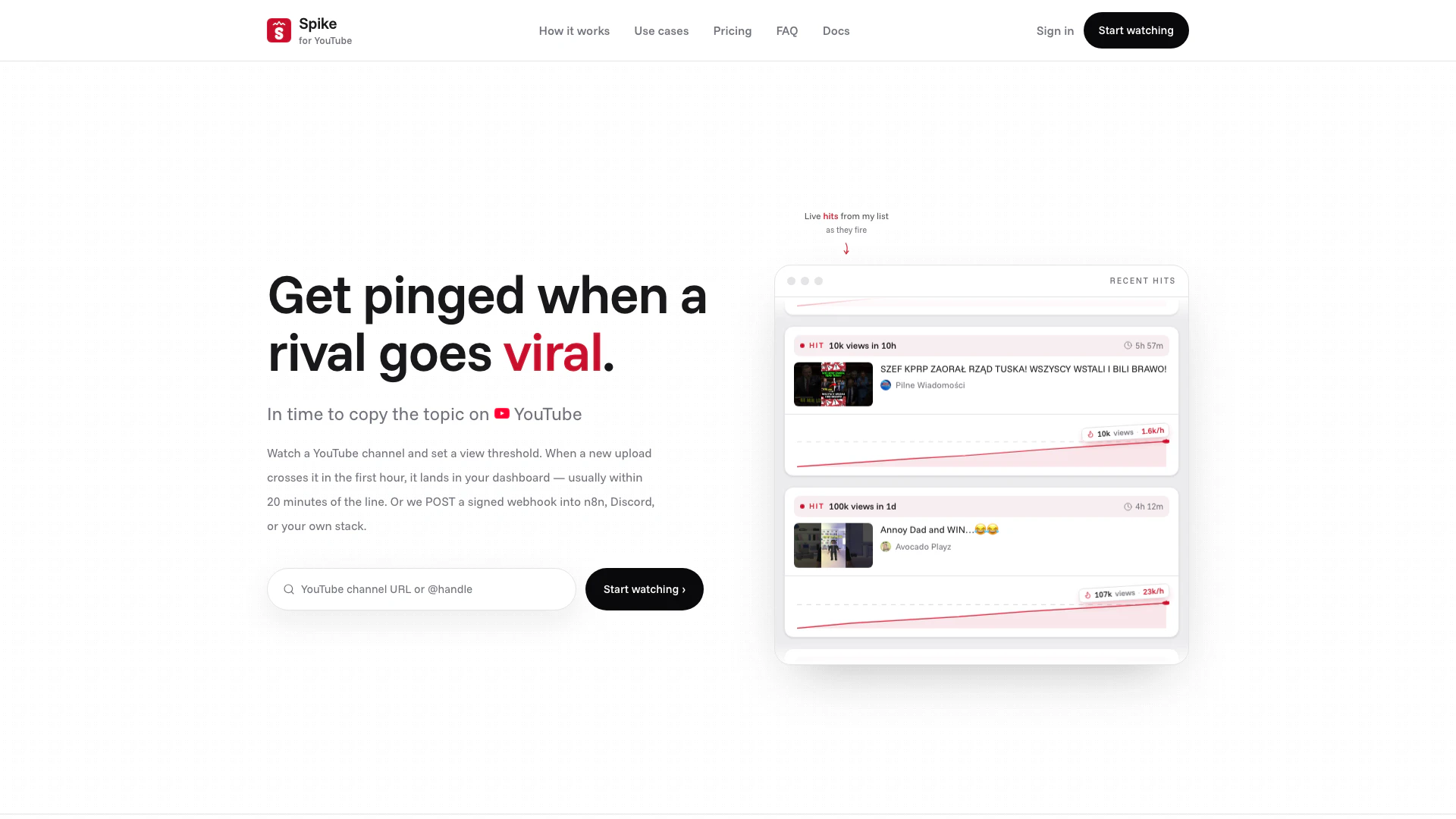
Spike is an innovative tool designed to help content creators and marketers monitor rival YouTube channels for trending videos. By setting a specific view threshold, users receive real-time alerts when a video starts gaining traction, allowing them to react swiftly and capitalize on emerging topics. Spike's ability to send signed webhooks ensures that users can seamlessly integrate these notifications into their existing workflows, making it an essential tool for anyone looking to stay ahead in the competitive landscape of online video content.
How to use Spike?
- Add a Rival Channel: Start by pasting the YouTube URL, handle, or channel ID of the rival channel you want to track. Spike will resolve this information for you.
- Set a View Threshold: Define a view line that will trigger an alert, such as 3,000 views within the first hour of a video being uploaded.
- Receive Alerts: Once a new upload crosses your set view line, Spike will send you a signed webhook notification, allowing you to react quickly to trending topics.
What are the main features of Spike?
- Real-Time Tracking: Spike monitors rival channels around the clock, alerting you when new uploads cross your defined view threshold.
- Customizable View Lines: Set specific view thresholds (e.g., 3,000 views in the first hour) to receive alerts tailored to your needs.
- Webhook Integration: Automatically receive notifications via signed webhooks, which can be integrated into platforms like Discord or your own systems.
- User-Friendly Dashboard: The interface allows you to manage your watched channels, view alerts, and access analytics without needing coding skills.
- Flexible Pricing: Watch multiple channels with plans starting at $9 for five channels, making it accessible for various users.
Who is Spike for?
Spike is tailored for content creators, marketers, and agencies who need to stay competitive in the fast-paced world of online video. It is particularly useful for those who react to trends, such as news channels, reaction video creators, and affiliate marketers. Additionally, agencies managing multiple channels can benefit from Spike's ability to monitor several competitors simultaneously, ensuring they are always informed about what is trending in their niche.
What are the use cases of Spike?
- Competitor Monitoring: Keep an eye on rival channels to know when they upload content that starts gaining traction.
- Topic Interception: React quickly to trending topics by copying ideas while they are still fresh and before the niche becomes saturated.
- News and Reaction Videos: For news channels, get alerted when relevant content is uploaded, enabling timely commentary and reactions.
Spike Video

Spike Pros and Cons
Pros
- Real-time Monitoring: Spike allows users to monitor rival YouTube channels and get alerts when their videos start gaining views rapidly.
- Customizable Alerts: Users can set specific view thresholds to receive notifications, ensuring they are alerted only when significant activity occurs.
- Integration Capabilities: Spike supports integration with various platforms like n8n and Discord, allowing for seamless automation of notifications.
- Targeted for Fast Reactors: The tool is designed for users who react quickly to trends, making it ideal for content creators and marketers.
Cons
- No Viral Guarantee: The service may not guarantee that a video will go viral, as it only tracks view counts and not overall engagement.
- Platform Limitation: Spike's functionality is limited to YouTube channels, which may not be suitable for users looking to monitor other platforms.
- Technical Knowledge Required: Users may need to have a basic understanding of webhooks and API integrations to fully utilize Spike's features.
Spike Pricing
Starter
Solo operators watching a short list. 5 channels, Unlimited webhook events, Export events (CSV, JSON), Analytics dashboard, REST API, Delivery log.
Pro
Desks that cover a whole niche. 20 channels, Unlimited webhook events, Export events (CSV, JSON), Analytics dashboard, REST API, Delivery log.
Scale
Desks that cover several niches. 100 channels, Unlimited webhook events, Export events (CSV, JSON), Analytics dashboard, REST API, Delivery log.
For the latest pricing, please visit this link: https://spike.yt/register
Prices are subject to change. Please visit the official website for the most up-to-date pricing information.