Shotlab


What is Shotlab?
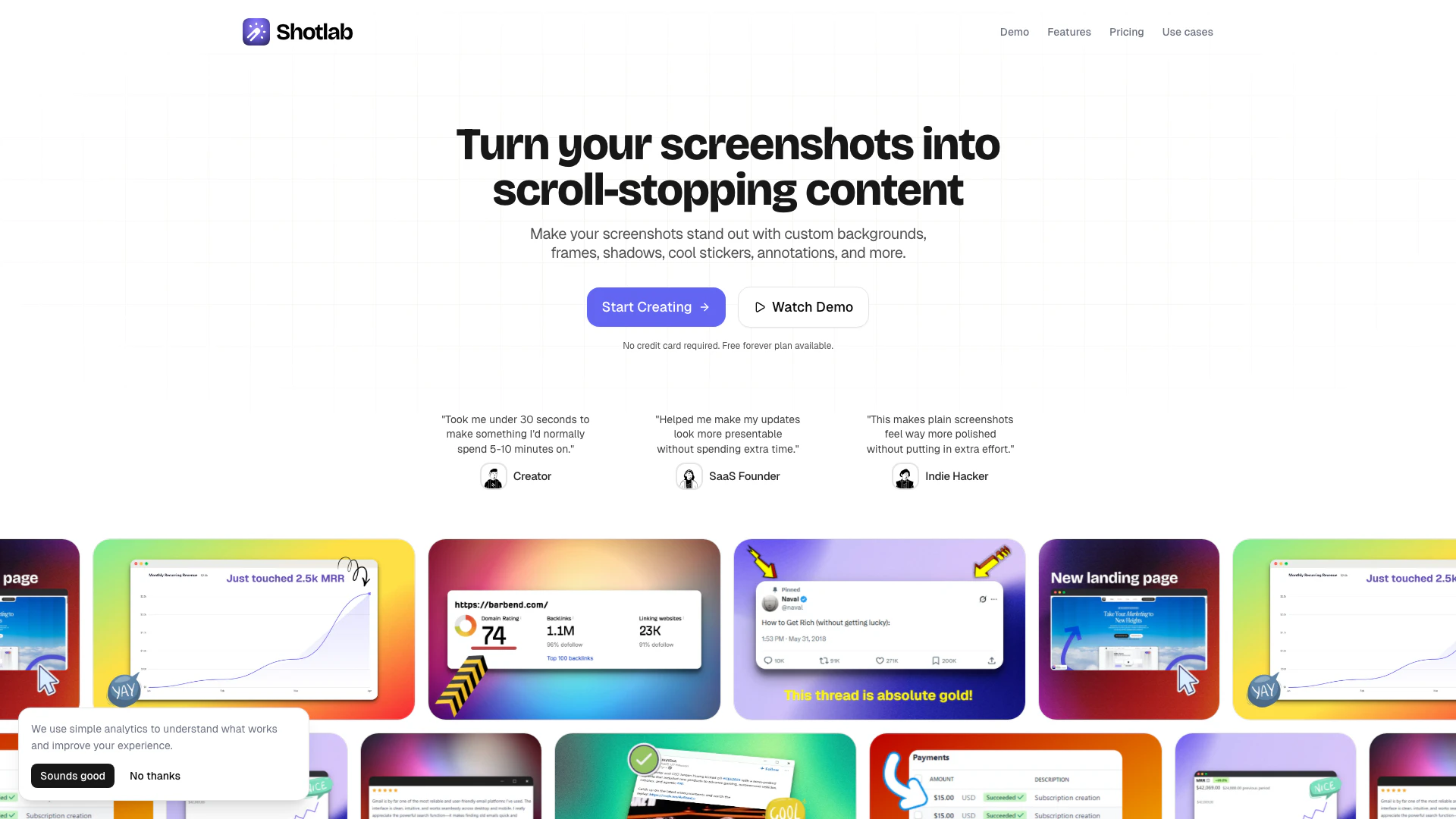
Shotlab is an innovative screenshot editing tool designed to enhance your visual content with custom backgrounds, frames, shadows, and engaging annotations. It allows users to create stunning screenshots that stand out on various platforms without needing extensive design skills. With Shotlab, users can easily add text, stickers, and emojis to their screenshots, making them more informative and eye-catching, perfect for sharing on social media, blogs, or during product launches.
How to use Shotlab?
- Visit the Shotlab website and click on 'Start Creating Now' to access the editor.
- Upload your screenshot or select a pre-sized canvas for your intended platform.
- Customize your screenshot by adding backgrounds, frames, and annotations like text, stickers, or emojis.
- Adjust the design elements as needed to achieve the desired look.
- Once satisfied with your design, export your screenshot in your preferred format (PNG, JPG, or WEBP) for sharing.
What are the main features of Shotlab?
- Customizable backgrounds, gradients, and browser frames to enhance screenshots.
- Easy-to-use editor with no design skills required, allowing for quick edits.
- Options to add annotations, stickers, drawings, and emojis for engaging visuals.
- Pre-sized canvases tailored for various platforms like Product Hunt, Twitter, and Reddit.
- Ability to export images in high-quality formats (PNG, JPG, WEBP) without watermarks on Pro plans.
- Regular updates with new backgrounds, frames, and stickers based on user feedback.
Who is Shotlab for?
Shotlab is designed for founders, indie hackers, creators, and anyone looking to enhance their visual content quickly and effectively. It is particularly useful for those involved in product launches, social media marketing, and content creation, who need to create eye-catching visuals without the hassle of traditional design tools. Whether you are a blogger, a marketer, or a developer, Shotlab provides the tools necessary to elevate your screenshots and visual presentations.
What are the use cases of Shotlab?
- Create stunning visuals for product launches that capture attention and drive engagement.
- Design changelogs and product updates with eye-catching screenshots that inform users about new features.
- Enhance technical documentation and knowledge bases with professional-looking screenshots for better communication.
- Generate engaging social media posts for platforms like X, LinkedIn, or Instagram using vibrant backgrounds and frames.
- Produce compelling visuals for blog posts that attract readers and enhance content engagement.
Shotlab Pros and Cons
Pros
- Customizable Backgrounds and Frames: Shotlab offers a variety of custom backgrounds, gradients, and frames to enhance the visual appeal of your screenshots, making them stand out.
- User-Friendly Editing Tools: The platform features a powerful and easy-to-use editor that allows users to create stunning visuals without any design skills, saving time and effort.
- Frequent Feature Updates: Shotlab regularly adds new backgrounds, frames, and stickers based on user feedback, ensuring a constantly evolving tool that meets user needs.
Cons
No cons data detected for this tool
Shotlab Pricing
Free Plan
Unlimited exports, Advanced features, Standard quality exports, No watermark.
Most Popular Plan
Unlimited exports, Advanced features, High quality exports, No watermark.
Lifetime Access Plan
Unlimited exports, Advanced features, High quality exports, No watermark. Pay once, use forever.
For the latest pricing, please visit this link: https://shotlab.pro/
Prices are subject to change. Please visit the official website for the most up-to-date pricing information.