Sequo





What is Sequo?
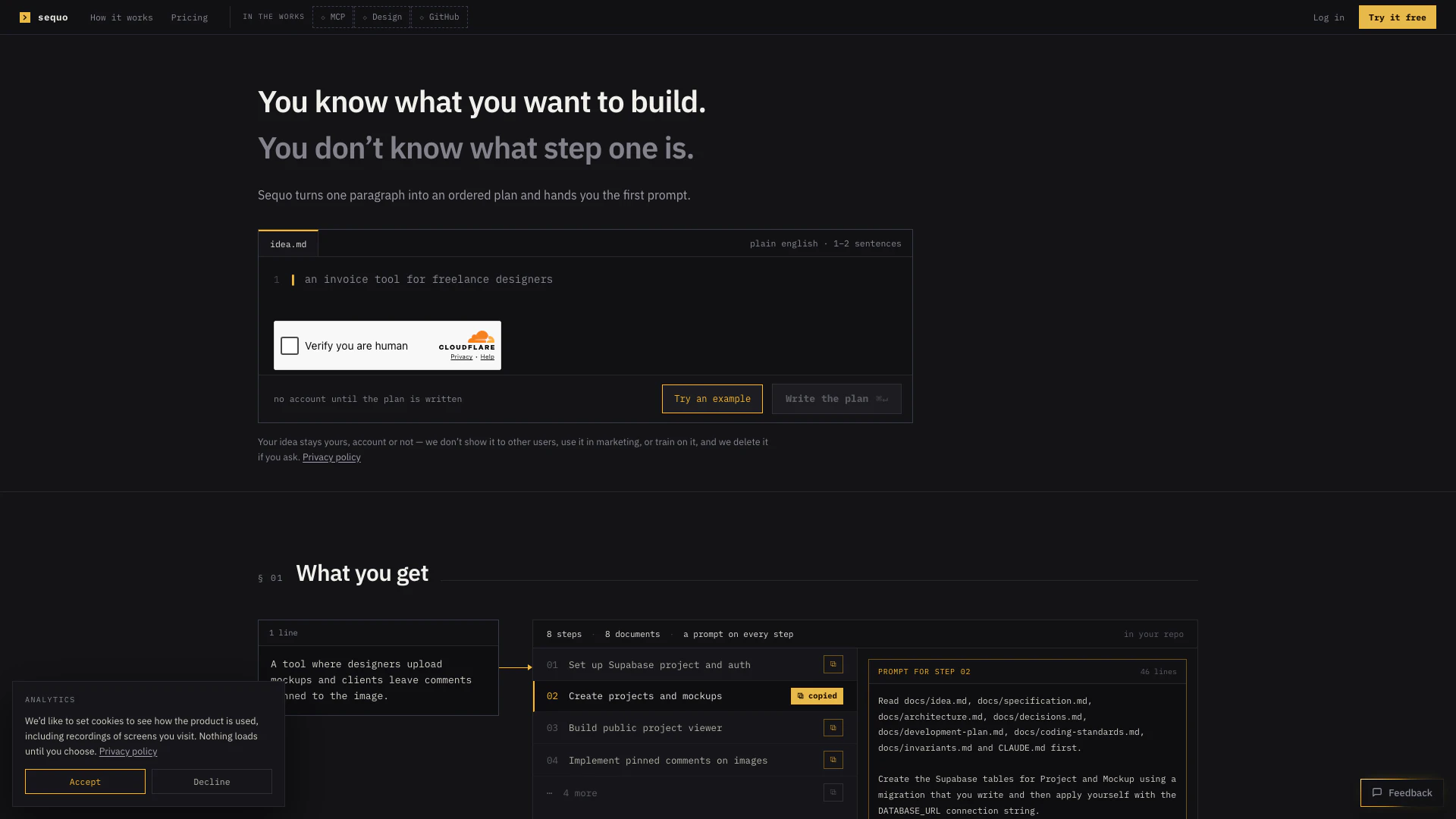
Sequo is an innovative project management tool designed to transform your project ideas into actionable plans. It takes a single paragraph describing your project and converts it into an ordered plan, complete with prompts tailored for your coding agent. This tool is particularly useful for developers and project managers who know what they want to build but are unsure about the initial steps to take. Sequo streamlines the development process by providing a structured approach, ensuring that each step is clearly defined and ready for execution.
How to use Sequo?
- Visit the Sequo website and enter a brief description of your project idea in plain English (1-2 sentences).
- Click on 'Write the plan' to generate an ordered plan based on your description.
- Review the generated steps and prompts provided for each phase of your project.
- Follow the prompts as your coding agent executes the tasks in the specified order.
- Make any necessary adjustments to the plan if your project requirements change, ensuring that you maintain a consistent workflow.
What are the main features of Sequo?
- Converts project ideas into structured, actionable plans.
- Provides step-by-step prompts tailored for various coding agents.
- Allows for project adjustments without losing previous work.
- Supports multiple projects with a subscription plan.
- Ensures privacy by not sharing project ideas with other users.
- Offers a free tier for building one project at a time.
Who is Sequo for?
Sequo is ideal for developers, project managers, and designers who have a clear vision of what they want to create but need guidance on how to start. It caters to individuals and teams looking for a structured approach to project management, especially those who prefer a hands-on method of translating ideas into actionable steps. Whether you are a freelancer working on personal projects or part of a larger team managing multiple developments, Sequo provides the tools necessary to streamline your workflow.
What are the use cases of Sequo?
- A developer can use Sequo to turn a concept for a mobile app into a detailed project plan, ensuring all necessary features are accounted for.
- A project manager can leverage Sequo to outline the steps needed for a website redesign, making it easier to delegate tasks among team members.
- A designer can utilize Sequo to create a structured plan for a new product launch, ensuring that all design and development phases are clearly defined and sequenced.
Sequo Pros and Cons
Pros
- Transforms Ideas into Plans: Sequo transforms a simple project idea into a detailed, ordered plan, providing users with a clear starting point for development.
- Structured Coding Prompts: The tool generates specific prompts for each step of the project, allowing users to follow a structured approach to coding.
- Free Initial Usage: Users can start using Sequo for free with one project, making it accessible for individuals or small teams.
- User Privacy Assurance: The platform ensures user privacy by not sharing project ideas with others and deleting them upon request.
Cons
- Technical Setup Required: Sequo requires users to set up a Supabase project and manage environment variables, which may require some technical knowledge.
- Single Project Limitation: The free plan limits users to one project at a time, which may restrict those looking to manage multiple projects simultaneously.
- Paid Subscription Required: To access more features and projects, users must subscribe to a paid plan, which may not be suitable for all budgets.
Sequo Pricing
Free
For building one thing. The whole product, one project at a time. No card required. No VAT, no trial to cancel, no expiry. Includes one project at a time, an ordered plan written for the agent you chose, eight living documents, and one copy-ready prompt per step.
Pro
For more than one project, and for everything that comes after v1. $20/month + VAT added at checkout where it applies. Includes the ability to keep building after the last step, up to 10 new projects a month, plans sized to the product, and the ability to rewrite anything that comes out wrong.
For the latest pricing, please visit this link: https://sequo.app/pricing
Prices are subject to change. Please visit the official website for the most up-to-date pricing information.