Roll



What is Roll?
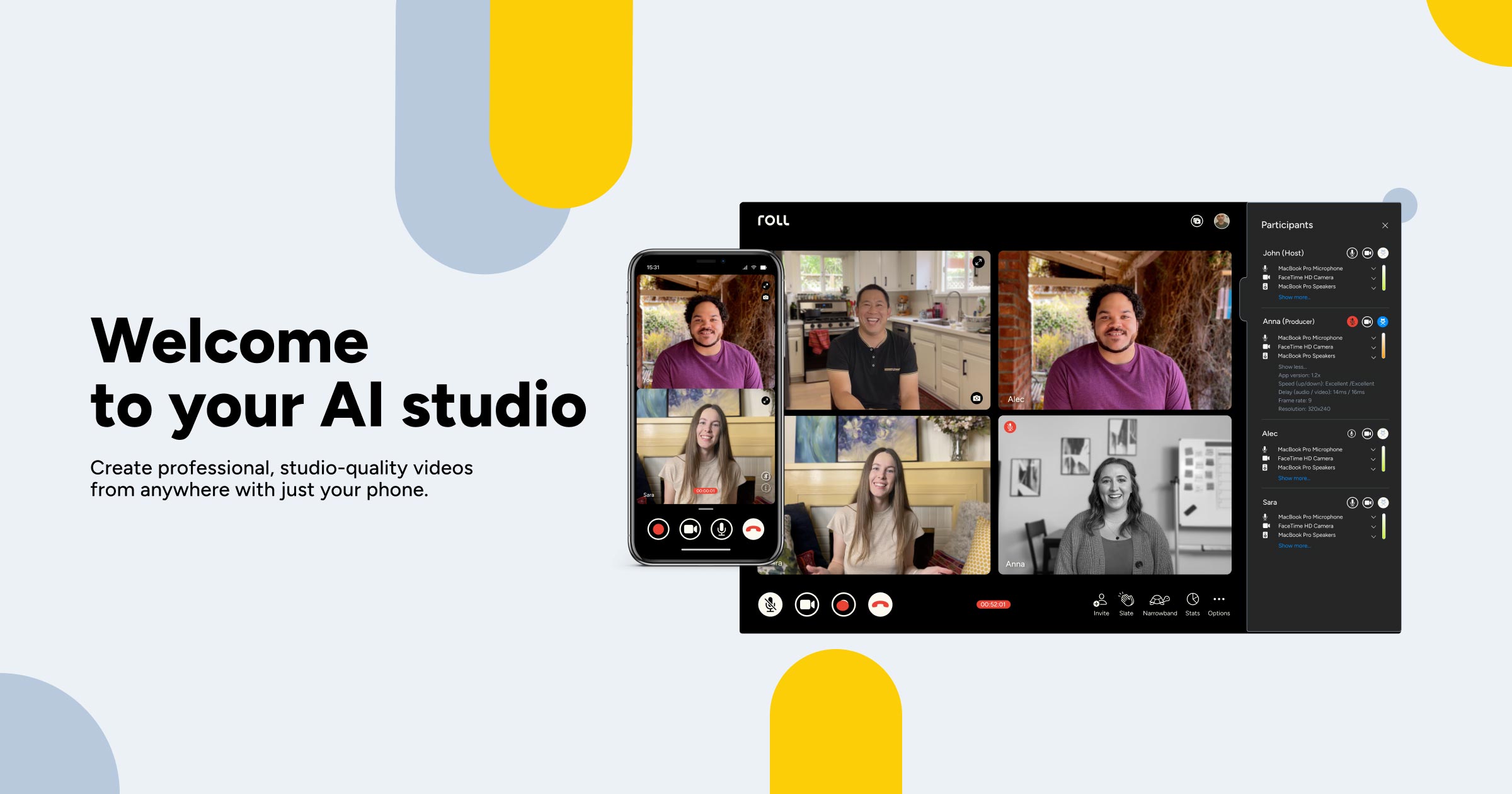
Roll is an innovative AI-powered video production studio that allows users to create high-quality remote videos using just their smartphones. By leveraging advanced AI technology, Roll simplifies the video creation process, enabling users to produce professional-grade videos quickly and efficiently without the need for expensive equipment or extensive technical knowledge. This tool transforms ordinary smartphones into powerful video production tools, making it accessible for everyone from content creators to businesses.
How to use Roll?
- Download the Roll app from the App Store and sign in to your account.
- Set up your video recording environment by ensuring good lighting and a stable background.
- Use Roll's intuitive interface to select your desired camera angles and effects.
- Start recording your video; Roll will automatically frame the shot and adjust lighting for optimal quality.
- Once recording is complete, Roll's AI will edit the video in real-time, producing a high-quality final product ready for sharing.
What are the main features of Roll?
- AI-driven video editing that automates the post-production process.
- Ability to create studio-quality videos using just a smartphone.
- Real-time effects and camera movements such as pans, dollies, and cranes without the need for physical equipment.
- Automatic framing and lighting adjustments to ensure optimal video quality.
- Quick publishing options that reformats videos for various platforms.
Who is Roll for?
Roll is designed for a wide range of users, including content creators, marketers, educators, and businesses looking to enhance their video production capabilities. Whether you are a solo content creator aiming to produce engaging videos for social media or a company needing professional-quality video for webinars and marketing campaigns, Roll provides an accessible solution that fits various needs and skill levels.
What are the use cases of Roll?
- Creating promotional videos for products or services with professional quality at a fraction of the cost.
- Recording webinars and virtual conferences that require high production values to engage viewers.
- Producing video content for social media platforms, enhancing brand visibility and audience engagement.
- Capturing remote interviews and testimonials, providing a polished look without the need for a full production crew.
- Editing and sharing educational content, making learning materials more engaging and visually appealing.
Roll Pros and Cons
Pros
- Studio-Quality Video Creation: Roll allows users to create professional, studio-quality remote videos using just their smartphone, making video production accessible to a wider audience.
- AI-Driven Editing: The app automates the editing process through AI, significantly reducing the time needed to produce high-resolution videos.
- User-Friendly Interface: The platform is designed to be user-friendly, allowing even those without technical expertise to create and edit videos easily.
- Cost-Effective Solution: Roll provides a way to create high-quality video content without the need for expensive equipment or production teams.
Cons
No cons data detected for this tool
Analytics of Roll
Roll Website Traffic Analysis
Visits Over Time
Traffic Sources
Oct 2025 - Dec 2025 Worldwide Desktop Only
- Direct: 60.56%
- Search: 23.76%
- Social: 8.70%
- Referrals: 5.84%
- Paid Referrals: 1.06%
- Mail: 0.07%
Top Keywords
| Keyword | Volume | CPC | Estimated Value |
|---|---|---|---|
| roll | 37.64K | $0.78 | $50.00 |
| rolll | 770 | $1.93 | $0.00 |
| slate png | 320 | $0.00 | $0.00 |
| roll ai | 210 | $0.00 | $110.00 |
| ;roll | 210 | $0.00 | $0.00 |