
Twitter-color Created with Sketch. Amazon-color Created with Sketch. Facebook-color Created with Sketch. github [#142] Created with Sketch. meta_fill Pinterest-color Created with Sketch. ProductHunt-color Created with Sketch. Spotify-color Created with Sketch. Threads Logo Streamline Icon: https://streamlinehq.com Yelp-color Created with Sketch. Youtube-color Created with Sketch.
TopAIToolsTopAITools
  • Free Tools
  • Category
  • Leaderboard
  • Deals
  • Submit
EN
TopAIToolsTopAITools
TopAI

TopAITools

TopAITools, The Best Top AI Tools

AI Glossary|English简体中文繁體中文한국어日本語PortuguêsEspañolDeutschFrançaisTiếng Việt|Map

© 2026 TopAITools. All rights reserved.

About

  • Privacy Policy
  • Terms of use

Contact Us

business@topaitoolsreview.com
Home
AI Video Editor
Reap
Last updated: June 9, 2026
Reap logo

Reap

Get deal
4.0|0 Comments|0 Saved
Introduction:
Transform long videos into viral clips effortlessly with AI.
Launch Date:
December 21, 2023
Social links:
Monthly Visits:
43.0K
Inputs:
Video
Outputs:
VideoText
Supported Languages:
ENDEFRESARPTNERUPLNLIDRO
AI Models:
AI video translationAI voice dubAI B-Roll+3 more
Website
Free Trial
💼Work🎨Creativity
AI Video Editor200Ai Long To Short Video Converter6YouTube Video Clipper5
Reap website screenshot showing Transform long videos into viral clips e... interface and features
Use tool
Update this tool
Apple logo

Apple

Apple Creator Studio offers a suite of creative tools for video, music, and design.

Gemini logo

Gemini

Gemini is Google’s AI assistant for writing and brainstorming.

Bbc logo

Bbc

Stay updated with reliable news from around the world.

Ait Contacts Extractor For Gmail logo

Ait Contacts Extractor For Gmail

EmailWhiz for Gmail™ - Google Workspace Marketplace

Openai Codex logo

Openai Codex

OpenAI Codex enhances coding efficiency with AI-driven task support.

Reap Overview

What is Reap?

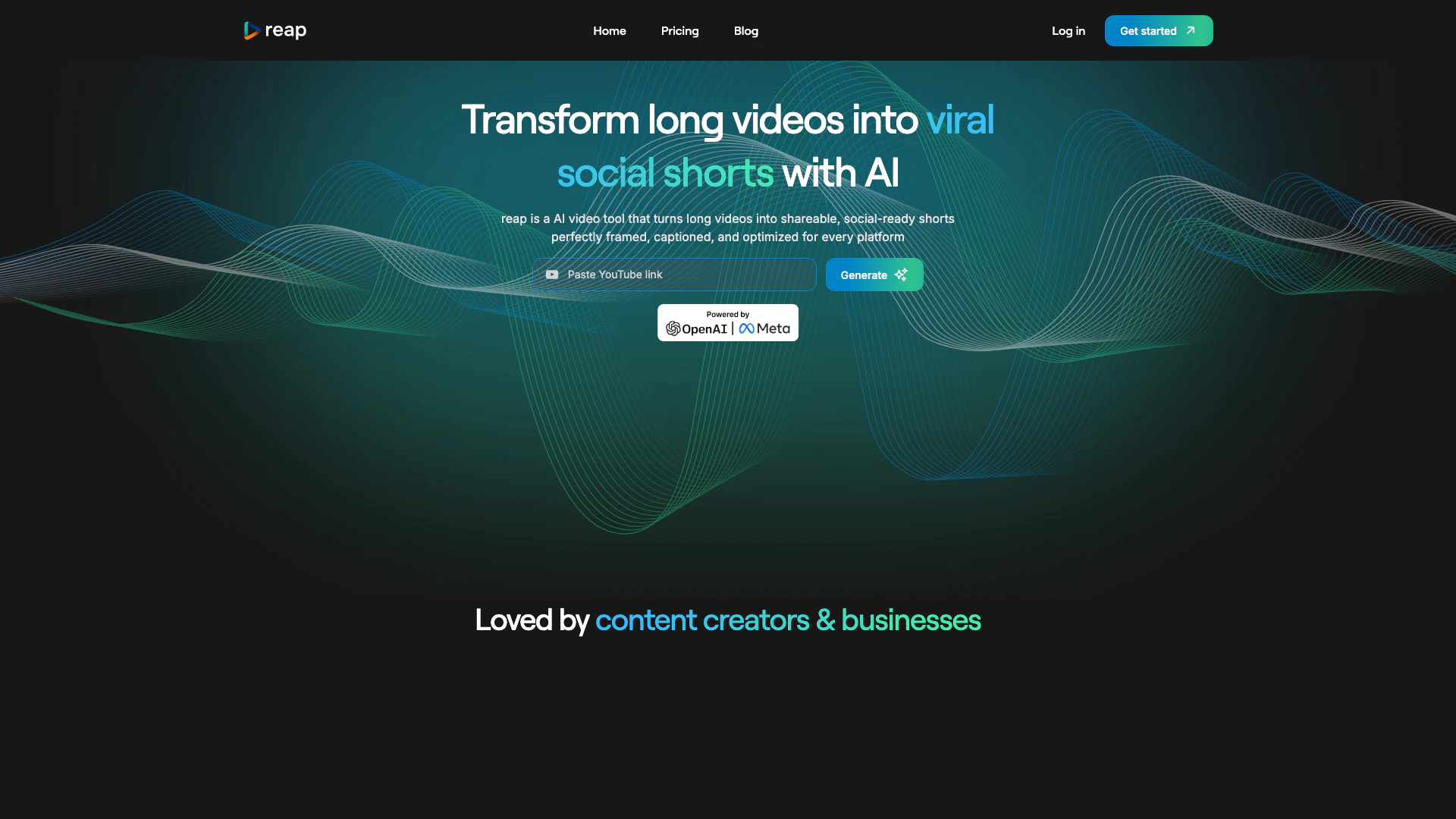
Reap is an innovative AI video editing and clipping tool[1] designed to transform long videos into engaging, shareable clips optimized for various social media platforms. With just one click, users can convert extensive content into viral-ready shorts, making it an essential tool for content creators and businesses looking to enhance their video marketing strategies. By leveraging advanced AI technology, Reap ensures that videos are perfectly framed, captioned, and tailored for maximum engagement across all platforms.


How to use Reap?

  1. Sign up for a Reap account on their website.
  2. Upload your long video that you want to repurpose.
  3. Use the AI-powered tools to select highlights or let Reap automatically curate engaging clips.
  4. Edit the clips if necessary, using features like captioning, speaker detection, and background noise removal.
  5. Choose the appropriate aspect ratio for your target platform (Instagram, YouTube, etc.).
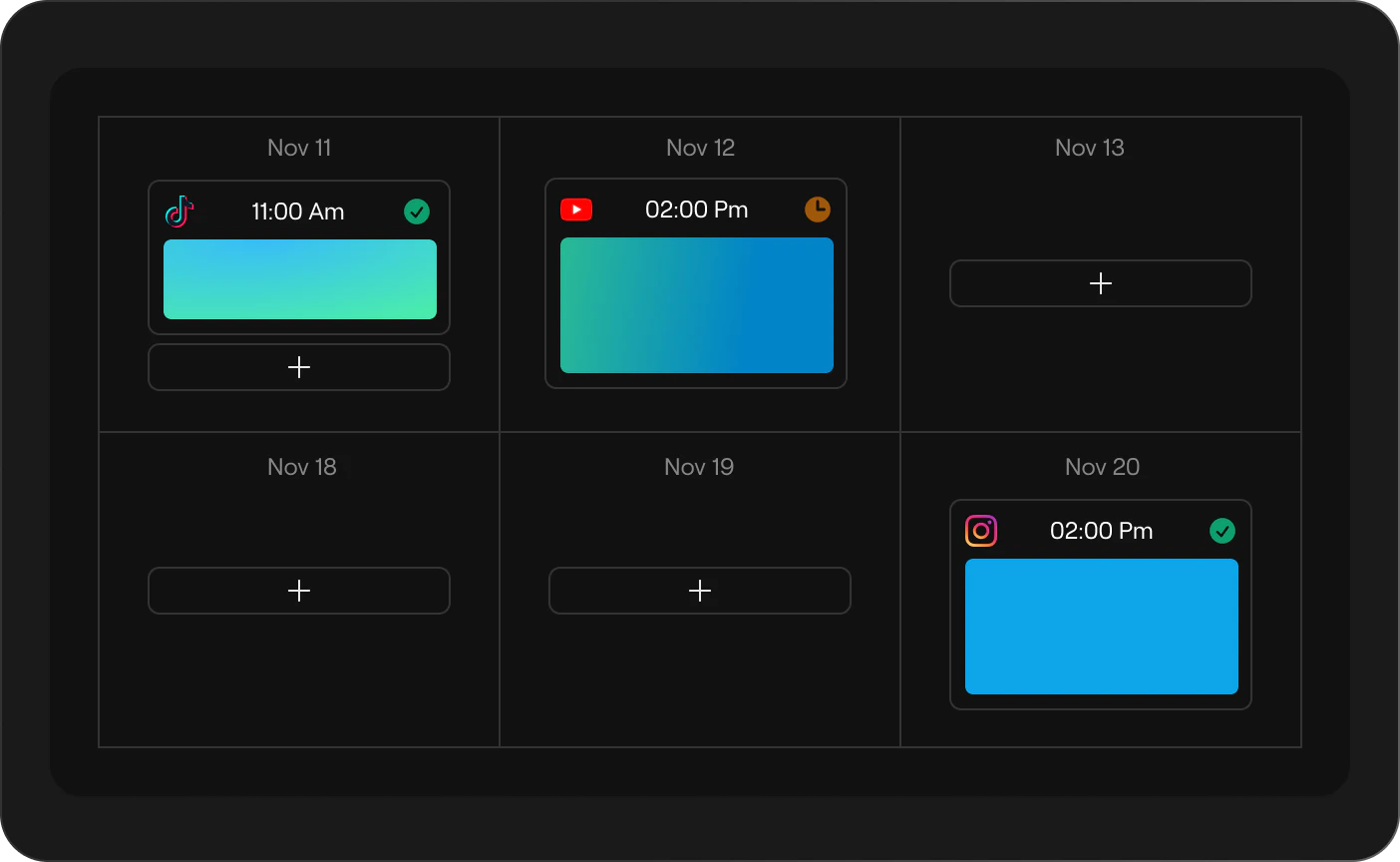
  6. Publish your clips directly to social media platforms or schedule them for later.

What are the main features of Reap?

  • AI Clip Curation[2]: Automatically extracts the most engaging moments from your videos.
  • Caption Presets[3]: Generates eye-catching subtitles to enhance accessibility and engagement.
  • Auto Speaker Detection[4]: Tracks speakers in real-time for a polished look.
  • Aspect Ratios[5]: Repurposes content for various social media formats automatically.
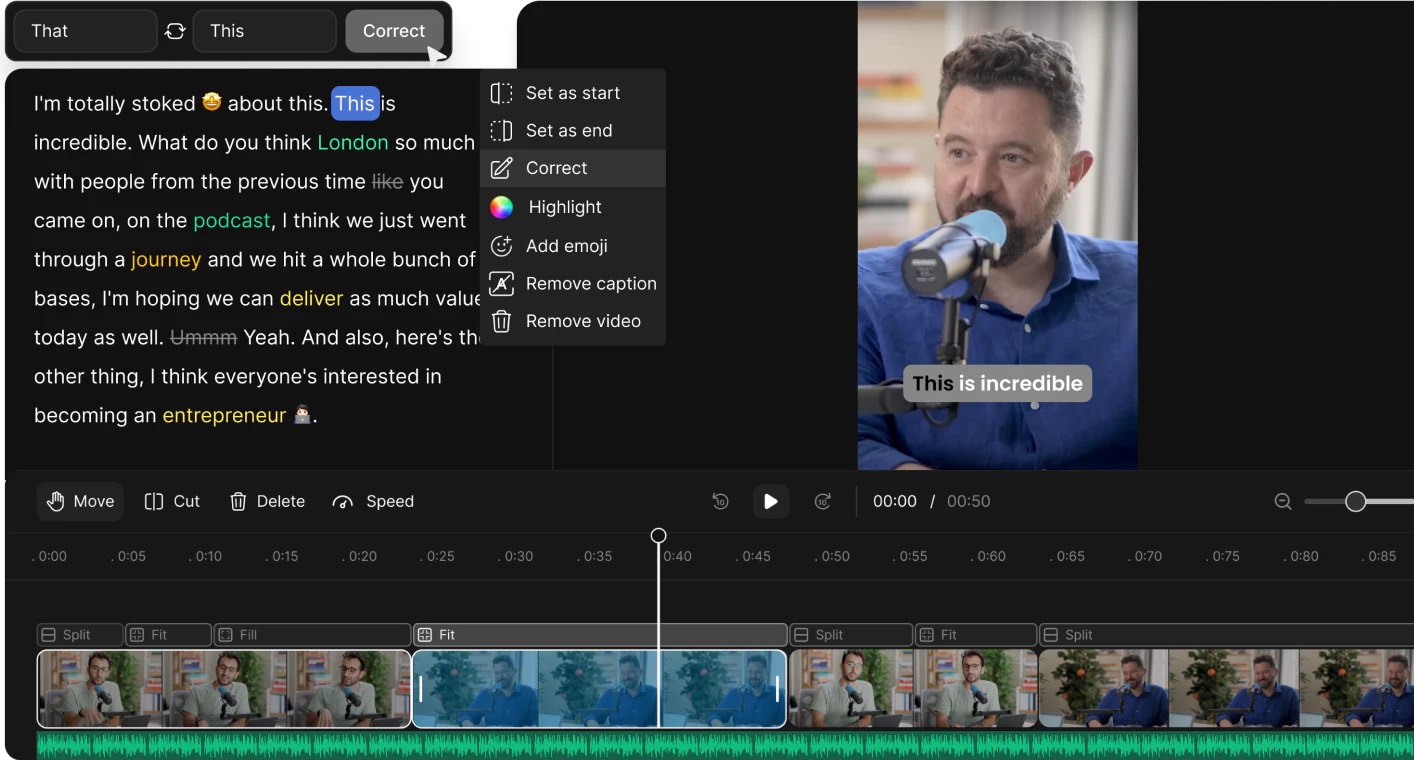
  • Transcript-Based Editing: Allows editing directly from the video transcript for precision.
  • AI B-Roll: Enriches videos with contextually relevant footage.
  • Background Noise Removal: Cleans audio for a professional sound.

Who is Reap for?

Reap is tailored for content creators, marketers, and businesses looking to enhance their video presence on social media. It is ideal for those who produce long-form content such as interviews, educational videos, podcasts, and webinars and want to efficiently repurpose that content into engaging clips suitable for platforms like Instagram, TikTok, and YouTube. With its user-friendly interface and powerful AI features, Reap caters to both novice and experienced users aiming to boost their video marketing efforts.


What are the use cases of Reap?

  1. Social Media Marketing: Transforming webinars into short promotional clips for social media ads.
  2. Content Repurposing: Taking long podcasts and creating bite-sized clips for audience engagement.
  3. Educational Content: Editing lecture recordings into concise, shareable lessons for students.

Product Images
Reap usage step screenshot
Reap aspect ratios demonstration
Reap transcript based editing demonstration
1 / 3

Reap Pros and Cons

Pros

  • AI-Powered Video Editing: Reap utilizes advanced AI technology to automate video editing, making it easy to create engaging clips from longer videos.
  • Multi-Platform Publishing: With one click, users can publish their edited videos across various social media platforms, enhancing reach and engagement.
  • Automatic Captioning: Reap generates accurate subtitles automatically, improving accessibility and viewer engagement with over 97% accuracy.

Cons

No cons data detected for this tool

Reap Pricing

Free Plan

Contact Us

For all content creators. Upto 60 Processing Minutes, No Watermark, Auto Reframe, HD Resolution Clips, Basic Subtitle Styles.

Creator Plan

$9/month

For professional content creators. AI Clipping: Upto 120 hours/year, AI Captions: Upto 120 hours/year, Editor Transcription: 120 hours, Export in 1080p (watermark-free), Upto 24 hours/year of dubbing and translation, Premium subtitle styles + Auto-Reframed clipping, Social Media Scheduler and Publisher, Custom Brand Templates, 98+ Languages, Automation & Integrations API, Access to unlimited stock media library.

Studio Plan

$35/month

For creative organizations and more. AI Clipping: Upto 240 hours/year, AI Captions: Upto 240 hours/year, Editor Transcription: 300 hours, Exports in 4K (watermark-free), Upto 60 hours/year of dubbing and translation, Team collaboration features (up to 3 users), Advanced AI tools, 98+ Languages, Automation & Integrations API, Priority support and faster processing times.

For the latest pricing, please visit this link: https://www.reap.video/pricing

Prices are subject to change. Please visit the official website for the most up-to-date pricing information.

Analytics of Reap

Reap Website Traffic Analysis

Visits Over Time

Nov 2025 - Jan 2026 All Traffic
--
AI Tools Rank
43.00K
Monthly Visits
36.14%
Bounce Rate
2.53
Pages Per Visit
1:57
Visit Duration
688.61K
Global Rank
447.89K
Country Rank

Traffic Sources

Nov 2025 - Jan 2026 Worldwide Desktop Only

  • Direct: 53.07%
  • Search: 29.99%
  • Referrals: 9.80%
  • Social: 5.36%
  • Paid Referrals: 1.13%
  • Mail: 0.11%

Top Regions

Nov 2025 - Jan 2026 Desktop Only
RegionPercentage
🇺🇸
United States
35.37%
🇮🇳
India
7.09%
🇬🇧
United Kingdom
4.78%
🇩🇪
Germany
4.50%
🇻🇳
Vietnam
4.28%
  1. United States: 35.37%
  2. India: 7.09%
  3. United Kingdom: 4.78%
  4. Germany: 4.50%
  5. Vietnam: 4.28%

Top Keywords

KeywordVolumeCPCEstimated Value
reap video clip0$0.00$130.00
reap20.29K$3.54$610.00
reap ai250$2.39$360.00
reap video110$0.00$90.00
reap clipping ai90$0.00$90.00

Reap Compare

Tool NameIntroductionPricing
Type
RatingLaunch DateLearn more
Quillbot Paraphraser logo
Quillbot Paraph...
Paraphrasing Tool (Ad-Free and No Sign-up Required) - QuillBot AI
Free
💼Work🎨Creativity
December 31, 1984
Get deal
Civitai logo
Civitai
Civitai: The Home of Open-Source Generative AI
Free
🎨Creativity
November 2, 2022
Get deal
Facetune logo
Facetune
Edit your selfies to get the results you want with powerful and easy-to-use tools. Give your selfies the VIP treatment. Touch up, reshape & apply digital makeup.
Free
🙋‍♂️Personal🎨Creativity
December 1, 2012
Get deal

Info current as of post date. Offers and availability may vary by location and are subject to change.

Reap Q&A

reap revolutionizes video content creation with its user-friendly AI-powered platform. By leveraging advanced generative AI technology, reap automatically identifies key moments in longer videos, crafting captivating short clips that resonate with audiences. Trendy captions and seamless transitions are seamlessly integrated, ensuring a polished final product. Users can opt for automated curation or manually select highlights using the intuitive text-based video editor. Informed by insights from professional video editors, reap applies best practices for short video editing, guaranteeing engaging results every time.

Reap Launch embeds

Use website badges to drive support from your community for your TopAITools Review. They're easy to embed on your homepage or footer.

FEATURED ONTopaitoolsreview.com

Reap Alternatives

Capcut screenshot

Capcut

CapCut is a comprehensive online creative suite for video editing and graphic design.

Website
Free
💼Work🎨Creativity
Video & AnimationAI Video EditorAI Video Creation SuiteAI Creative Video Production
  • Video & Animation
  • AI Video Editor
  • AI Video Creation Suite
  • AI Creative Video Production
Use tool
63.5M
Direct52.20%
Search43.42%
Referrals2.25%
Animaker Ai screenshot

Animaker Ai

Animaker is an online AI animation generator and video maker that brings studio quality video content within everyone's reach. Animated Videos, Done Right!

Website
Free
💼Work🎨Creativity
Video & AnimationAI Video EditorAI Video Generator
  • Video & Animation
  • AI Video Editor
  • AI Video Generator
Use tool
1.4M
Search45.12%
Direct37.65%
Referrals15.85%

Reap Tags

AI Video EditingSocial Media ClipsVideo Repurposingcaption generationAI Clipping ToolMulti-Platform PublishingViral Video CreationAI Voice Dubbing

Also used for

AI Video Editor200Ai Long To Short Video Converter6YouTube Video Clipper5AI Video Creation Suite125AI Creative Video Production36AI Image and Video Synthesis65AI Video and Image Creator48AI Creative Video Production31AI Video and Image CreatorAI Creative Video and Image Generation25AI Creative Video Content Generator100AI Professional Video Production34AI Creative Multimedia Generator1Ai Character Consistent Video Generator21AI Watermark Removal Tool10

Sources (4)

Reap logo
ReapFree
Get deal

Reap Comments (0)

Your rating

?
0/2000

No comments yet

Be the first to share your thoughts!

Reap Prompts (0)

Prompts And Results

Add your own prompts and outputs to help others understand how to use this AI.

🚀0
🚀0