

Quadratichq


What is QuadraticHQ?
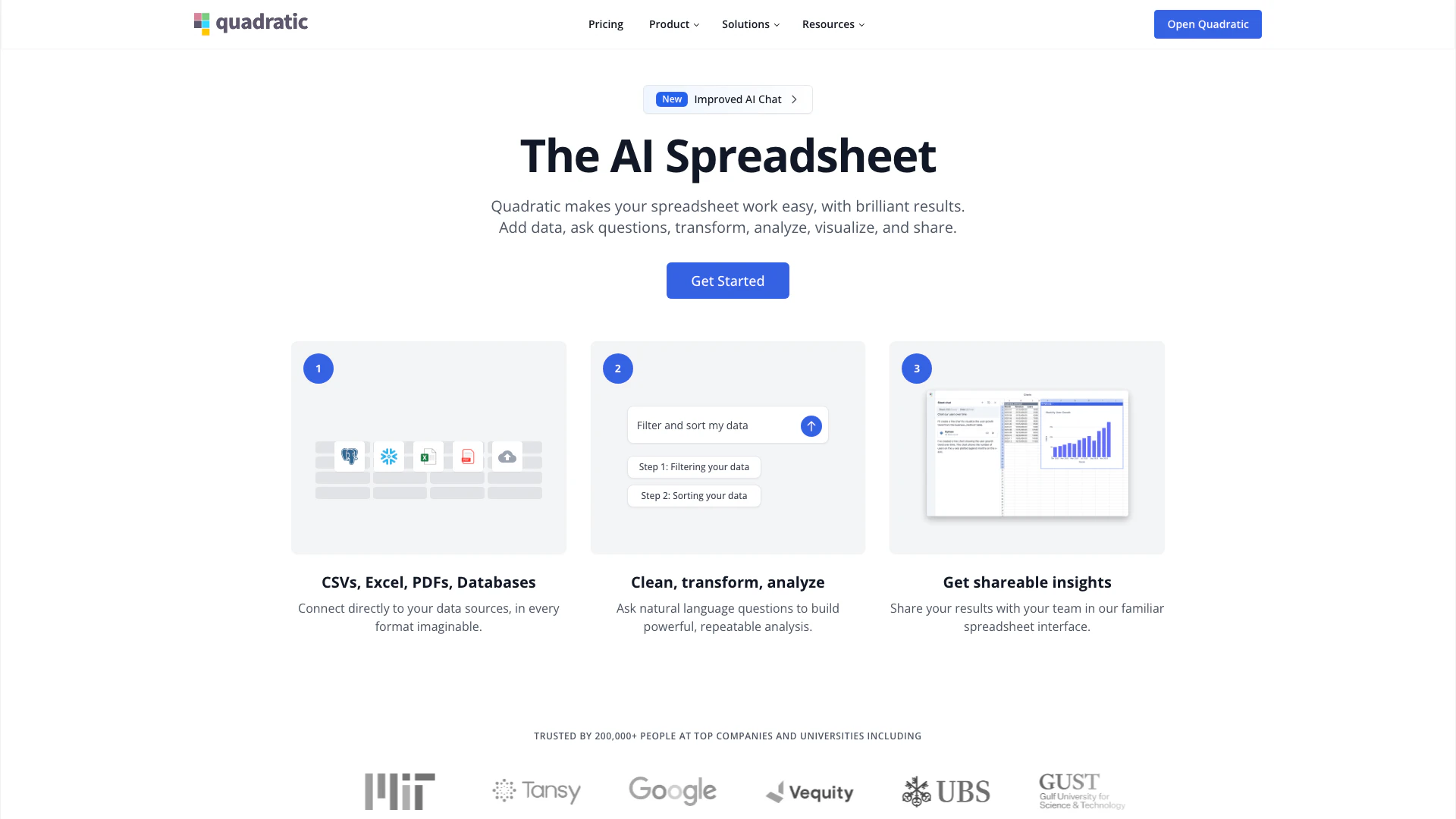
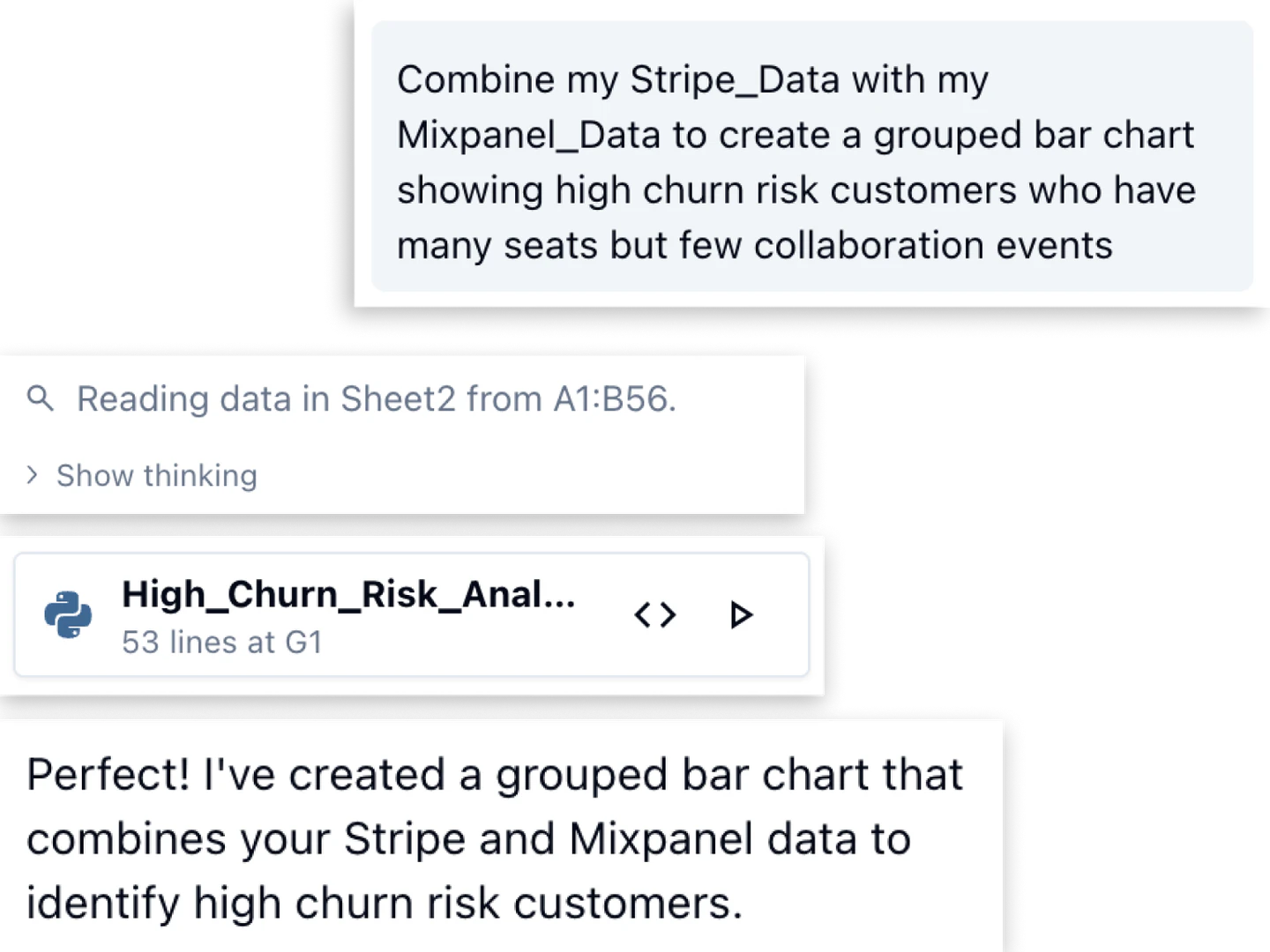
QuadraticHQ is an innovative AI-driven[1] spreadsheet[2] tool designed to connect directly to various data sources, enabling users to analyze and visualize data effortlessly. By transforming complex data into fast, explainable, and shareable insights, QuadraticHQ empowers users to ask natural language questions and receive immediate, actionable responses without needing to write complicated formulas. It is tailored for users seeking to enhance their data analysis[5] capabilities while maintaining an intuitive spreadsheet experience.
How to use QuadraticHQ?
- Connect Your Data: Start by linking QuadraticHQ to your data sources, which can include CSVs, Excel files, PDFs, and databases like PostgreSQL and Snowflake.
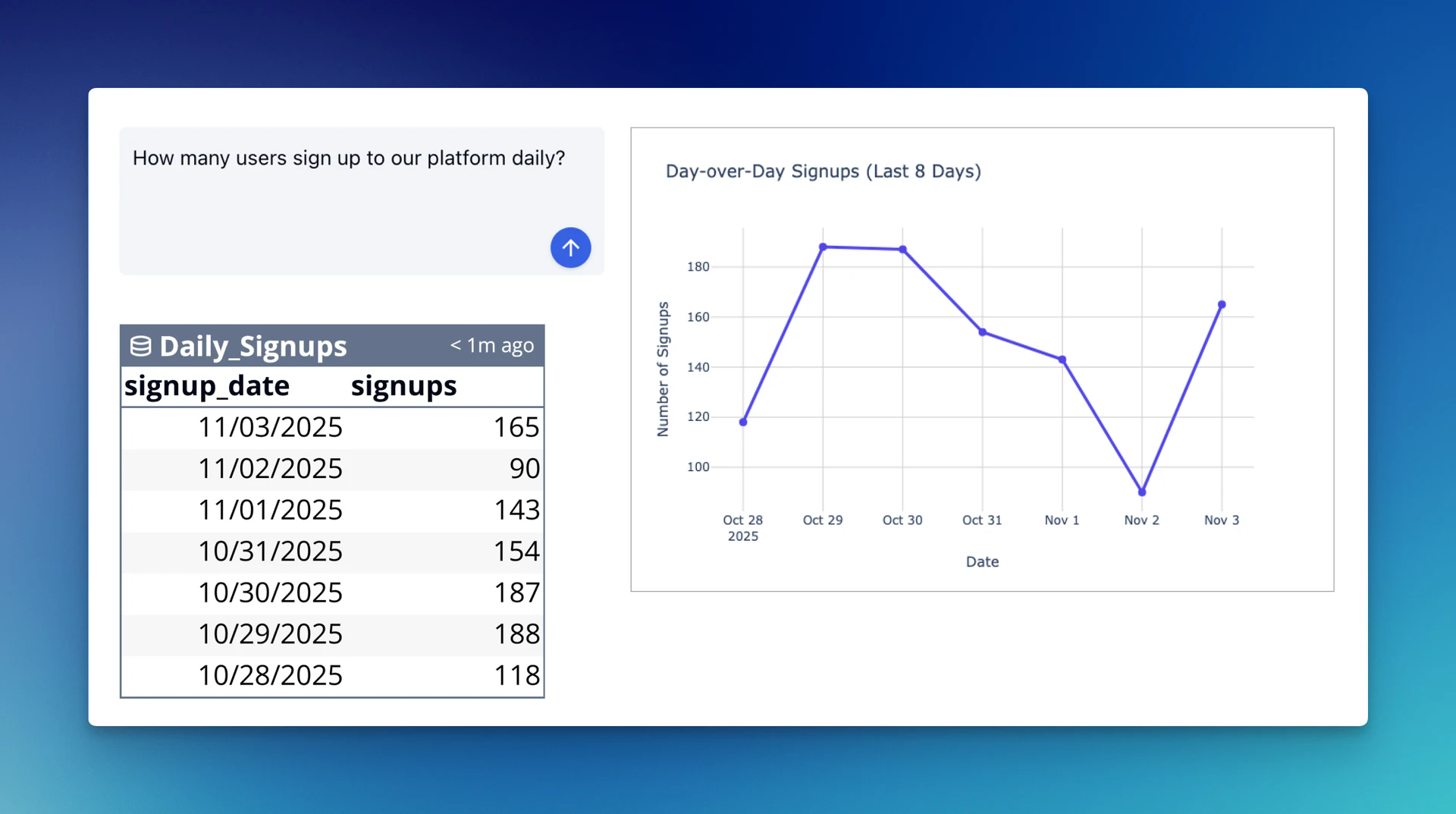
- Ask Questions: Utilize the natural language processing[4] capabilities of QuadraticHQ to pose questions about your data. For instance, you can inquire about trends, comparisons, or specific metrics.
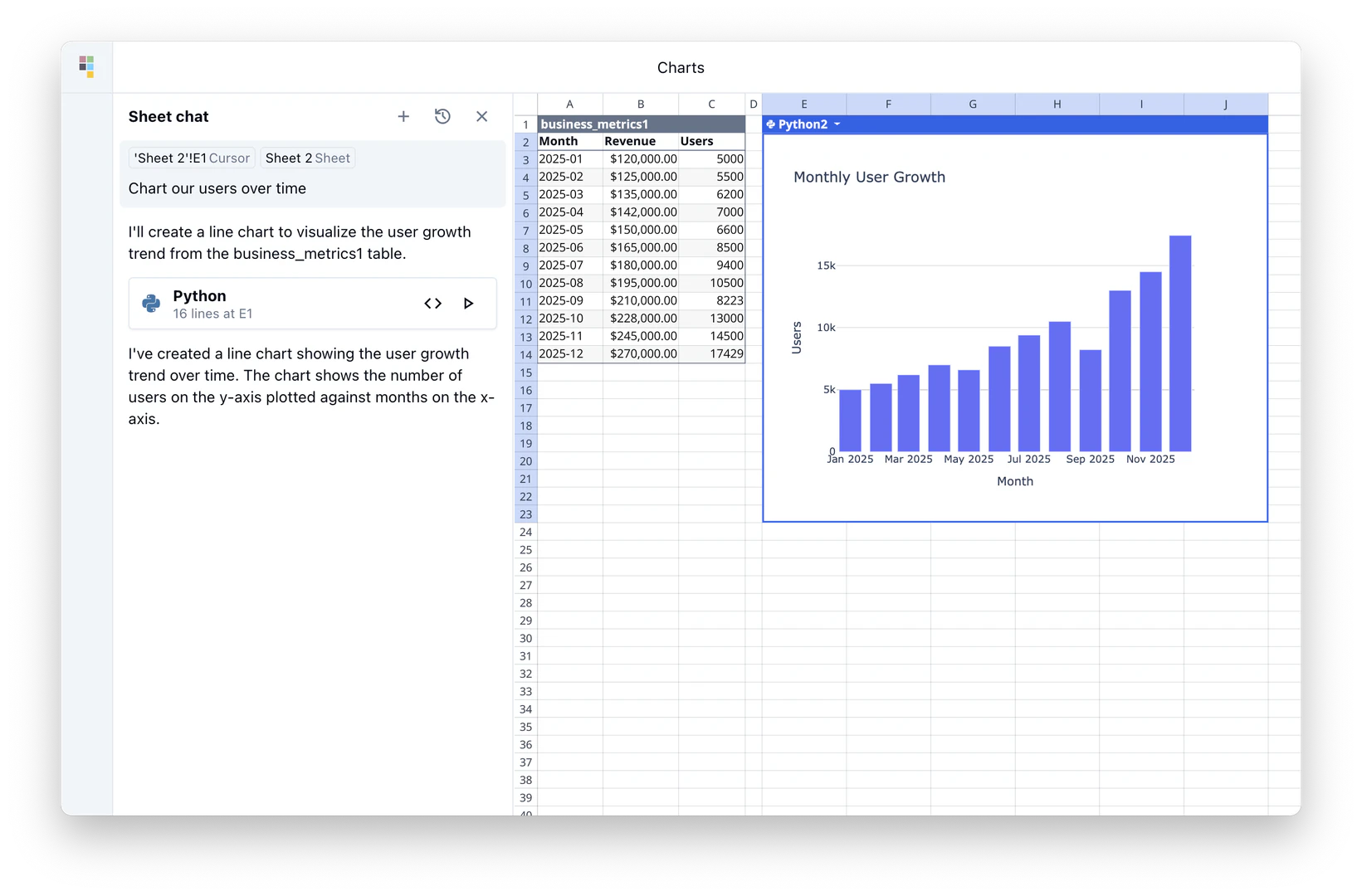
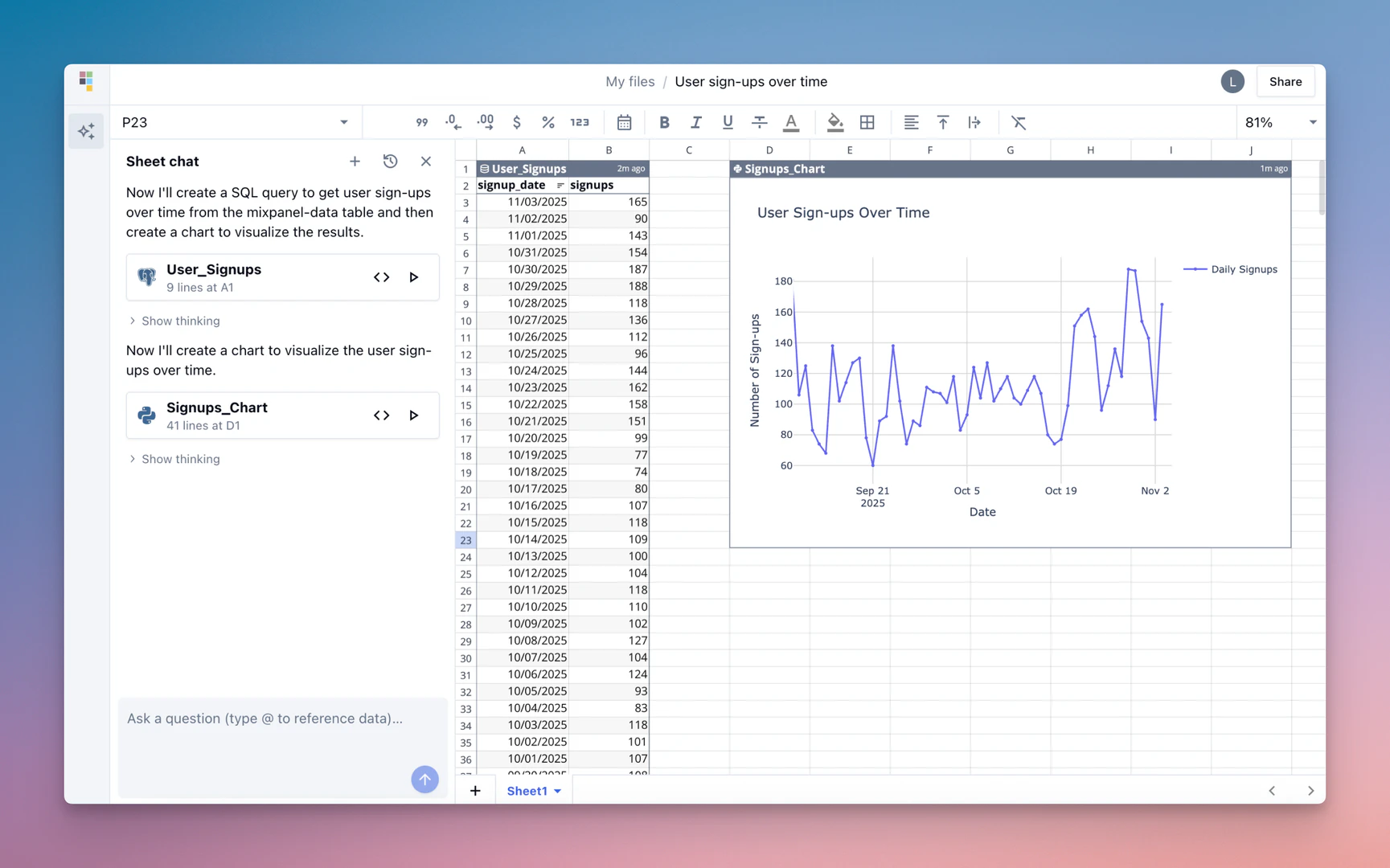
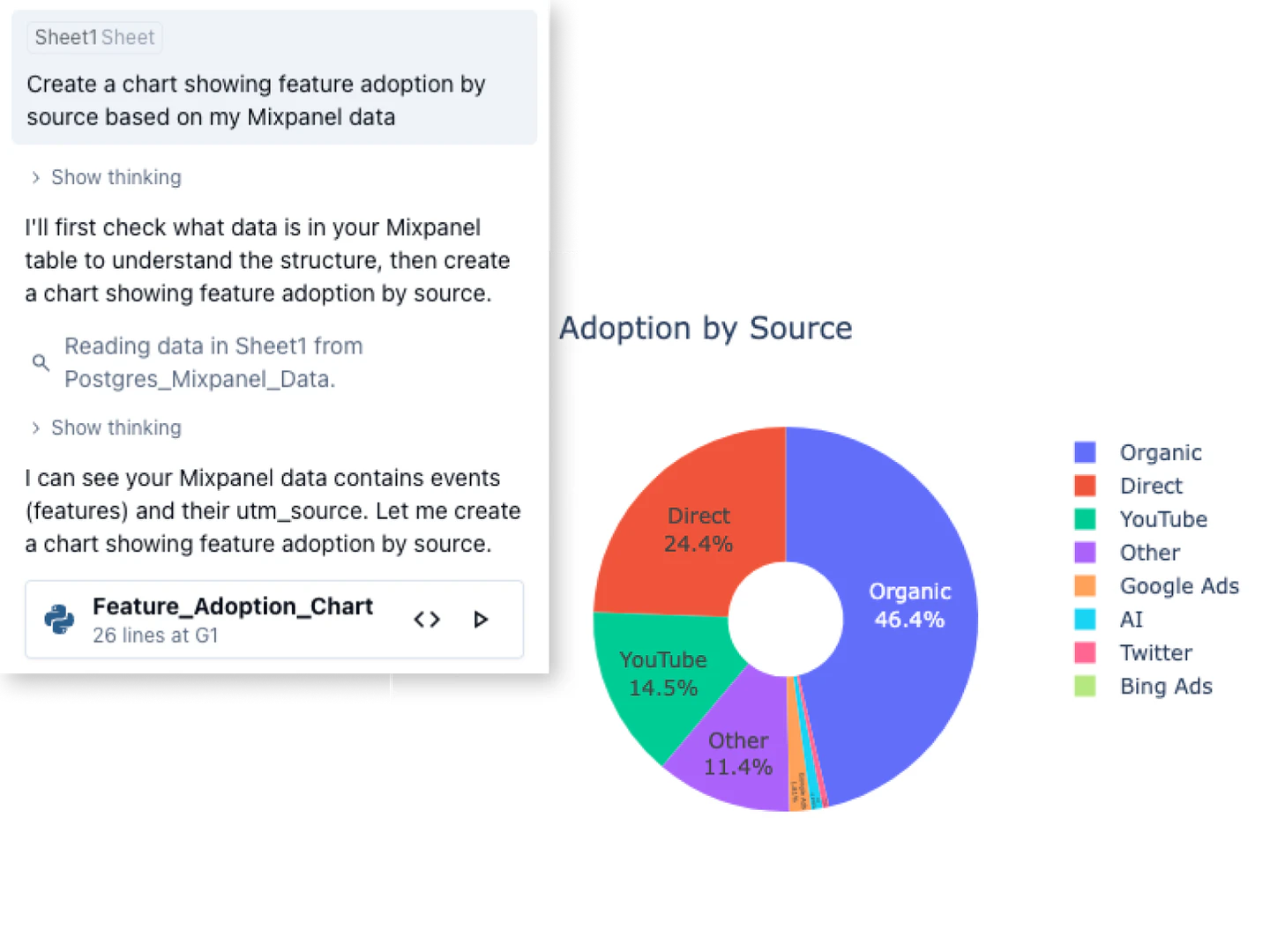
- Analyze and Visualize: The tool will process your questions and generate insights, charts, or tables that you can easily share with your team. You can also refine your queries for deeper analysis.
What are the main features of QuadraticHQ?
- Natural Language Processing: Ask questions in simple language without needing to know complex formulas.
- Data Connectivity[3]: Seamlessly connect to various data formats including CSV, Excel, PDF, and multiple databases.
- Powerful Analysis Tools: Perform data cleaning, transformation, and analysis using advanced AI capabilities.
- Visualization[6] Options: Generate shareable insights and visual representations of data, including charts and graphs.
- Collaboration Features: Share results easily within your team, ensuring everyone has access to the same insights.
Who is QuadraticHQ for?
QuadraticHQ is designed for a diverse range of users including business analysts, data scientists, product managers, marketers, and finance professionals. It caters to individuals and teams who require fast and reliable data analysis capabilities without the steep learning curve typically associated with traditional spreadsheet tools. Its intuitive interface and powerful AI features make it suitable for both small teams and large enterprises seeking to enhance their data-driven decision-making processes.
What are the use cases of QuadraticHQ?
- Product Management: Analyze user data to identify usage patterns and improve product features.
- Sales and Marketing: Evaluate campaign performance and optimize marketing strategies based on real-time data insights.
- Financial Analysis: Assess market trends and make informed trading decisions by leveraging powerful analytical tools.
Product Images
Quadratichq Pros and Cons
Pros
- Natural Language Queries: Quadratic allows users to ask questions in natural language, eliminating the need for complex formulas, making data analysis more accessible.
- Multiple Data Source Connections: The tool supports connections to various data formats including CSVs, Excel, PDFs, and databases like PostgreSQL and MySQL, enhancing flexibility.
- AI-Powered Insights: Quadratic leverages AI to provide fast, explainable insights, enabling users to visualize and share results easily.
Cons
No cons data detected for this tool
Quadratichq Pricing
Personal
For individuals working on their own data and analyses.
Pro
More AI usage, shared workspace, and priority support.
Enterprise
For companies who need custom features & support.
For the latest pricing, please visit this link: https://www.quadratichq.com/pricing
Prices are subject to change. Please visit the official website for the most up-to-date pricing information.
Analytics of Quadratichq
Quadratichq Website Traffic Analysis
Visits Over Time
Traffic Sources
Nov 2025 - Jan 2026 Worldwide Desktop Only
- Search: 44.95%
- Direct: 40.60%
- Referrals: 6.66%
- Social: 5.84%
- Paid Referrals: 1.87%
- Mail: 0.09%
Top Keywords
| Keyword | Volume | CPC | Estimated Value |
|---|---|---|---|
| google sheets | 10.96M | $1.22 | $1030.00 |
| snow day calculator | 285.59K | $0.00 | $370.00 |
| quadratic | 18.67K | $2.92 | $4420.00 |
| quadratic ai | 5.05K | $0.45 | $4440.00 |
| quadratics ai | 420 | $0.00 | $490.00 |
Quadratichq Reviews
We connected Quadratic to our database, and now I just tell the AI what I want to see. I work with huge tables and constantly need to find missing or inconsistent values. Doing it in Quadratic saves hours every week.
Quadratic is my go-to IDE for data analysis. The ability to cross-reference multiple queries simultaneously and create custom charts with Plotly makes it significantly more powerful than traditional BI tools. The inline AI assistance is a game-changer for visualization.
Quadratic has now become one of my "tabs". Every day I tidy my workspace and close any tabs that I won't use for the day. There are a few which I use every day and never close - Quadratic is now one of them!
For more reviews, visit this link: https://www.quadratichq.com/#testimonials


Quadratichq Social Listening
零基礎GitHub教學,小白也能看懂|如何一鍵獲取資源,解鎖...
GitHub,全球最大的開源社區,程序員的社交名片。但是,屏...
黄仁勋:“别再学编程,如果一切重来,我会学习。。。” 聊聊 ...
✨ 掌握 AI 时代的必备技能,加入「AI 精英学院」 �...
股票是什麼?新手入門:股票基礎概念!| 空盒知識
股票是什麼?它只是個賺錢工具嗎? 我們該如何知道股票貴不貴呢...
Unlock to view 61 social media results.