Qclaw





What is Qclaw?
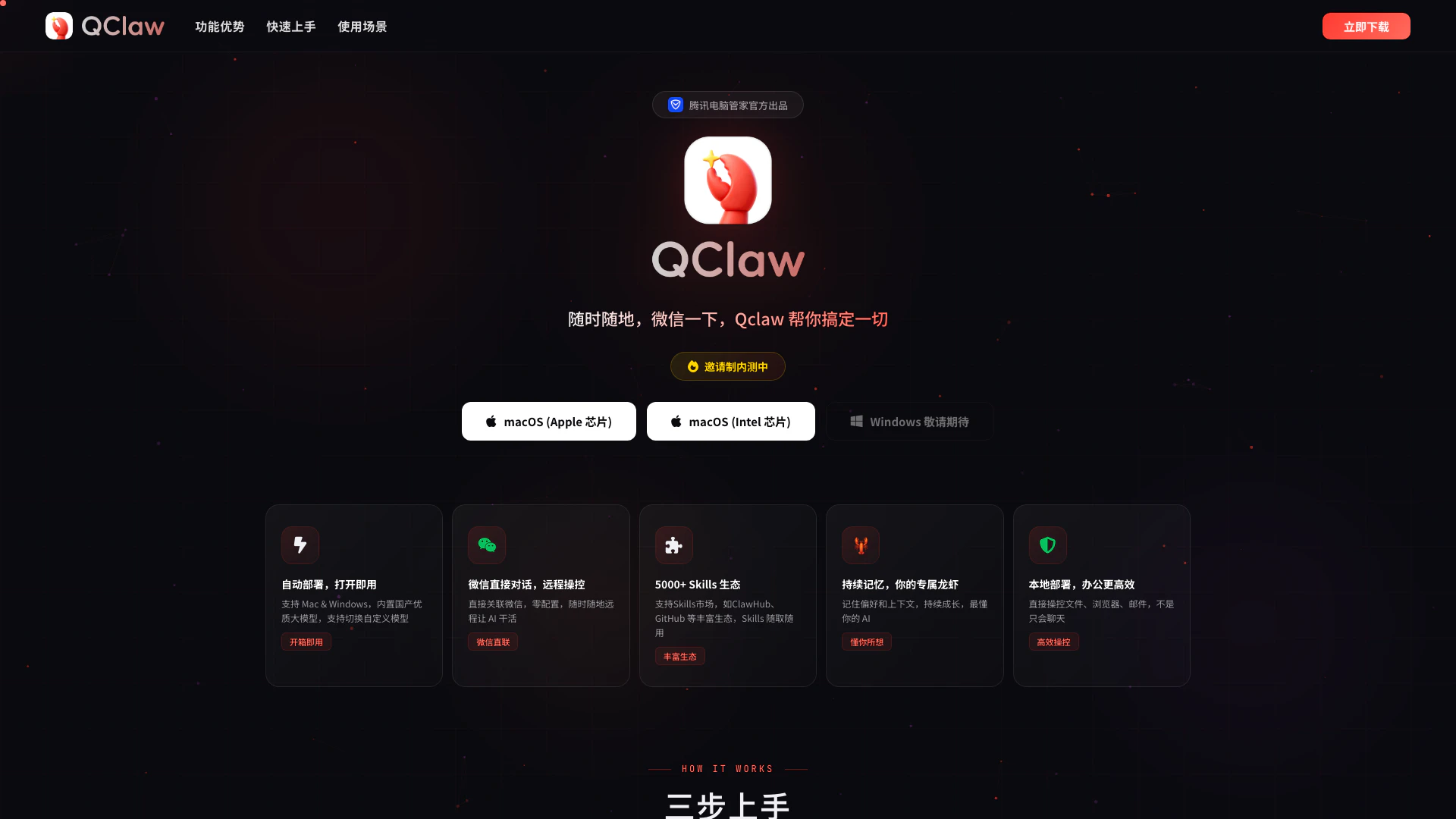
Qclaw is an innovative AI tool[1] developed by Tencent that enables seamless communication and task management through WeChat. Designed for both Mac and Windows, Qclaw features a built-in high-quality domestic AI model and allows users to switch to custom models. With its easy-to-use interface and zero-configuration setup, users can deploy Qclaw immediately and leverage its extensive Skills ecosystem[4], which includes over 5000 skills from platforms like ClawHub and GitHub. Qclaw aims to enhance productivity by enabling remote control of tasks, document management, social media automation, and more, making it a versatile solution for various professional and personal needs.
How to use Qclaw?
To start using Qclaw, follow these simple steps: 1. Download and Install: Download the Qclaw application for Mac or Windows and install it with a one-click setup, requiring no additional configuration. 2. Bind WeChat: Open Qclaw and scan the QR code to link your WeChat account, enabling seamless communication. 3. Start Commanding: Use your WeChat or computer to send commands to Qclaw, and it will execute your tasks immediately.
What are the main features of Qclaw?
Qclaw boasts a variety of powerful features designed to enhance user experience and productivity: - Automatic Deployment[3]: Instantly ready for use on both Mac and Windows without complex setup. - WeChat Integration[2]: Directly connect with WeChat for remote task management. - Skills Ecosystem: Access to over 5000 skills from various platforms for diverse applications. - Continuous Memory[5]: Qclaw learns user preferences and context for personalized assistance. - Local Deployment: Control files, browsers, and emails efficiently, beyond just chat capabilities.
Who is Qclaw for?
Qclaw is ideal for professionals, developers, and anyone seeking to streamline their daily tasks and improve productivity. It caters to individuals who frequently use WeChat for communication and require an efficient way to manage documents, automate social media interactions, or conduct academic research. Whether you are a project manager, a student, or a social media influencer, Qclaw provides the tools necessary to simplify and enhance your workflow.
What are the use cases of Qclaw?
Qclaw can be applied in various real-world scenarios, including: 1. Remote Document Management: Edit and manage files remotely without needing to carry your laptop. 2. Social Media Automation: Automatically interact and post on social media to grow your audience without a team. 3. Academic Research Assistance: Organize literature, format citations, and draft reviews to enhance research efficiency.
Product Images

Qclaw Pros and Cons
Pros
- Easy Setup and Use: Qclaw offers a straightforward installation process that requires no configuration, allowing users to start using it within minutes.
- WeChat Integration: The tool allows direct integration with WeChat, enabling users to control tasks remotely without complex setup.
- Rich Skills Ecosystem: With access to over 5000 skills, users can utilize various functionalities from platforms like ClawHub and GitHub, enhancing productivity.
- Continuous Memory Feature: Qclaw remembers user preferences and context, allowing it to adapt and provide personalized assistance over time.
Cons
No cons data detected for this tool