Promptbuilder





What is Prompt Builder?
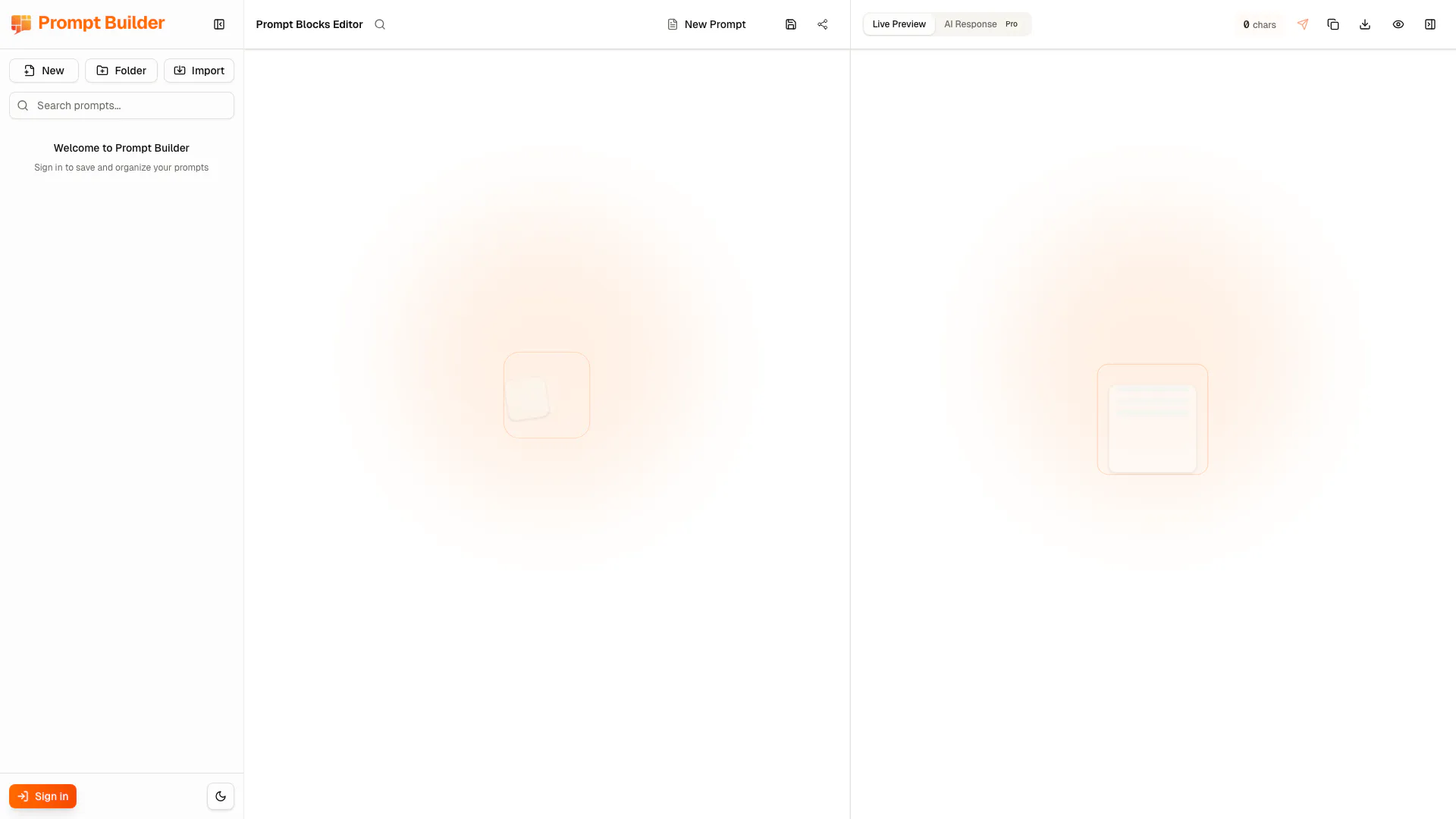
Prompt Builder is a cutting-edge block-based[1] workspace designed for composing AI prompts efficiently. It allows users to create, organize, and manage prompts using a visual interface that is faster and more reliable than traditional text editors. With features such as drag-and-drop[3] functionality, live preview[4]s, and character counts, Prompt Builder transforms chaotic prompt management into a streamlined process. Users can add, reorder, and tag blocks of text, ensuring that their prompts are well-structured and easy to modify. Additionally, the platform offers instant sharing options via links or QR codes, making collaboration seamless. For those who opt for the Pro version, advanced features like exports, custom tags, variables, and translation capabilities are unlocked, further enhancing the tool's functionality.
How to use Prompt Builder?
- Sign up or log in to Prompt Builder at promptbuilder.space.
- Start a new project by selecting the 'Create New Prompt' option.
- Use the drag-and-drop interface to add blocks for your prompt, rearranging them as needed.
- Tag your blocks for better organization and clarity.
- Utilize the live preview feature to see how your prompt will appear in real-time, along with the character count.
- Once satisfied, share your prompt using the generated link or QR code.
What are the main features of Prompt Builder?
- Block-based workspace for efficient prompt composition[2].
- Drag-and-drop functionality for easy block management.
- Live preview of combined prompts with character count.
- Instant sharing via links or QR codes without login.
- Voice-to-prompt capability supporting over 50 languages.
- Custom tags and variables for advanced prompt customization (Pro version).
- Export options in JSON, Markdown, or Plain Text formats (Pro version).
- Secure sharing features, including password protection and link expiration (Pro version).
Who is Prompt Builder for?
Prompt Builder is designed for a diverse range of users including marketing professionals, writers, developers, educators, and teams who require effective prompt management for AI interactions. Marketers can use it to create SEO prompts and social media content, while writers can organize blog outlines and templates. Developers benefit from managing coding prompts and technical documentation, and educators can build lesson plans and study guides. The intuitive interface and powerful features make it suitable for both individual creators and larger teams looking for a structured approach to prompt engineering.
What are the use cases of Prompt Builder?
- Marketing teams use Prompt Builder to create and manage prompts for SEO strategies and content marketing campaigns.
- Writers utilize the platform to develop structured prompts for blog posts, articles, and creative writing.
- Developers organize coding prompts and technical documentation, ensuring clarity and precision in their instructions.
- Educators and students build educational prompts for lesson planning and research projects, enhancing learning experiences.
Promptbuilder Pros and Cons
Pros
- Block-Based Editing System: Prompt Builder utilizes a block-based editing system that allows users to compose prompts quickly and efficiently by adding, reordering, and toggling blocks.
- Real-Time Preview Feature: The platform provides a live preview of the combined prompt, allowing users to see changes instantly and ensuring prompts are optimized for effectiveness.
- Voice-to-Prompt Capability: Users can dictate prompts using voice-to-text technology, making it easier to capture ideas and support over 50 languages.
- Flexible Sharing Options: Prompt Builder allows users to generate shareable links without needing an account, facilitating easy collaboration and feedback.
Cons
No cons data detected for this tool