Pokobot





What is Pokobot?
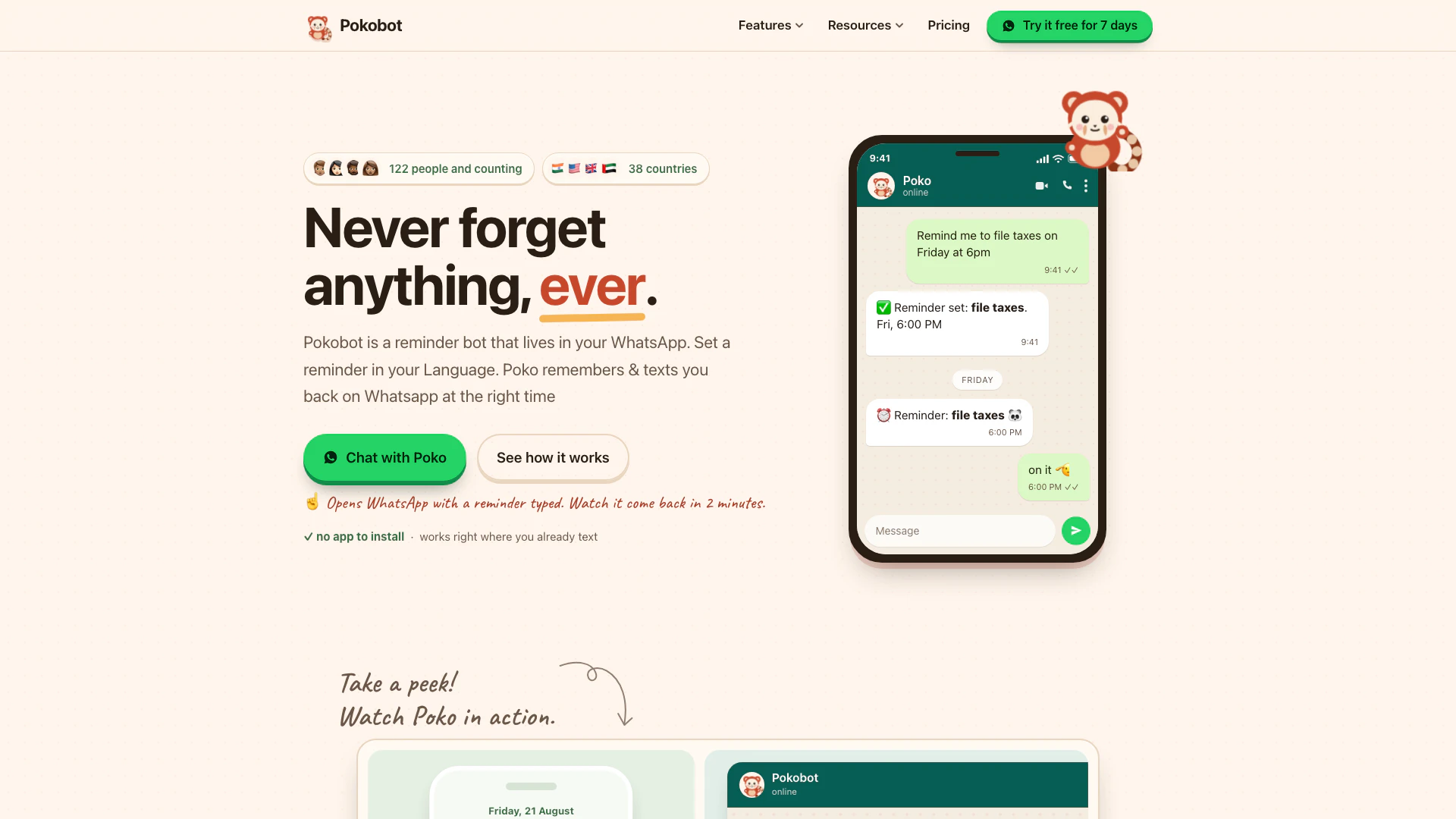
Pokobot is a reminder bot that operates within WhatsApp, allowing users to set one-off or recurring reminders through simple text messages. With no app installation required, Pokobot makes it easy to manage reminders directly in the chat interface. The tool reads and interprets user input in natural language, sending timely notifications via WhatsApp, ensuring that users never forget important tasks or events. With its friendly and intuitive approach, Pokobot serves as a personal assistant right in your messaging app.
How to use Pokobot?
- Open WhatsApp and start a chat with Poko by sending a message like "Remind me to drink water in 20 minutes".
- Specify the time and date in plain language; Poko understands natural language and will set the reminder accordingly.
- When the reminder time arrives, Poko will send you a WhatsApp message to remind you of your task. You can snooze, cancel, or let it repeat as needed.
What are the main features of Pokobot?
- WhatsApp Reminders: Set reminders directly in WhatsApp using plain language.
- Recurring Reminders: Schedule daily, weekly, or monthly reminders effortlessly.
- Remind a Friend: Easily nudge friends or family to remind them of important tasks.
- To-Do List: Maintain a running to-do list within the chat for easy access.
- Calendar Integration: Connect with Google Calendar to add events directly from your chat.
- Meeting Setup: Create Google Meet links and invite participants right from the chat.
Who is Pokobot for?
Pokobot is designed for anyone looking to enhance their productivity and memory through reminders. It is particularly useful for busy professionals, students, families, and teams who need to coordinate tasks and deadlines. The tool caters to individuals who prefer a straightforward, no-frills approach to setting reminders without the hassle of downloading additional apps. Whether you are a freelancer managing multiple projects or a parent juggling various responsibilities, Pokobot offers a convenient solution to stay organized and punctual.
What are the use cases of Pokobot?
- Personal Reminders: Use Pokobot to remember personal tasks like drinking water, taking medication, or filing taxes.
- Team Coordination: Teams can utilize Pokobot to set reminders for meetings, deadlines, and follow-ups, ensuring everyone is on the same page.
- Family Notifications: Family members can remind each other of important events like birthdays, anniversaries, or school functions, enhancing communication.
Pokobot Pros and Cons
Pros
- WhatsApp Integration: Pokobot allows users to set reminders directly through WhatsApp, making it easy and convenient to manage tasks without needing a separate app.
- User-Friendly Reminder Setup: Users can create one-off or recurring reminders in plain language, simplifying the reminder-setting process.
- Remind Friends Feature: Poko can remind not only the user but also friends, allowing for shared reminders and collaboration.
Cons
- Subscription Cost After Trial: The service is free for the first 7 days, after which it costs $4.99 per month, which may be a consideration for budget-conscious users.
- WhatsApp Dependency: Pokobot requires users to have WhatsApp installed, limiting accessibility for those who do not use the platform.
- Requires WhatsApp Knowledge: Users need to be familiar with WhatsApp and its functionalities to effectively use Pokobot.
Pokobot Pricing
Free Trial
Try Pokobot free for 7 days, then continue with a subscription.
Monthly Plan
Monthly subscription for using Pokobot after the free trial.
For the latest pricing, please visit this link: https://www.pokobot.com/pricing
Prices are subject to change. Please visit the official website for the most up-to-date pricing information.