

Pipedream



What is Pipedream?
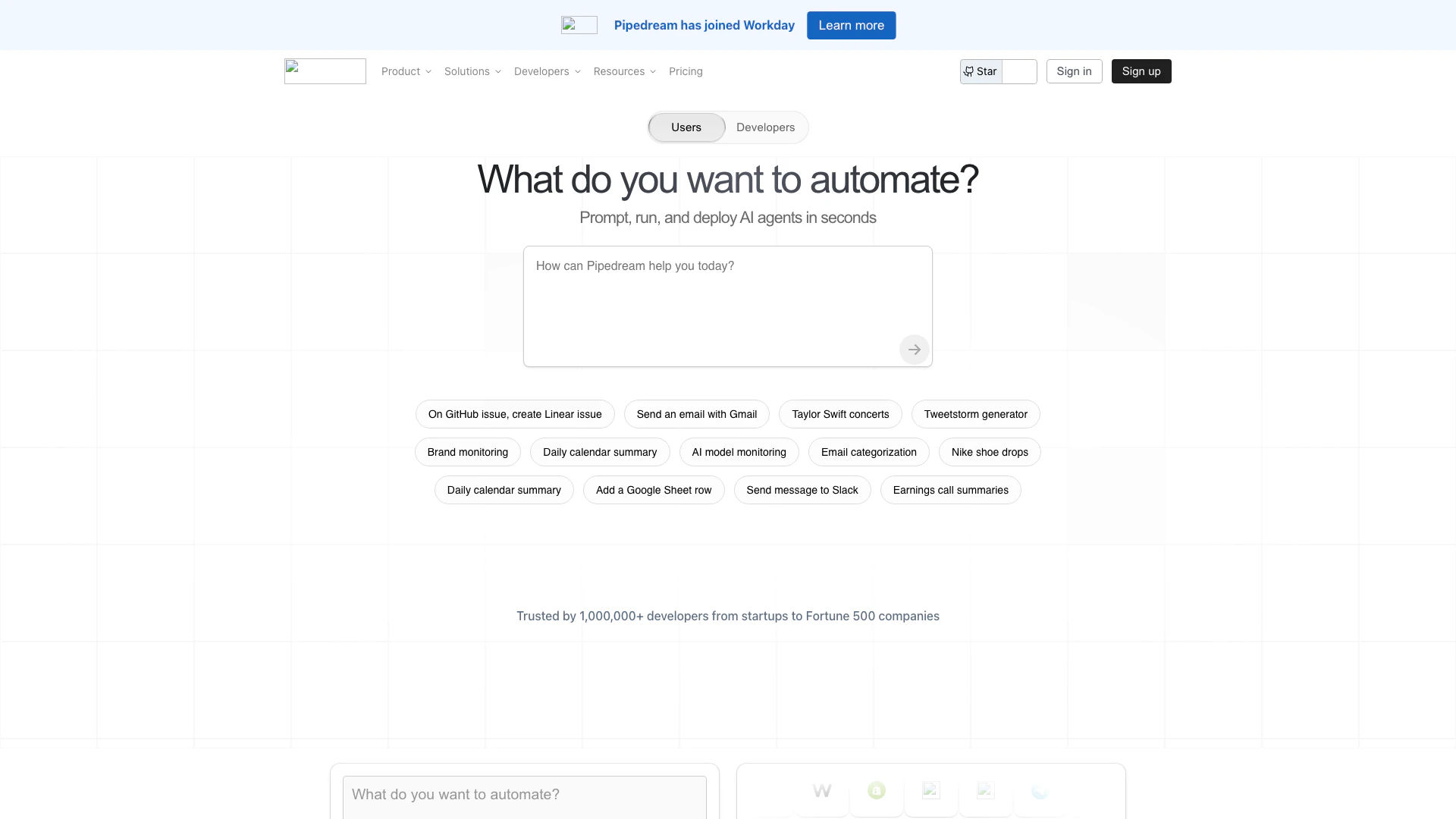
Pipedream is a powerful integration platform[1] designed to streamline the development of applications that connect various services within your tech stack. It offers both no-code and code-level control, enabling users to create workflows that automate tasks and manage data across different applications seamlessly. With Pipedream, developers can build complex integrations quickly, while also having the flexibility to write custom code when necessary. This versatility makes Pipedream an essential tool for teams looking to enhance their productivity and automate repetitive processes.
How to use Pipedream?
- Sign up for a Pipedream account on their website.
- Choose a workflow template or create a new workflow from scratch.
- Connect your desired services (e.g., Slack, Google Sheets, etc.) using Pipedream's extensive library of integrations.
- Define the triggers and actions for your workflow, specifying what events will initiate actions in connected services.
- Test your workflow to ensure it operates as expected, making any necessary adjustments.
- Deploy your workflow and monitor its performance through the Pipedream dashboard.
What are the main features of Pipedream?
- No-Code Workflow[2] Builder: Create workflows without writing code, ideal for non-developers.
- Code-Level Customization[3]: For developers, Pipedream allows writing custom code to handle complex logic.
- Extensive Integrations[4]: Connect with over 3,000 APIs and tools, including popular services like Slack, Google Sheets, and more.
- Real-Time Data Processing: Handle incoming data and events in real-time, automating tasks as they occur.
- Security and Compliance: Pipedream adheres to security standards like SOC 2 Type II and HIPAA, ensuring data privacy.
Who is Pipedream for?
Pipedream is designed for a wide range of users, including developers, startups, and established enterprises. It is particularly beneficial for teams that require automation in their workflows, such as those in marketing, sales, and operations. Developers looking to integrate various APIs and build applications quickly will find Pipedream's capabilities invaluable. Additionally, non-technical users can leverage its no-code features to automate tasks without needing programming skills.
What are the use cases of Pipedream?
- Automating Email Notifications: Set up workflows that send automated email alerts for new sign-ups or important events.
- Data Syncing: Automatically sync data between different applications, such as updating a Google Sheet whenever a new record is added in another service.
- Social Media Management: Create workflows that post updates or notifications to social media platforms based on specific triggers, such as new blog posts or product launches.
Pipedream Pros and Cons
Pros
- Powerful Integration Capabilities: Pipedream allows users to connect over 3,000 APIs and 10,000 tools, enabling seamless integration across various services.
- Fast Application Development: With Pipedream, developers can quickly build and deploy applications using both code-level control and no-code options, enhancing productivity.
- AI Agent Builder: The AI Agent Builder feature lets users prompt, run, edit, and deploy AI agents in seconds, streamlining the automation process.
Cons
No cons data detected for this tool
Pipedream Pricing
Free
For individuals getting started with workflow automation. Includes: Up to 100 credits/mo, 1M AI tokens, 3 active workflows, 3 connected accounts, Unlimited workflow testing, Pipedream Connect in development.
Basic
For individuals with growing needs. Includes: 2,000 credits/mo, 20M AI tokens, No usage limit (2k credits included), 10 active workflows, 5 connected accounts.
Advanced
Popular plan for teams running production workflows. Includes: 2,000 credits/mo, 50M AI tokens, Control flow operators, Unlimited workflows, Unlimited connected accounts, Premium apps, GitHub Sync.
Connect
For developers building integrations. Includes: 10,000 credits/mo, Pipedream Connect in production, Auth for 100 external users, $2 per additional user.
Business
For companies building production integrations and automations at scale. Custom pricing that scales with your business. Includes: Volume pricing, Custom invoicing, Priority integration development, Dedicated support in Slack, Support for HIPAA workloads, Uptime and availability SLAs.
For the latest pricing, please visit this link: https://pipedream.com/pricing
Prices are subject to change. Please visit the official website for the most up-to-date pricing information.
Analytics of Pipedream
Pipedream Website Traffic Analysis
Visits Over Time
Traffic Sources
Oct 2025 - Dec 2025 Worldwide Desktop Only
- Direct: 46.55%
- Search: 42.14%
- Referrals: 8.55%
- Social: 1.83%
- Paid Referrals: 0.83%
- Mail: 0.11%
Top Keywords
| Keyword | Volume | CPC | Estimated Value |
|---|---|---|---|
| pipedream | 35.44K | $1.91 | $22110.00 |
| pipe dream | 16.33K | $2.89 | $510.00 |
| requestbin | 2.42K | $0.96 | $740.00 |
| pipedream pricing | 820 | $0.00 | $590.00 |
| pipedream docs | 430 | $0.00 | $550.00 |





Pipedream Social Listening
Pipedream Demo - Connect APIs,...
Watch us build an integration ...
Pipedream Demo - Integrate API...
Pipedream is the fastest way t...
Introduction to Pipedream
Build your first workflow on h...
Unlock to view 34 social media results.