Photoupscaler
What is PhotoUpscaler?
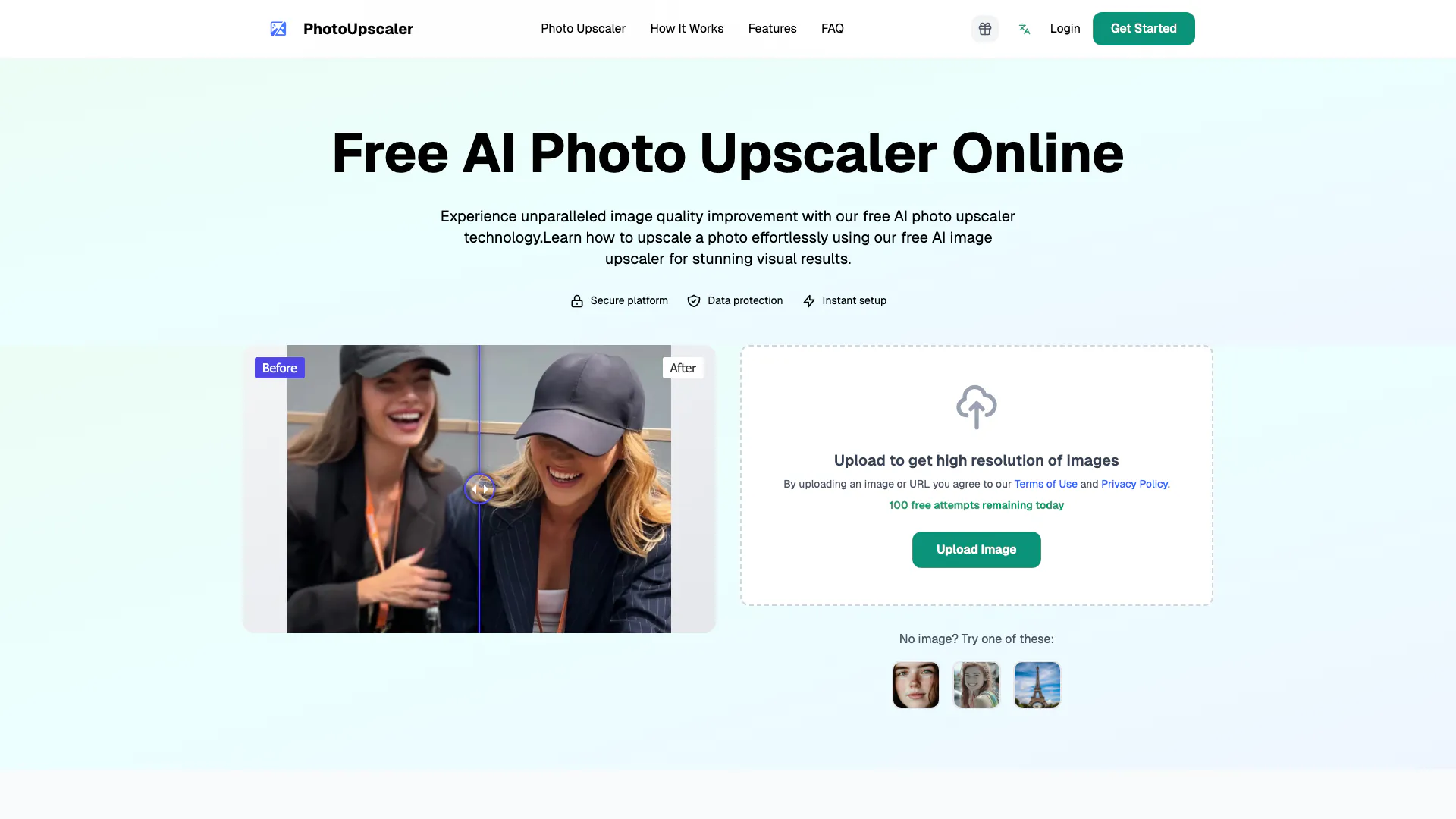
PhotoUpscaler is a professional AI-powered image upscaler designed to enhance photo resolution and quality without losing details. This innovative tool allows users to turn low-resolution images into high-quality photos instantly, making it ideal for photographers, designers, and anyone looking to improve their images. By utilizing advanced AI technology, PhotoUpscaler ensures that the upscaled images retain clarity and sharpness, providing a seamless enhancement experience.
How to use PhotoUpscaler?
- Visit the PhotoUpscaler website and click on 'Upload Image'.
- Choose an image from your device or paste an image URL to upload.
- Once the image is uploaded, the AI will process it and provide you with a high-resolution version, ready for download.
What are the main features of PhotoUpscaler?
- AI-Powered Enhancement: Utilizes advanced AI algorithms to upscale images while preserving details.
- User-Friendly Interface: Easy to navigate, allowing for quick uploads and downloads.
- Versatile Formats: Supports various image formats, making it suitable for different user needs.
Who is PhotoUpscaler for?
PhotoUpscaler is tailored for photographers, graphic designers, marketers, and social media managers who require high-quality images for their projects. It is also beneficial for e-commerce businesses looking to enhance product images, as well as individuals wanting to improve personal photos for prints or sharing.
What are the use cases of PhotoUpscaler?
- Enhancing product images for online stores to improve visual appeal and sales.
- Upscaling personal photos for printing in larger formats without losing quality.
- Improving images for presentations and marketing materials to create a professional look.
Product Images



Photoupscaler Pros and Cons
Pros
- AI-Powered Enhancement: Utilizes advanced AI technology to enhance photo resolution and quality without losing details.
- User-Friendly Interface: Designed for ease of use, allowing users to upload images effortlessly for instant enhancement.
- High-Quality Output: Transforms low-resolution images into high-quality photos, making it suitable for professional use.
Cons
No cons data detected for this tool
Analytics of Photoupscaler
Photoupscaler Website Traffic Analysis
Visits Over Time
Traffic Sources
Dec 2025 - Dec 2025 Worldwide Desktop Only
- Search: 40.77%
- Direct: 38.57%
- Referrals: 13.96%
- Social: 3.67%
- Paid Referrals: 2.11%
- Mail: 0.17%
Top Keywords
| Keyword | Volume | CPC | Estimated Value |
|---|---|---|---|
| úpacle | 180 | $0.00 | $0.00 |
Photoupscaler Reviews
PhotoUpscaler has completely transformed my images! The quality is amazing, and it's so easy to use.
I was skeptical at first, but this tool really works! My low-res photos look stunning now.
Highly recommend PhotoUpscaler! It's a game-changer for anyone needing to enhance their photos.
For more reviews, visit this link: https://photoupscaler.ai#testimonials