



Twitter-color Created with Sketch. Amazon-color Created with Sketch. Facebook-color Created with Sketch. github [#142] Created with Sketch. meta_fill Pinterest-color Created with Sketch. ProductHunt-color Created with Sketch. Spotify-color Created with Sketch. Threads Logo Streamline Icon: https://streamlinehq.com Yelp-color Created with Sketch. Youtube-color Created with Sketch.
TopAIToolsTopAITools
  • Free Tools
  • Category
  • Leaderboard
  • Deals
  • Submit
EN
TopAIToolsTopAITools
TopAI

TopAITools

TopAITools, The Best Top AI Tools

AI Glossary|English简体中文繁體中文한국어日本語PortuguêsEspañolDeutschFrançaisTiếng Việt|Map

© 2026 TopAITools. All rights reserved.

About

  • Privacy Policy
  • Terms of use

Contact Us

business@topaitoolsreview.com
Home
AI Photo Editor
Mochify
Last updated: April 27, 2026
Mochify logo

Mochify

Get deal
4.0|0 Comments|0 Saved
Introduction:
Effortlessly compress multiple images with Mochify.
Launch Date:
January 24, 2026
Monthly Visits:
--
Inputs:
Image
Outputs:
Image
Supported Languages:
EN
Website
🙋‍♂️Personal💼Work
AI Photo Editor252SVG Optimization Tool8SVG Compression Tool6
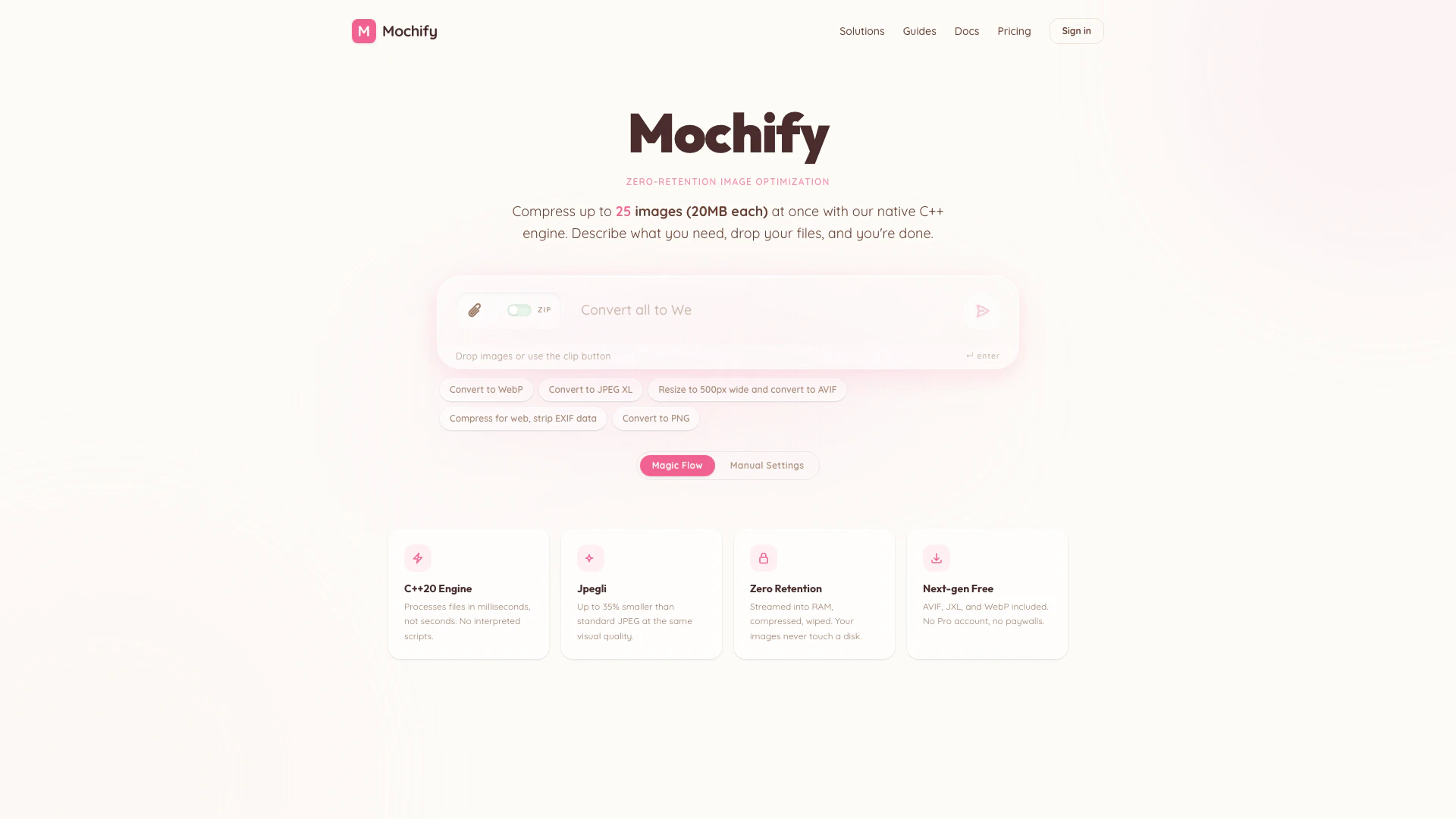
Mochify website screenshot showing Effortlessly compress multiple images wi... interface and features
Use tool
Update this tool
Bbc logo

Bbc

Stay updated with reliable news from around the world.

Gmail Gpt logo

Gmail Gpt

GPT for Gmail™ | AI Email Assistant | Gemini - Google Workspace Marketplace

Buzz Mail logo

Buzz Mail

Buzz Mail - Google Workspace Marketplace

Deepl logo

Deepl

Translate texts & full document files instantly. Accurate translations for individuals and Teams. Millions translate with DeepL every day.

Google logo

Google

AI Time Manager offers AI-driven tools for better time management.

Mochify Overview

What is Mochify?

Mochify is a free bulk image compressor designed for optimizing images in formats such as WebP, HEIC, JXL, and AVIF. It allows users to compress up to 25 files at once, each with a maximum size of 20MB, without compromising on quality. Utilizing a native C++ engine, Mochify processes images quickly and efficiently, ensuring a fast and private experience. The tool is particularly suitable for Shopify users, providing seamless integration for e-commerce platforms.


How to use Mochify?

  1. Visit the Mochify website at https://mochify.xyz/.
  2. Drag and drop your images into the designated area or use the clip button to select files.
  3. Choose your desired output format (WebP, JPEG XL, AVIF, etc.) and any other settings.
  4. Click the 'Compress' button to start the optimization process.
  5. Once completed, download your optimized images.

What are the main features of Mochify?

  • Bulk Compression: Compress up to 25 images simultaneously, with each file up to 20MB.
  • Zero Retention: Images are processed in RAM without being saved to disk, ensuring privacy.
  • Fast Processing: Utilizes a C++ engine for quick image optimization, processing files in milliseconds.
  • Support for Next-gen Formats: Compress images in AVIF, JXL, and WebP formats, along with traditional formats like JPEG and PNG.
  • No Paywalls: All features are available for free, with no need for a Pro account.

Who is Mochify for?

Mochify is ideal for web developers, graphic designers, and e-commerce businesses, especially those using Shopify. It caters to anyone needing to optimize images for faster web performance without sacrificing quality. Whether you are looking to enhance your website's loading speed or reduce storage costs, Mochify provides an efficient solution for bulk image compression.


What are the use cases of Mochify?

  1. E-commerce Optimization: Use Mochify to compress product images for your Shopify store, improving load times and user experience.
  2. Web Development: Web developers can utilize Mochify to optimize images for websites, ensuring faster page loads and better SEO performance.
  3. Graphic Design Projects: Graphic designers can compress images before sharing or uploading them to maintain quality while reducing file sizes.

Mochify Pros and Cons

Pros

  • Bulk Compression Capability: Compress up to 25 images simultaneously, each up to 20MB, making it efficient for large projects.
  • Zero Quality Loss: Utilizes advanced compression techniques to ensure no quality loss during the image optimization process.
  • Fast Processing Speed: Powered by a native C++ engine, Mochify processes images in milliseconds, significantly faster than many alternatives.

Cons

No cons data detected for this tool

Mochify Pricing

Free

Contact Us

No account required. Just drag, drop, and go. 25 operations per day. All image formats — JPG, WEBP, AVIF, PNG, JXL, HEIC (upload). Resize, rotate & crop. MCP & API access.

Pro

$10

1,000 operations per month. All image formats — JPG, WEBP, AVIF, PNG, JXL, HEIC (upload). Resize, rotate & crop. MCP & API access.

For the latest pricing, please visit this link: https://mochify.xyz/pricing

Prices are subject to change. Please visit the official website for the most up-to-date pricing information.


Mochify Compare

Tool NameIntroductionPricing
Type
RatingLaunch DateLearn more
Ai Lawyer logo
Ai Lawyer
Explore AI Lawyer for easy, quick, and budget-friendly legal help. Empowering consumers and lawyers with AI-driven solutions for all your legal needs.
Free
💼Work
February 11, 2023
Get deal
Ecommerce Prompt Generator logo
Ecommerce Promp...
2Mn+ readymade ChatGPT prompt ideas built by prompt engineers, using insights from eCommerce experts - that really work!
Free
💼Work🎨Creativity
February 6, 2023
Get deal
Promptvibes logo
Promptvibes
Explore Prompt Vibes to create unique prompts with our ChatGPT Prompt generator. Discover a collection of the best prompts designed for various uses.
Free
🙋‍♂️Personal🎨Creativity
February 25, 2023
Get deal

Info current as of post date. Offers and availability may vary by location and are subject to change.

Mochify Launch embeds

Use website badges to drive support from your community for your TopAITools Review. They're easy to embed on your homepage or footer.

FEATURED ONTopaitoolsreview.com

Mochify Alternatives

Adobe screenshot

Adobe

Adobe Firefly is an AI-driven tool for creating unique images, videos, and audio.

Website
Free
💼Work🎨Creativity
Image Generation & EditingAI Image GeneratorAI Photo EditorAI Realistic Image Generator
  • Image Generation & Editing
  • AI Image Generator
  • AI Photo Editor
  • AI Realistic Image Generator
Use tool
15.7M
Direct60.39%
Referrals34.84%
Search3.54%
Picsart screenshot

Picsart

Picsart is a versatile platform for creating stunning visual content using AI tools.

Website
Free
🙋‍♂️Personal💼Work🎨Creativity
Image Generation & EditingAI Image GeneratorAI Photo EditorGallery Creation Tool
  • Image Generation & Editing
  • AI Image Generator
  • AI Photo Editor
  • Gallery Creation Tool
Use tool
15.1M
Search66.78%
Direct31.18%
Referrals1.59%
Pixelbin Io screenshot

Pixelbin Io

Pixelbin.io is free online photo editor. Use PixelBin to edit, crop, enhance, or add background to your images. A mobile app is also available for editing.

Website
FreeImage Generation & EditingAI Smart CropAI Image EnhancerAI Photo Editor
  • Image Generation & Editing
  • AI Smart Crop
  • AI Image Enhancer
  • AI Photo Editor
Use tool
2.2M
Direct45.63%
Search26.50%
Referrals26.13%

Mochify Tags

image compressionbulk processingWebP conversionHEIC supportNo Quality LossShopify ready

Also used for

AI Photo Editor252SVG Optimization Tool8SVG Compression Tool6AI Dating Profile Photo Generator13NSFW AI Art Generator5AI Vectorization Tool11AI Romantic Image & Video Generator56Gallery Creation Tool18Text Behind Image Design Tool1Text To 3d Generator7AI Car Wrap Generator1AI Device Mockup Generator3Code Snippet Image Generator2Code Visualization Tool2AI Pose Adjustment Tool1
Mochify logo
MochifyFree Trial
Get deal

Mochify Comments (0)

Your rating

?
0/2000

No comments yet

Be the first to share your thoughts!

Mochify Prompts (0)

Prompts And Results

Add your own prompts and outputs to help others understand how to use this AI.

🚀0
🚀0


