

Maxvideoai





What is Maxvideoai?
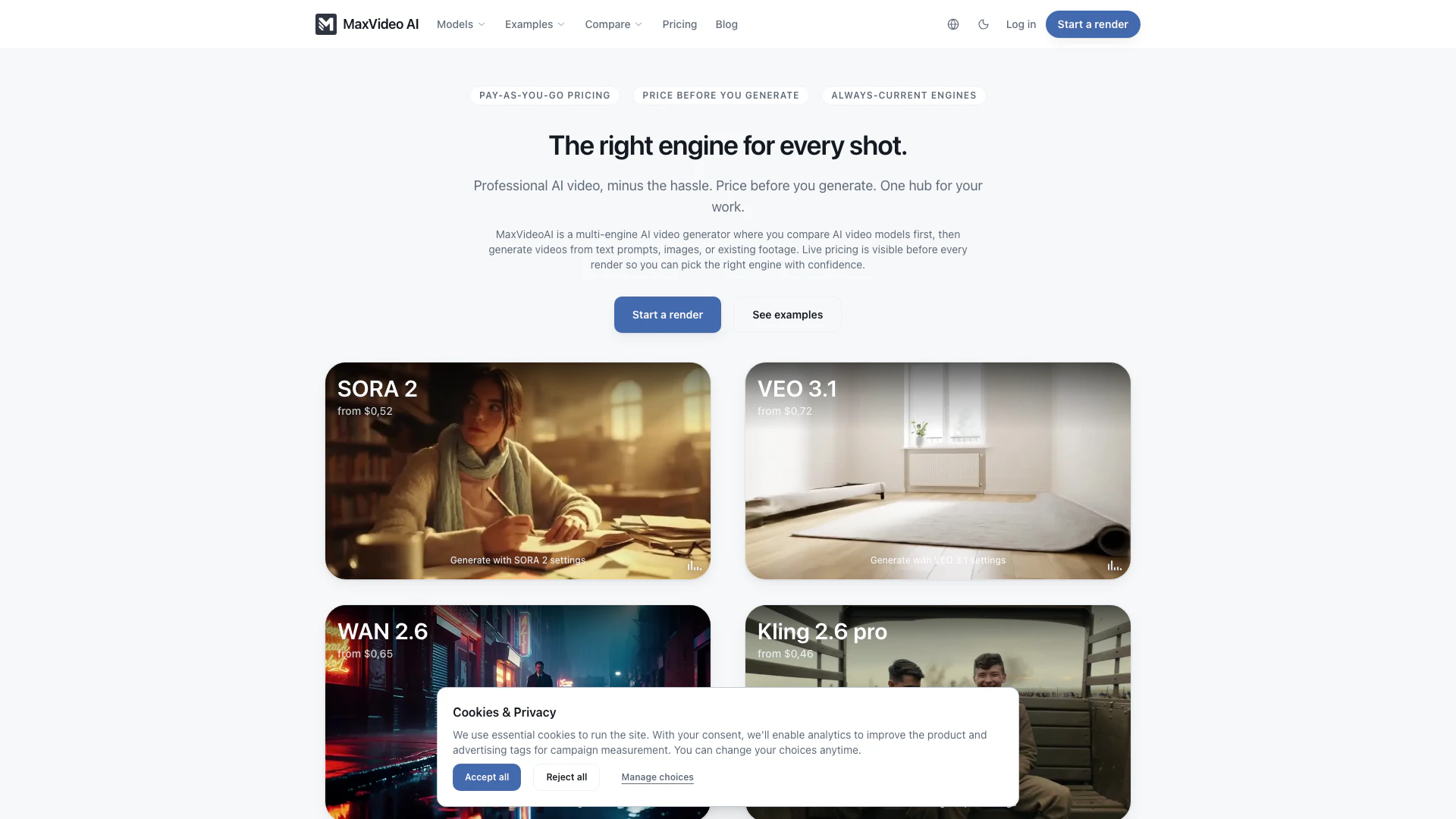
Maxvideoai is a powerful AI video generation[1] platform that enables users to create videos using various AI models, including Sora 2[2], Veo 3.1[3], and Kling[4], all from a single workspace. This innovative tool allows users to compare different AI engines side-by-side with the same prompt, ensuring they can select the most suitable engine for their specific video creation needs. By facilitating text-to-video, image-to-video, and video-to-video workflows, Maxvideoai streamlines the video production process, making it accessible and efficient for content creators, marketers, and businesses.
How to use Maxvideoai?
- Sign up or log into your Maxvideoai account.
- Choose the AI engine you want to use from the available options (e.g., Sora 2, Veo 3.1, Kling).
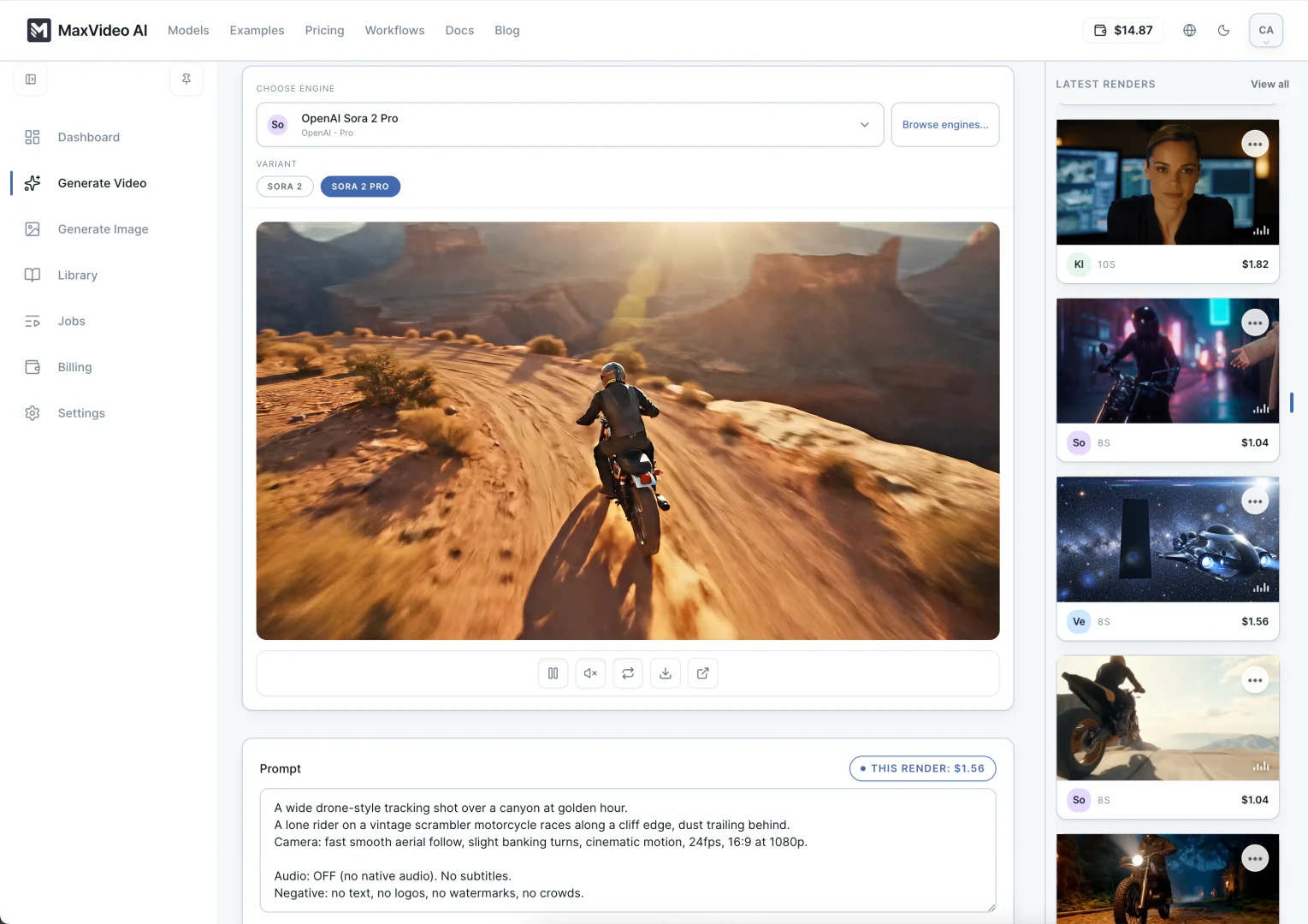
- Write a clear text prompt or upload an image/video that you want to transform.
- Set the desired video duration and resolution in the composer interface.
- Review the live pricing for the selected engine before generating the video.
- Click 'Generate' to create your video, and monitor the rendering process in real time.
- Once the video is rendered, you can download it or share it directly from the workspace.
What are the main features of Maxvideoai?
- Multi-engine[5] AI video generation: Create videos using various models like Sora 2, Veo 3.1, and Kling.
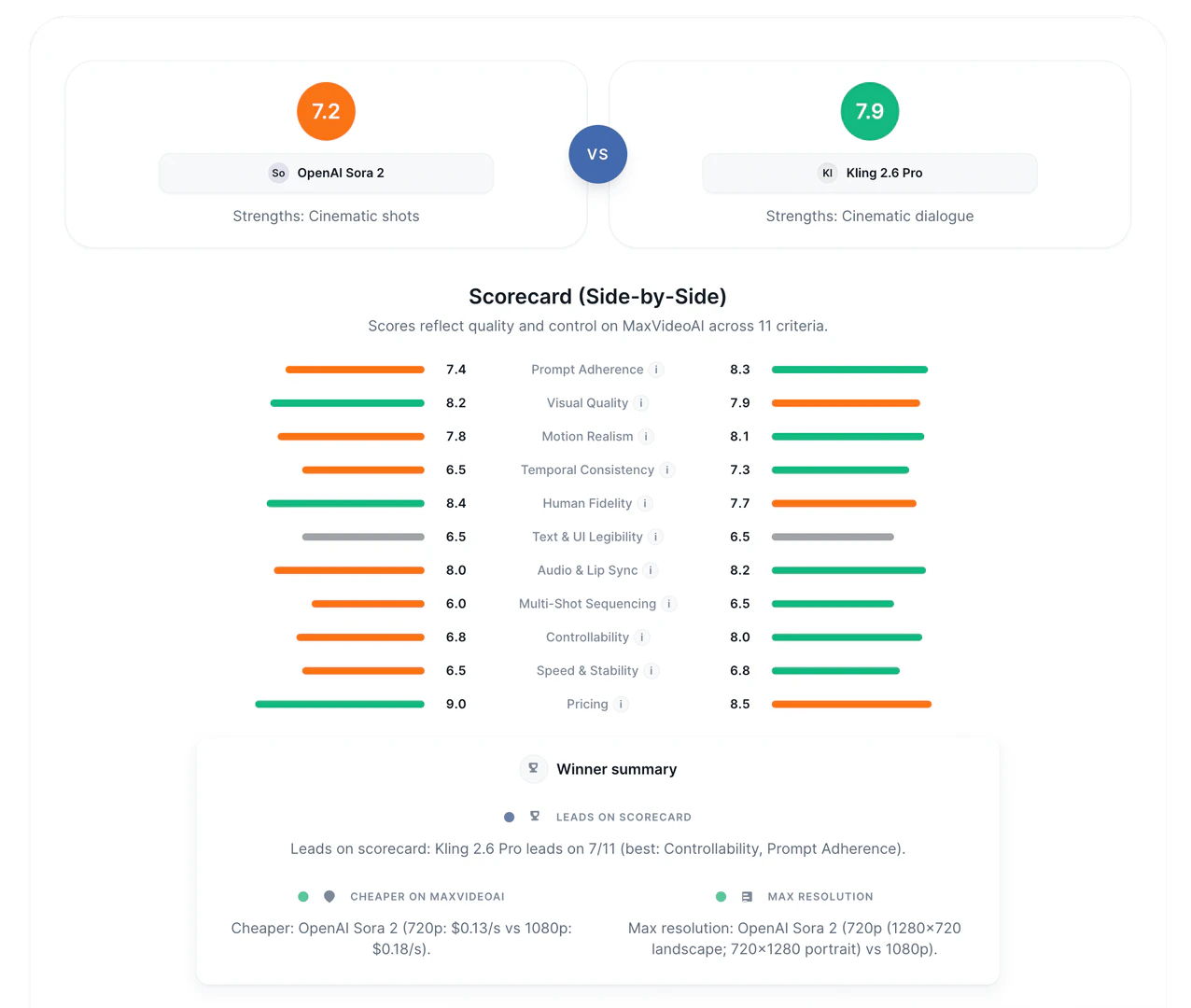
- Side-by-side comparison: Evaluate different AI engines' outputs with the same prompt to find the best fit.
- Text-to-video, image-to-video, and video-to-video capabilities: Flexibly transform text prompts, images, or existing footage into videos.
- Live pricing visibility: Know the cost before generating each video, ensuring budget control.
- Intuitive workspace: All tools and options are available in one dashboard for seamless operation.
Who is Maxvideoai for?
Maxvideoai is designed for a diverse range of users, including content creators, marketers, advertisers, and businesses looking to produce high-quality videos efficiently. Whether you are a social media manager needing quick video content, a filmmaker experimenting with AI technology, or a business aiming to create promotional videos, Maxvideoai caters to various needs. Its user-friendly interface and powerful features make it suitable for both beginners and experienced professionals in the video production field.
What are the use cases of Maxvideoai?
- Creating promotional videos for products or services using text prompts.
- Transforming still images into dynamic video content for social media marketing.
- Generating cinematic video clips for storytelling or short films using existing footage.
- Producing quick video drafts for pitches or presentations by leveraging rapid video generation capabilities.
- Comparing multiple video outputs to refine creative concepts and enhance production quality.
Product Images

Maxvideoai Pros and Cons
Pros
- Multi-Engine Comparison: Maxvideoai allows users to compare different AI video engines side-by-side, helping to choose the best model for each project.
- Instant Video Generation: Users can generate videos instantly from text prompts, images, or existing footage, streamlining the video creation process.
- Transparent Pricing: Live pricing is displayed before generating videos, allowing users to understand costs upfront and make informed decisions.
Cons
No cons data detected for this tool
Maxvideoai Pricing
Sora 2
Text/image remix with native audio. Audio included by default.
Veo 3.1
Ads & B-roll. Text prompts, Multi reference, Audio native.
WAN 2.6
Global look: elegant thriller, rainy night, soft neon, 35mm, fine film grain.
Kling 2.6 Pro
Cinematic video with native audio.
For the latest pricing, please visit this link: https://maxvideoai.com/pricing
Prices are subject to change. Please visit the official website for the most up-to-date pricing information.
Analytics of Maxvideoai
Maxvideoai Website Traffic Analysis
Visits Over Time
Traffic Sources
Nov 2025 - Jan 2026 Worldwide Desktop Only
- Search: 55.34%
- Direct: 42.74%
- Referrals: 1.24%
- Social: 0.41%
- Paid Referrals: 0.19%
- Mail: 0.02%
Top Keywords
| Keyword | Volume | CPC | Estimated Value |
|---|---|---|---|
| maxvideo | 660 | $0.00 | $10.00 |
| max video ai | 140 | $0.00 | $140.00 |
| maxvideo ai | 90 | $0.00 | $90.00 |
| maxvideoai | 30 | $0.00 | $20.00 |
| ai max video | 10 | $0.00 | $10.00 |



