


Twitter-color Created with Sketch. Amazon-color Created with Sketch. Facebook-color Created with Sketch. github [#142] Created with Sketch. meta_fill Pinterest-color Created with Sketch. ProductHunt-color Created with Sketch. Spotify-color Created with Sketch. Threads Logo Streamline Icon: https://streamlinehq.com Yelp-color Created with Sketch. Youtube-color Created with Sketch.
TopAIToolsTopAITools
  • Free Tools
  • Category
  • Leaderboard
  • Deals
  • Submit
EN
TopAIToolsTopAITools
TopAI

TopAITools

TopAITools, The Best Top AI Tools

AI Glossary|English简体中文繁體中文한국어日本語PortuguêsEspañolDeutschFrançaisTiếng Việt|Map

© 2026 TopAITools. All rights reserved.

About

  • Privacy Policy
  • Terms of use

Contact Us

business@topaitoolsreview.com
Home
AI Link in Bio
Linkhub
Last updated: April 26, 2026
Linkhub logo

Linkhub

Get deal
4.0|0 Comments|0 Saved
Introduction:
Enhance your LinkedIn engagement with AI-driven comments.
Launch Date:
August 6, 1996
Monthly Visits:
19.1K
Inputs:
Text
Outputs:
Text
Supported Languages:
EN
AI Models:
AI Comments
Website
Free Trial
💼Work🎨Creativity
AI Link in Bio19AI Social Media Tools334AI LinkedIn Conversation Starter Generator21
Linkhub website screenshot showing Enhance your LinkedIn engagement with AI... interface and features
Use tool
Update this tool
Ai Lawyer logo

Ai Lawyer

Explore AI Lawyer for easy, quick, and budget-friendly legal help. Empowering consumers and lawyers with AI-driven solutions for all your legal needs.

Autodraw logo

Autodraw

AutoDraw

Uniskai By Profisea Labs logo

Uniskai By Profisea Labs

AI-Based Cloud Cost Reduction Platform | Profisea Labs

Outfits Ai logo

Outfits Ai

Try on any outfits using AI!

Waldo logo

Waldo

TRỰC TIẾP SAVAN - ĐÁ GÀ TRỰC TIẾP THOMO CPC1, CPC2, CPC3 HÔM NAY

Linkhub Overview

What is LinkHub?

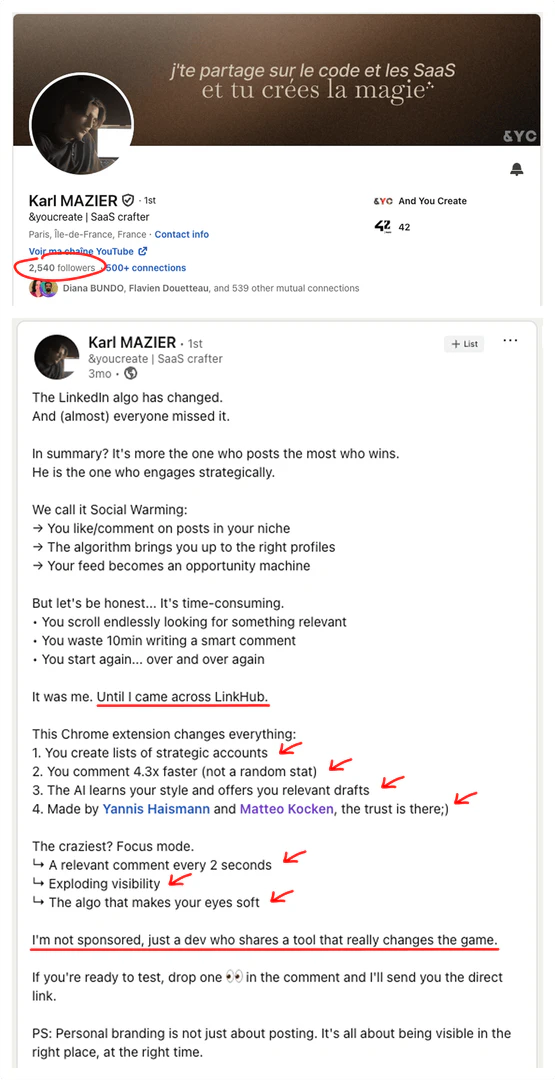
LinkHub is a powerful LinkedIn extension[1] designed to help users attract qualified clients through intelligent commenting[2]. It enables users to engage with the right audience by suggesting personalized comments[3], thereby increasing visibility and client acquisition[4] without violating LinkedIn's rules. By dedicating just 10 minutes a day, users can achieve three times more visibility and client interactions compared to traditional posts.


How to use LinkHub?

  1. Install the LinkHub extension from the Chrome Web Store.
  2. Create your first prospect list based on your target audience.
  3. Start engaging with relevant posts by using the AI-generated comments tailored to your style.

What are the main features of LinkHub?

  • Intelligent comment suggestions tailored to your writing style.
  • Ability to create personalized feeds focused on specific prospects or topics.
  • Access to millions of GIFs to enhance comments.
  • Distraction-free interface for focused engagement.
  • In-depth statistics to optimize commenting strategies.

Who is LinkHub for?

LinkHub is ideal for professionals across various industries looking to enhance their LinkedIn presence. This includes consultants, coaches, entrepreneurs, freelancers, and employees in sectors such as tech, marketing, finance, and consulting. It caters to anyone seeking to engage more effectively with their target audience on LinkedIn.


What are the use cases of LinkHub?

  1. Gaining 3 to 5 additional clients monthly through targeted commenting.
  2. Engaging with industry leaders and influencers to increase visibility.
  3. Utilizing GIFs in comments to make interactions more memorable.

Product Images
LinkHub installation and setup process
LinkHub interface showing personalized comments
LinkHub feature demonstration for personalized feeds
LinkHub commenting interface with GIFs
LinkHub product overview interface
LinkHub comments interface demonstration
LinkHub user scenario for professionals
1 / 7

Linkhub Pros and Cons

Pros

  • Intelligent Commenting Tool: LinkHub enables users to comment intelligently on LinkedIn, increasing visibility and client engagement significantly.
  • AI-Powered Suggestions: The tool provides personalized comment suggestions based on user style, making engagement more effective and tailored.
  • Distraction-Free Interface: LinkHub offers a clean interface that focuses solely on relevant posts, allowing users to engage without distractions.

Cons

No cons data detected for this tool

Linkhub Pricing

Pro + AI

EUR24

You comment even faster and better thanks to an AI that assists you but doesn't replace you. Features include instant AI comments, rewriting options with AI, automatic learning mode, AI post summary, AI-chosen interactions, and the ability to cancel in 1 click with no hidden fees.

For the latest pricing, please visit this link: https://linkhub.gg/#pricing

Prices are subject to change. Please visit the official website for the most up-to-date pricing information.

Analytics of Linkhub

Loading...

Linkhub Reviews

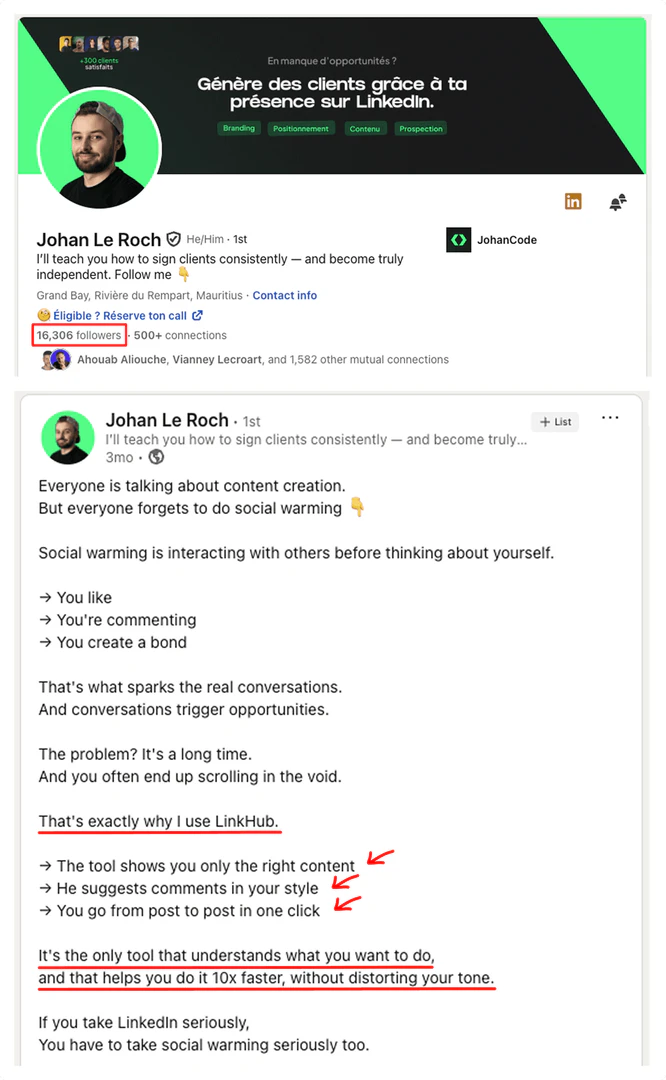
Amazing, thanks to LinkHub I get 3 to 5 additional clients every month. Only by spending a few minutes per day. Super tool!

For more reviews, visit this link: https://linkhub.gg#clients-results

Linkhub Compare

Tool NameIntroductionPricing
Type
RatingLaunch DateLearn more
Autodraw logo
Autodraw
AutoDraw
Free
🎨Creativity
January 2, 1998
Get deal
Education Copilot logo
Education Copil...
Generate AI lesson plans, PowerPoints, and more with Copilot! Use Copilot to breeze through your unit planning and material creation!
Free
💼Work
November 13, 2022
Get deal
Tutorai logo
Tutorai
Tutor AI - Your personal AI tutor to learn anything
Free
🙋‍♂️Personal💼Work
September 23, 2007
Get deal

Info current as of post date. Offers and availability may vary by location and are subject to change.

Linkhub Q&A

No, and that's the magic of LinkHub! Unlike other tools, our AI: • Learns your writing style over time • Uses a natural, seamless tone that is undetectable • Generates contextually relevant replies No one will know you're using AI — unless you tell them yourself!

For more FAQs, please visit this link: https://linkhub.gg/#faq

Linkhub Launch embeds

Use website badges to drive support from your community for your TopAITools Review. They're easy to embed on your homepage or footer.

FEATURED ONTopaitoolsreview.com

Linkhub Alternatives

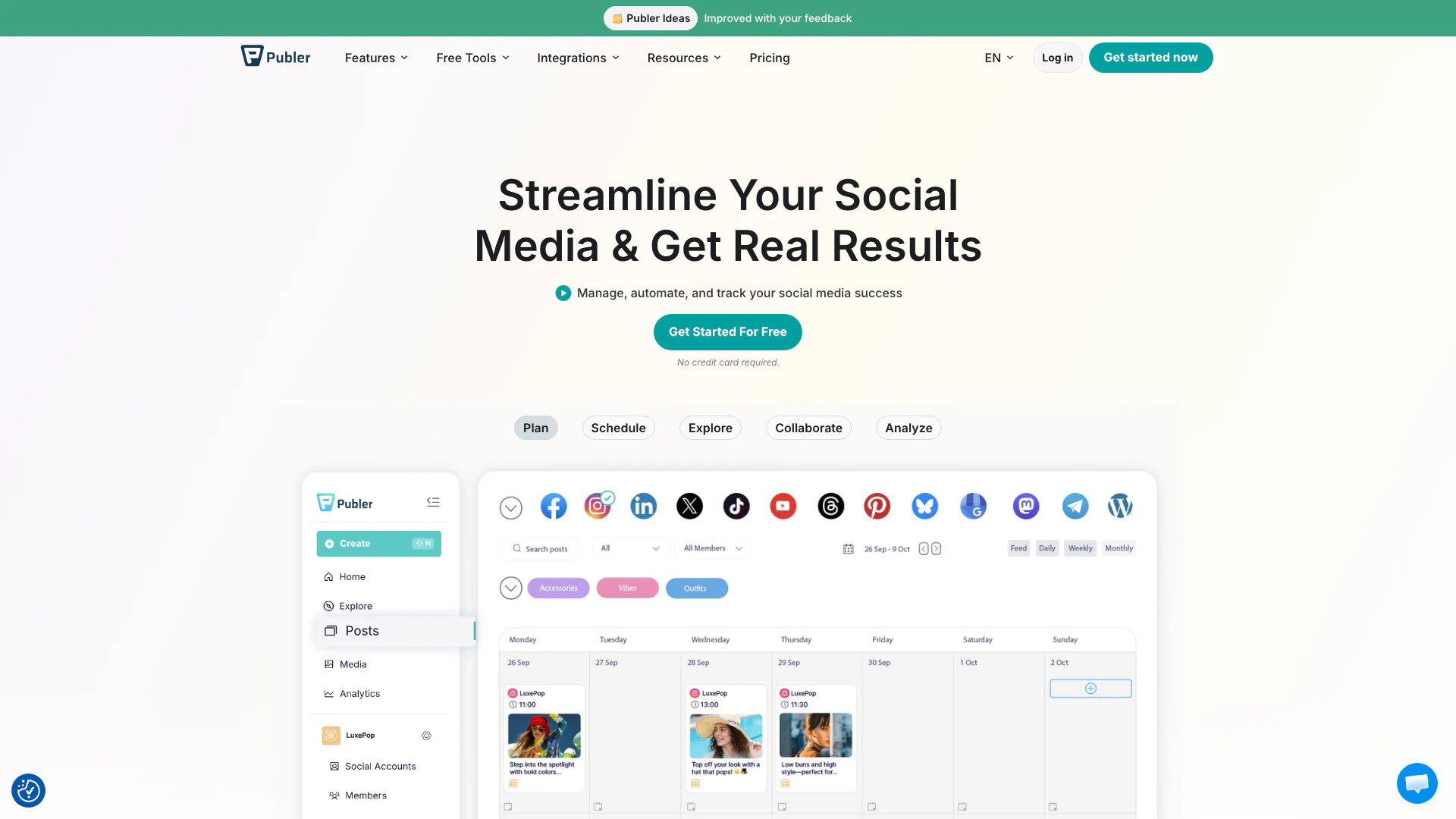
Publer screenshot

Publer

Boost your social media strategy with Publer’s suite of tools. Manage multiple accounts, schedule posts, collaborate with your team, and analyze performance—all in one place.

Website
FreeSocial Media ToolsAI Social Media Tools
  • Social Media Tools
  • AI Social Media Tools
Use tool
4.2M
Direct47.33%
Search47.30%
Referrals3.49%
AI Repurpose screenshot

AI Repurpose

OpusClip turns long videos into high-quality viral clips for you to share on TikTok, YouTube Shorts, and Reels to increase social media reach.

Website
FreeWriting & EditingAI Content RepurposingAI Text GeneratorAI Social Media Tools
  • Writing & Editing
  • AI Content Repurposing
  • AI Text Generator
  • AI Social Media Tools
Use tool
4.9M
Direct60.14%
Search34.01%
Referrals3.64%
Barbie Selfie Generator screenshot

Barbie Selfie Generator

WarnerBros.com | Barbie | Movies

Website
Free
🎨Creativity
Image Generation & EditingAI Image GeneratorAI Design GeneratorAI Social Media Tools
  • Image Generation & Editing
  • AI Image Generator
  • AI Design Generator
  • AI Social Media Tools
Use tool
1.5M
Search45.06%
Direct38.07%
Referrals8.57%

Linkhub Tags

LinkedIn EngagementAI Comment GenerationPersonalized FeedsComment OptimizationDistraction-Free InterfaceClient Attraction

Also used for

AI Link in Bio19AI Social Media Tools334AI LinkedIn Conversation Starter Generator21Sugar Relationship Networking Tools9Ai Cross Posting Tools79Discord Community Management Tools11Discord E Commerce Tools3Discord Analytics and Member Management Tools2Indie Startup Networking21Public Maker Platform8Indie Startup Showcase7AI WhatsApp Business Tools7Random Video Chat Tools5Anonymous Chat Platforms3AI LinkedIn Carousel Generator2

Sources (3)

Linkhub logo
LinkhubFree
Get deal

Linkhub Comments (0)

Your rating

?
0/2000

No comments yet

Be the first to share your thoughts!

Linkhub Prompts (0)

Prompts And Results

Add your own prompts and outputs to help others understand how to use this AI.

🚀0
🚀0